Speed Sign Recognition (If Equipped)
Speed sign recognition detects speed limit signs to inform you of the current speed limit. Detected speed signs appear in the instrument cluster display.
HOW DOES SPEED SIGN RECOGNITION WORK
Speed sign recognition uses a sensor behind the interior mirror to detect speed signs.
If your vehicle has speed sign recognition with navigation, stored speed sign data may influence the indicated speed limit value.
SPEED SIGN RECOGNITION PRECAUTIONS
 WARNING: You are responsible for controlling your vehicle at all times. The system is designed to be an aid and does not relieve you of your responsibility to drive with due care and attention. Failure to follow this instruction could result in the loss of control of your vehicle, personal injury or death. WARNING: In cold and severe weather conditions the system may not function. Rain, snow and spray can all limit sensor performance. WARNING: The system may not operate properly if the sensor is blocked. Keep the windshield free from obstruction. WARNING: You are responsible for controlling your vehicle at all times. The system is designed to be an aid and does not relieve you of your responsibility to drive with due care and attention. Failure to follow this instruction could result in the loss of control of your vehicle, personal injury or death. WARNING: In cold and severe weather conditions the system may not function. Rain, snow and spray can all limit sensor performance. WARNING: The system may not operate properly if the sensor is blocked. Keep the windshield free from obstruction. |
Note: Do not carry out windshield repairs in the immediate area surrounding the sensor.
Note: If your vehicle has a suspension kit not approved by Ford, the system may not correctly function.
Note: The system may not detect all speed signs and may incorrectly read signs.
Note: Always fit our original parts when replacing headlamp bulbs. Other bulbs may reduce system performance.
SPEED SIGN RECOGNITION LIMITATIONS
Speed sign recognition may not operate correctly due to:
- Outdated map data.
- Incorrect recognition of speed limits by the sensor of signs on parallel roads or exit ramps.
- Missed recognition of faded, dirty, or distorted signs.
SPEED SIGN RECOGNITION INDICATORS
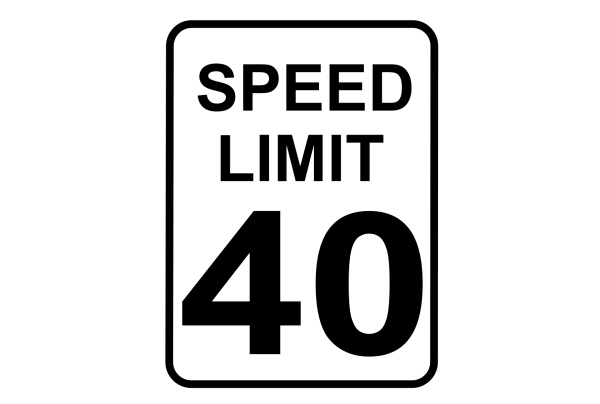
When the system detects a speed limit sign, it appears in the instrument cluster display.
Note: Sign indicator image may vary based on your vehicle's display type.
SETTING THE SPEED SIGN RECOGNITION SPEED WARNING
To set the speed warning, use the touchscreen.
- Press Settings on the touchscreen.
- Press Driver Assistance.
- Press Speed Sign Recognition.
- Switch the feature on or off.
SETTING THE SPEED SIGN RECOGNITION SPEED TOLERANCE
To set the tolerance of the speed warning, use the touchscreen.
- Press Settings on the touchscreen.
- Press Driver Assistance.
- Press Speed Sign Recognition.
- Press Tolerance.
- Use + and - to set the tolerance.
SPEED SIGN RECOGNITION – INFORMATION MESSAGES
| Message | Details |
|---|---|
|
Traffic Sign Reduced Performance See Manual |
The traffic sign data provided by the Map Data is unavailable due to weak or no signal. Wait for a short period of time for the signal to improve. If the message continues to appear, have the system checked as soon as possible. |
SPEED SIGN RECOGNITION – FREQUENTLY ASKED QUESTIONS
Why does the speed limit change without any sign on the road?
- The speed limit changes due to the speed limit data stored in the map data.
Why does speed sign recognition show a wrong speed limit?
- The system shows a wrong speed limit due to incorrect and outdated map data or due to incorrect recognition of the speed limits by the camera.
Download Manual