Interior Lighting
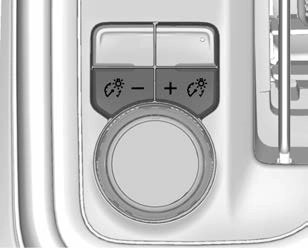
This feature adjusts the brightness of all illuminated controls. The instrument panel illumination control is next to the exterior lamp control.
D : Press D + to brighten or D − to dim the lights.
This feature is functional at night, or when the headlamps or parking lamps are ON.
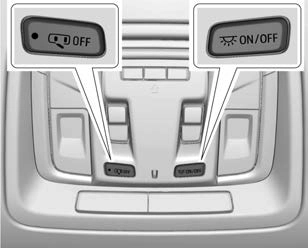
The dome lamp controls are in the overhead console.
To operate, press the following buttons:
j OFF : Press to turn off the dome lamps when a door is open. An indicator light on the button will turn on when the dome lamp override is activated. Press j OFF again to deactivate this feature and the indicator light will turn off. The dome lamps will come on when any door is opened, K on the remote key is pressed, or when the ignition is switched off.
+ ON/OFF : Press to turn the dome lamps on manually. Press again to turn the dome lamps off.
There are reading lamps on the overhead console and over the rear seats. These lamps come on when any door is opened.
To operate, the ignition must be on, or in ACC/ACCESSORY, or using Retained Accessory Power (RAP).
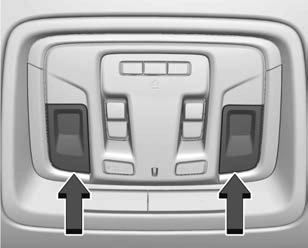
Front Reading Lamps
The front reading lamps are in the overhead console.
Press the lamp lenses to turn the front reading lamps on or off.
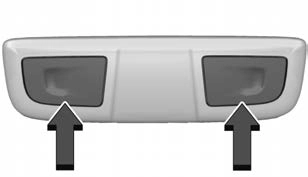
Rear Reading Lamps
The rear reading lamps are over the rear seats.
Press the lamp lens to turn the rear reading lamps on or off.
Download Manual