Smart Entry
System*
When you carry the remote transmitter (for example, in a pocket or purse) and it is outside the vehicle and within range (about 32 inches or 80 cm), you can lock or unlock the doors and tailgate without handling the transmitter.
Unlocking/Locking the Doors
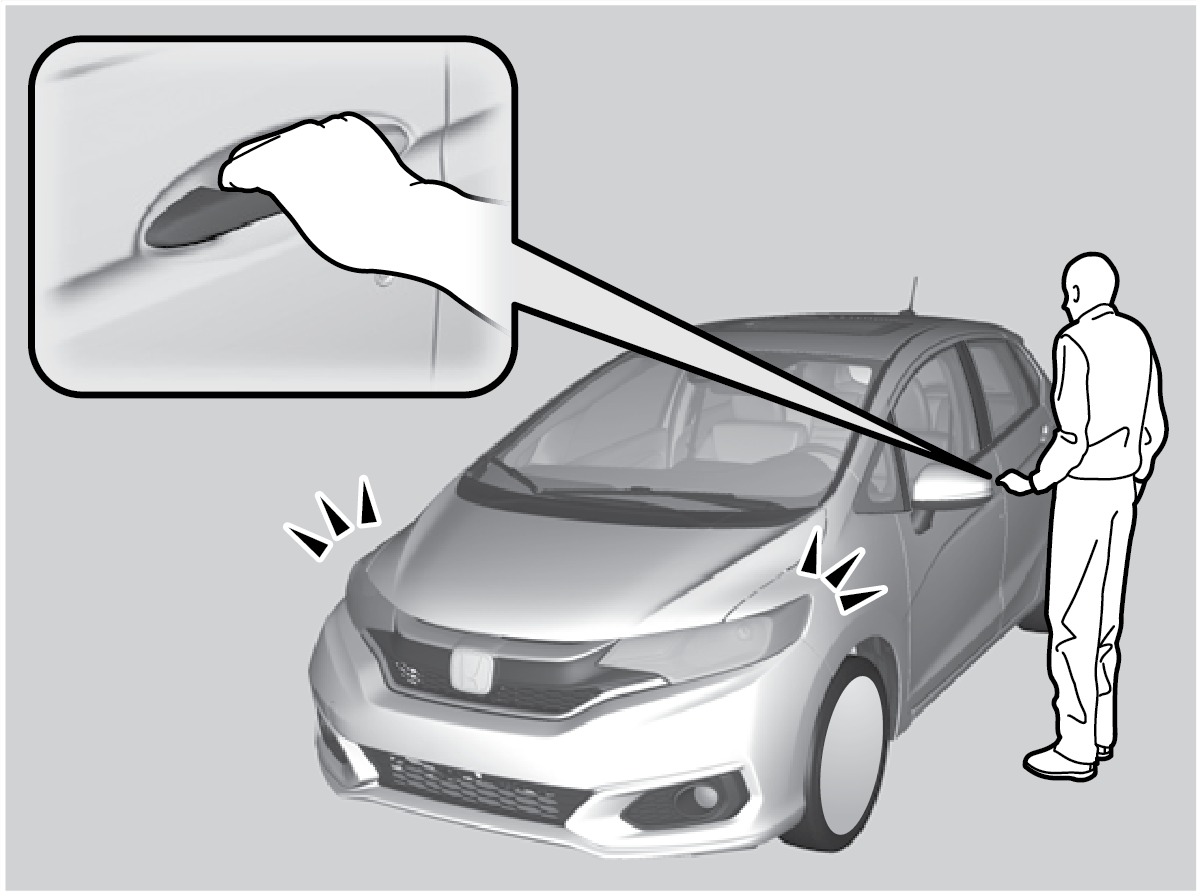
To unlock: Grab the driver's door handle when the vehicle is off to unlock the driver's door. Grab the front passenger's door handle to unlock all doors and the tailgate.
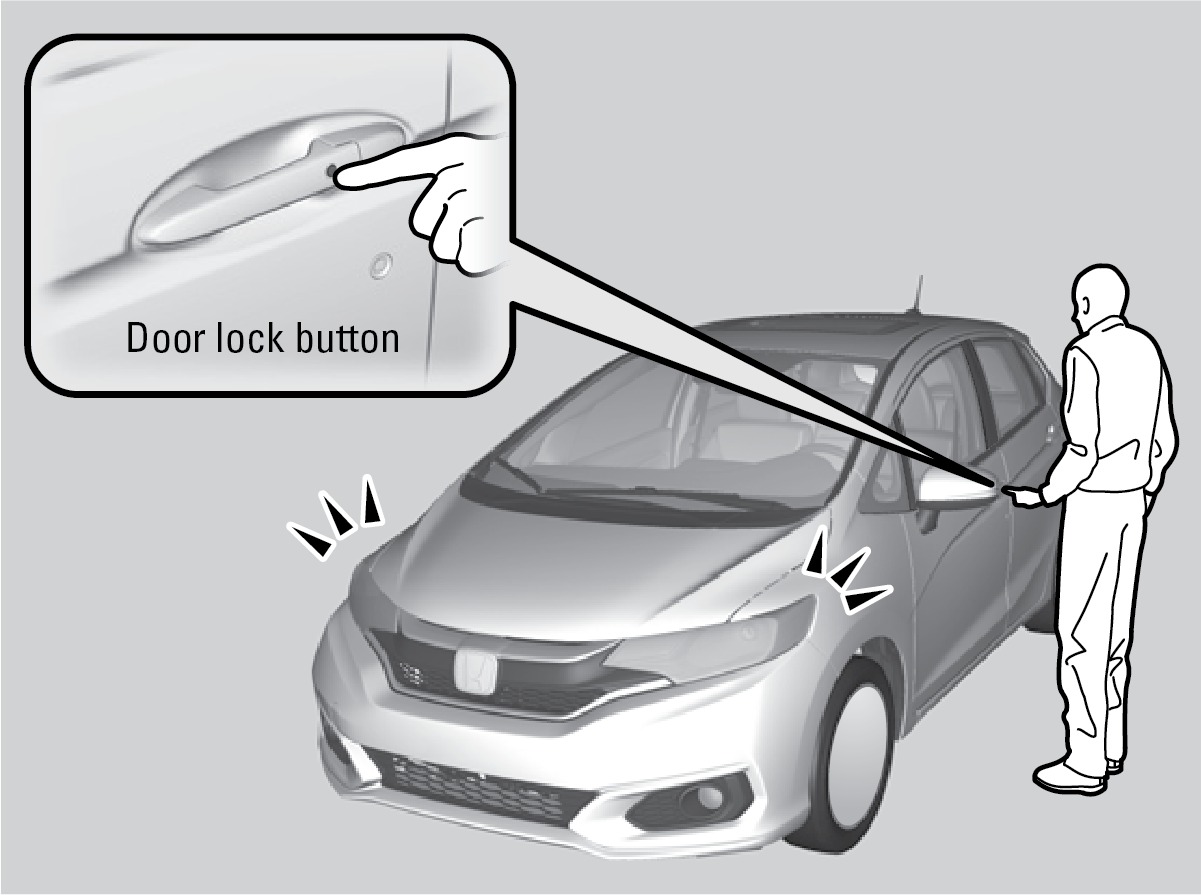
To lock: Press the door lock button on the front door handle when the vehicle is off. If the remote transmitter is inside the vehicle, the doors will not lock.
Unlocking/Locking the Tailgate
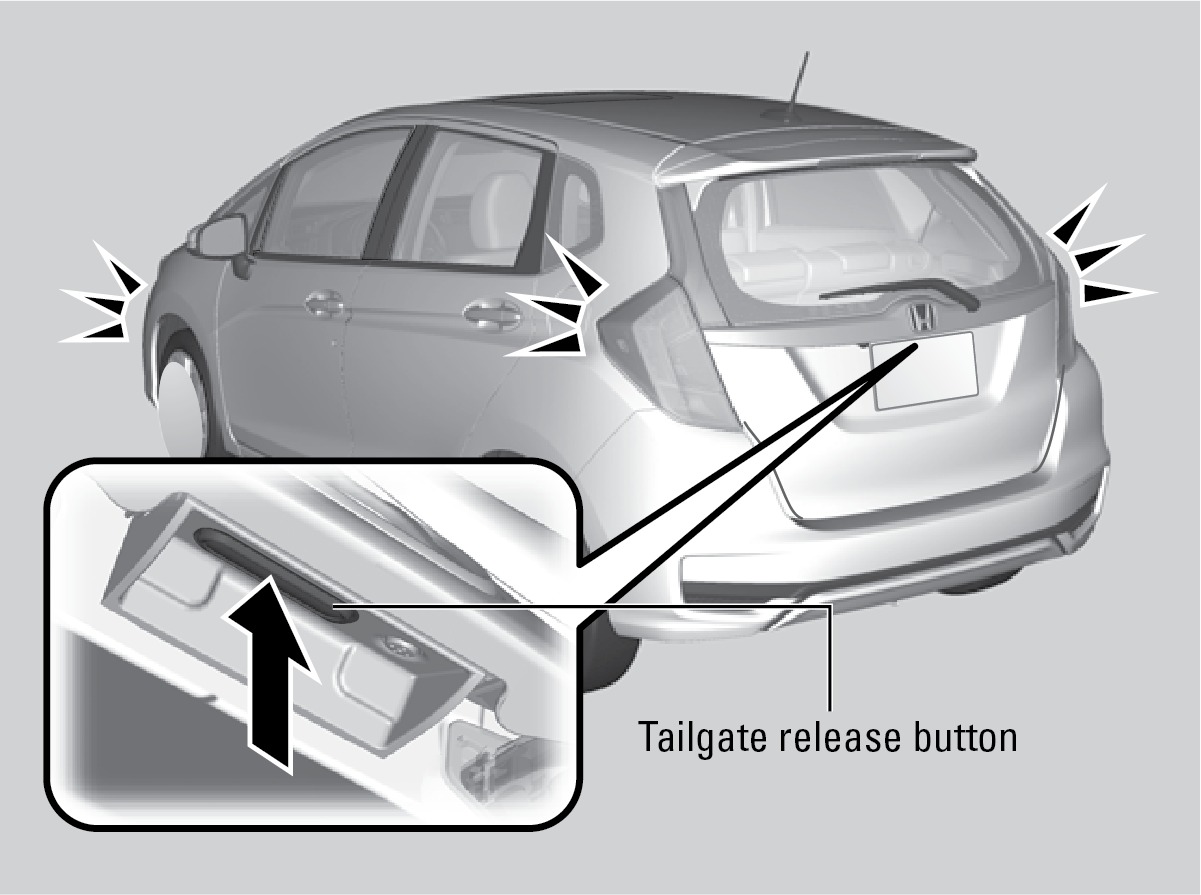
To unlock: Press the tailgate release button under the tailgate handle to unlock the doors and the tailgate. The vehicle can be on or off.
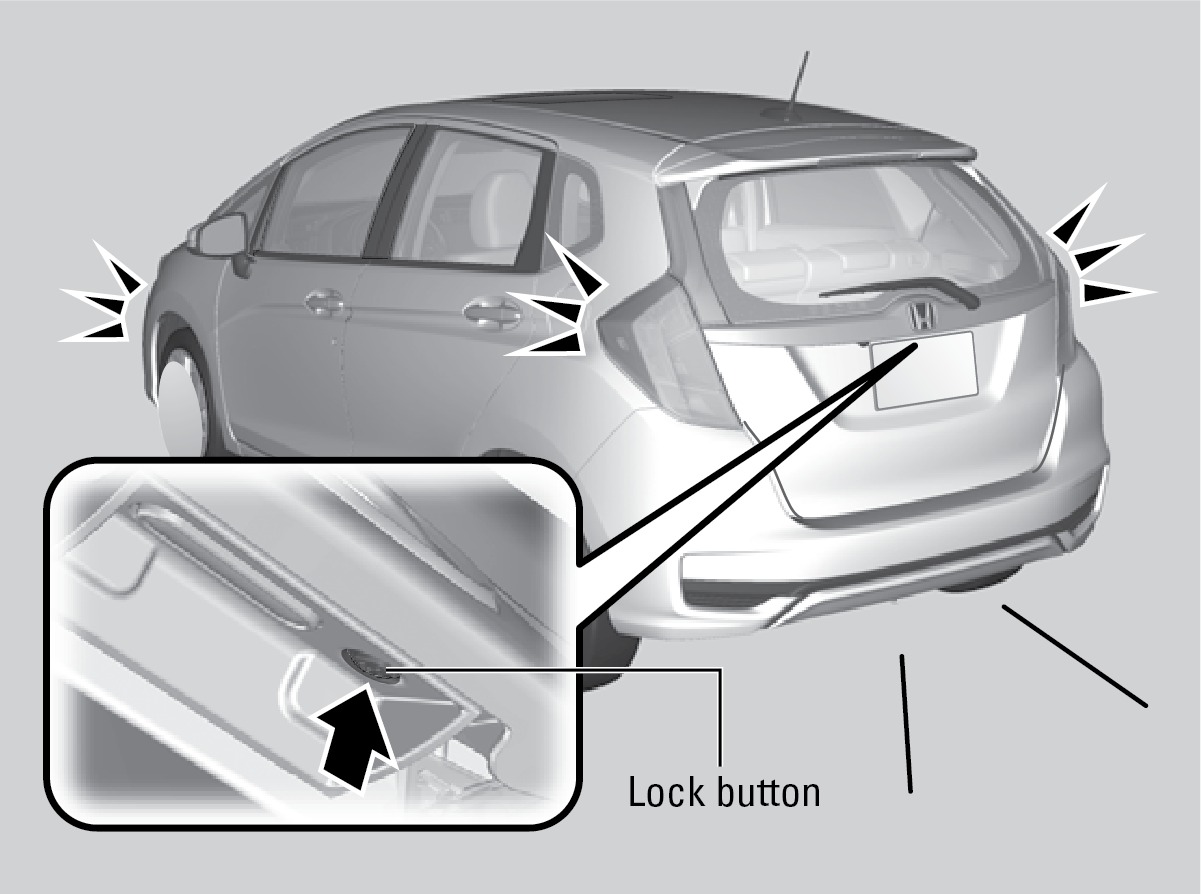
To lock: Press the tailgate lock button to lock the tailgate and all doors. If the remote transmitter is inside the vehicle, the tailgate and doors will not lock.
*if equipped
Customizing Door Lock/Unlock Settings
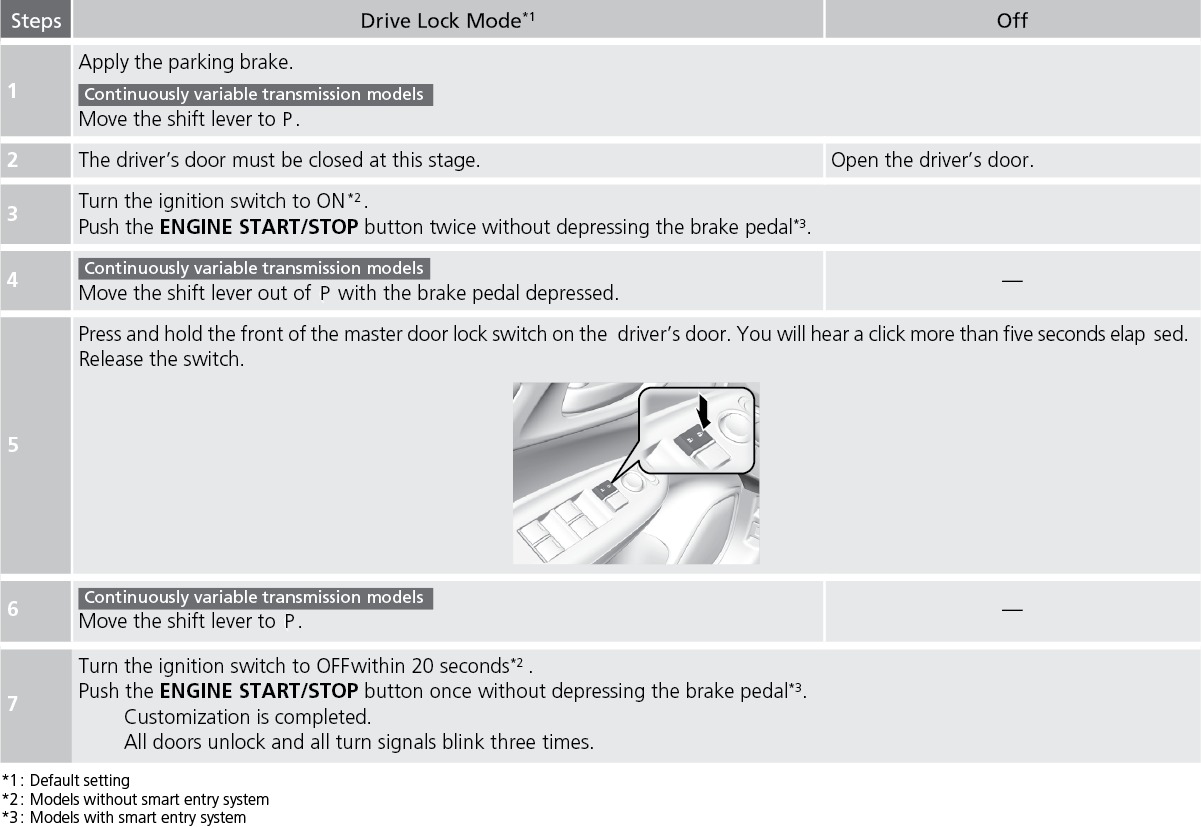
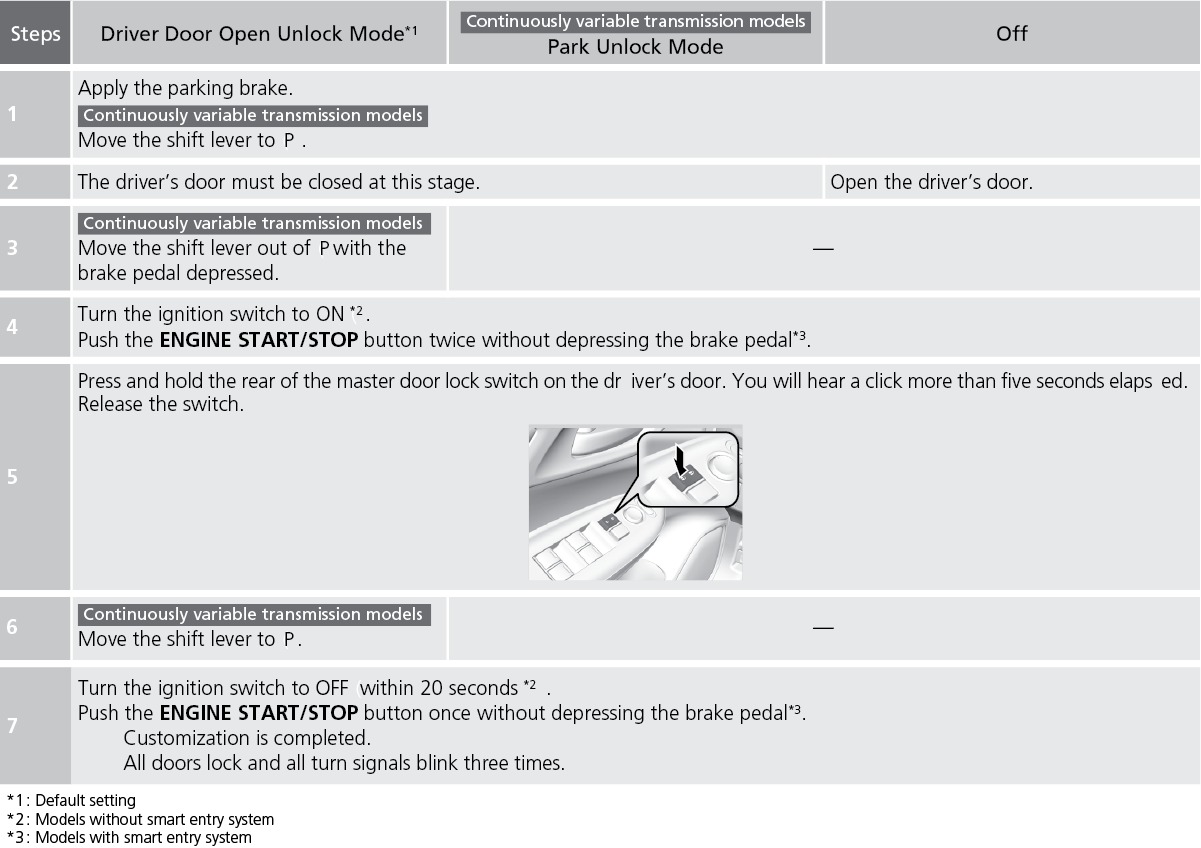
Customize the auto door-lock settings to your preference. Begin with the vehicle in Park (CVT models) or with the parking brake set (manual transmission models).
Customizing lock settings (models with color audio)
Customizing unlock settings (models with color audio)
Models with Display Audio
See "Customized Features".
Walk Away Auto Lock*
When you walk away from the vehicle while carrying the remote transmitter, the doors can automatically lock if the following conditions are met:
- The remote transmitter is within a range of 5 feet (1.5 m).
- All doors and the tailgate are closed.
- There is not an additional remote transmitter inside the vehicle.
Follow these steps (see diagram):
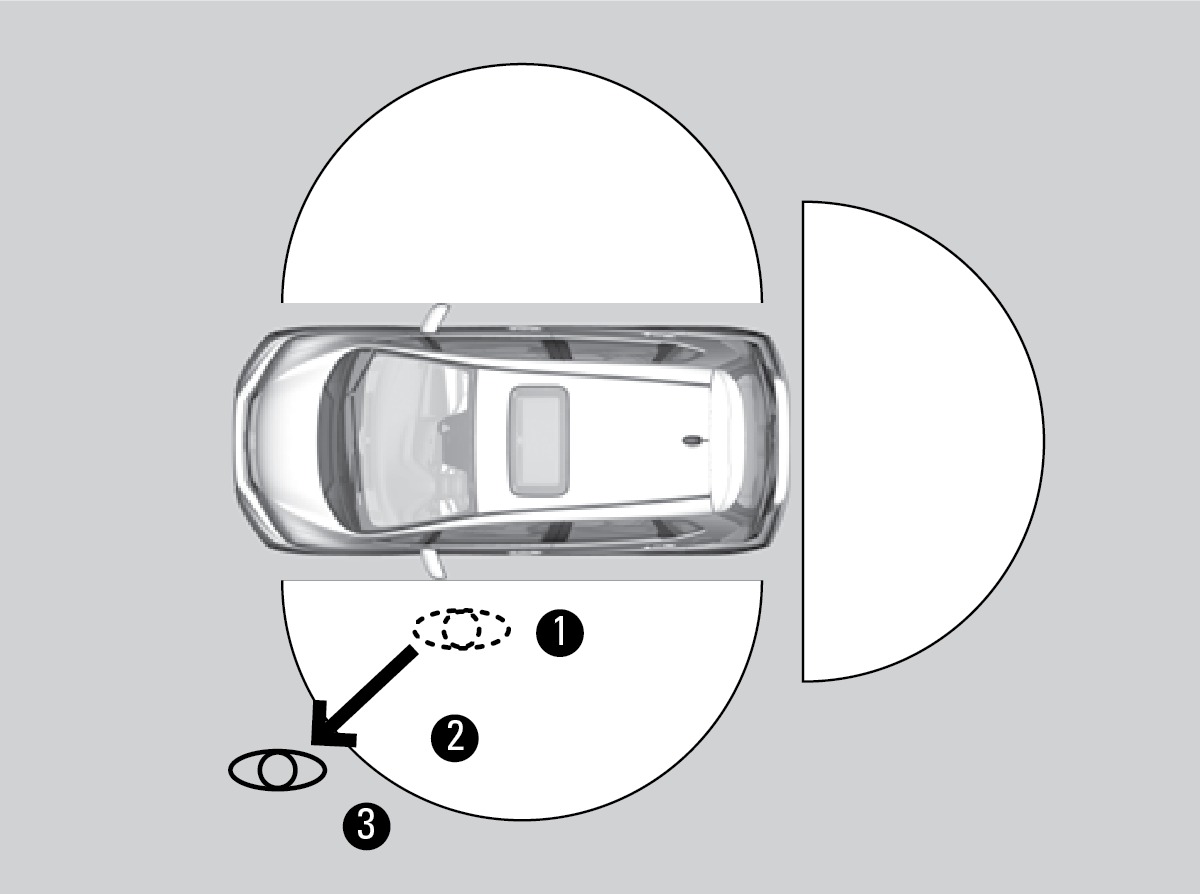
- Exit the vehicle, close the door and stay near it. Listen for a beep. The system is activated.
- Walk at least 5 feet (1.5 m) away.
- Listen for a beep and look for the lights to flash. The doors lock.
To turn on this feature, follow the steps below. The vehicle must be in Park (P).:
- From the HOME screen, select Vehicle Settings.
- Select Door Setup.
- Select Walk Away Auto Lock.
- Select On.
- Select BACK to exit the menus.
*if equipped
Download Manual