Customized Features
Customize certain features when the vehicle is in Park (CVT models) or the parking brake is set (manual transmission models).
How to Change Settings
Models with color audio system
Use the selector knob to make and enter selections.
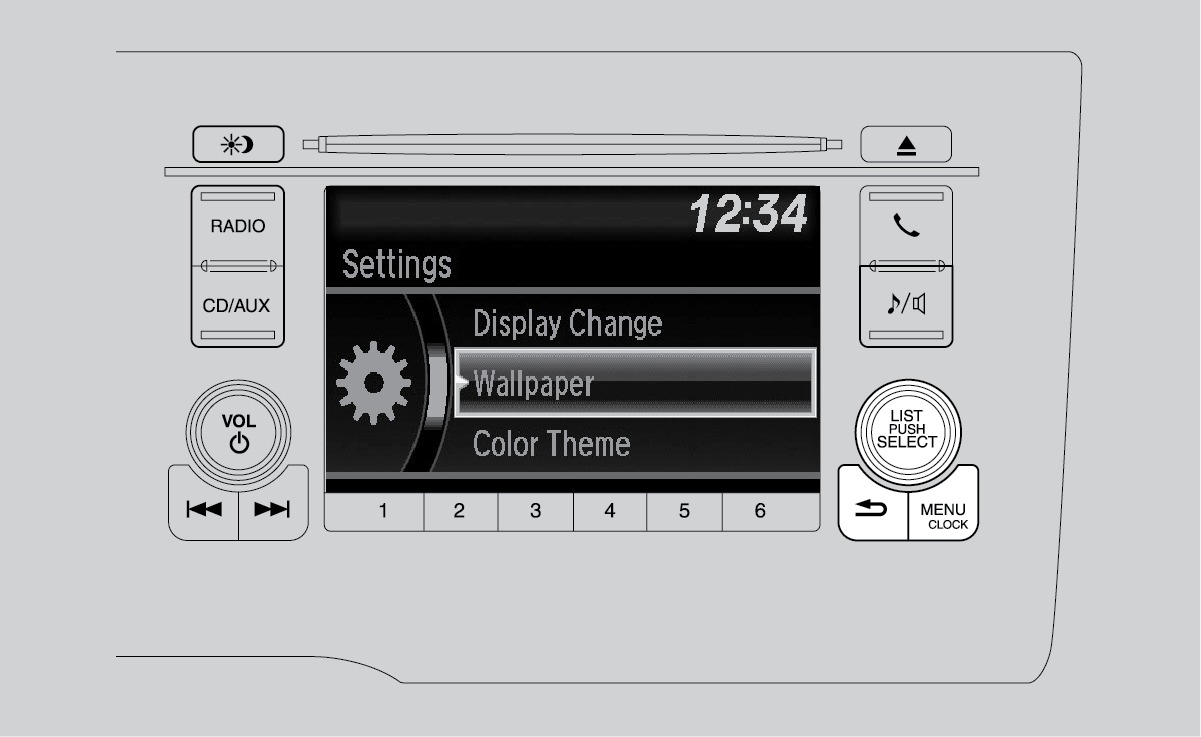
- Press the MENU/CLOCK button.
- Select Settings.
- Select a setting option and make your preferred changes.
- Press the Back button to exit the menus.
Models with Display Audio
Select items on the touchscreen to make selections.
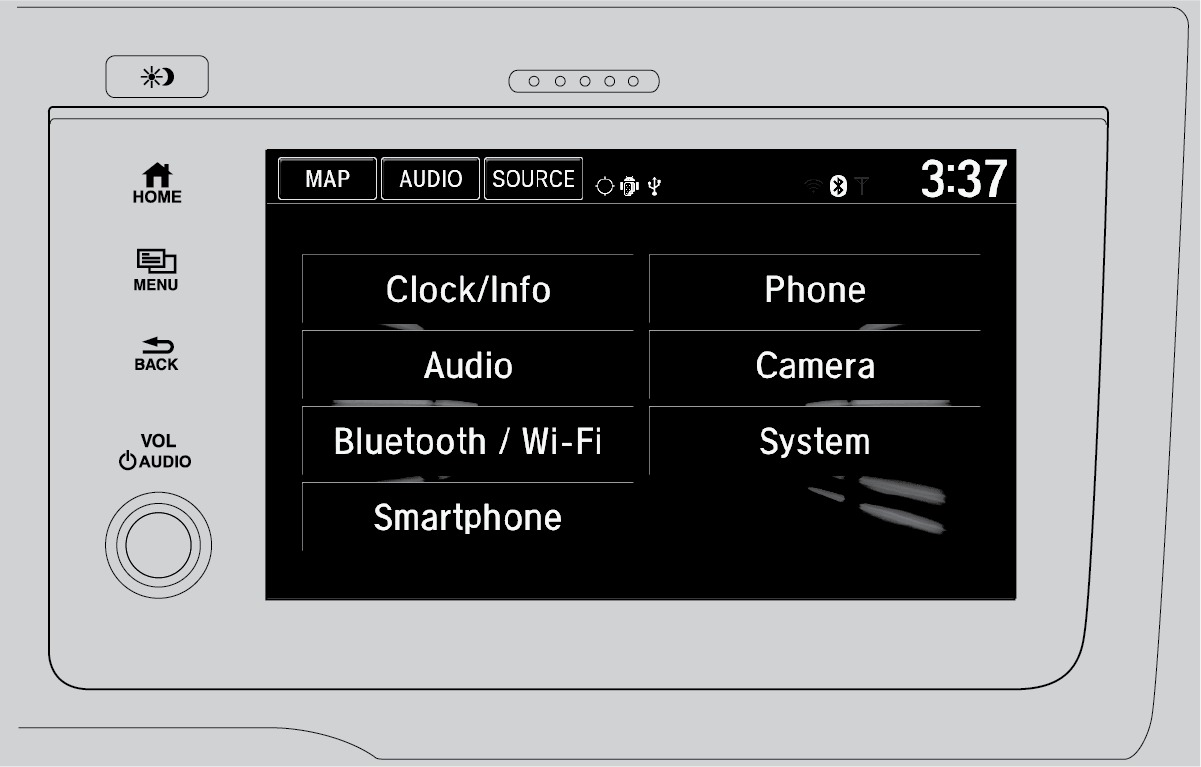
- From the HOME screen, select SETTINGS.
- Select an option (Clock/Info, Audio, Bluetooth/Wi-Fi, Smartphone, Phone, Camera, System, or Navigation*).
- Select a setting option and make your preferred changes.
- Press BACK to exit the menus.
*if equipped
Download Manual