Interior storage and equipment
STORAGE
GLOVE COMPARTMENT
The glove compartment is located on the passenger side of the instrument panel.
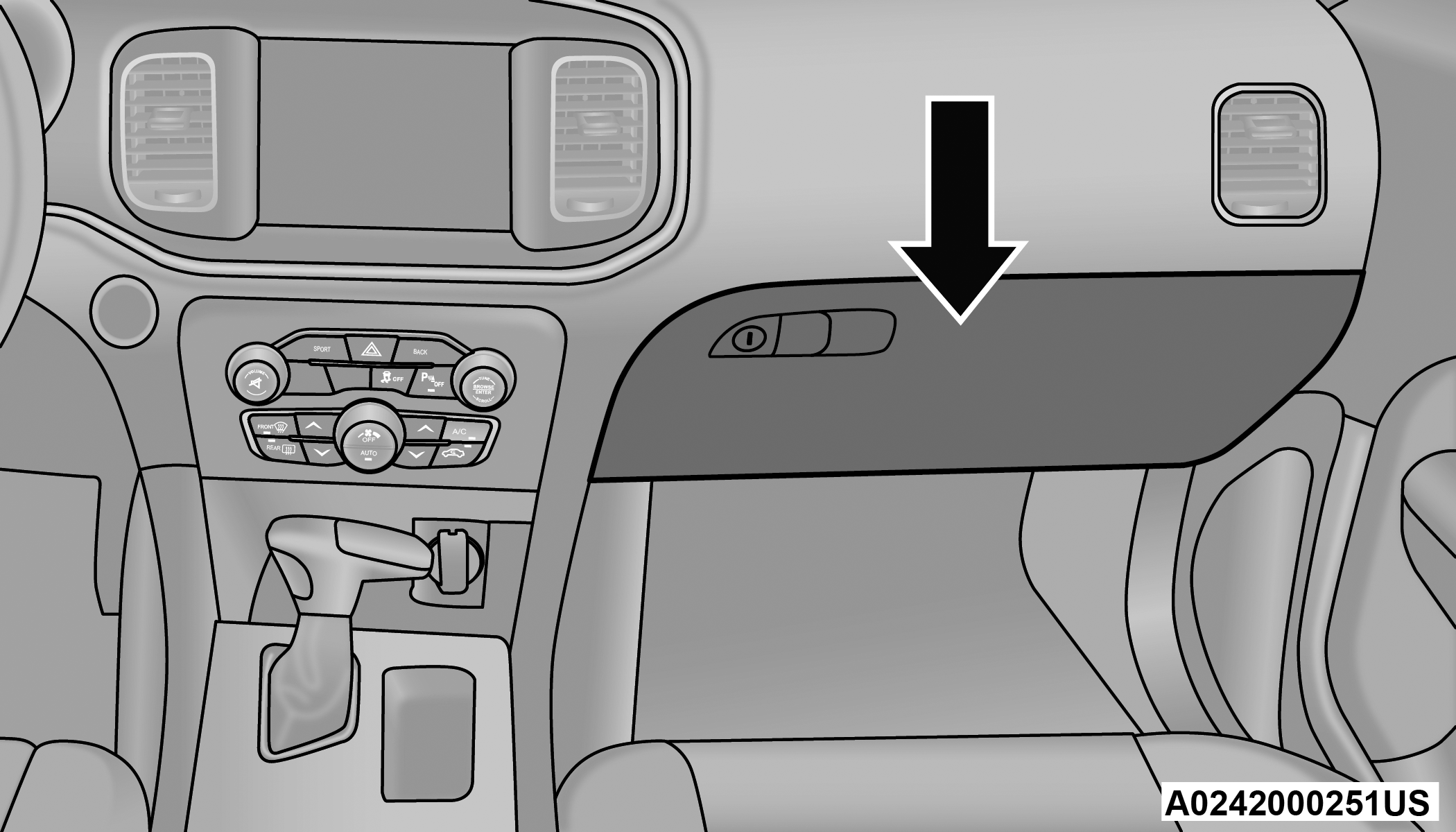
Glove Compartment
To open the glove compartment, pull the release handle.
Warning:
Do not operate this vehicle with a glove compartment in the open position. Driving with the glove compartment open may result in injury in a collision.
DOOR STORAGE
Large storage areas are built into the door panels for easy access.
CONSOLE FEATURES
Two separate storage compartments are located underneath the center console armrest.
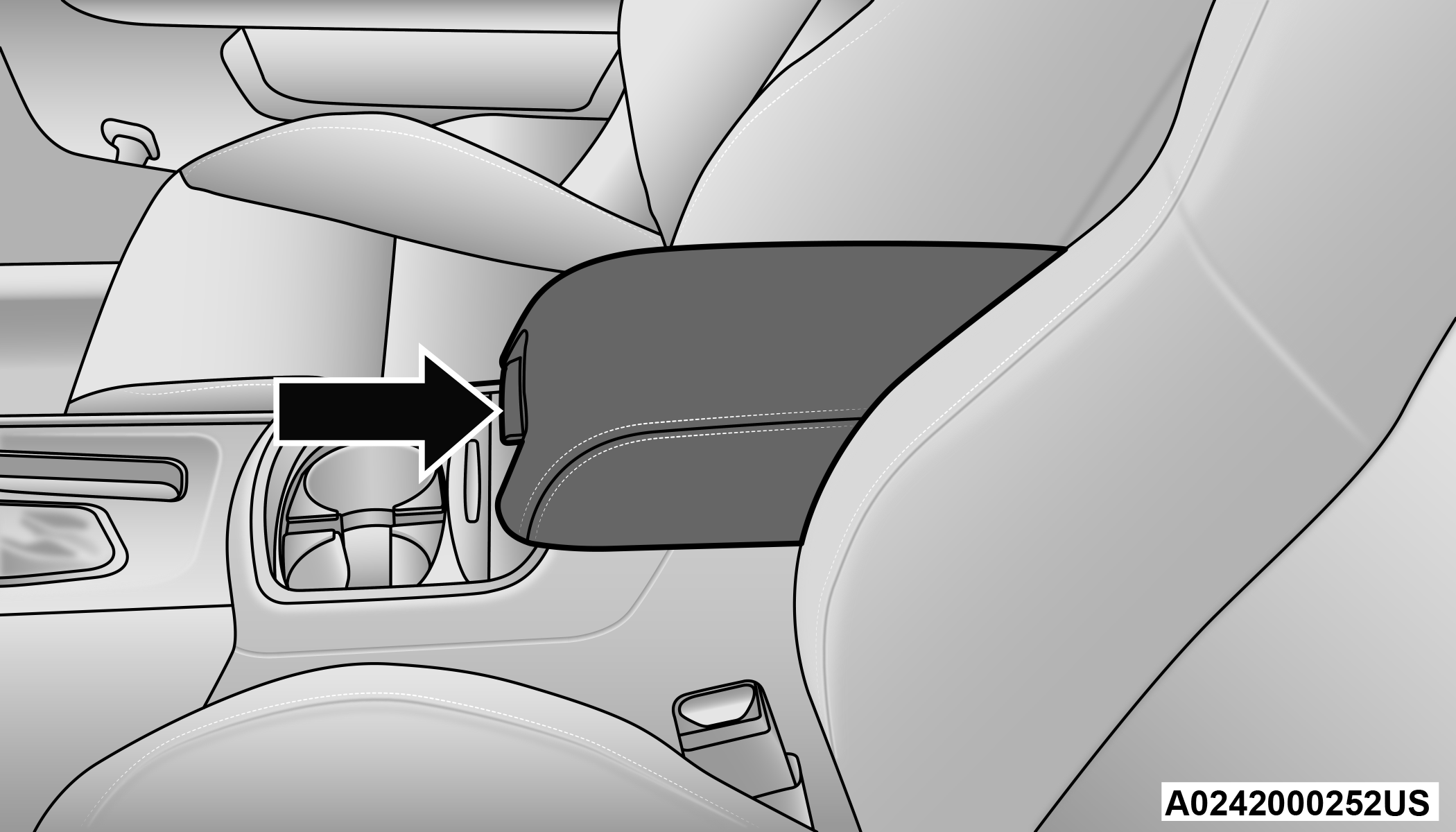
Center Console
Inside the center console armrest, there is a removable upper storage tray that can be slid forward/rearward on rails for access to the lower storage area. This tray has an integrated coin holder, along with additional area for small items and handheld devices. Below the upper tray, the lower storage compartment is made for larger items, like tissue boxes. In addition, the 12 Volt power outlet, USB, and AUX jack are located here.
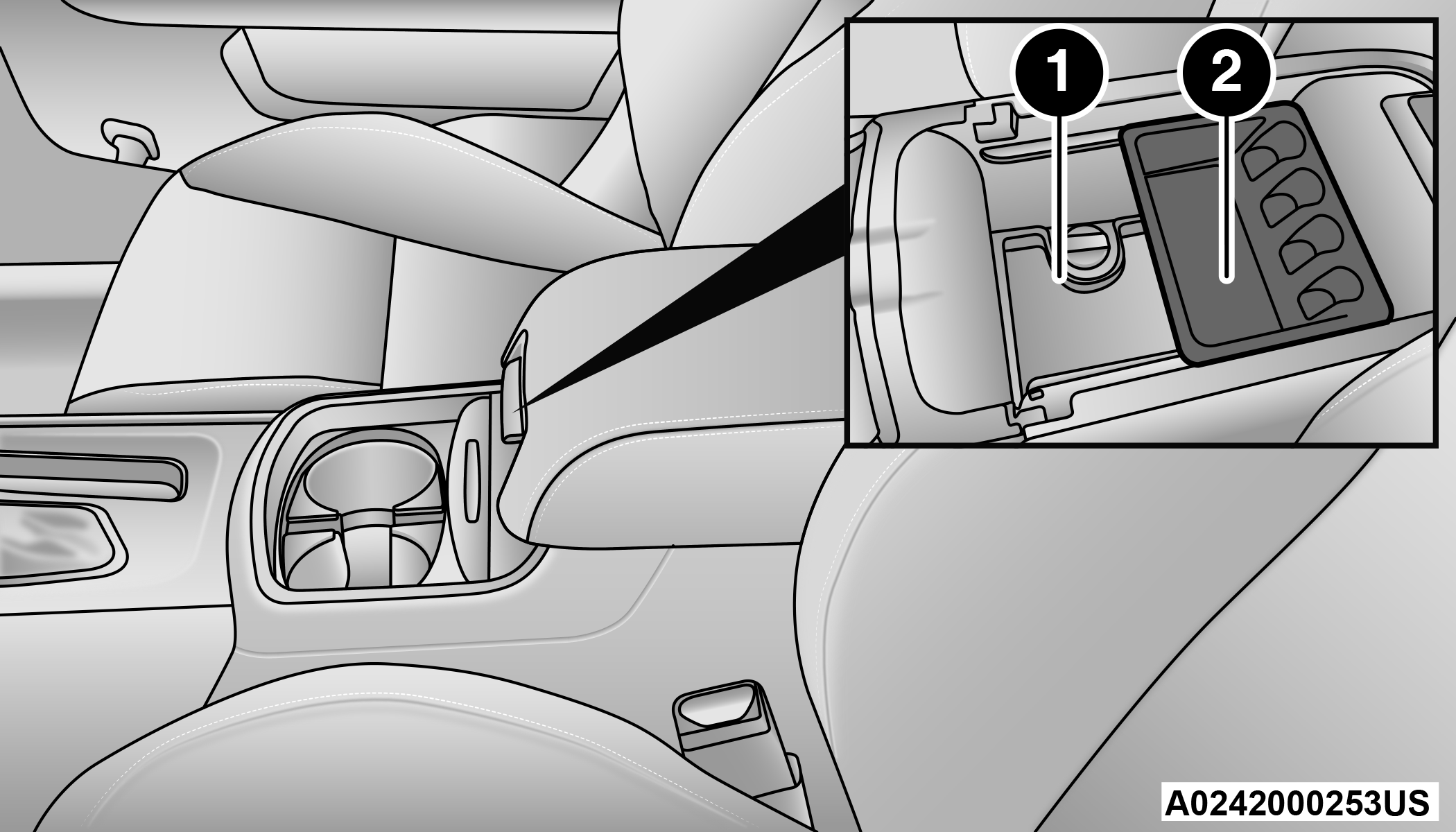
Center Console Storage
| 1 — Lower Storage Area |
| 2 — Upper Storage Tray |
Warning:
Do not operate this vehicle with a console compartment lid in the open position. Driving with the console compartment lid open may result in injury in a collision.
SUNGLASSES BIN DOOR
At the front of the console a compartment is provided for the storage of a pair of sunglasses. The storage compartment access is a “push/push” design. Push the chrome pad on the door to open. Push the chrome pad on the door to close.
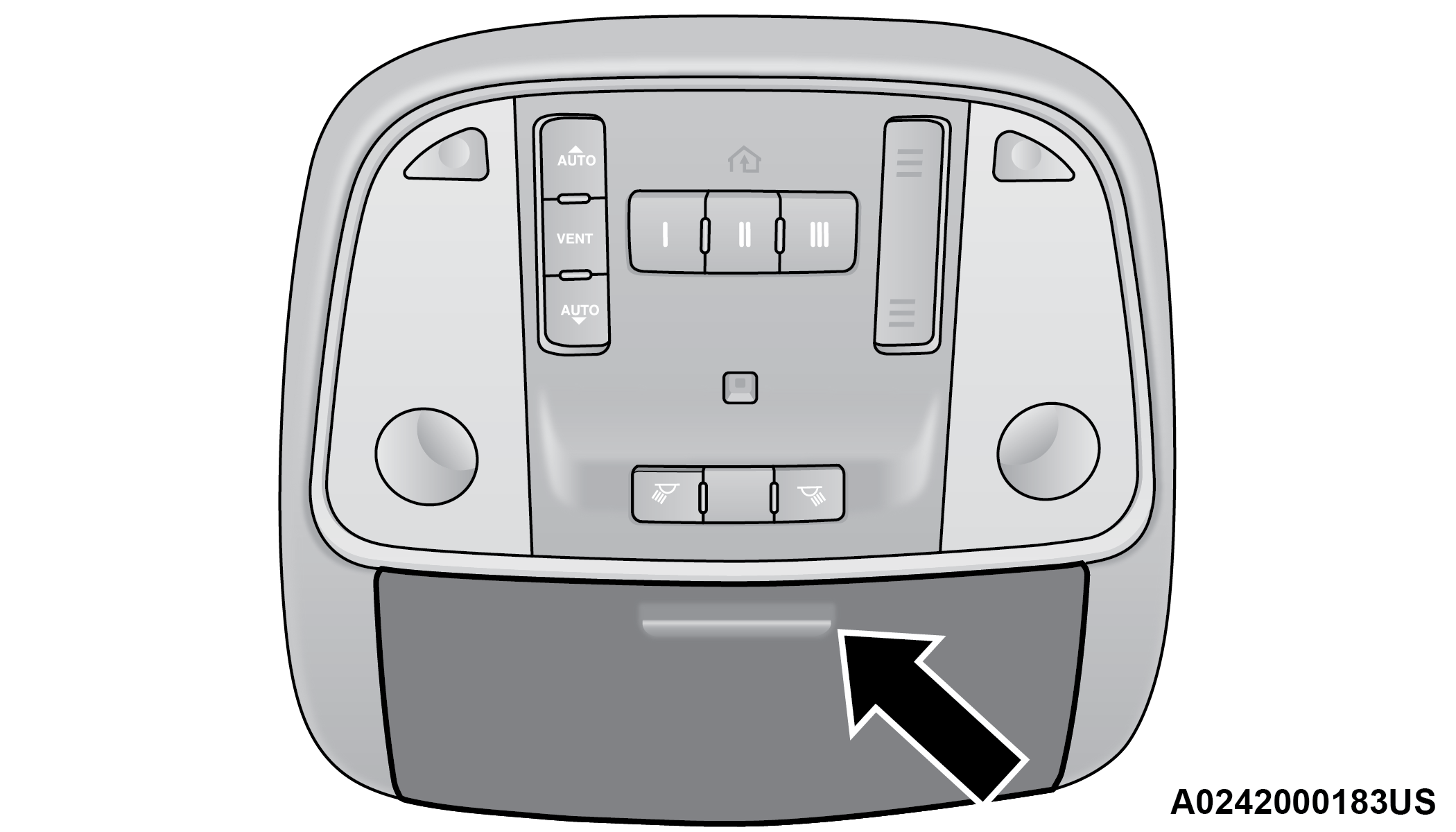
Sunglasses Bin Door
USB/AUX CONTROL
This feature allows an external USB device to be plugged into the USB port.
Plugging in a smartphone device to a USB port may activate Android Auto™ or Apple CarPlay® features, if equipped. For further information, refer to “Android Auto™” or “Apple CarPlay®” in the Uconnect Radio Instruction Manual.
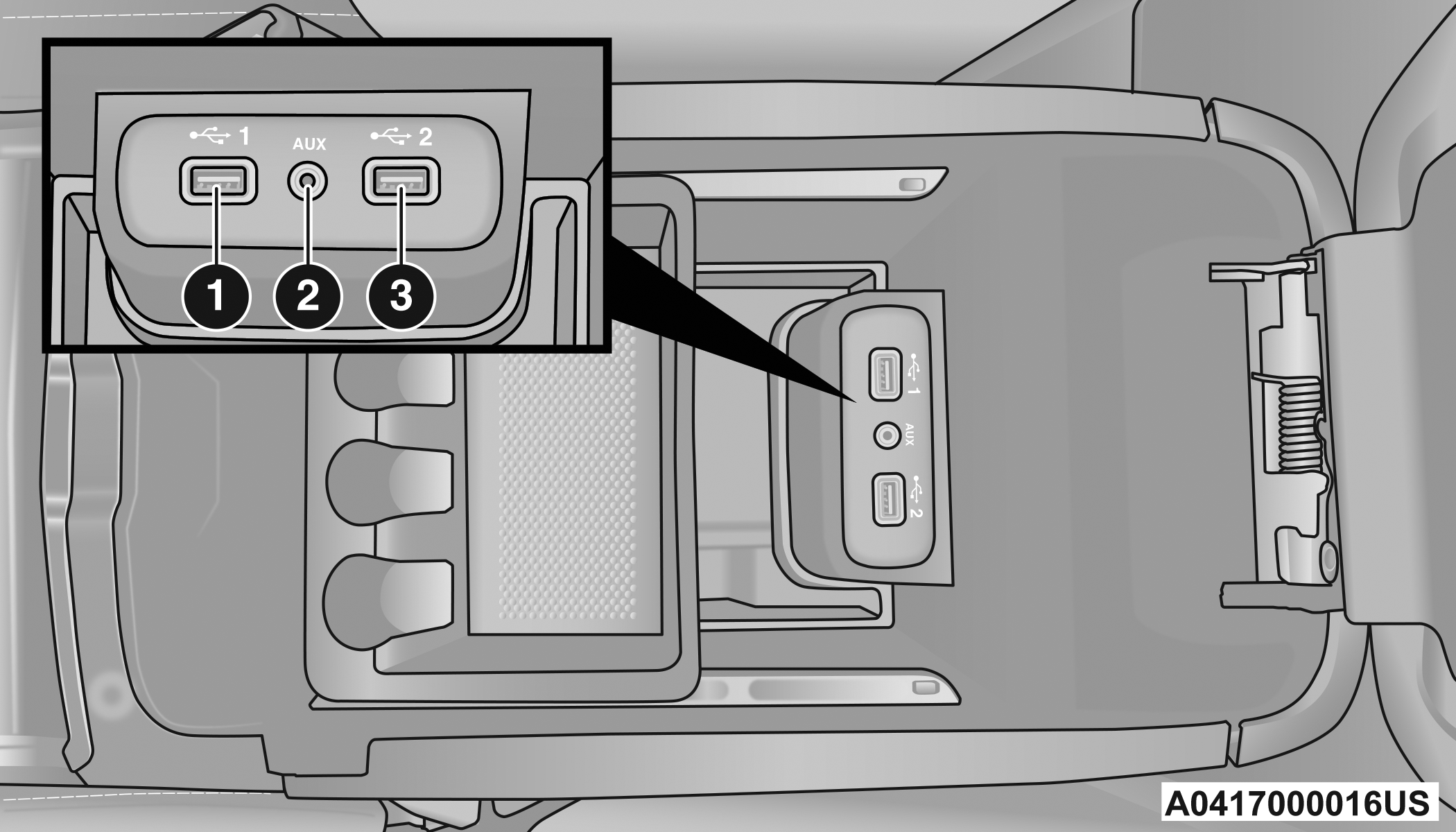
AUX/USB Ports
|
1 — USB 1 Port |
|
2 — AUX Jack |
|
3 — USB 2 Port |
Located on the rear of the front center console are dual USB charge only ports. The USB charge only ports will recharge battery operated USB devices when connected.
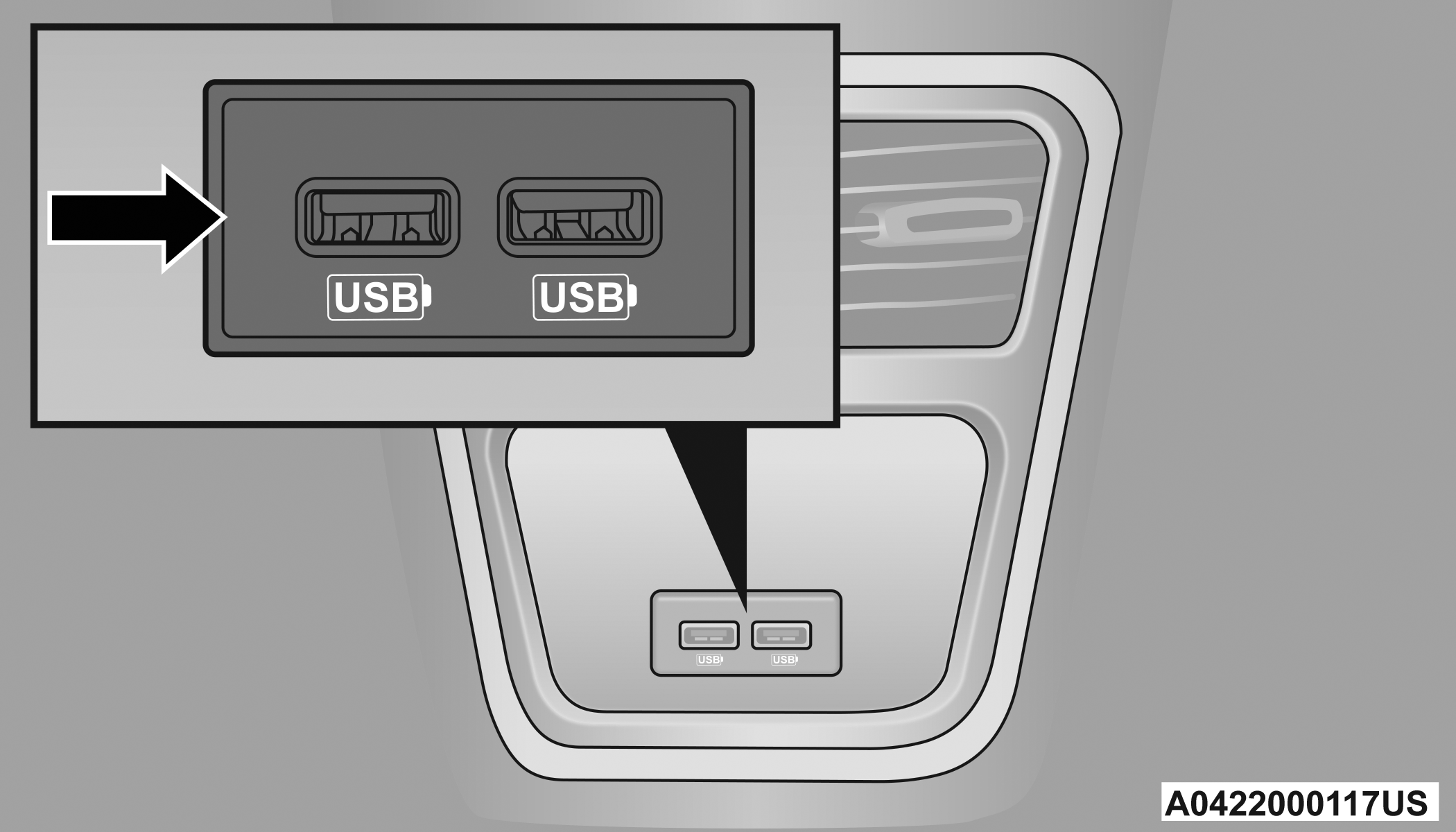
Rear USB Charging Ports
Note:
Charge unsupported devices with the charge only USB ports. If an unsupported device is plugged into a Media USB port, a message will display on the touchscreen that the device is not supported by the system.
ILLUMINATED CUPHOLDERS — IF EQUIPPED
On some vehicles the front and/or rear cupholders are equipped with a light ring that illuminates the cupholders. The brightness of the light rings are controlled by the Dimmer Control Dimmer Control.
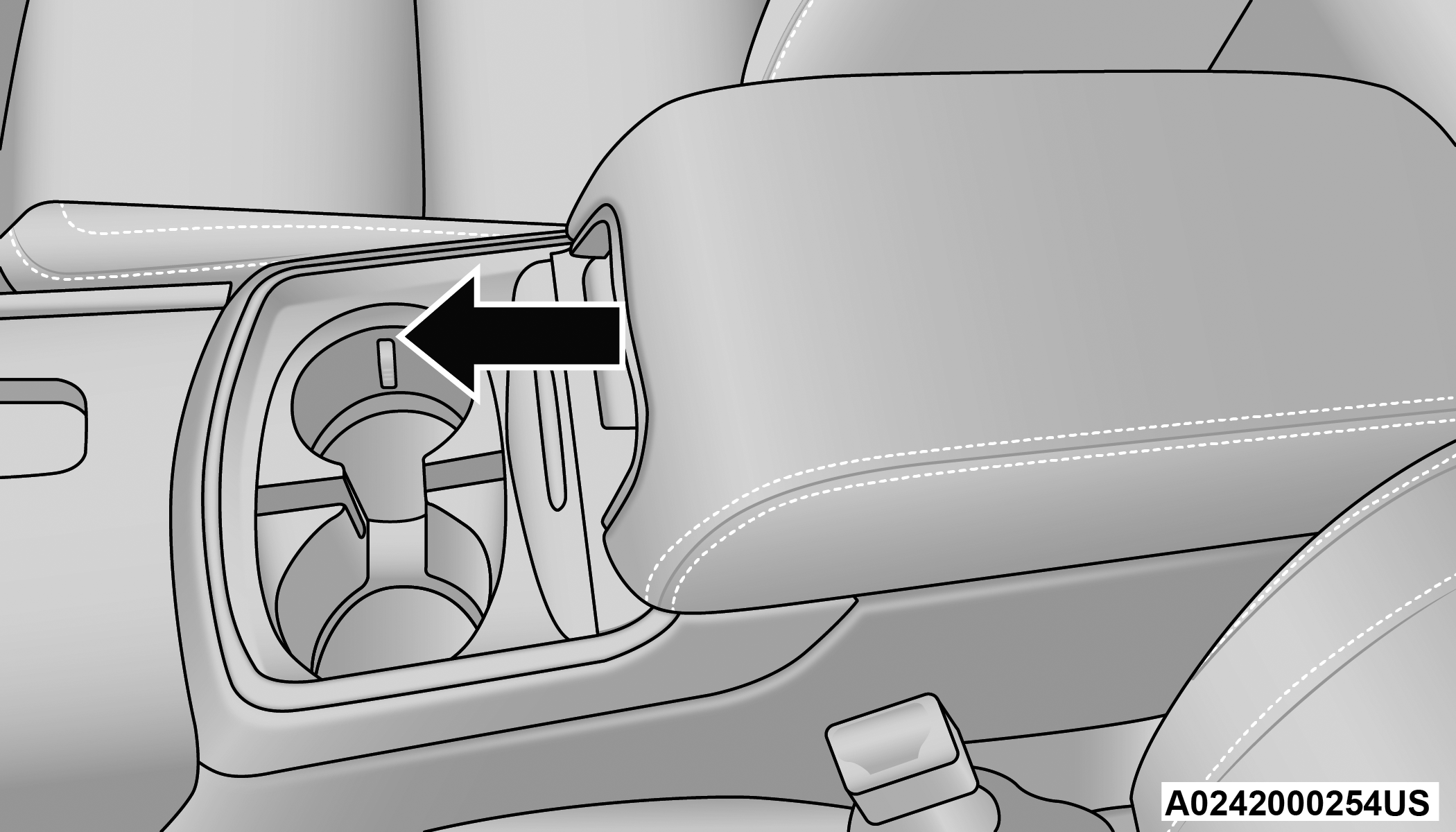
Light Ring Around Front Cupholders
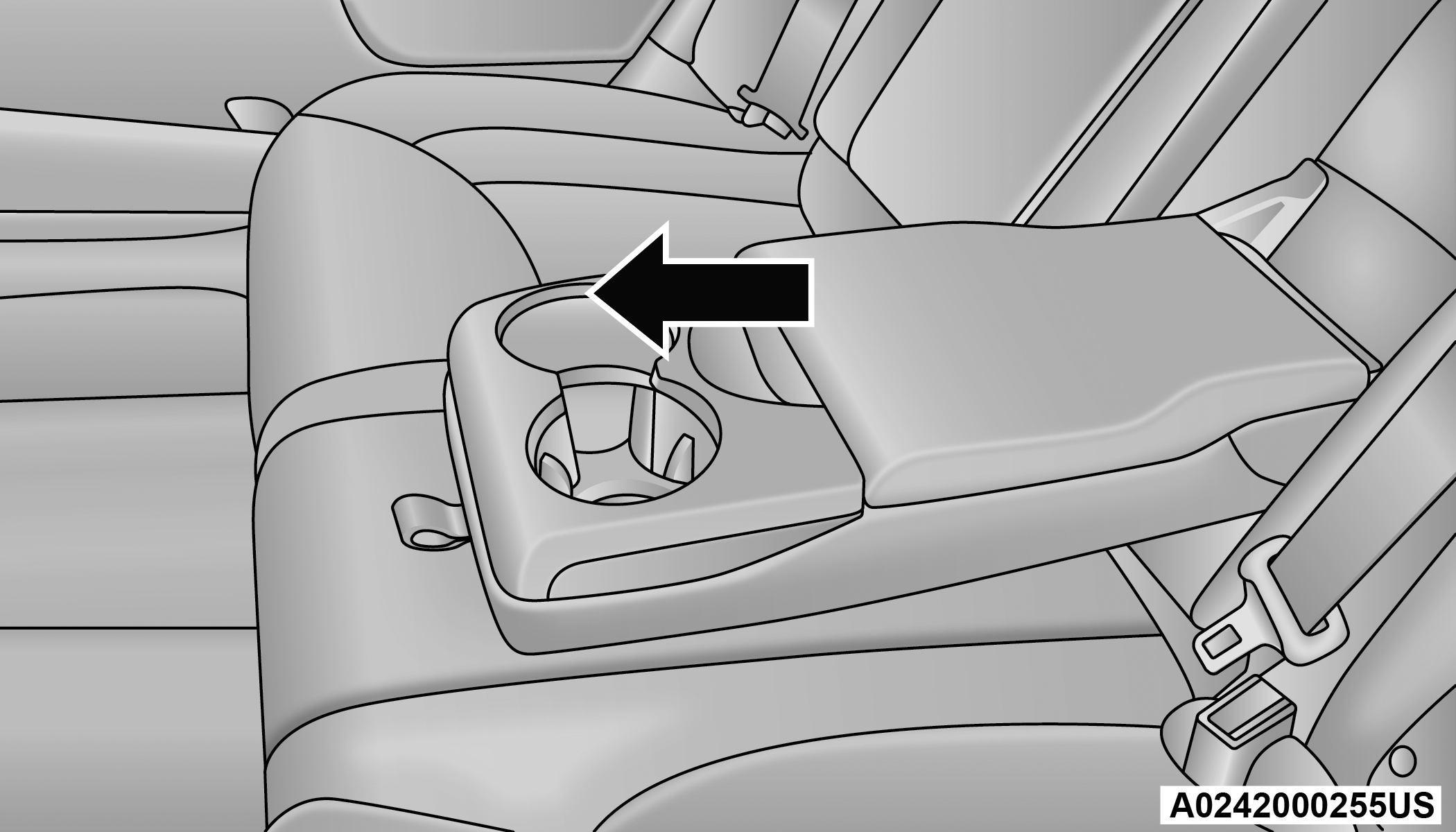
Light Ring Around Rear Cupholders
POWER OUTLETS
Your vehicle is equipped with 12 Volt (15 Amp) power outlets that can be used to power cellular phones, small electronics and other low powered electrical accessories. The power outlets are labeled with either a “key” or a “battery” symbol to indicate how the outlet is powered. Power outlets labeled with a key symbol are powered when the ignition is in the ON or ACC position, while the outlets labeled with a battery symbol are connected directly to the battery and powered at all times.
Note:
All accessories connected to the battery powered outlets should be removed or turned off when the vehicle is not in use to protect the battery against discharge.
CAUTION:
Power outlets are designed for accessory plugs only. Do not insert any other object in the power outlets as this will damage the outlet and blow the fuse. Improper use of the power outlet can cause damage not covered by your New Vehicle Limited Warranty.
The front power outlet is located inside the storage area on the center stack of the instrument panel.
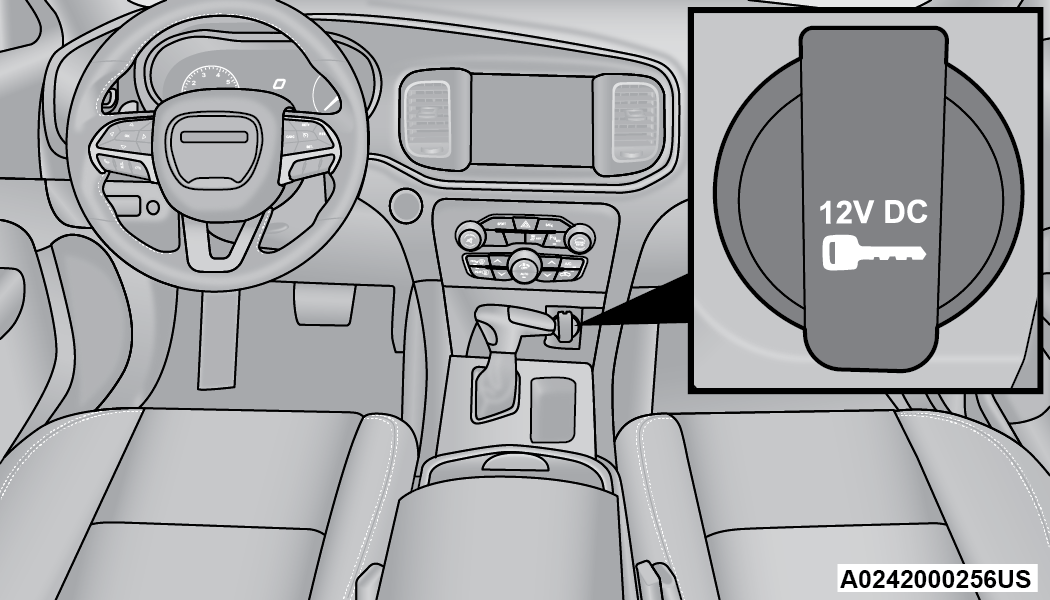
Front Power Outlet
In addition to the front power outlet, there is also a power outlet located in the storage area of the center console.
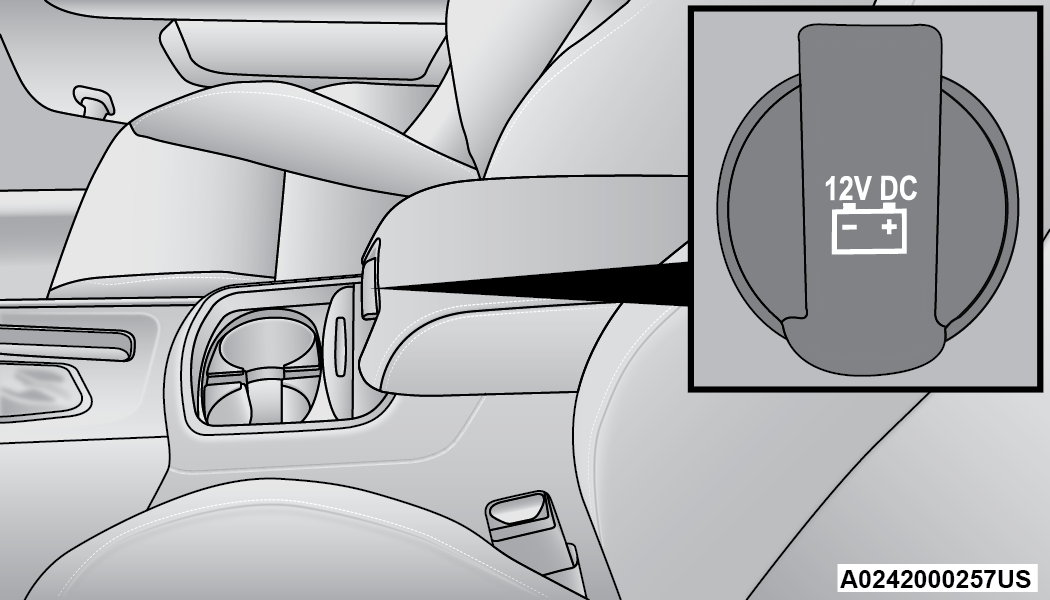
Center Console Power Outlet
If the Media Hub is in use, do not exceed the maximum power of 100 W (8 Amp) for the center console power outlet. When the Media Hub is not in use, the outlet can deliver up to 160 W (13 Amp). If the power rating is exceeded, the fuse protecting the system needs to be replaced.
Note:
The instrument panel power outlet and dual rear console USB ports can be changed to battery powered all the times by moving the #12 20 Amp fuse from “IGN” to “B+” Fuses. These fuses are found within the rear power distribution center located in the trunk of the vehicle.
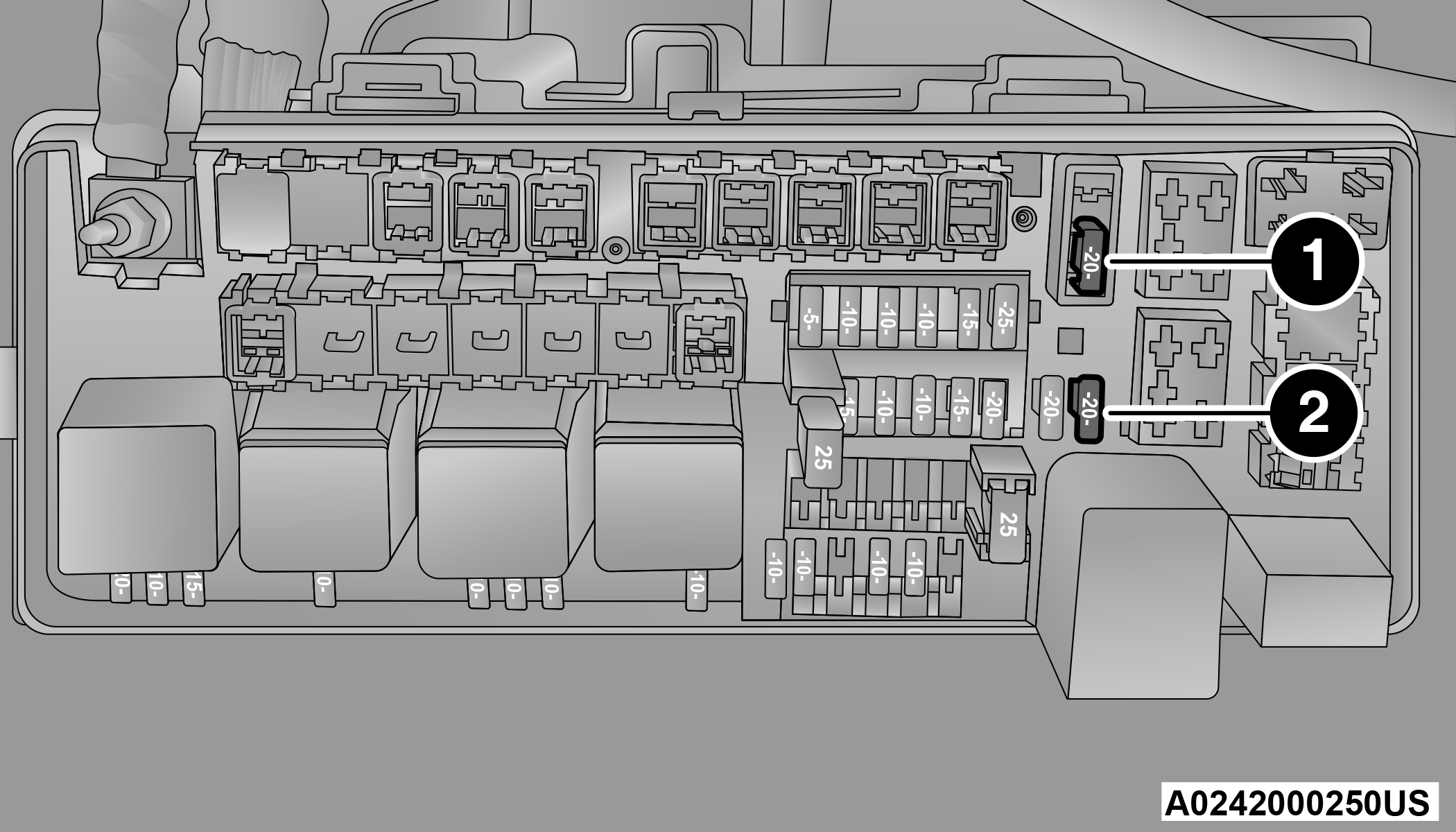
Power Outlet Fuse Locations
|
1 — #12 Fuse 20 Amp Yellow Instrument Panel Power Outlet/Dual USB Charge Only Ports |
|
2 — #38 Fuse 20 Amp Yellow Center Console Power Outlet/Media Hub |
Warning:
To avoid serious injury or death:
-
Only devices designed for use in this type of outlet should be inserted into any 12 Volt outlet.
-
Do not touch with wet hands.
-
Close the lid when not in use and while driving the vehicle.
-
If this outlet is mishandled, it may cause an electric shock and failure.
CAUTION:
-
Many accessories that can be plugged in draw power from the vehicle's battery even when not in use (i.e., cellular phones, etc.). Eventually, if plugged in long enough, the vehicle's battery will discharge sufficiently to degrade battery life and/or prevent the engine from starting.
-
Accessories that draw higher power (i.e., coolers, vacuum cleaners, lights, etc.) will degrade the battery even more quickly. Only use these intermittently and with greater caution.
-
After the use of high power draw accessories or long periods of the vehicle not being started (with accessories still plugged in), the vehicle must be driven a sufficient length of time to allow the alternator to recharge the vehicle's battery.
-
Power outlets are designed for accessory plugs only. Do not hang any type of accessory or accessory bracket from the plug. Improper use of the power outlet can cause damage.
Download Manual