Interior Lighting
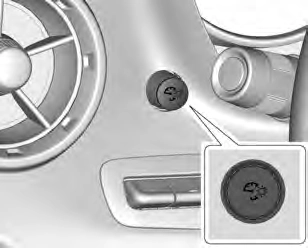
The knob for this feature is on the left side of the instrument panel.
Turn the knob clockwise or counterclockwise to brighten or dim the instrument panel lights at night. Turn the knob completely clockwise to turn on the interior lamps.
Interior Spectrum Lighting
If equipped, this feature allows the color of the interior lighting in the vehicle to be chosen.
To access, press { on the infotainment controls, then touch AMBIENT LIGHTING to display the settings screen.
Touch to select from the following:
OFF : Turns the feature off.
LIGHT STRIPS : Turns on standard mode. Touch the light strip color to select a color for the interior lighting.
DEMO MODE : When the shift lever is in P (Park) (automatic transmission) or the park brake is applied (manual transmission), touch to turn the feature on in colors chosen by the vehicle. When the shift lever is not in P (Park) or the park brake is not applied, the interior color will default to the last active color selected in light
strips mode.
LINK TO DRIVE MODE : The light
color is matched to the color being used for the drive mode.
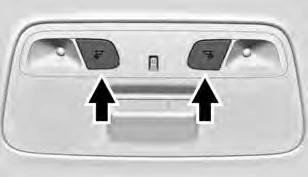
The reading lamps are in the overhead console. The lamps go on when a door is opened. When the doors are closed, press m or n to turn on each lamp.
Download Manual