Routing
After a destination is set, you can alter or cancel your route.
- Map Legend
- AcuraLink Real Time TrafficTM(*13)(*16)
Parent topic: Navigation
■Map Legend

Warning
Using the navigation system while driving can take your attention away from the road, causing a crash in which you could be seriously injured or killed.
Operate system controls only when the conditions permit you to safely do so.
Parent topic: Routing
AcuraLink Real Time TrafficTM*13*16
View traffic flow, incidents, and construction in major metro areas. You can also route around congestion or incidents when you have a destination set. Use the interface dial to make and enter selections.
- From the map screen, press the interface dial. Select Map/Route. Select Traffic Incidents.
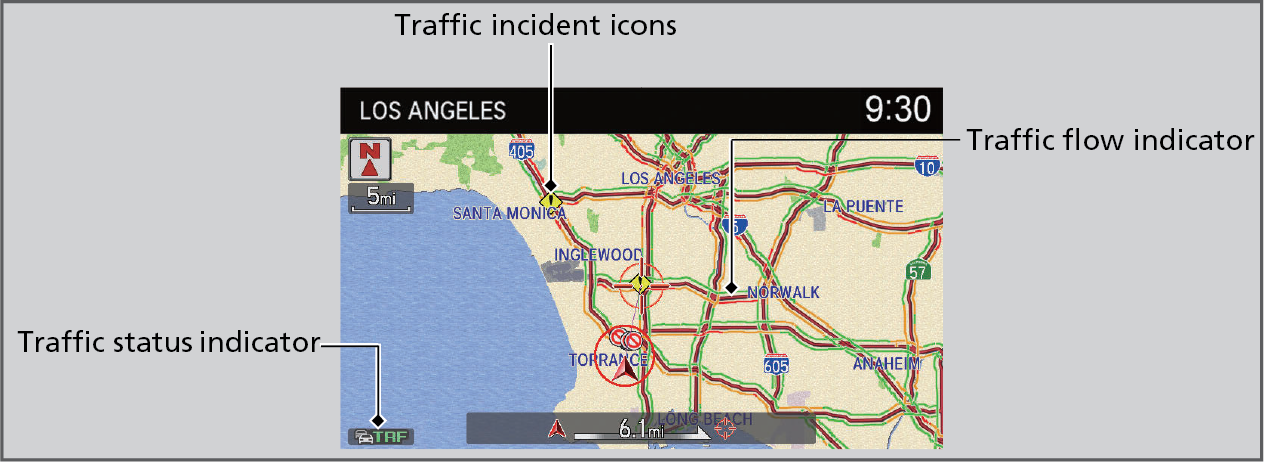
- A list of incidents on your route appears. Select the incident you want to avoid.
- Select Avoid. Repeat as necessary to select other incidents.
- Select Recalculate Route.
Parent topic: AcuraLink®
Parent topic: Routing
Download Manual