AcuraLink®
A subscription-based service that provides convenient features such as voice communication in case of emergency, online security, one-on-one operator assistance, and the transmission of important messages regarding your vehicle’s status.
To subscribe to AcuraLink®, or to get more information about all of its features, contact an Acura dealer, or visit owners.acura.com (U.S.) or acura.ca (Canada).
- AcuraLink® Messages
- Operator Assistance
- AcuraLink Real Time TrafficTM(*13)(*16)
■AcuraLink® Messages
AcuraLink® provides a direct communication link between you and Acura. It sends and receives several kinds of messages through the Acura server.
- Vehicle feature guide.

- Operating quick tips.
- Safety and maintenance information.
- Diagnostic information.
- Dealer appointment and maintenance reminders.
- Recalls/Campaigns
■ Operator Assistance
- Press the LINK button. Connection to the operator begins.

- Talk to the operator.

To disconnect, select Hang Up on the audio/information screen or press the Phone button on the steering wheel.
AcuraLink Real Time TrafficTM*13*16
View traffic flow, incidents, and construction in major metro areas. You can also route around congestion or incidents when you have a destination set. Use the interface dial to make and enter selections.
- From the map screen, press the interface dial. Select Map/Route. Select Traffic Incidents.
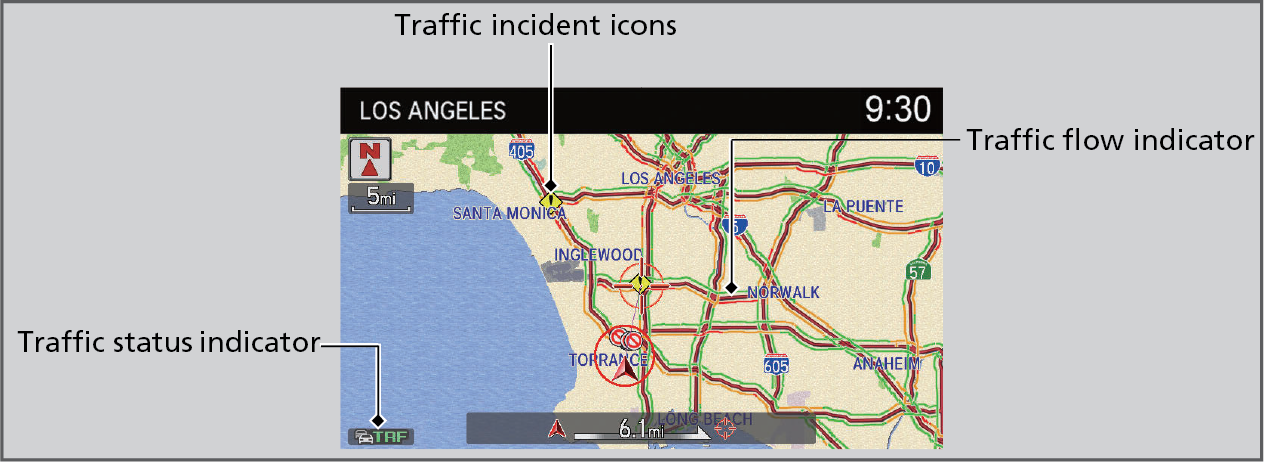
- A list of incidents on your route appears. Select the incident you want to avoid.
- Select Avoid. Repeat as necessary to select other incidents.
- Select Recalculate Route.
Download Manual