Windows
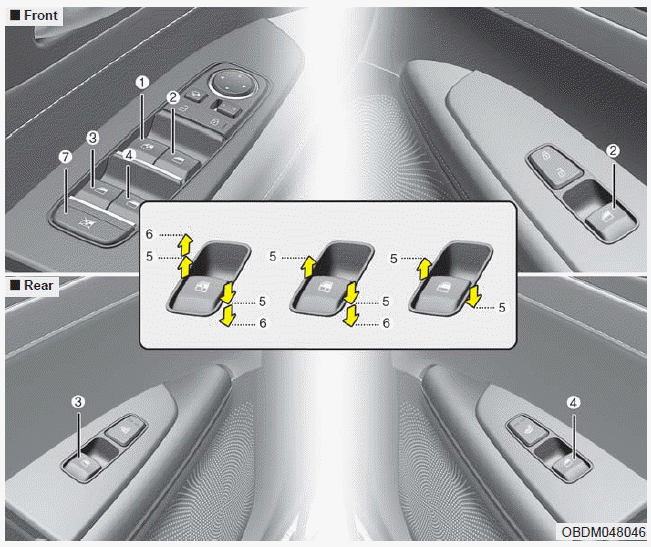
(1) Driver’s door power window switch
(2) Front passenger’s door power window switch
(3) Rear door (left) power window switch
(4) Rear door (right) power window switch
(5) Window opening and closing
(6) Automatic power window up*/ down*
(7) Power window lock button
✽ NOTICE
In cold and wet climates, power windows may not work properly due to freezing conditions.
Power windows
The ignition switch must be in the ON position for power windows to operate.
Each door has a power window switch that controls the door's window. The driver has a power window lock button which can block the operation of rear passenger windows.
The power windows can be operated for approximately 10 minutes after the ignition key is removed or is set to the to the ACC or LOCK position.
However, if the front doors are opened, the power windows cannot be operated even within the 10 minute period.
The driver’s door has a master power window switch that controls all the windows in the vehicle.
If a window cannot be closed because it is blocked by objects, remove the objects and close the window.
✽ NOTICE
While driving with the rear windows down or with the sunroof (if equipped) in an open (or partially open) position, your vehicle may demonstrate a wind buffeting or pulsation noise. This noise is a normal occurrence and can be reduced or eliminated by taking the following actions. If the noise occurs with one or both of the rear windows down, partially lower both front windows approximately 2.5 cm (1 in.). If you experience the noise with the sunroof open, slightly reduce the size of the sunroof opening.
CAUTION
Do not install any accessories in the vehicle that extend into the open window area. Such objects will impact the proper function of the Automatic reversal “jam protection” feature described on “Automatic reversal” section of this manual.
Window opening and closing, Auto down window
Window opening and closing
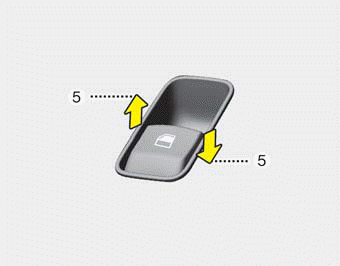
To open or close a window, press down or pull up the front portion of the corresponding switch to the first detent position (5).
Auto down window (if equipped) (Driver’s window)
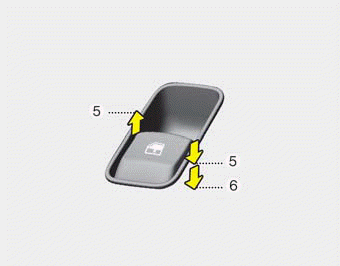
Pressing the power window switch momentarily to the second detent position (6) completely lowers the driver’s window even when the switch is released. To stop the window at the desired position while the window is in operation, briefly pull up the switch to the opposite direction of the window movement.
Auto up/down window
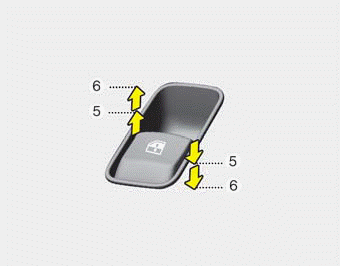
Pressing or pulling up the power window switch momentarily to the second detent position (6) completely lowers or lifts the window even when the switch is released. To stop the window at the desired position while the window is in operation, pull up or press and release the switch to the opposite direction of the movement.
If the power window is not operated correctly, the automatic power window system must be reset as follows:
1. Turn the ignition switch to the ON position.
2. Close the window and continue pulling up on the driver’s power window switch for at least 1 second after the window is completely closed.
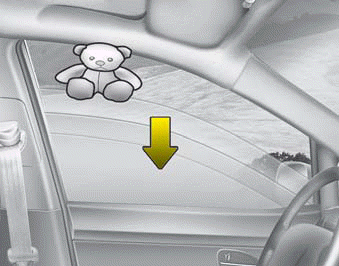
Automatic reversal (For Auto up/down window)
If the upward movement of the window is blocked by an object or part of the body, the window will detect the resistance and will stop upward movement. The window will then lower approximately 30 cm (11.8 in.) to allow the object to be cleared.
If the window detects the resistance while the power window switch is pulled up continuously, the window will stop upward movement then lower approximately 2.5 cm (1 in.).
And if the power window switch is pulled up continuously again within 5 seconds after the window is lowered by the automatic window reversal feature, the automatic window reversal will not operate.
The automatic reverse feature for the driver’s window is only active when the “auto up” feature is used by fully pulling up the switch. The automatic reverse feature will not operate if the window is raised using the halfway position on the power window switch.
WARNING
Always check for obstructions before raising any window to avoid injuries or vehicle damage. If an object less than 4 mm (0.16 in.) in diameter is caught between the window glass and the upper window channel, the automatic reverse window may not detect the resistance and will not stop and reverse direction.
WARNING
The automatic reverse feature doesn’t activate while resetting the power window system. Make sure body parts or other objects are safely out of the way before closing the windows to avoid injuries or vehicle damage.
WARNING
Do not install any accessories in the vehicle that extend into the open window area. Such objects could prevent the automatic reverse feature from functioning.
Power window lock button
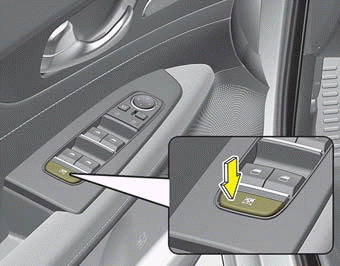
The driver can disable the power window switches on the rear passengers' doors by pressing the power window lock switch to the lock position (pressed).
When the power window lock switch is pressed:
- The driver's master control can operate all the power windows.
- The front passenger's control can operate the front passenger's power window.
- The rear passenger's control cannot operate the rear passenger's power window.
CAUTION - Opening/closing Window
To prevent possible damage to the power window system, do not open or close two windows or more at the same time. This will also ensure the longevity of the fuse.
WARNING - Power windows
- Do not allow children to play with the power windows. Keep the power window lock button (on the driver's door) in the LOCK (pressed) position.
- Do not extend a face or arms outside through the window opening while driving. Doing so could result in significant injury.
Always double check to make sure all arms, hands, head and other obstructions are safely out of the way before closing a window.
Download Manual