Exterior Mirrors
Standard Mirrors
The passenger side mirror is convex shaped. A convex mirror's surface is curved so more can be seen from the driver seat.
Trailer-Tow Mirrors
The upper portion of both the driver and passenger mirrors is flat.
The lower portion of both the driver and passenger mirrors is convex. A convex mirror’s surface is curved so more can be seen from the driver seat. The lower portion is adjusted manually.
If equipped, adjust manual mirrors by moving the mirror up and down or left to right to see a little of the side of the vehicle and to have a clear view behind the vehicle.
Using hood-mounted air deflectors and add-on convex mirror attachments could decrease mirror performance.
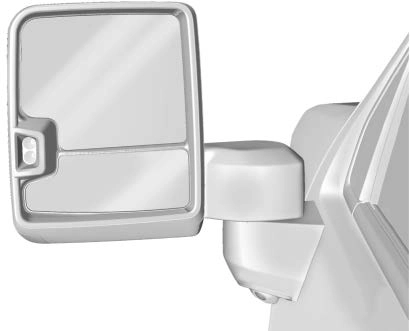
Extending Mirrors
Trailer tow mirrors can extend out for better visibility when towing a trailer.
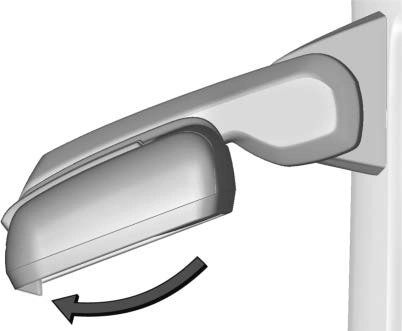
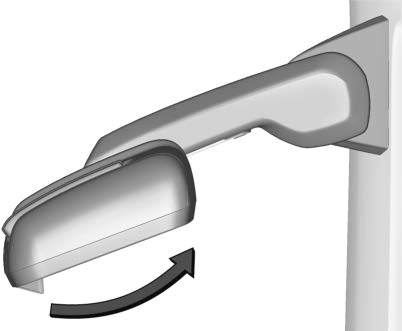 Manual Extend : If equipped, grasp the mirror housing firmly and pull back in one motion, arching slightly toward the rear of the vehicle.
To return the mirror to its original position, reverse the motion.
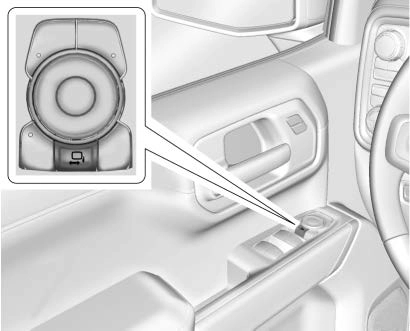
Power Extend : If equipped, press the power extend button to fully extend the mirror.
Press again to retract.
Resetting the Power Extend Mirrors
Reset the power extend mirrors if:
If a popping noise from the mirror is heard, this sound is normal as the manual detents are aligning after a manual extend/retract operation has occurred.
Auxiliary Cargo Mirror Lamps
If equipped, cargo mirror lamps face rearward to provide more light on the sides of the vehicle, if needed. See Exterior Cargo Lamps 0 143.
Advanced Trailering Vision System Side Cameras
If equipped, the Advanced Trailering Vision System side cameras are on the bottom of the outside mirrors. See "Surround Vision (360 Degrees)" under Assistance Systems for Parking or Backing 0 265.
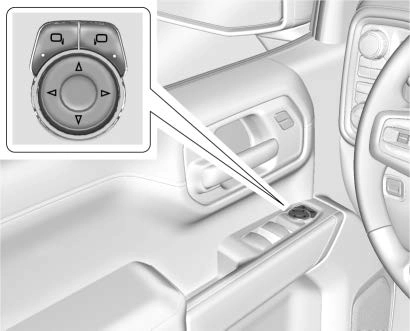
To adjust each mirror:
Turn Signal Indicator
If equipped, the mirror has turn signal indicator lights, which flash in the direction of the turn or lane change.
Task Lighting
If equipped, task lighting projects light from the outside mirrors to the sides of the vehicle. See Task Lighting 0 143.
Puddle Lamps
If equipped, puddle lamps project light from the bottom of the mirror to the area of ground below the driver and passenger doors. See Entry Lighting 0 145 and
Exit Lighting 0 145.
Memory Mirrors
The vehicle may have memory mirrors. See
Memory Seats 0 49.
Lane Change Alert (LCA)
The vehicle may have LCA. See Lane Change Alert (LCA) 0 278.
If equipped, push the mirror toward the vehicle to fold. Push the mirror outward to return to its original position.
Manually fold the mirrors inward to prevent damage when going through an automatic car wash.
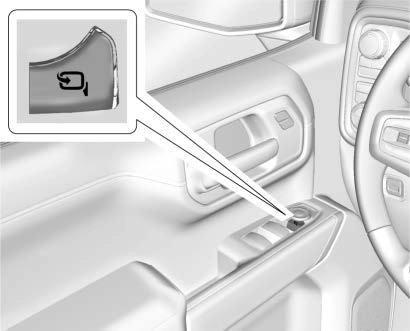
If equipped, press g to power fold the mirrors. Press again to unfold.
Resetting the Power Folding Mirrors
Reset the power folding mirrors if:
Fold and unfold the mirrors one time using the mirror controls to reset them to their normal position. A noise may be heard during the resetting of the power folding mirrors. This sound is normal after a manual folding operation.
If equipped, press and hold Q on the RKE transmitter for approximately one second to remotely fold the exterior mirrors. Press and
hold K on the RKE transmitter for approximately one second to unfold. See Remote Keyless Entry (RKE) System Operation (Key Access) 0 10 or
Remote Keyless Entry (RKE) System Operation (Keyless Access) 0 13.
This feature can be turned on or off. See
Vehicle Personalization 0 130.
If equipped with heated mirrors:
1 REAR : Press to heat the outside mirrors.
See "Rear Window Defogger" under Dual Automatic Climate Control System 0 205.
If equipped, the driver outside mirror automatically adjusts for the glare of the headlamps from behind. This feature comes on when the vehicle is started.
If equipped, there is a small convex mirror built into the upper and outer corner of the driver outside mirror. It can show objects that may be in the vehicle's blind zone.
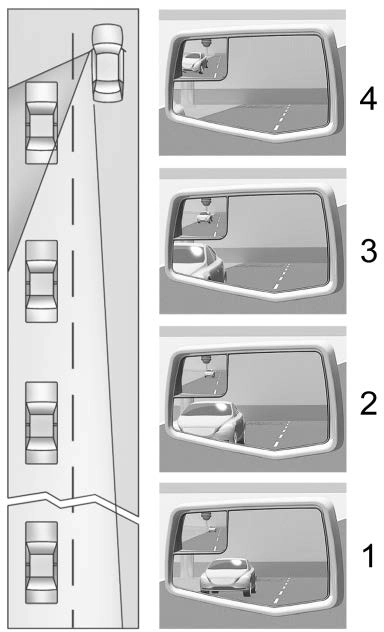
Actual Mirror View
unobstructed view.
If equipped with reverse tilt mirrors and memory seats, the passenger and/or driver mirror tilts to a preselected position when the vehicle is in R (Reverse). This allows the curb to be seen when parallel parking.
The mirror(s) may move from their tilted position when:
30 seconds.
To turn this feature on or off, see Vehicle Personalization 0 130.
Download Manual