Doors
Tailgate
Manual Tailgate
Use the key to unlock the tailgate.
Open the tailgate by lifting up on its handle while pulling the tailgate down.
To shut the tailgate, firmly push it upward until it latches.
After closing the tailgate, pull it back to be sure it is latched securely.
Some tailgates have an electric latch. If the battery is disconnected or has low voltage, the tailgate will not open. The tailgate will resume operation when the battery is reconnected or recharged.
In the case of a dead battery, the tailgate can be opened manually. Contact your dealer or Roadside Assistance.
If equipped, to lock or unlock the tailgate, use the RKE transmitter or the key. See Remote Keyless Entry (RKE) System Operation (Key Access) 0 10 or
Remote Keyless Entry (RKE) System Operation (Keyless Access) 0 13.
The vehicle must be in P (Park). To open the tailgate:
 twice quickly on the RKE transmitter until the tailgate moves.
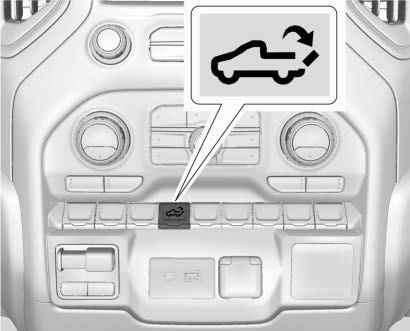
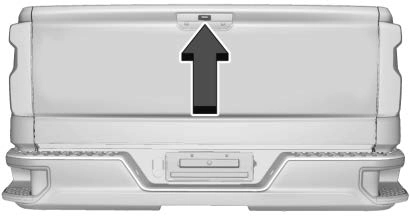
assistance is required. If equipped with Keyless Access, a locked tailgate can be opened if the RKE transmitter is within 1 m (3 ft).
To close the tailgate, firmly push it upward until it latches. Pull it back to be sure it is latched securely.
If equipped with a power open/close tailgate, the tailgate can be opened or closed in several ways. To open the tailgate, do one of the following:
Remote Keyless Entry (RKE) System Operation (Keyless Access) 0 13.
If equipped with Keyless Access, a locked tailgate can be opened if the RKE transmitter is within 1 m (3 ft).
Keys, Doors, and Windows 25
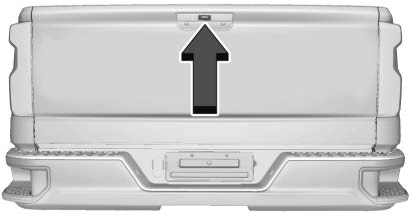
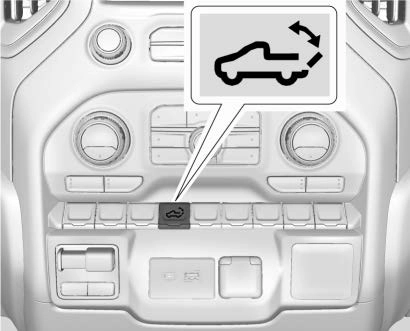
To close the tailgate, do one of the following:
 on the RKE transmitter once, then quickly press and hold until the tailgate completely closes. If is released prior to it being fully closed, the tailgate will reopen.
. Press the touch pad on the tailgate handle.
A chime sounds and the taillamps flash during the closing operation. If the warning chime is not functioning, the tailgate will not power close. Power opening is still enabled. See your dealer for service.
The power tailgate may be temporarily disabled after repeated power cycling over a short period of time. If this occurs, the tailgate can still be operated manually.
The vehicle must be in P (Park) to operate the power tailgate. If the vehicle is shifted out of P (Park) while the power function is in progress, the tailgate will continue to completion. If the vehicle is accelerated while the tailgate is still closing, the tailgate may stop and reverse direction. Make sure the tailgate is closed and latched before driving.
Lift-to-Close Operation
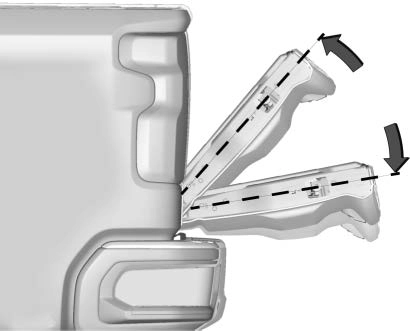
To close the tailgate using the lift-to-close feature, lift the tailgate from the full-open position to at least 10 cm (4 in) and hold it momentarily. Then, the tailgate will start closing automatically. If the tailgate is lifted more than halfway between open and close, then it will not close automatically.
Obstacle Detection
If the tailgate encounters an obstacle during a power open cycle, it will stop on the obstacle. After removing the obstruction, the tailgate can be allowed to open. If the tailgate encounters an obstacle during the closing cycle, it will stop and reverse to
full open.
If the tailgate encounters multiple obstacles, the power function will deactivate. After removing the obstructions, manually close the tailgate to resume normal power operation.
Manual Operation
The tailgate can be manually closed from the full-open position when the tailgate is lifted in a continuous motion. If the tailgate motion is stopped between the full-open and half-closed positions, the lift-to-close feature can engage and power close the tailgate. If the touch pad is pressed during power operation, the tailgate will stop and allow manual operation. The tailgate must be held after stopping, or it will continue to open.
If equipped with this feature, the vehicle must be in P (Park).
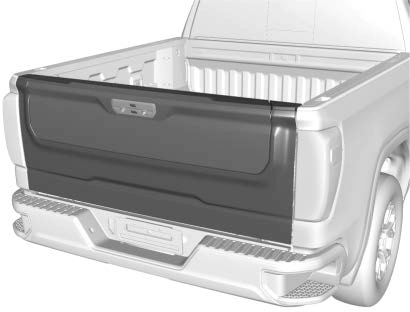
Switches in the inner tailgate prevent the primary tailgate from being opened when the inner tailgate is not fully closed.
To open the primary tailgate:
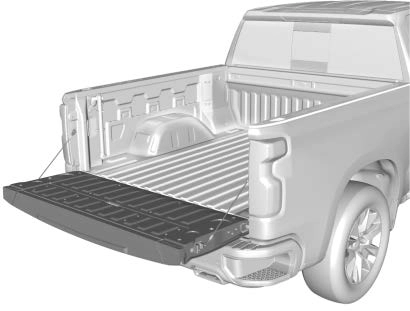
 twice quickly on the RKE transmitter until the tailgate moves. See Remote Keyless Entry (RKE) System Operation (Key Access) 0 10 or
Remote Keyless Entry (RKE) System Operation (Keyless Access) 0 13.
If equipped with Keyless Access, the tailgate can be opened if the RKE transmitter is within 1 m (3 ft).
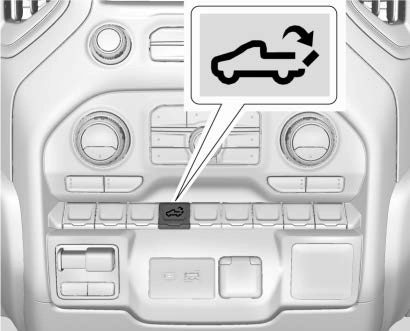
To close the primary tailgate, firmly push it upward until it latches. Pull it back to be sure it is latched securely.
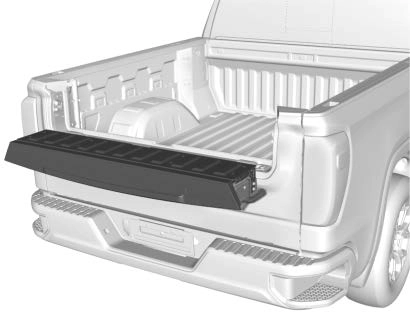 With the primary and inner tailgates open, the tailgate step can be lowered to access the pickup bed.
Using the Step
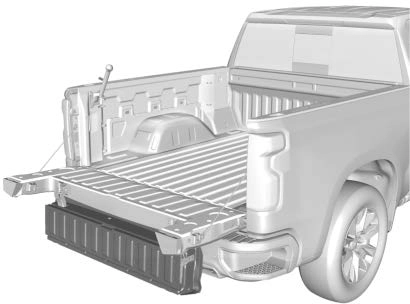 To open the inner tailgate, press the upper touch pad on the tailgate handle after unlocking all doors. Pull the top of the tailgate to open.
To close the inner tailgate with the primary tailgate closed, firmly push or pull it upward until it latches. Pull it back to be sure it is latched securely.
To close the inner tailgate with the primary tailgate open:
When using the tailgate step as a load stop, the load must be secured as the load could shift. See Cargo Tie-Downs 0 96.
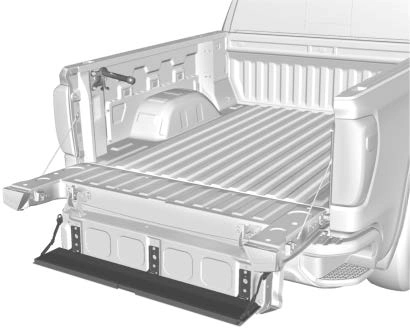
. To close the tailgate step, lift it firmly. Make sure that both side latches are engaged.
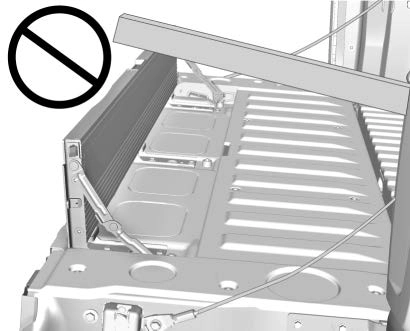
Do not place a load on top of the step when using it as a load stop.
Using the Assist Handle
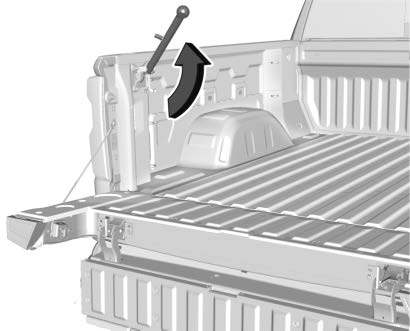
The assist handle helps with entering the pickup box. To use:
Applying Loads to Tailgates
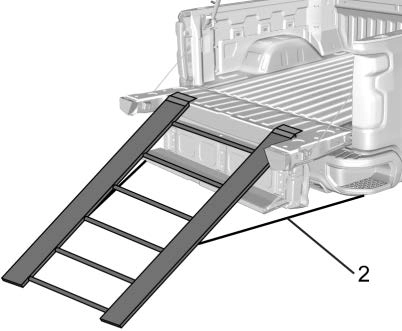
Preferred Method
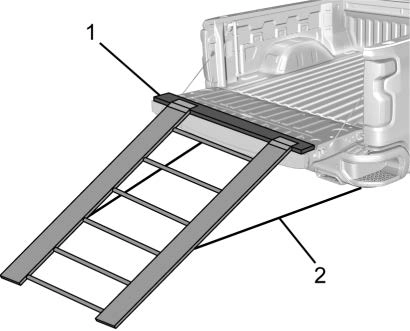
Alternate Method
When applying any load to the tailgate, distribute the weight evenly across the width of the tailgate. This applies to all tailgate types.
If equipped, the power assist steps, when enabled, will extend when the door is opened. They will retract three seconds after the door is closed or immediately if the vehicle starts moving.
Keep hands, children, pets, objects, and clothing clear of the power assist steps when in motion.
The steps will reverse direction if there is an obstruction. If possible, carefully remove the obstruction, then open and close the door on the same side to complete the motion.
If the obstruction is not cleared, the assist steps remain extended.
Slight movement of the steps while extended is normal.
Kick Switch
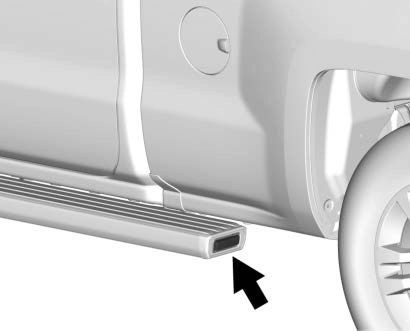
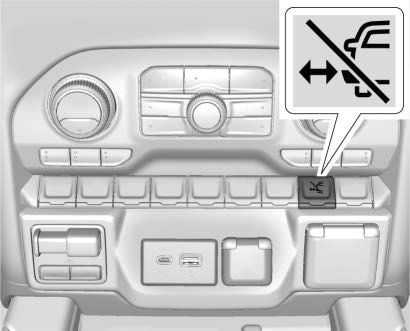
The power assist steps can be extended
to the tire by pressing j. When extending the steps with j, the kick switch is disabled. The vehicle must be in P (Park) or N (Neutral).
To extend the steps:
. Press j again to return to normal operation.
Enable/Disable
To enable or disable the power assist steps, press and hold j for four seconds. A DIC message displays.
Cleaning
Clean the power assist steps regularly. For an automatic car wash, extend the steps while in N (Neutral) using the center stack switch. The steps will stow when shifting into D (Drive).
Download Manual