Remote control
Remote Control Limitations
The system may not function if:- The remote control remains stationary for about a minute.
- The vehicle battery has no charge.
- The remote control battery has no charge.
- There is interference causing issues with the remote control frequencies.
- The remote control is too close to metal objects or electronic devices, for example keys or a cell phone.
Intelligent Access Key
Note:
You may not be able to shift out of park (P) unless the remote control is inside your vehicle.
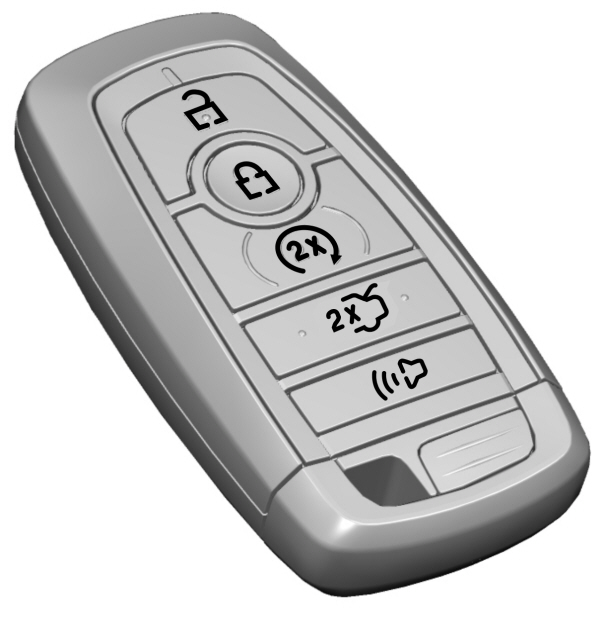
The remote control operates the power locks and the remote start system. The key must be in your vehicle to use the push button start.
Removable Key Blade
The remote control also contains a removable key blade that you can use to unlock your vehicle.
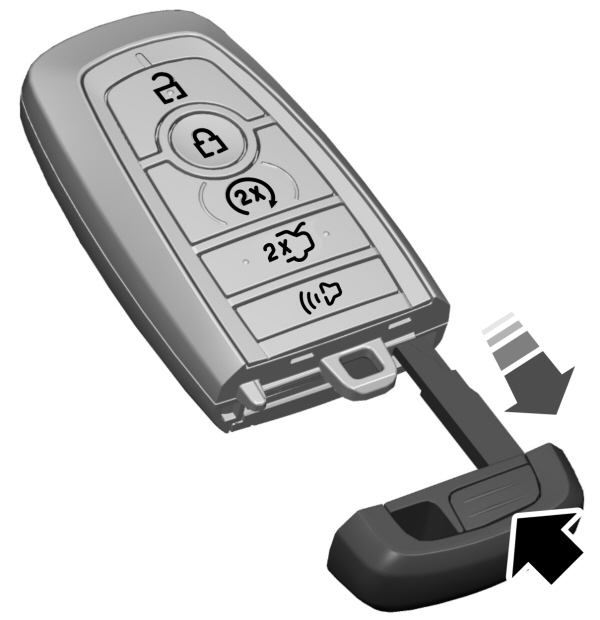
Push the release button and pull the key blade out.
Note:
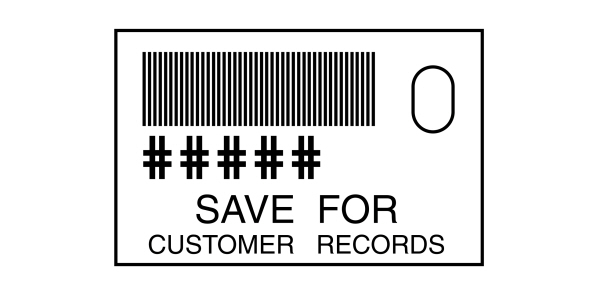
Your vehicle keys came with a security label that provides important key cut information.Keep the label in a safe place for future reference.
Using the Key Blade
The key cylinder is under a cap on the driver door handle.
To remove the cap:
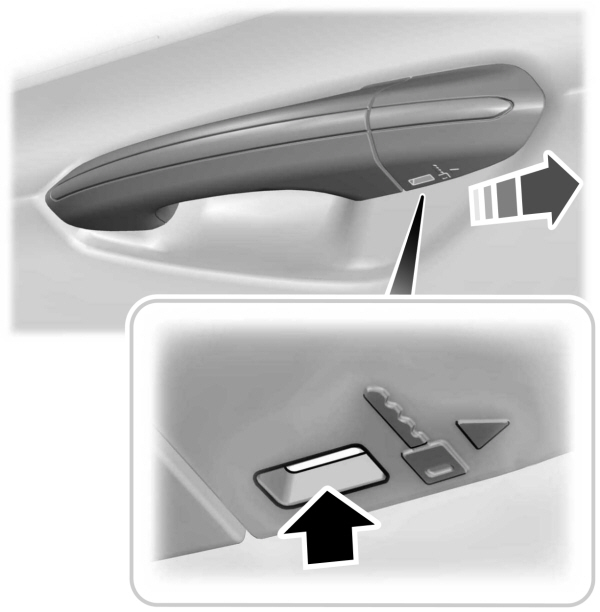
- Insert the key blade into the slot on the bottom of the handle and apply upward pressure.
- While maintaining upward pressure, move the cap rearward to release it. Gently remove the key while doing so.
To install the cap:
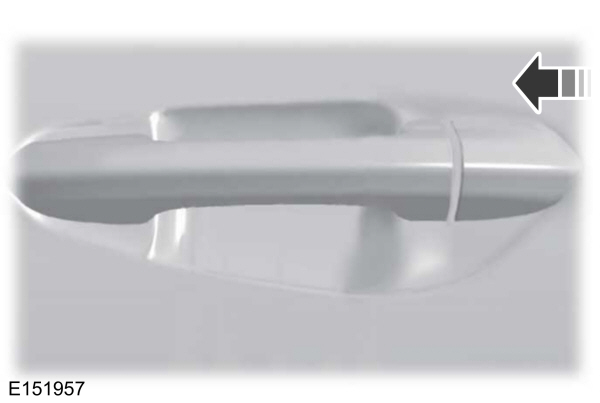
- Place the cap just forward of the key cylinder.
- Applying pressure to the cap, move it forward until it is in place. You may hear a snap as it engages.
Make sure you have properly installed the cap by trying to move it rearward.
Replacing the Battery
 WARNING:
Keep batteries away from children to prevent ingestion. Failure to follow this instruction could result in personal injury or death. If ingested, immediately seek medical attention.
WARNING:
If the battery compartment does not securely close, stop using the remote control and replace it as soon as possible. In the meantime, keep the remote control away from children. Failure to follow this instruction could result in personal injury or death.
WARNING:
Keep batteries away from children to prevent ingestion. Failure to follow this instruction could result in personal injury or death. If ingested, immediately seek medical attention.
WARNING:
If the battery compartment does not securely close, stop using the remote control and replace it as soon as possible. In the meantime, keep the remote control away from children. Failure to follow this instruction could result in personal injury or death. |
A message appears in the information display when the remote control battery is low. See
The remote control uses one coin-type three-volt lithium battery CR2450 or equivalent.
- Push the release button and pull the key blade out.
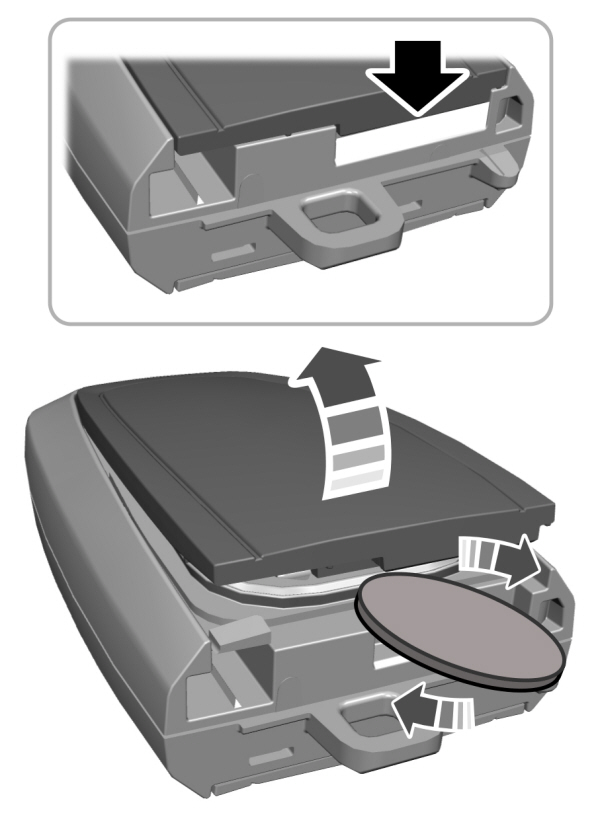
- Twist a thin coin under the tab hidden behind the key blade head to remove the battery cover.
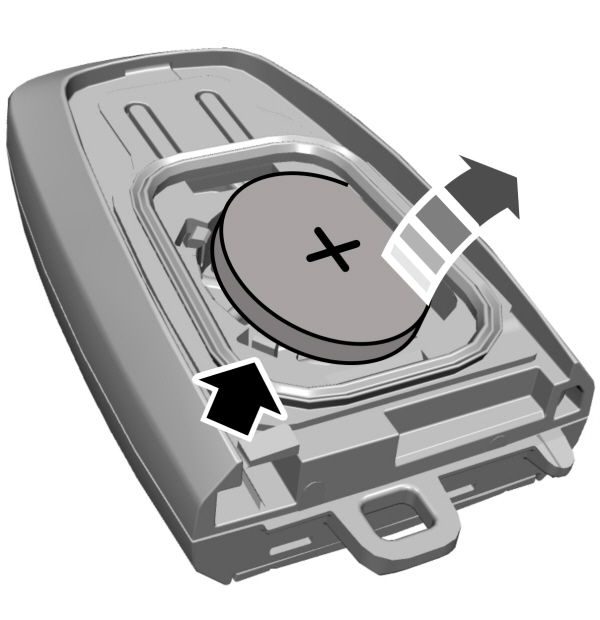
- Insert a suitable tool, for example a screwdriver, in the position shown and carefully remove the battery.
Note:
Refer to local regulations when disposing of remote control batteries.
Note:
Do not wipe off any grease on the battery terminals or on the back surface of the circuit board.
Note:
Replacing the battery does not erase the programmed key from your vehicle.The remote control should operate normally.
- Install a new battery with the + facing upward.
- Reinstall the battery cover and the key blade.
Car Finder
 Press the button twice within three seconds. The horn sounds and the direction indicators flash. We recommend you use this method to locate your vehicle, rather than using the panic alarm.
 |
Sounding the Panic Alarm
 Press the button to sound the panic alarm. Press the button again or switch the ignition on to turn it off.
Note:
The panic alarm only operates when the ignition is off.
Memory Feature
You can program your intelligent access key to recall memory positions
Download Manual