Power Windows
 WARNING:
Do not leave children unattended in your vehicle and do not let them play with the power windows. Failure to follow this instruction could result in personal injury.
WARNING:
When closing the power windows, verify they are free of obstruction and make sure that children and pets are not in the proximity of the window openings.
WARNING:
Do not leave children unattended in your vehicle and do not let them play with the power windows. Failure to follow this instruction could result in personal injury.
WARNING:
When closing the power windows, verify they are free of obstruction and make sure that children and pets are not in the proximity of the window openings. |
Note:
You may hear a pulsing noise when just one of the windows is open.Lower the opposite window slightly to reduce this noise.
Note:
Use the singular control (if equipped) to open both rear windows.
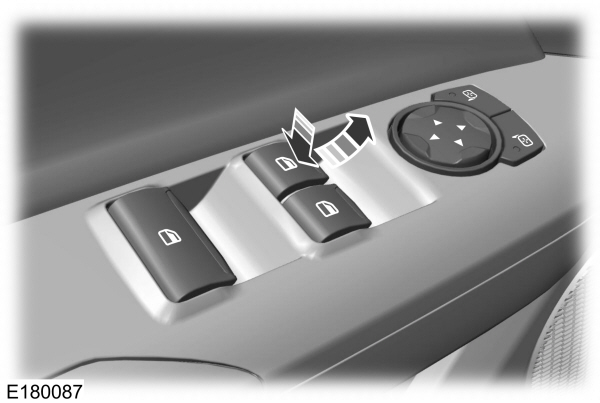
Press the control to open the window.
Lift the control to close the window.
One-Touch Down
Press the switch fully and release it. Press again or lift it to stop the window.
One-Touch Up
Lift the switch fully and release it. Press again or lift it to stop the window.
Bounce-Back
The window will automatically stop and reverse some distance if it detects an obstacle while closing.
Overriding the Bounce-Back Feature
|
WARNING:
When you override the bounce-back feature the window will not reverse if it detects an obstacle. Take care when closing the windows to avoid personal injury or damage to your vehicle. |
Pull up the window switch and hold within two seconds of the window reaching the bounce-back position. The window will travel up with no bounce-back protection. The window will stop if you release the switch before the window is fully closed.
Accessory Delay
The window switches remain operational for several minutes when you switch the ignition off or until you open either front door.
Download Manual