Locking and Unlocking
You can use the power door lock control or the remote control to lock and unlock your vehicle.
Note:
Do not use the door latch assembly to attach any accessory, such as handles or steps, as this can cause damage to your vehicle.
Power Door Locks
The power door lock control is on the driver and front passenger door panels.
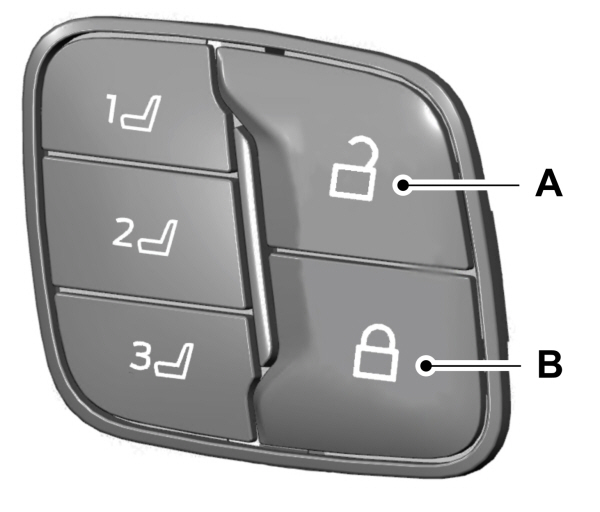
| AUnlock. BLock. |
Door Lock Indicator
An LED on each door window trim illuminates when you lock the door. It remains on for up to 10 minutes after you switch the ignition off.
Door Lock Switch Inhibitor
When you electronically lock your vehicle, the power door lock switch no longer operates after 20 seconds. You must unlock your vehicle with the remote control, or switch the ignition on, to restore function to these switches. You can switch this feature on or off in the information display.See
Remote Control
You can use the remote control at any time.The luggage compartment release button only works when your vehicle speed is less than
8 km/h.
Unlocking the Doors
 Press the button to unlock the driver door. Press the button again within three seconds to unlock all doors.The direction indicators flash.
Note:
You can unlock the driver door with the key blade if the remote control is not functioning. See
Note:
When you leave your vehicle unattended for several weeks, remote unlocking turns off. Unlock your vehicle using the key blade, then start your vehicle to restore the remote unlocking function.
Reprogramming the Unlocking Function
You can reprogram the unlocking function so that all doors unlock.
Press and hold both the lock and unlock buttons on the remote control for three seconds to change between driver door or all doors unlock mode. The direction indicators flash twice to confirm the change. Driver door mode only unlocks the driver door when you press the unlock button once. All door mode unlocks all doors when you press the unlock button once.The unlocking mode applies to the remote control and intelligent access.You can also change between the unlocking modes using the information display. See
Locking the Doors
 Press the button to lock all doors.The direction indicators flash. Press the button again within three seconds to confirm that all the doors are closed.The doors lock again, the horn sounds and the direction indicators flash if all the doors and the luggage compartment are closed.
Mislock
If any door or the luggage compartment is open, or if the hood is open on vehicles with an anti-theft alarm or remote start, the horn will sound twice and the direction indicators do not flash. You can switch this feature on or off in the information display.See
Opening the Luggage Compartment
 Press twice within three seconds to open the luggage compartment.
Make sure to close and latch the luggage compartment before driving your vehicle. Objects may fall from an unlatched luggage compartment. An unlatched luggage compartment may block your rear view.
Activating Intelligent Access
General Information
You can unlock and lock the vehicle without taking the keys out of your pocket or purse when your intelligent access key is within
1 m of your vehicle. Intelligent access uses a sensor on the back of the door handle for unlocking and a separate sensor on the face of each door handle for locking.
The system does not function if:- Your vehicle battery has no charge.
- The key battery has no charge.
- The key frequencies are jammed.
Note:
The system may not function if the key is close to metal objects or electronic devices, for example keys or a cell phone.
Note:
If the system does not function, use the key blade to lock and unlock your vehicle. See
Unlocking Using Intelligent Access
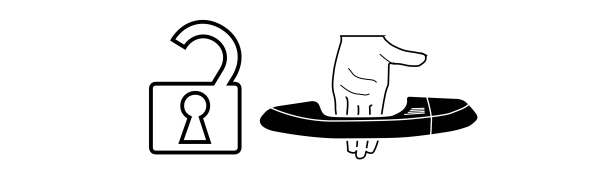
With your intelligent access key within
1 m of your vehicle, touch the unlock sensor on the back of the door handle for a brief period and then pull on the door handle to unlock, being careful to not touch the lock sensor at the same time or pulling the door handle too quickly. The intelligent access system requires a brief delay to authenticate your intelligent access key fob.
Locking Using Intelligent Access

With your intelligent access key within
1 m of your vehicle, touch the outer door handle lock sensor for approximately one second to lock, being careful to not touch the unlock sensor on the back of the door handle at the same time. After locking, you can immediately pull on the door handle to confirm locking occurred without inadvertently unlocking.
Opening the Luggage Compartment
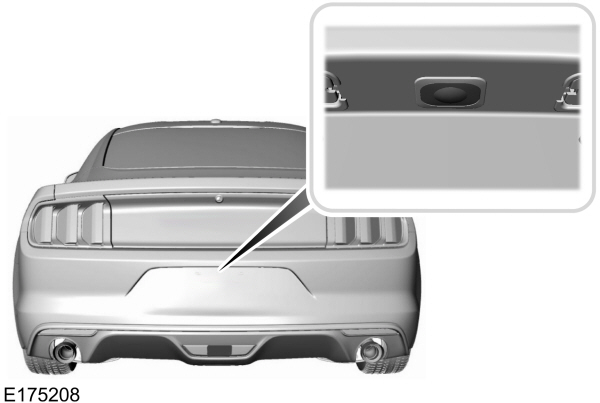
Press the exterior release button hidden above the license plate.
Smart Unlocks
This feature helps to prevent you from unintentionally locking your intelligent access key inside your vehicle’s passenger compartment or luggage compartment.
When you electronically lock your vehicle with any door open, your vehicle in park and the ignition off, your vehicle searches for an intelligent access key in the passenger compartment after you close the last door. If your vehicle finds a key, all of the doors immediately unlock and the horn sounds twice, indicating that a key is inside.
You can override the smart unlock feature and intentionally lock the intelligent access key inside your vehicle. To do this, lock your vehicle after you have closed all the doors by:- Pressing the lock button on another intelligent access key.
- Touching the locking area on the handle with another intelligent access key in your hand.
- The ignition is on.
- The ignition is off and the transmission is not in park (P).
Autolock
Autolock locks all the doors when:- All doors are closed.
- The ignition is on.
- You shift into any gear putting your vehicle in motion.
- Your vehicle reaches a speed greater than 20 km/h.
- You open then close any door while the ignition is on and your vehicle speed is 15 km/h or lower.
- Your vehicle reaches a speed greater than 20 km/h.
Autounlock
Autounlock unlocks all the doors when:- The ignition is on, you have closed all the doors, and your vehicle has been moving at a speed greater than 20 km/h.
- Your vehicle comes to a stop and you switch the ignition off or to the accessory position.
- You open the driver door within 10 minutes of switching the ignition off or to accessory.
Note:
The doors do not autounlock if you electronically lock your vehicle after you switch the ignition off and before you open the driver door.
Enabling or Disabling Autounlock
You can enable or disable the autounlock feature in the information display or an authorized dealer can do it for you. See
Locking and Unlocking the Doors with the Key Blade
Turn the top of the key toward the front of your vehicle once to lock all doors.
Turn the top of the key toward the rear of your vehicle once to unlock the driver door only. See
Locking the Doors Individually
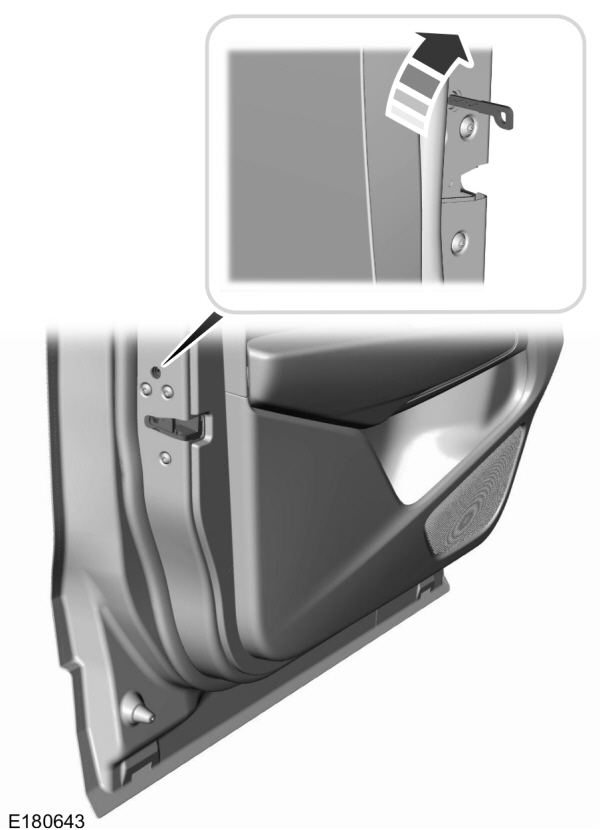
If the central locking function does not operate, lock the doors individually using the key in the position shown.
Left-Hand Side
Turn clockwise to lock.
Right-Hand Side
Turn counterclockwise to lock.
Unlocking the Doors
If the central locking function does not operate, unlock the driver door and then unlock all other doors individually by pulling the interior door handles.
Note:
If you have unlocked the doors using this method, you must lock the doors individually to restore the central locking function.
Unlocking the Luggage Compartment (Convertible Only)
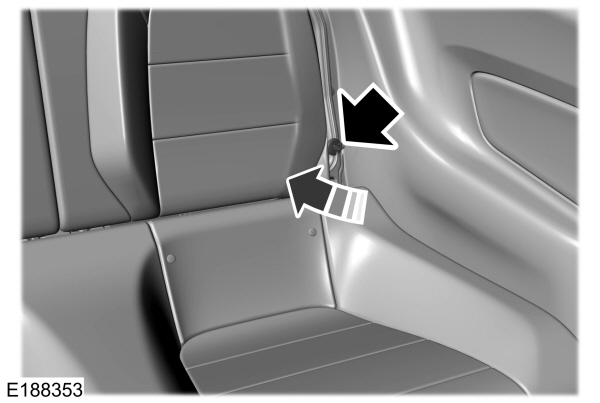
If the power decklid release does not operate because of a discharged battery, pull the rear seat left-hand side seatback cushion aside, insert the mechanical key blade into the key slot and turn the key to release the decklid latch.
Opening the Luggage Compartment
From Inside Your Vehicle
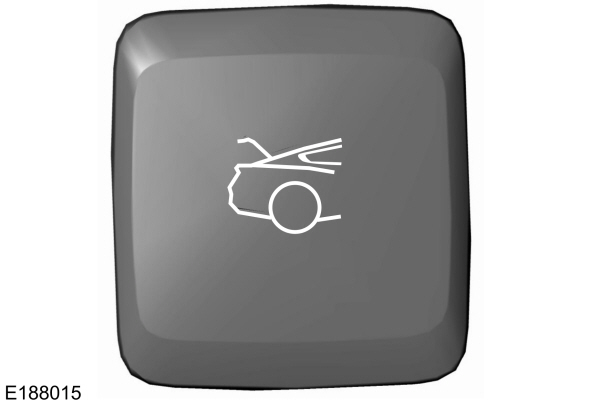
Press the exterior release button hidden above the license plate.You need to have your vehicle unlocked or have an intelligent access key within
1 m of the luggage compartment.
With the Remote Control
|
Press twice within three seconds to open the luggage compartment. |
Illuminated Entry
The interior lamps and select exterior lamps illuminate when you unlock the doors with the remote entry system.
The illuminated entry system turns off the lights if:- The ignition is on.
- You press the remote control lock button.
- After 25 seconds of illumination.
The lights do not turn off if:
- You switch them on with the lamp control.
- Any door is open.
Illuminated Exit
The interior lamps and select exterior lamps illuminate when all doors are closed and you switch the ignition off.
The lamps turn off if all the doors remain closed and:- After 25 seconds elapse.
- You press the START/STOP button.
Battery Saver
If you leave on the courtesy lamps, dome lamps or headlamps, the battery saver turns them off 10 minutes after you switch off the ignition.
Accessory Mode Battery Saver for Intelligent Access Keys
If you leave your vehicle in the run ignition state, it turns off once it detects a certain amount of battery drain or after 45 minutes.
Download Manual