Warning Lights, Gauges, and Indicators
Warning lights and gauges can signal that something is wrong before it becomes serious enough to cause an expensive repair or replacement. Paying attention to the warning lights and gauges could prevent injury.
Some warning lights come on briefly when the engine is started to indicate they are working. When one of the warning lights comes on and stays on while driving, or when one of the gauges shows there may be a problem, check the section that explains what to do. Waiting to do repairs can be costly and even dangerous.
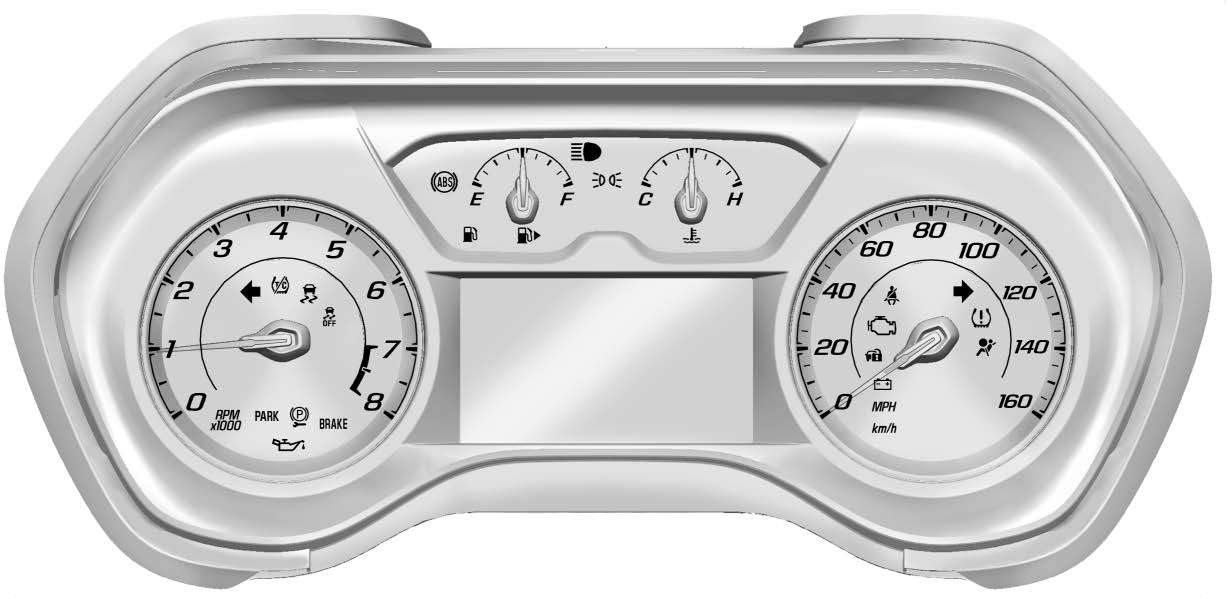
Base Level English Shown, Metric Similar
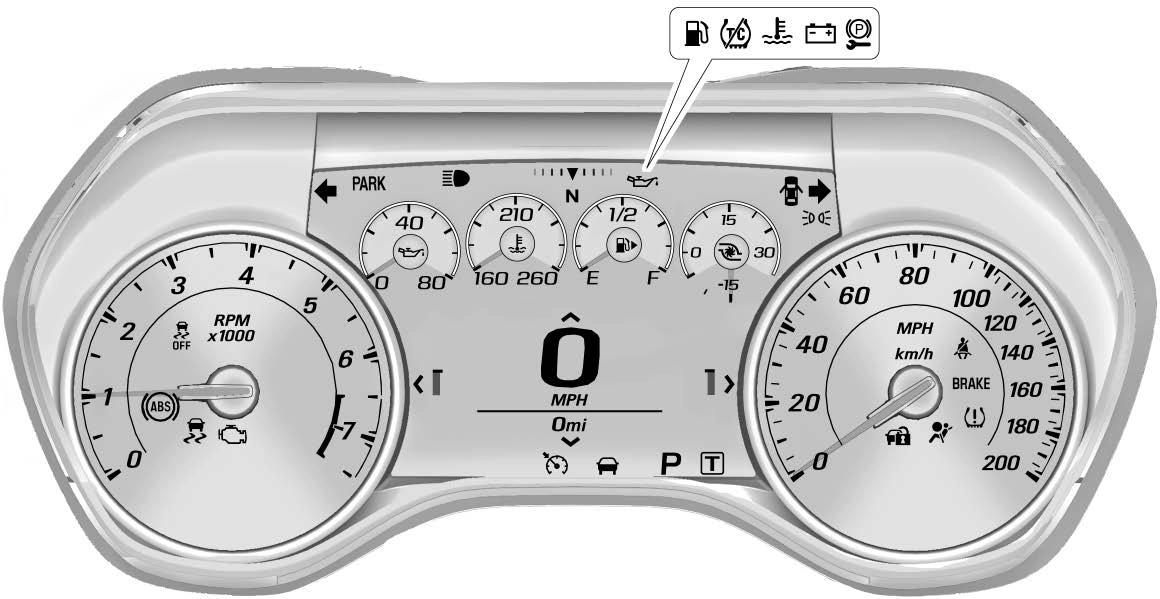
Uplevel English Standard Theme Shown, Metric Similar
See the Camaro High Performance supplement for more information.
To change the theme for the uplevel cluster:
There is an interactive display area in the center of the instrument cluster.
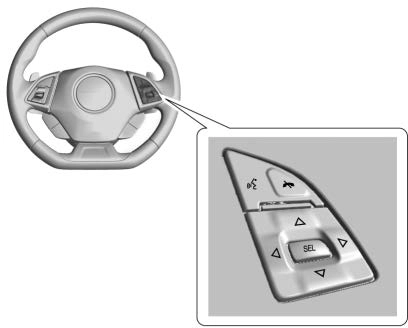
Use the right steering wheel control to open and scroll through the different items and displays.
Press o to access the cluster applications. Use w or x to scroll through the list of applications.
Press SEL to select the application from the list.
Performance (Uplevel Cluster)
Press SEL to enter the Performance menu. Use w or x to scroll through the available items.
Friction Bubble : A four quadrant visual display, indicative of the four corners of the car, with a “bubble” showing where the most inertia is being exerted on the vehicle.
Performance Timer : Press p when Performance Timer is displayed to enter the menu. Use w or x to select an interval. Press SEL to save it. On the next
acceleration, the performance time will record the time. To reset the timer, highlight Reset and
press SEL.
G-Force : Gives the driver an indication of the vehicle performance in cornering. The
G-force is displayed in the center of the DIC as a numerical value.
Lap Timer : Use to start, stop,
or reset the lap timer. A stopwatch icon will be displayed when the lap timer is active. Press SEL while the Lap Timer page is active to start the timer. If the lap timer is active, pressing SEL on any page will stop the current lap timer and start a new lap. Also, pressing and holding SEL on any page will stop the lap timer.
Oil Temperature : Shows the current oil temperature in either degrees Celsius (°C) or degrees Fahrenheit (°F).
Oil Pressure : Shows the current oil pressure in either kilopascal (kPa) or in pounds per square inch (psi).
Battery Voltage : Displays the current battery voltage, if equipped. Battery voltage changes are normal while driving.
Transmission Fluid Temperature : Shows the
temperature of the transmission fluid in either degrees Celsius (°C) or degrees Fahrenheit (°F).
Audio
If equipped, while the audio app is open, use w or x to change the radio station or seek to the next or previous track, depending on the current audio source. Press p to enter the Audio menu. In the Audio menu browse for music, select from the favorites, or change the audio source.
Phone
If equipped, press p to enter the Phone menu. In the Phone menu,
if there is no active phone call, view recent calls, or scroll through contacts. If there is an active call, mute or unmute the phone or switch to handset or hands-free operation.
Navigation
If equipped, press p to enter the Navigation menu. If there is no
active route, a compass will be displayed. If there is an active route, press SEL to cancel route guidance or turn the voice prompts on/off.
Options
Press SEL to enter the Options menu. Use w or x to scroll through items in the menu.
Units : Press p while Units is displayed to enter the Units menu.
Choose US or Metric units by pressing SEL while the desired item is highlighted.
Speed Warning : The Speed Warning display allows the driver to set a speed that they do not want to exceed. To set the Speed Warning, press p when Speed Warning is
displayed. Enable the speed
warning and then use w or x to adjust the value. Press SEL to set
the speed. Once the speed is set, this feature can be turned off by pressing SEL while viewing this page. If the selected speed limit is exceeded, a pop-up warning is displayed with a chime.
Display Theme (Uplevel) : Press SEL while Display Theme is highlighted to change the
configuration of the uplevel cluster. See “Reconfigurable Instrument Cluster” earlier in this section.
Launch Control : The Launch Control display allows the driver to adjust the parameters of the Launch Control System. See Track Events and Competitive Driving 0 173.
Head-Up Display (HUD) Rotation : This feature allows for adjusting the angle of the HUD image. Press SEL on the steering wheel controls while Head-Up Display Rotation is highlighted to enter Adjust Mode. Press w or x
to highlight OK, then press SEL to
save the setting. Cancel can also be selected to cancel the setting. The vehicle must be on P (Park).
Info Pages : Press p while Info Pages is highlighted to select the
items to be displayed in the DIC info displays. See Driver Information Center (DIC) 0 133.
Software Info : Displays open source software information.
The speedometer shows the vehicle's speed in either kilometers per hour (km/h) or miles per
hour (mph).
The odometer shows how far the vehicle has been driven, in either kilometers or miles.
The trip odometer shows how far the vehicle has been driven since the trip odometer was last reset.
The trip odometer is accessed and reset through the Driver Information Center (DIC). See Driver Information Center (DIC) 0 133.
The tachometer displays the engine speed in revolutions per minute (rpm).
Metric Base Level Cluster
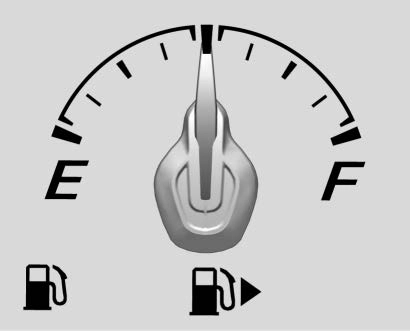
English Base Level Cluster
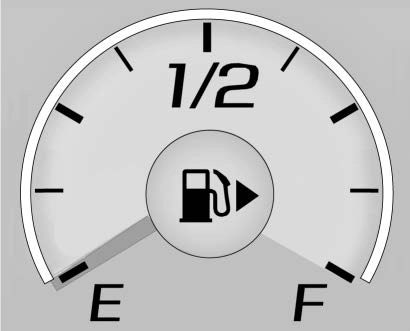
Uplevel Cluster
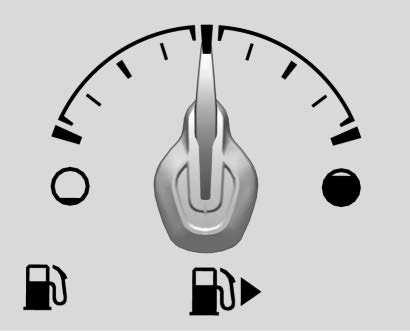
When the ignition is on, the fuel gauge indicates about how much fuel is left in the tank.
An arrow on the fuel gauge indicates the side of the vehicle the fuel door is on.
When the indicator nears empty, the low fuel light comes on. There is still a little fuel left, but the fuel tank should be filled soon.
Here are four things that some owners ask about. None of these show a problem with the fuel gauge:
See the Camaro High Performance supplement for more information.
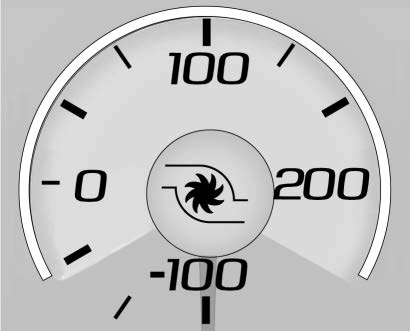
Metric
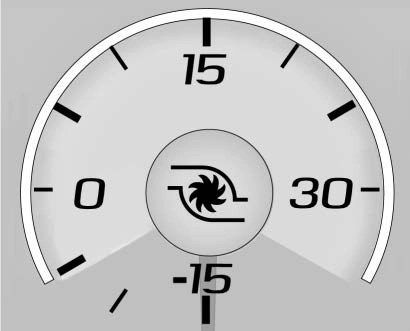
English
If equipped, this gauge indicates vacuum during light to moderate throttle and boost under heavier throttle.
It displays the air pressure level in the intake manifold before it enters the engine's combustion chamber.
The gauge is automatically centered at zero every time the engine is started. Actual vacuum or boost is displayed from this zero point.
Changes in ambient pressure, such as driving in mountains and changing weather, will slightly change the zero reading.
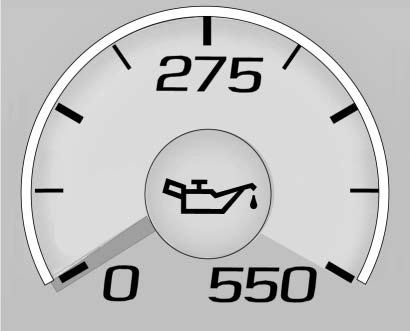
Metric, Standard Theme Shown
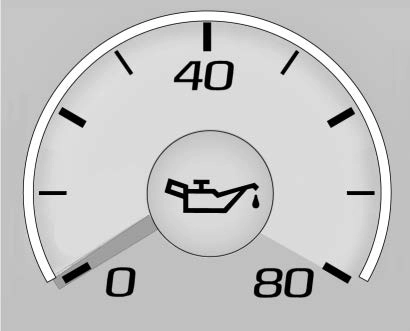
English, Standard Theme Shown
The engine oil pressure gauge shows the engine oil pressure
in kPa (kilopascals) when the engine is running.
Oil pressure can vary with engine speed, outside temperature and oil viscosity.
On some models, the oil pump will vary engine oil pressure according to engine needs. Oil pressure may change quickly as the engine speed or load varies. This is normal.
If the oil pressure warning light or Driver Information Center (DIC) message indicates oil pressure
outside the normal operating range, check the vehicle's oil as soon as possible. See Engine Oil 0 243.
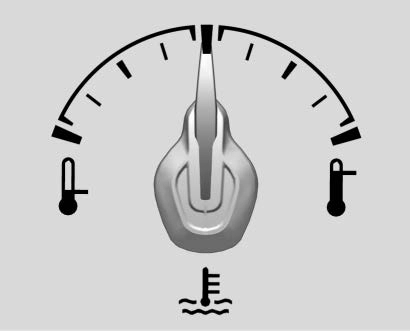
Metric Base Level Cluster
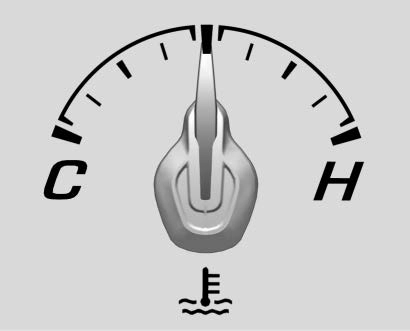
English Base Level Cluster
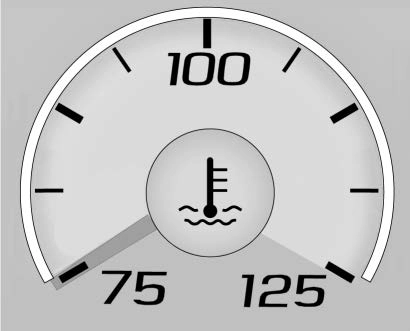
Metric Uplevel Cluster
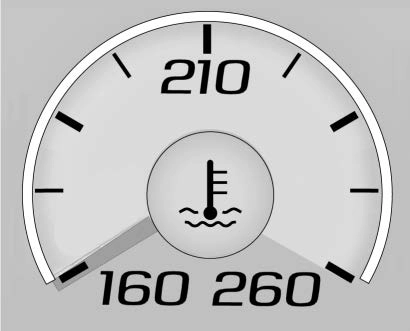
English Uplevel Cluster
This gauge shows the engine coolant temperature.
If the gauge pointer moves to the high end, the engine is too hot.
This reading indicates the same thing as the warning light. It means that the engine coolant has overheated. If the vehicle has been operating under normal driving conditions, pull off the road, stop the vehicle, and turn off the engine as soon as possible. See Engine Overheating 0 255 for more information.
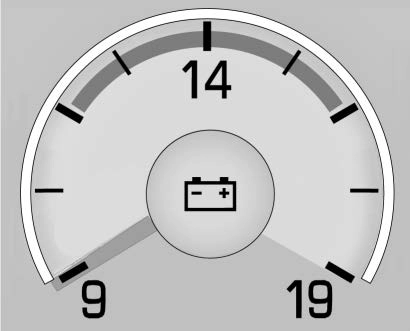
Standard Theme
When the ignition is on, this gauge indicates the battery voltage.
When the engine is running, this gauge shows the condition of the charging system. The gauge can transition from a higher to lower or a lower to higher reading. This is normal. If the vehicle is operating outside the normal operating range, the charging system light comes on. See Charging System Light 0 126.
Readings outside the normal operating range can also occur when a large number of electrical accessories are operating in the vehicle and the engine is left idling for an extended period. This condition is normal since the charging system is not able to provide full power at engine idle. As engine speeds are increased, this condition should correct itself as higher engine speeds allow the charging system to create maximum power.
The vehicle can only be driven for a short time with the readings outside the normal operating range. If the vehicle must be driven, turn off all accessories, such as the radio and air conditioner, and unplug all chargers and accessories.
Readings outside the normal operating range indicate a possible problem in the electrical system.
Have the vehicle serviced as soon as possible.
There is a driver seat belt reminder light on the instrument cluster.

When the vehicle is started, this light flashes and a chime may come on to remind the driver to fasten their seat belt. Then the light stays on solid until the belt is buckled.
This cycle may continue several times if the driver remains or becomes unbuckled while the vehicle is moving.
If the driver seat belt is buckled, neither the light nor the chime comes on.
There is a passenger seat belt reminder light near the passenger airbag status indicator. See Passenger Sensing System 0 81.
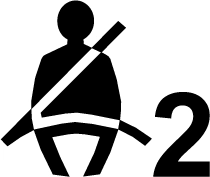
When the vehicle is started, this light flashes and a chime may come on to remind passengers to fasten their seat belt. Then the light stays on solid until the belt is buckled.
This cycle continues several times if the passenger remains or becomes unbuckled while the vehicle is moving.
If the passenger seat belt is buckled, neither the chime nor the light comes on.
The front passenger seat belt reminder light and chime may turn on if an object is put on the seat
such as a briefcase, handbag, grocery bag, laptop, or other electronic device. To turn off the reminder light and/or chime, remove the object from the seat or buckle the seat belt.
This light shows if there is an electrical problem with the airbag system. The system check includes the airbag sensor(s), the passenger sensing system, the pretensioners, the airbag modules, the wiring, and the crash sensing and diagnostic module. For more information on the airbag system, see Airbag System
0 75.

The airbag readiness light comes on for several seconds when the vehicle is started. If the light does not come on then, have it fixed immediately.
If there is a problem with the airbag system, a Driver Information Center (DIC) message may also come on.
The vehicle has a passenger sensing system. See Passenger Sensing System 0 81 for important
safety information. The overhead console has a passenger airbag status indicator.
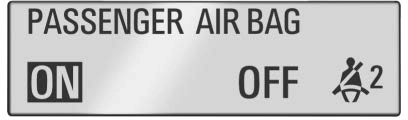
United States
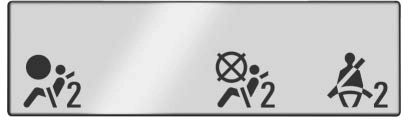
Canada and Mexico
When the vehicle is started, the passenger airbag status indicator will light ON and OFF, or the symbols for on and off, for several seconds as a system check. Then, after several seconds, the status indicator will light either ON or OFF, or either the on or off symbol, to let you know the status of the front outboard passenger frontal airbag and knee airbag.
If the word ON or the on symbol is lit on the passenger airbag status indicator, it means that the front outboard passenger frontal airbag and knee airbag are allowed to inflate.
If the word OFF or the off symbol is lit on the passenger airbag status indicator, it means that the passenger sensing system has turned off the front outboard passenger frontal airbag and knee airbag.
If, after several seconds, both status indicator lights remain on, or if there are no lights at all, there may be a problem with the lights or the passenger sensing system. See your dealer for service.

The charging system light comes on briefly when the ignition is turned on, but the engine is not running, as a check to show the light is working. The light turns off when the engine is started. If it does not, have the vehicle serviced by your dealer.
If the light stays on, or comes on while driving, there may be a problem with the electrical charging
system. Have it checked by your dealer. Driving while this light is on could drain the battery.
When this light comes on, the Driver Information Center (DIC) also displays a message.
If a short distance must be driven with the light on, be sure to turn off all accessories, such as the radio and air conditioner.
This light is part of the vehicle’s emission control on-board diagnostic system. If this light is on while the engine is running, a malfunction has been detected and the vehicle may require service. The light should come on to show that it is working when the ignition is in Service Mode. See Ignition Positions 0 191.

Malfunctions are often indicated by the system before any problem is noticeable. Being aware of the light and seeking service promptly when it comes on may prevent damage.
If the light is flashing : A malfunction has been detected that could damage the emission control system and increase vehicle emissions. Diagnosis and service may be required.
To help prevent damage, reduce vehicle speed and avoid hard accelerations and uphill grades.
If the light continues to flash, find a safe place to park. Turn the vehicle off and wait at least 10 seconds before restarting the engine. If the light is still flashing, follow the previous guidelines and see your dealer for service as soon as possible.
If the light is on steady : A malfunction has been detected. Diagnosis and service may be required.
Check the following:
. If fuel has been added to the vehicle using the capless funnel adapter, make sure that it has been removed. See “Filling the Tank with a Portable Gas Can” under Filling the Tank 0 230.
The diagnostic system can detect if the adapter has been left installed in the vehicle, allowing fuel to evaporate into the atmosphere. A few driving trips with the adapter removed may turn off the light.
. Poor fuel quality can cause inefficient engine operation and poor driveability, which may go away once the engine is warmed up. If this occurs, change the fuel brand. It may require at least one full tank of the proper fuel to turn the light off.
See Recommended Fuel (3.6L V6 Engine) 0 229 or Recommended Fuel (2.0L L4 Turbo Engine and 6.2L
V8 Engine) 0 229 or Recommended Fuel (6.2L V8 Supercharged Engine) 0 229.
If the light remains on, see your dealer.
If the vehicle requires an Emissions Inspection/Maintenance test, the test equipment will likely connect to the vehicle's Data Link
Connector (DLC).
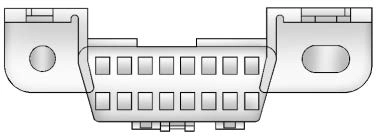
The DLC is under the instrument panel to the left of the steering wheel. Connecting devices that are not used to perform an Emissions Inspection/Maintenance test or to service the vehicle may affect vehicle operation. See Add-On Electrical Equipment 0 233. See your dealer if assistance is needed.
The vehicle may not pass inspection if:
before the system is ready for inspection. This can happen if the 12-volt battery has recently been replaced or run down, or if the vehicle has been recently serviced.
See your dealer if the vehicle will not pass or cannot be made ready for the test.
The vehicle brake system consists of two hydraulic circuits. If one circuit is not working, the remaining circuit can still work to stop the vehicle. For normal braking performance, both circuits need to be working.
If the warning light comes on, there is a brake problem. Have the brake system inspected right away.
Service Electric Parking Brake Light



Metric English
This light should come on briefly when the engine is started. If it does not come on then, have it fixed so it will be ready to warn you if there is a problem.
If the light comes on and stays on, there is a brake problem.
 Metric English
This light comes on when the parking brake is applied. If the light continues flashing after the parking brake is released, or while driving, there is a problem with the Electric Parking Brake system. A message may also display in the Driver Information Center (DIC).
If the light does not come on,
or remains flashing, see your dealer.
The service electric parking brake light should come on briefly when starting the vehicle. If it does not come on, have the vehicle serviced by your dealer.
If this light stays on, there is a problem with a system on the vehicle that is causing the parking brake system to work at a reduced level. The vehicle can still be driven, but should be taken to a dealer as soon as possible. See Electric Parking Brake 0 207. A message may also display in the Driver Information Center (DIC).
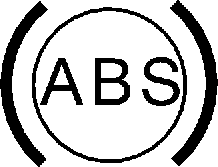
This light comes on briefly when the engine is started.
If the light does not come on, have it fixed so it will be ready to warn if there is a problem.
If the light comes on while driving, stop as soon as it is safely possible and turn off the vehicle. Then start the engine again to reset the system. If the ABS light stays on,
or comes on again while driving, the vehicle needs service. A chime may also sound when the light comes on steady.
If the ABS light is the only light on, the vehicle has regular brakes, but the antilock brakes are not functioning.
If both the ABS and the brake system warning light are on, the vehicle's antilock brakes are not functioning and there is a problem with the regular brakes. See your dealer for service.
See Brake System Warning Light
0 128.

If equipped, this indicator will display green when a vehicle is detected ahead and amber when you are following a vehicle ahead much too closely.
See Forward Collision Alert (FCA) System 0 224.

This light comes on briefly while starting the engine. If it does not, have the vehicle serviced by your dealer. If the system is working normally, the indicator light then turns off.
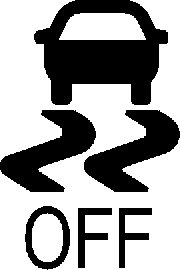
The traction off light comes on when the Traction Control System (TCS) has been turned off by pressing and releasing the TCS/StabiliTrak/ESC button.
This light and the StabiliTrak/ESC OFF light come on when StabiliTrak/ Electronic Stability Control (ESC) is turned off.
If the TCS is off, wheel spin is not limited. Adjust driving accordingly.
See Traction Control/Electronic Stability Control 0 209.
This light comes on briefly while starting the engine. If it does not, have the vehicle serviced by your dealer.
This light comes on when the StabiliTrak/Electronic Stability Control (ESC) system is turned off. If StabiliTrak/ESC is off, the Traction Control System (TCS) is also off.
If StabiliTrak/ESC and TCS are off, the system does not assist in controlling the vehicle. Turn on the TCS and the StabiliTrak/ESC systems, and the warning light turns off.
See Traction Control/Electronic Stability Control 0 209.
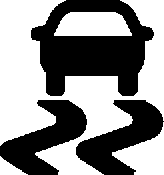
This light comes on briefly when the engine is started.
If the light does not come on, have the vehicle serviced by your dealer. If the system is working normally, the indicator light turns off.
If the light is on and not flashing, the TCS and potentially the StabiliTrak/ ESC system have been disabled.
A Driver Information Center (DIC) message may display. Check the DIC messages to determine which feature(s) is no longer functioning and whether the vehicle requires service.
If the light is on and flashing, the TCS and/or the StabiliTrak/ESC system is actively working.
See Traction Control/Electronic Stability Control 0 209.
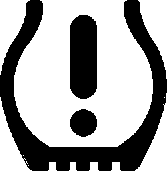
For vehicles with the Tire Pressure Monitor System (TPMS), this light comes on briefly when the engine is started. It provides information about tire pressures and the TPMS.
When the Light Is On Steady
This indicates that one or more of the tires are significantly underinflated.
A Driver Information Center (DIC) tire pressure message may also display. Stop as soon as possible, and inflate the tires to the pressure value shown on the Tire and Loading Information label. See Tire Pressure 0 282.
When the Light Flashes First and Then Is On Steady
If the light flashes for about a minute and then stays on, there may be a problem with the TPMS. If the problem is not corrected, the light will come on at every ignition cycle. See Tire Pressure Monitor Operation 0 284.

This light should come on briefly as the engine is started. If it does not come on, have the vehicle serviced by your dealer.
If the light comes on and stays on, it means that oil is not flowing through the engine properly. The vehicle could be low on oil and might have some other system problem. See your dealer.

It also comes on when the fuel tank is low on fuel. The light turns off when fuel is added. If it does not, have the vehicle serviced.

The security light should come on briefly as the engine is started. If it does not come on, have the vehicle serviced by your dealer. If the system is working normally, the indicator light turns off.
If the light stays on and the engine does not start, there could be a problem with the theft-deterrent system. See Immobilizer Operation 0 44.
This light is near the fuel gauge and comes on briefly when the ignition is turned on as a check to show it is working.

This light comes on when the high-beam headlamps are in use.
See Headlamp High/Low-Beam Changer 0 147.

This light comes on when the exterior lamps are in use. See Exterior Lamp Controls 0 147.

The cruise control light is white when the cruise control is on and ready, and turns green when the cruise control is set and active.
The light goes out when the cruise control is turned off. See Cruise Control 0 217.

This light comes on when a door is open or not securely latched. Before driving, check that all doors are properly closed.
Download Manual