USB Flash Drive
Your audio system reads and plays sound files on a USB flash drive in either MP3, WMA, or format. Connect your USB flash drive to the USB port .
- Models with One Display
- Models with Two Displays
- Searching for Music
Parent topic: Audio and Connectivity
■Models with One Display

Parent topic: USB Flash Drive
■Models with Two Displays

Parent topic: USB Flash Drive
■Searching for Music
- Models with One Display
- Models with Two Displays
Parent topic: USB Flash Drive
Models with One Display
- Press the selector knob to switch the display to a folder list.
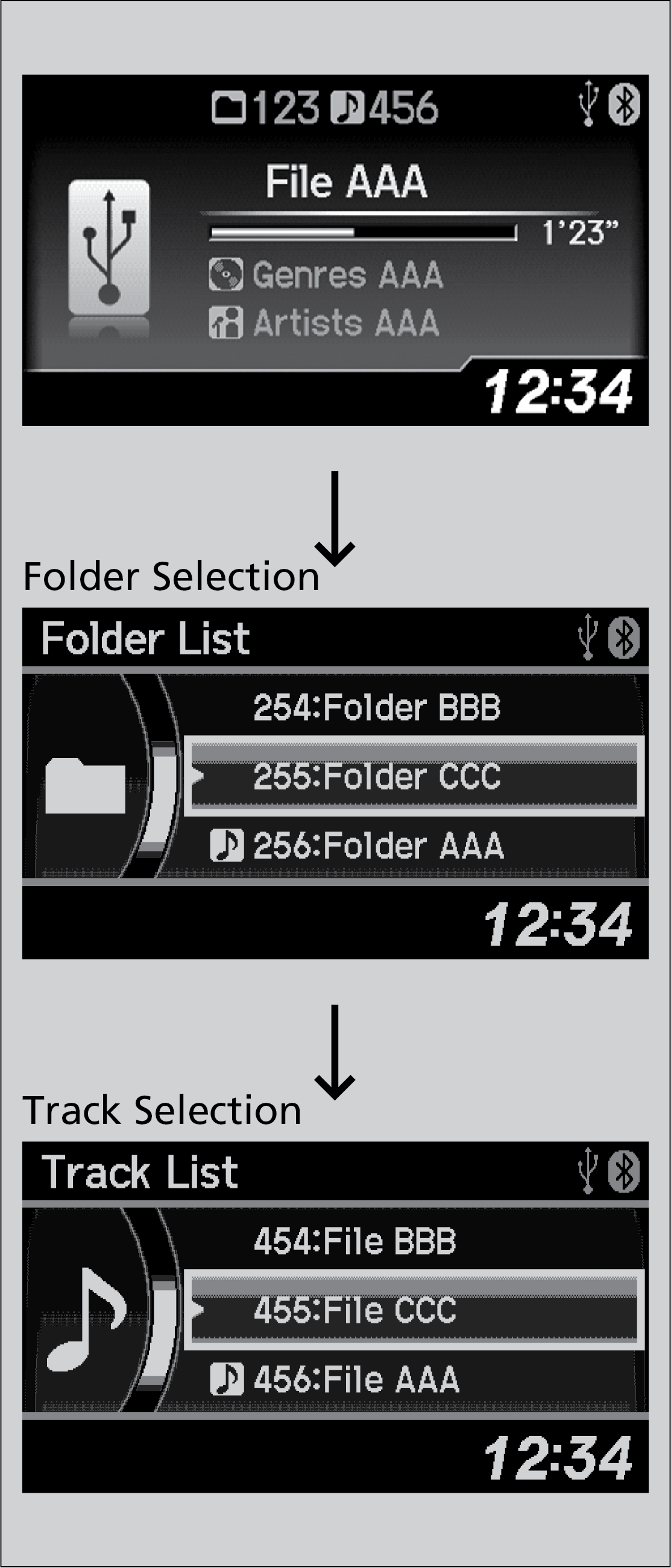
- Rotate the selector knob to select a folder.
- Press the selector knob to change the display to a list of files in that folder.
- Rotate the selector knob to select a file.
Parent topic: Searching for Music
Models with Two Displays
- Select Search.

- Select a folder.
- Select a file.
Parent topic: Searching for Music
Download Manual