Trip modes (Trip computer)
The trip computer is a microcomputer- controlled driver information system that displays information related to driving.
✽ NOTICE
Some driving information stored in the trip computer (for example Average Vehicle Speed) resets if the battery is disconnected.
Trip Modes
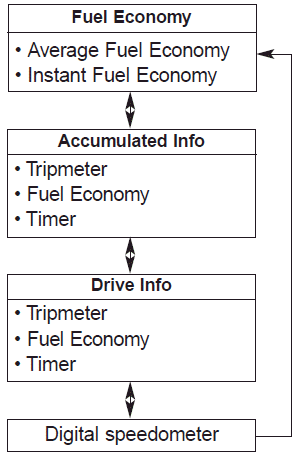
To change the trip mode, scroll the TRIP scroll switch ( ) in the trip computer mode.
Fuel Economy
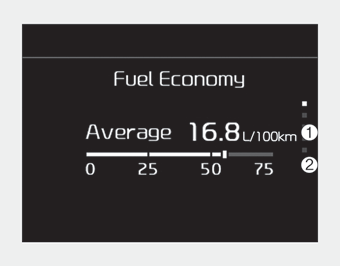
Average Fuel Economy (1)
- The average fuel economy is calculated by the total driving distance and fuel consumption since the last average fuel economy reset.
- Fuel economy range : 0 ~ 99.9 L/100km or MPG - The average fuel economy can be reset both manually and automatically.
✽ NOTICE
The fuel economy may vary significantly based on driving conditions, driving habits, and condition of the vehicle.
Manual reset
To reset average fuel economy manually, press the OK button (reset) on the steering wheel for more than 1 second when the average fuel economy is displayed.
Automatic reset
To make the average fuel economy reset automatically whenever refueling, select the “Auto Reset” mode in User Setting menu of the LCD display (Refer to “LCD Display”).
- OFF - You may set to default manually by using the trip switch reset button.
- After ignition - The vehicle will automatically set to default once 4 hours pass after the Ignition is in OFF.
- After refueling - After refueling more than 6 liters and driving over 1km/h, the vehicle will reset to default automatically.
✽ NOTICE
For a more accurate calculation of the average fuel economy, the vehicle must be continuously driven more than 10 seconds and 50 meters (0.03 miles).
Instant Fuel Economy (2)
• This mode displays the instant fuel economy during the last few seconds when the vehicle speed is more than 8 km/h (5 MPH).
- Fuel economy range: 0 ~ 30 L/100 km or 0 ~ 50 MPG
Accumulated driving information mode
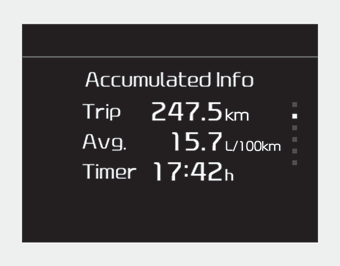
Displays accumulated information starting from mileage/fuel efficiency/time default point.
- Accumulated information is calculated after the vehicle has run for more than 300 meters.
- If you press “OK” button for more than 1 second after the Cumulative Information is displayed, the information will be reset.
- If the engine is running, even when the vehicle is not in motion, the information will be accumulated.
One time driving information mode
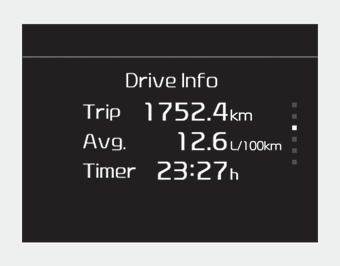
The vehicle will display Driving Information once per one ignition cycle.
- Fuel efficiency is calculated after the vehicle has run for more than 300 meters.
- The Driving Information will be reset 4 hours after ignition has been turned off. So, when the vehicle ignition is turned on within 4 hours, the information will not be reset.
- If you press “OK” button for more than 1 second after the Driving Information is displayed, the information will be reset.
- If the engine is running, even when the vehicle is not in motion, the information will be accumulated.
Digital speedometer
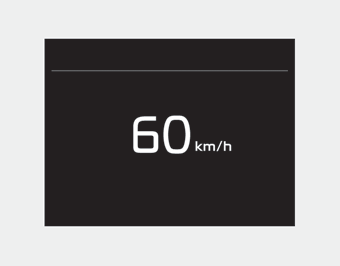
This mode displays the current speed of the vehicle.
Warning Messages
Shift to P position (for smart key system)
- This warning message illuminates if you try to turn off the engine without the shift lever in P (Park) position.
- At this time, the Engine Start/Stop Button turns to the ACC position (If you press the Engine Start/Stop Button once more, it will turn to the ON position).
Low Key Battery (for smart key system)
- This warning message illuminates if the battery of the smart key is discharged when the Engine Start/Stop Button changes to the OFF position.
Press start button while turn steering (for smart key system)
- This warning message illuminates if the steering wheel does not unlock normally when the Engine Start/Stop Button is pressed.
- It means that you should press the Engine Start/Stop Button while turning the steering wheel right and left.
Steering wheel unlocked (for smart key system)
- This warning message illuminates if the steering wheel does not lock when the Engine Start/Stop Button changes to the OFF position.
Check steering wheel lock system (for smart key system)
- This warning message illuminates if the steering wheel does not lock normally when the Engine Start/Stop Button changes to the OFF position.
Press brake pedal to start engine (for smart key system)
- This warning message illuminates if the Engine Start/Stop Button changes to the ACC position twice by pressing the button repeatedly without depressing the brake pedal.
- It means that you should depress the brake pedal to start the engine.
Key not in vehicle (for smart key system)
- This warning message illuminates if the smart key is not in the vehicle when you press the Engine Start/Stop Button.
- It means that you should always have the smart key with you.
Key not detected (for smart key system)
- This warning message illuminates if the smart key is not detected when you press the Engine Start/Stop Button.
Press start button again (for smart key system)
- It means that you could start the engine by pressing the Engine Start/ Stop Button once more.
- If the warning illuminates each time you press the Engine Start/Stop Button, have your vehicle inspected by an authorized Kia dealer.
Press start button with key (for smart key system)
- This warning message illuminates if you press the Engine Start/Stop Button while the warning message “Key not detected” is illuminating.
- At this time, the immobilizer indicator light blinks.
Check fuse BRAKE SWITCH (for smart key system)
- This warning message illuminates if the brake switch fuse is blown.
- It means that you should replace the fuse with a new one. If that is not possible, you can start the engine by pressing the Engine Start/Stop Button for 10 seconds in the ACC position.
Shift to P or N to start engine (for smart key system)
- This warning message illuminates if you try to start the engine with the shift lever not in the P (Park) or N (Neutral) position.
✽ NOTICE
You can start the engine with the shift lever in the N (Neutral) position; however; we recommend that you start the engine with the shift lever in the P (Park) position for your safety.
Door / Hood / Trunk Open
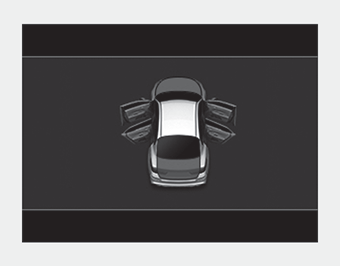
- It means that a door, hood, or trunk is open.
- The hood warning message will appear on the LCD display when hood is open.
The warning chime will operate when the vehicle is being driven at or above 3 km/h (2 mph) with the hood open.
Sunroof Open
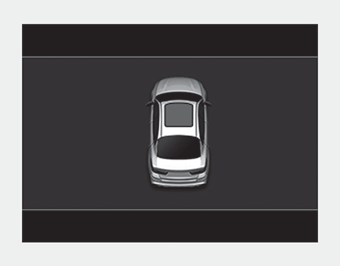
- The warning message illuminates if you turn off the engine and then open the driver's door when the sunroof is open.
Window Open
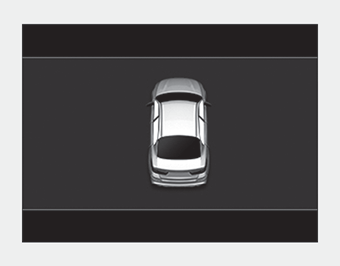
- This warning message illuminates if you turn off the engine when any window is open.
Icy Road Warning
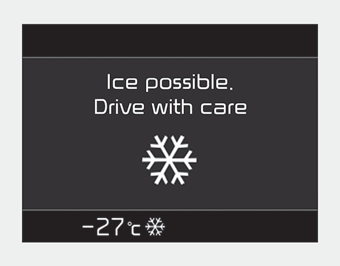
- This warning pop-up message and light are to warn the driver the road may be icy.
When the Outside Temperature is below approximately 4°C (39°F),
- The warning light (including Outside Temperature) blinks 5 times and then illuminates.
- The warning pop-up message displays, and the warning chime sounds once at the same time only once for each ignition cycle.
If this item is checked in “User settings”, this function will be activated.
✽ NOTICE
If the icy road warning light appears while driving, you should drive more attentively and safely refraining from over-speeding, rapid acceleration, sudden braking or sharp turning, etc.
Low Washer Fluid (if equipped)
- This warning message illuminates on the service reminder mode if the washer fluid level in the reservoir is nearly empty.
- It means that you should refill the washer fluid.
Turn on FUSE SWITCH
- This warning message illuminates if the fuse switch on the fuse box is OFF.
- It means that you should turn the fuse switch on.
❈For more details, refer to “Fuses” in chapter 7.
Low Fuel
• This warning message illuminates if the fuel tank is nearly empty.
- When the low fuel level warning light is illuminated, add fuel as soon as possible.
- When the trip computer displays “--- km (or mile)” as range.
Check high beam assist system
• This warning message illuminates if the high beam assist system has a malfunction. In this case, have your vehicle inspected by an authorized Kia dealer.
Check headlight
• This warning message illuminates if there is a malfunction (burnedout bulb or circuit malfunction) with the headlamp. In this case, have your vehicle inspected by an authorized Kia dealer.
✽ NOTICE
- When replacing the bulb, use the same wattage bulb. For more information, refer to “BULB WATTAGE” in chapter 8.
- If different wattage bulb is equipped with the vehicle, this warning message is not displayed.
Check Forward Collisionavoidance Assist system
- This warning message illuminates if there is a malfunction with the Forward Collision-avoidance Assist (FCA) system. In this case, have your vehicle inspected by an authorized Kia dealer.
❈For more details, refer to “Forward Collision-avoidance Assist(FCA) system” in chapter 5.
Battery discharging due to external electrical devices(if equipped)
• This message is displayed when an excessive current draw is being detected. Be aware that battery discharge may occur if aftermarket accessories are installed (i.e. device charging adapters, vehicle locators, video players, etc.).
If aftermarket devices are not installed or have been removed and the warning message remains, have your vehicle inspected by an authorized Kia dealer.
Download Manual