LCD display
LCD Modes
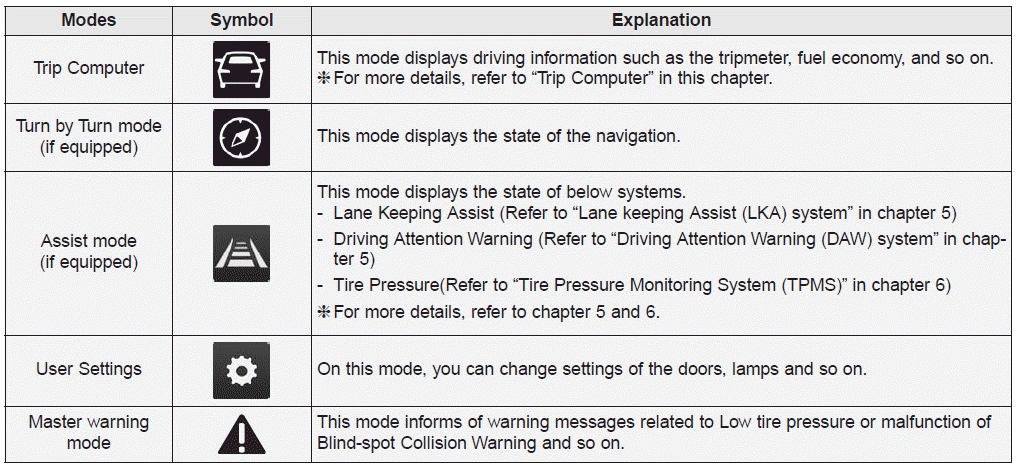
Trip computer mode
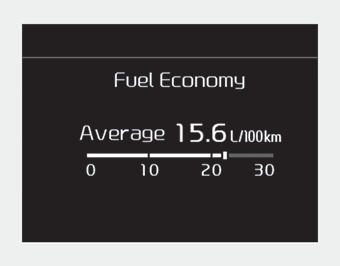
This mode displays driving information like the tripmeter, fuel economy, and so on.
❈ For more details, refer to “Trip Computer” in this chapter.
Turn By Turn mode
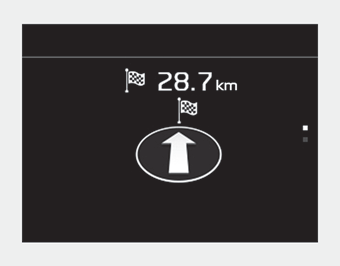
This mode displays the state of the navigation.
Assist mode
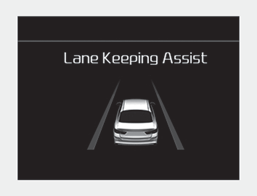
■ LKA
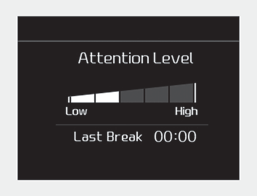
■ DAW
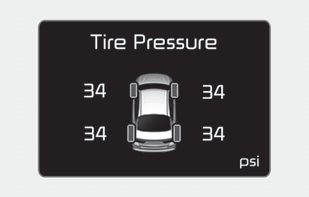
■ TPMS
Assist mode displays the state of below systems.
- Lane Keeping Assist
- Driver Attention Warning
- Tire Pressure
Service mode
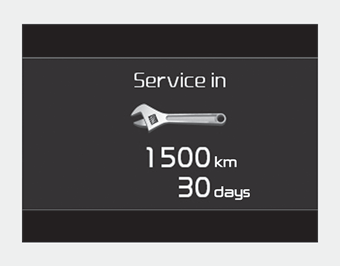
When Service Required is set, the remaining distance/time before service is required appears on the LCD screen.
From the point at which the remaining distance to drive amounts to 1,500 km (900 mi) or the remaining time amounts to 30 days, The Service Required message automatically displays and remains on the LCD screen for a number of seconds every time the ignition switch or Engine Start/Stop Button is ON.
When Service Required is set a Service Required Alarm message pops up when an aggregated amount of miles/time driven reaches a certain point.
With Service Required mode, press OK button for more than 5 sec. The values will return to initial setting values.
❈For more details about Service Required Setting refer to user Settings Mode in this chapter.
❈Service Required Setting
In the event of Battery Cable Disconnection or Fuse Switch turned OFF, the Service Required Setting values (an amount of miles/time driven) may change. In such cases, re-enter Service Required Setting values.
Master warning mode

• This warning light informs the driver of the following situations
- Forward Collision-Avoidance Assist malfunction
- Blind-Spot Collision Warning radar blind
- Lamp malfunction
- High Beam Assist malfunction
- Tire Pressure Monitoring System (TPMS) malfunction
- Electronic Control Suspension (ECS) malfunction
The Master Warning Light illuminates if one or more of the above warning situations occur.
If the warning situation is solved, the master warning light will be turned off.
User Settings Mode
Description
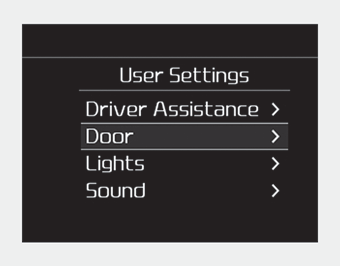
On this mode, you can change setting of the doors, lamps, and so on.
WARNING
Do not adjust the User Setting while driving.
You may lose your steering control which could cause an accident and bodily injury.
Shift to P to edit settings
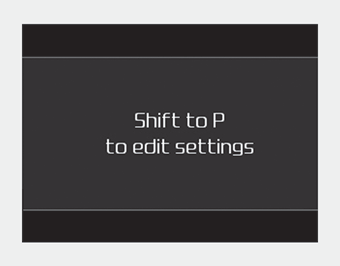
This warning message appears if you try to adjust the User Settings while driving.
For your safety, change the User Settings after parking the vehicle, applying the parking brake and moving the shift lever to P (Park).
Driver Assistance (if equipped)
• Driver Attention Warning :
- Choose the alert stage (High sensitivity/Normal sensitivity/Off) of the Driver Attention Warning. ❈For more details, refer to “Driver Attention Warning (DAW)” in chapter 5.
• Lane Safety :
- Active LKA : To activate the active LKA mode.
- Standard LKA : To activate the standard LKA mode.
- Lane Departure Warning : To activate the lane departure warning function.
❈For more details, refer to “Lane Keeping Assist (LKA) System” in chapter 5.
• Forward Collision-avoidance Assist (FCA) :
- To activate or deactivate the FCA system.
❈For more details, refer to “Forward Collision-avoidance Assist (FCA)” in chapter 5.
• Forward Collision Warning :
- Choose the inital warning alert time of the forward collision warning. (Late/Normal/Early)
❈For more details, refer to “Forward Collision-avoidance Assist (FCA)” in chapter 5.
• Blind-Spot Collision Warning Timing :
- Choose the initial warning alert time of the blind-spot collision warning timing. (Normal/Late)
❈For more details, refer to “Blind-Spot Collision Warning” in chapter 5.
• Rear Cross-Traffic Collision Warning :
- If this item is checked, the rear cross-traffic collision Warning function will be activated.
❈For more details, refer to “Blind-spot Collision Warning” in chapter 5.
Door
• Automatically Lock :
- Enable on Speed : All doors will be automatically locked when the vehicle speed exceeds 15 km/h (9.3 mph).
- Enable on Shift : All doors will be automatically locked if the transmission shift lever is shifted from the P (Park) position to the R (Reverse), N (Neutral), or D (Drive) position.
• Automatically Unlock :
- Disable : The auto door unlock operation will be canceled.
- Vehicle Off/On key out : All doors will be automatically unlocked when the ignition key is removed from the ignition switch or the Engine Start/Stop button is set to the OFF position.
- On Shift to P : All doors will be automatically unlocked if the automatic transmission shift lever is shifted to the P (Park) position.
• Two Press Unlock :
- If this item is checked, the two press unlock will be activated. The driver's door will unlock if the door unlock button is pressed. When the door unlock button is pressed again within 4 seconds, the remaining doors will unlock.
• Horn Feedback :
- If this item is checked, the horn feedback function will be activated.
• Smart Trunk (if equipped) :
- If this item is checked, the smart trunk function will be activated.
❈For more details, refer to “Smart Trunk” in this chapter.
Lights
• One Touch Turn Signal :
- Off: The one touch turn signal function will be deactivated.
- 3, 5, 7 Flashes : The lane change signals will blink 3, 5 or 7 times when the turn signal lever is moved slightly.
❈For more details, refer to “Lighting” in this chapter.
• Headlight Delay :
- If this item is checked, the head lamp delay function will be activated.
❈For more details, refer to “Lighting” in this chapter.
• Welcome Light(if equipped) :
- If this item is checked, the welcome light function will be activated.
Sound
• Parking Distance Warning Volume (if equipped) :
- Adjust the Park Assist System volume. (Level 1 ~ 3)
• Welcome Sound (if equipped) :
- If this item is checked, the welcome sound function will be activated.
Convenience
• Seat Easy Access (if equipped) :
- Off : The seat easy access function will be deactivated.
- Normal/Extended : When you turn off the engine, the driver’s seat will automatically move rear 7.6 cm (3 in.) (Enhanced) for you to enter or exit the vehicle more comfortably.
If you change the ignition switch or Engine Start/Stop Button from OFF position to the ACC position, the driver’s seat will return to the original position.
❈For more details, refer to “Driver Position Memory System” in chapter 3.
• Welcome Mirror/Light (if equipped) :
- If this item is checked, the welcome mirror/light function will be activated.
• Wiper/Light Display (if equipped) :
- If this item is checked, the wiper/light display will be activated.
• Gear Position Pop-up (if equipped) :
- If this item is checked, the gear position pop-up display will be activated.
• Icy Road Warning (if equipped) :
- If this item is checked, the icy road warning display will be activated.
Service interval
- Enable Service Interval :
- To activate or deactivate the service interval function. - Adjust Interval :
- To adjust the interval by mileage and period. - Reset :
- To reset the service interval function.
Other
- Fuel Economy Reset :
- If this item checked, the average fuel economy will reset automatically after refueling or after ignition. - Fuel Economy Unit :
- Choose the fuel economy unit. (L/100 km/L, km/L, US gallon, UK gallon) - Temperature Unit :
- Choose the temperature unit. (°C,°F) - Tire Pressure Unit (if equipped) :
- Choose the tire pressure unit. (psi, kPa, bar)
Language (if equipped)
Choose the language.
Reset
You can reset the menus in the User Settings Mode. All menus in the User Settings Mode are initialized, except language and service interval.
Download Manual