Off-road Pages — If Equipped
Your vehicle may be equipped with Off-Road Pages, which provides the vehicle status information while operating on off-road conditions. It supplies information relating to the vehicle ride height, the status of the transfer case, the pitch and roll of the vehicle, and the active Selec-Terrain mode.
To access Off-Road Pages, press the Off Road button on the touchscreen from the Vehicle menu, and then press “Launch Off-Road”.
Off-Road Pages has the following selectable pages:
-
Vehicle Dynamics
-
Accessory Gauges
-
Pitch & Roll
-
Selec-Terrain — If Equipped
-
Suspension — If Equipped
-
Forward Facing Camera — If Equipped
Note:
With a Connected Services subscription (if equipped), you can record your Off-Road data and send it directly to the mobile app. Press the Record button to begin.
OFF-ROAD PAGES STATUS BAR
The Off-Road Pages Status Bar is located along the bottom of Off-Road Pages and is present on each of the selectable page options. It provides continually updating information for the following items:
-
Current Transfer Case Status
-
Current Selec-Terrain mode
-
Current Latitude/Longitude
-
Current Altitude of the vehicle
-
Status of Hill Descent
-
Hill Descent Control or Selec-Speed Control Selected Speed in MPH (km/h).
-
Current Terrain Mode
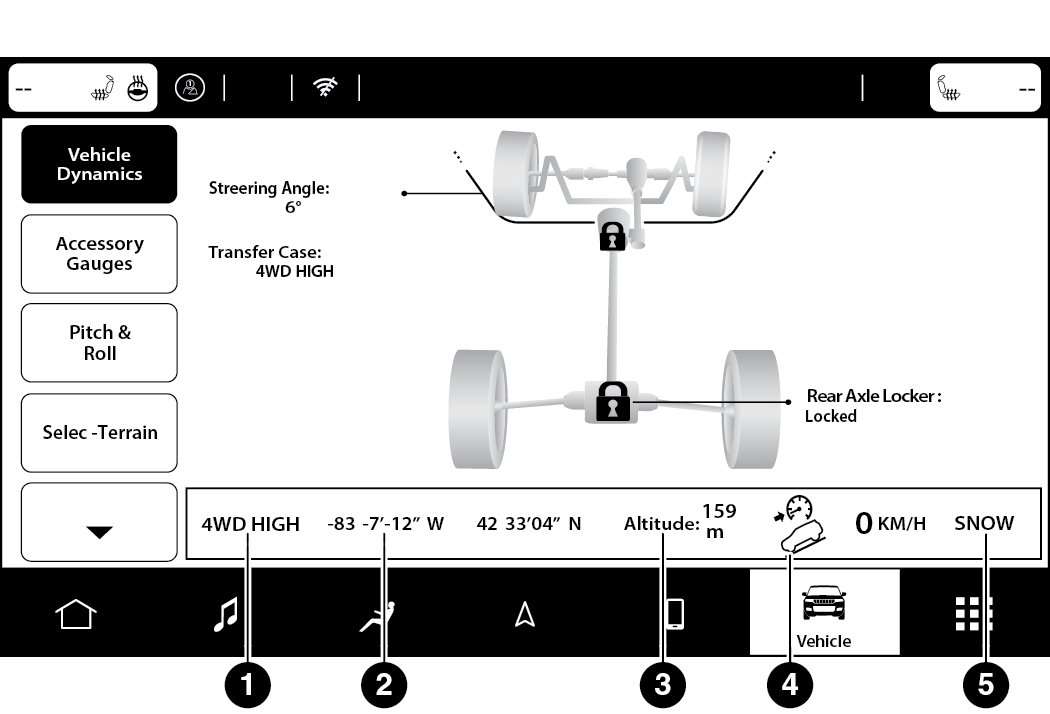
Status Bar
|
1 — Transfer Case Status |
|
2 — Current Latitude/Longitude |
|
3 — Current Altitude |
|
4 — Hill Descent Control |
|
5 — Current Terrain Mode |
VEHICLE DYNAMICS
The Vehicle Dynamics page displays information concerning the vehicle’s drivetrain.
The following information is displayed:
-
Steering angle in degrees
-
Status of Transfer Case
-
Status of the Rear Axle Locker — If Equipped
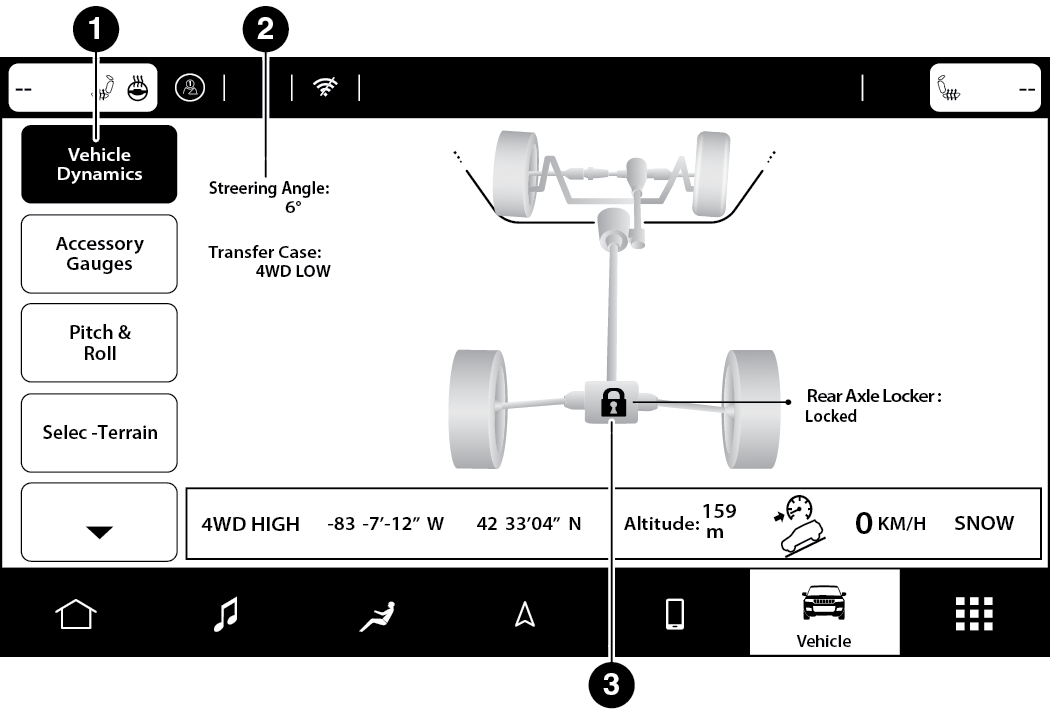
Vehicle Dynamics Menu
|
1 — Vehicle Dynamics |
|
2 — Steering Angle |
|
3 — Rear Axle Status |
ACCESSORY GAUGES
The Accessory Gauges page displays the current status of the vehicle’s Coolant Temperature, Oil Temperature, Oil Pressure, Transmission Temperature, and Battery Voltage.
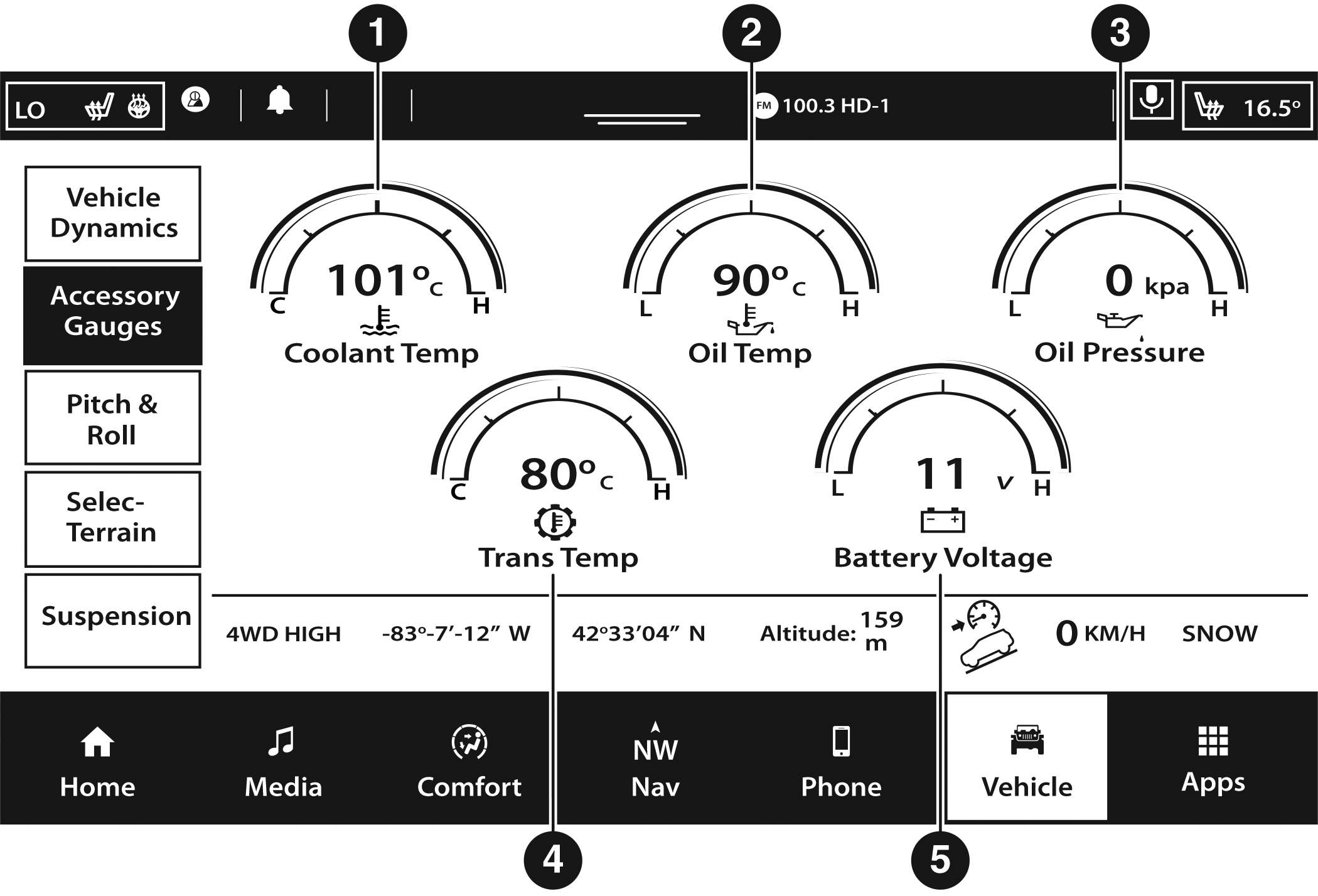
Accessory Gauges Menu
| 1 — Coolant Temperature |
| 2 — Oil Temperature |
| 3 — Oil Pressure |
| 4 — Transmission Temperature |
| 5 — Battery Voltage |
PITCH & ROLL
The Pitch & Roll page displays the vehicle’s current pitch (angle up and down) and roll (angle side to side) in degrees. The Pitch & Roll gauges provide a visualization of the current vehicle angle.
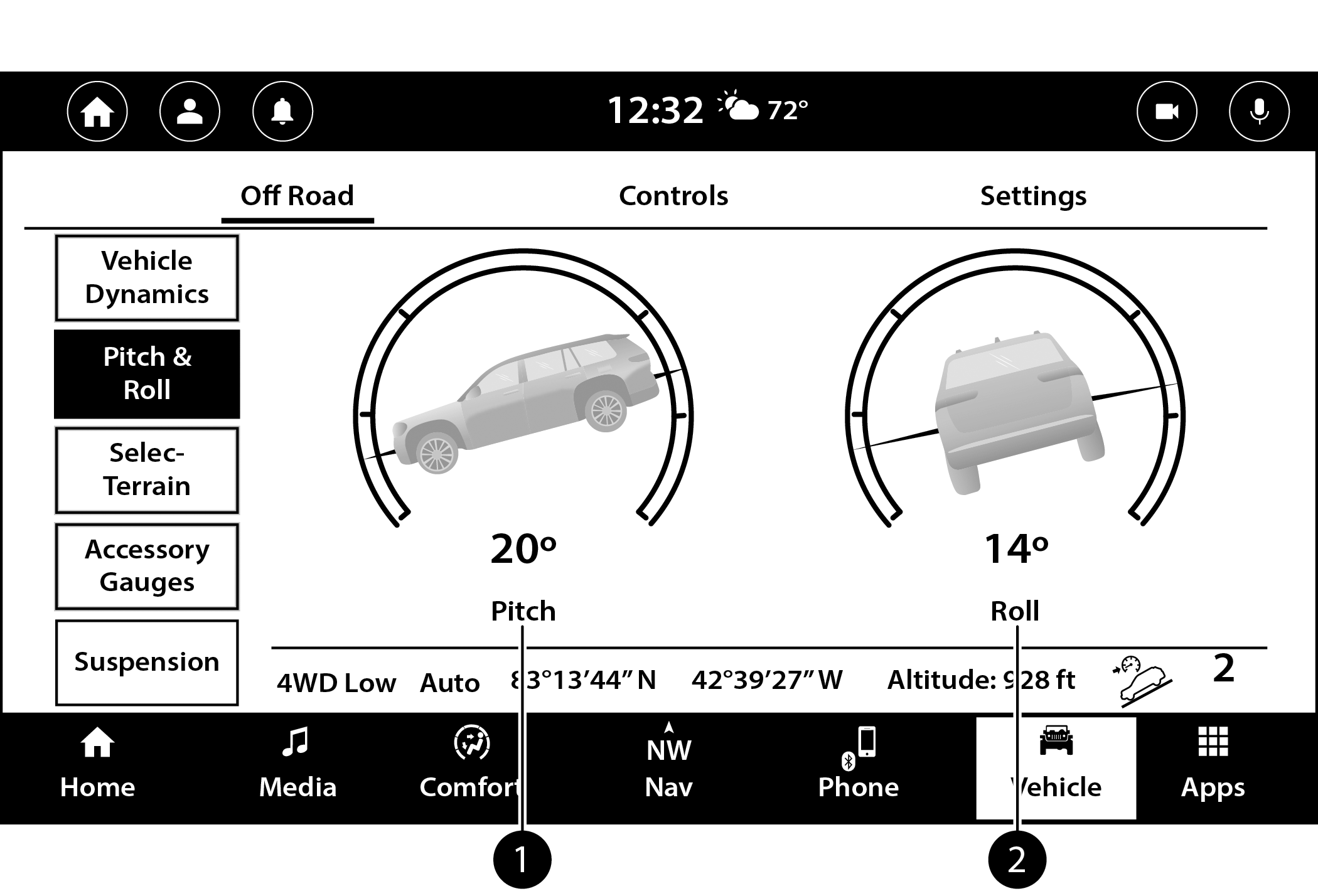
Pitch & Roll Menu
| 1 — Current Pitch |
| 2 — Current Roll |
SELEC-TERRAIN — IF EQUIPPED
The Selec-Terrain page displays the current Selec-Terrain mode through a high resolution image. Adjusting the Selec-Terrain mode will alter the image on the screen. The vehicle must be in the ON/RUN position to display Selec-Terrain information.
The selectable modes are as follows:
-
Rock — Vehicle Must Be In 4WD Low
-
Sand/Mud
-
Snow
-
Auto — Default
-
Sport
Note:
The Off-Road Pages Status Bar will also display the current Selec-Terrain mode.
SUSPENSION — IF EQUIPPED
The Suspension page displays information concerning the vehicle’s suspension.
The following information is displayed:
-
Wheel Articulation
-
Current Ride Height Status
-
Off-Road 2
-
Off-Road 1
-
Normal
-
Aero
-
Entry/Exit
-
Note:
The wheel articulation will be represented by a yellow color in the Wheel Articulation. If Ride Height is adjusted, the Ride Height indicator on the screen will switch to the appropriate height and the Wheel Articulation will show the movement and change in height.
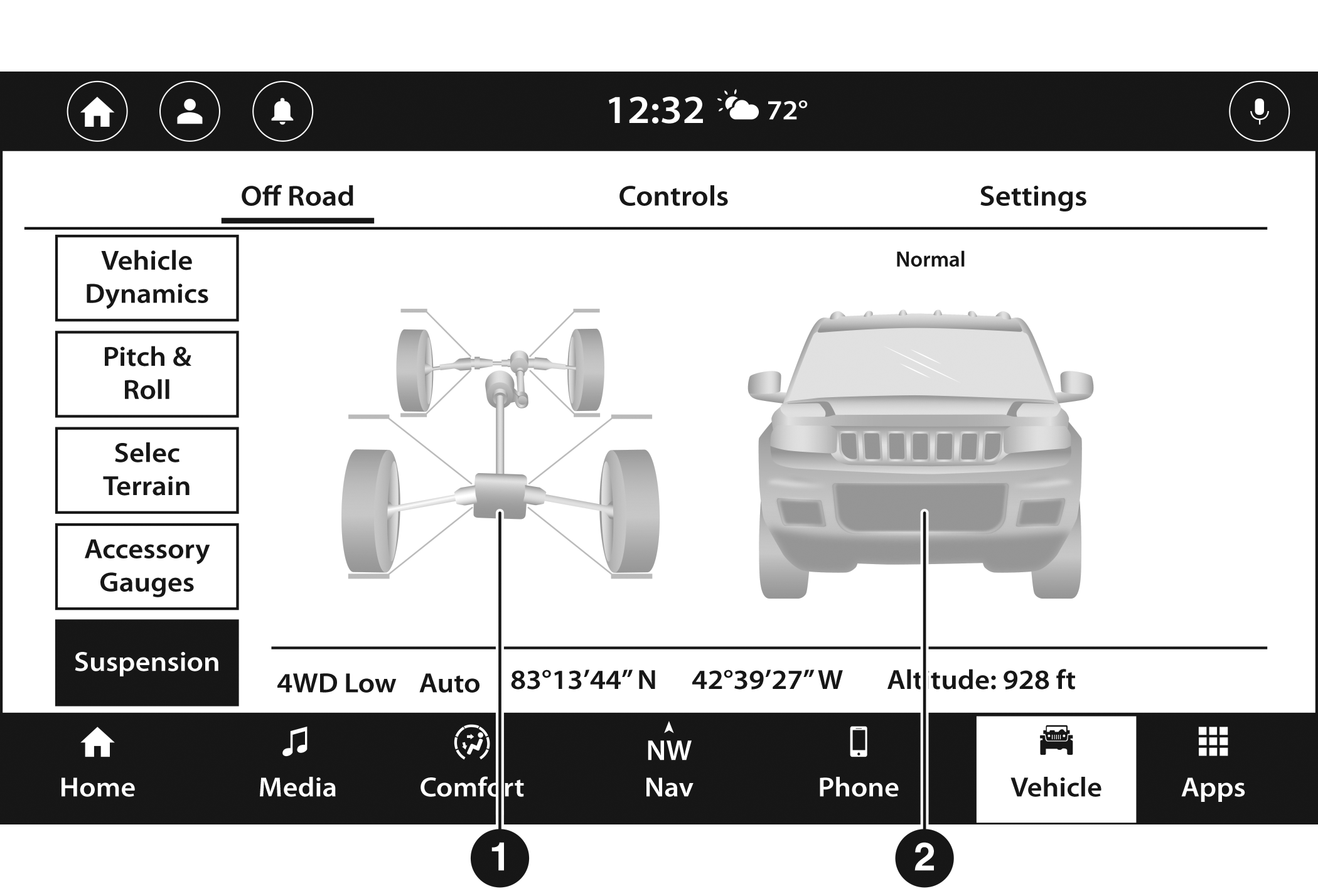
Suspension Menu
| 1 — Wheel Articulation |
|
2 — Current Ride Height |
Download Manual