Famcam System — If Equipped
The FamCam system consists of an interior monitoring camera mounted on the headliner that allows the driver to view cargo/passengers in the rear interior of the vehicle through the Uconnect screen.
 To activate the feature, press the FamCam button in the Controls tab of the Vehicle menu. The FamCam feature can also be accessed from the App Drawer, or the status bar at the top of the Uconnect display.
The display will show the entire view inside the vehicle on the left side of the screen, and will show a zoomed in view of the selected seat on the right side of the screen.
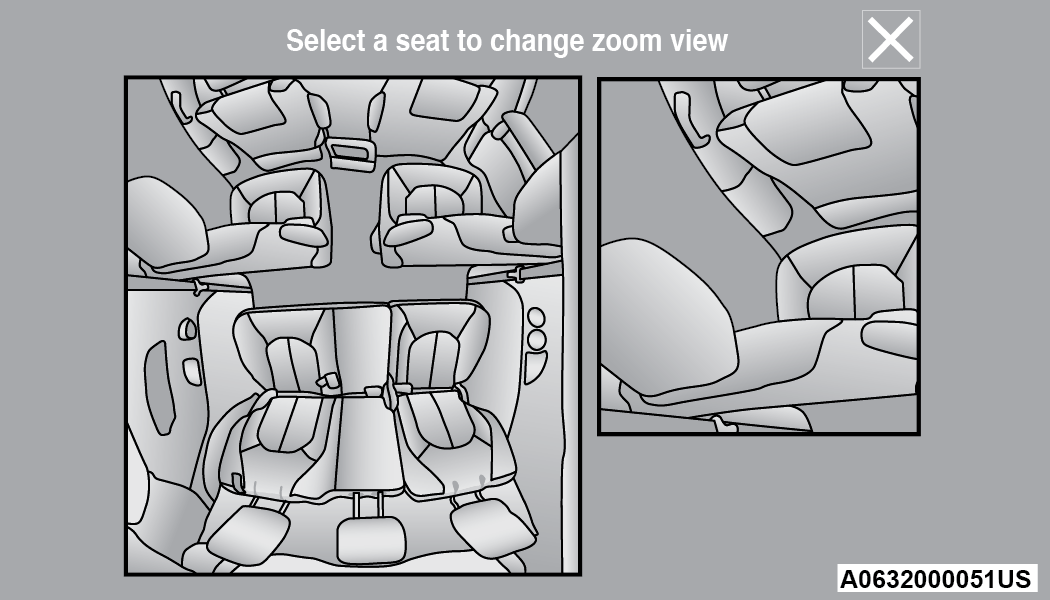
FamCam Display Example (7 Passenger Vehicle Shown)
To change the seat shown in the zoomed in view, press a different seat location on the left side of the display. The zoomed in view will then show the new seat location. By default, the second row driver’s side seat will be displayed in the zoomed in view.
The display will appear in color in well-lit conditions and will appear black and white in low light conditions.
If the driver shifts into REVERSE or presses touchscreen X button, the view will close. Otherwise, the FamCam view will remain on the display.
Note:
When FamCam is turned off, the selected seat in the zoomed in view on the right side of the display will be retained. The next time the feature is activated, the same seat will be shown in the zoomed in view.
Download Manual