Parking Your Vehicle
When Stopped
 .
.u The parking brake and brake system indicator (red) goes off in about 30 seconds.
Always set the parking brake, in particular if you are parked on an incline.
uuParking Your VehicleuWhen Stopped
uuParking Your VehicleuParking Sensor System*
The corner and center sensors monitor obstacles around your vehicle, and the beeper, driver information interface and audio/information screen let you know the approximate distance between your vehicle and the obstacle.
522
uuParking Your VehicleuParking Sensor System*
With the power mode in ON, press the parking sensor system button to turn on or off the system. The indicator in the button comes on when the system is on.
The front corner, rear corner and rear center sensors start to detect an obstacle when the transmission is in R, and the vehicle speed is less than 5 mph (8 km/h).
The front corner and front center* sensors start to detect an obstacle when the transmission is in any position other than  or R, and the vehicle speed is less than 5 mph (8 km/h).
* Not available on all models
Continued 523
uuParking Your VehicleuParking Sensor System*
You can switch between split view off and split view on by touching the split screen tab.
524
uuParking Your VehicleuParking Sensor System*
|
Interval between beeps |
Distance between the Bumper and Obstacle |
Indicator |
Driver information interface/ Audio/Information Screen |
|
|
Corner Sensors |
Center Sensors |
|||
|
Moderate |
— |
Front*: About 39-24 in (100-60 cm) Rear: About 43-24 in (110-60 cm) |
Comes on in Yellow*1 |
Audio/Information Screen Indicators light up where the sensor detects an obstacle. Indicators light up where the sensor detects an obstacle. Driver information interface |
|
Short |
About 24-18 in (60-45 cm) |
About 24-18 in (60-45 cm) |
Comes on in Amber |
|
|
Very short |
About 18-14 in (45-35 cm) |
About 18-14 in (45-35 cm) |
||
|
Continuous |
About 14 in (35 cm) or less |
About 14 in (35 cm) or less |
Comes on in Red |
*1:At this stage, only the center sensors detect obstacles.
* Not available on all models
Continued
uuParking Your VehicleuParking Sensor System*
Turning off All Rear Sensors
u The beeper sounds once.
u The beeper sounds twice. The rear sensors are now turned off.
To turn the rear sensors on again, follow the above procedure. The beeper sounds three times when the rear sensors come back on.
uuParking Your Vehicle uCross Traffic Monitor *
Monitors the rear corner areas using the radar sensors when reversing, and alerts you if a vehicle approaching from a rear corner is detected.
The system is convenient when you are backing out of a parking space.
* Not available on all models
Continued
uuParking Your VehicleuCross Traffic Monitor*
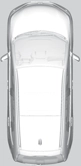 The system activates when:
2 Cross Traffic Monitor On and Off P. 530
When a vehicle is detected approaching from a rear corner, Cross Traffic Monitor alerts you with a buzzer and a displayed warning.
The system will not detect a vehicle that approaches from directly behind your vehicle, nor will it provide alerts about a detected vehicle when it moves directly behind your vehicle.
The system does not provide alerts for a vehicle that is moving away from your vehicle, and it may alert for pedestrians, bicycles, or stationary objects.
uuParking Your Vehicle uCross Traffic Monitor *
An arrow icon appears on the side a vehicle is approaching on the audio/information screen.
Continued 529
uuParking Your VehicleuCross Traffic Monitor*
You can switch the system on and off using the audio/information screen.
2 Customized Features P. 352
The system can also be turned on and off on the audio/information screen by pressing the Cross Traffic Monitor icon.
Download Manual