Example: setting the clock
Setting the clock
On the Control Display:
1.  Press button. The main menu is displayed.
2. Turn the controller until "Settings" is highlighted, and then press the controller.
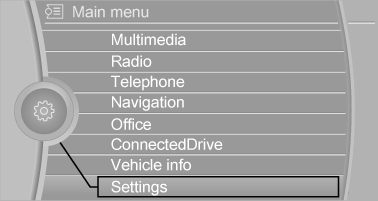
3. If necessary, move the controller to the left to display "Time/Date".
4. Turn the controller until "Time/Date" is highlighted, and then press the controller.
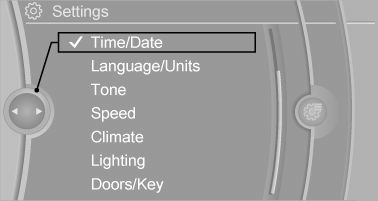
5. Turn the controller until "Time:" is highlighted, and then press the controller.
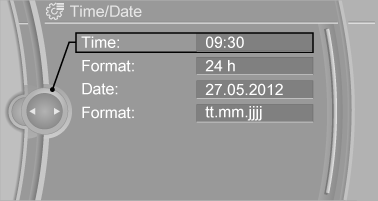
6. Turn the controller to set the hours and press the controller.
7. Turn the controller to set the minutes and press the controller.
Download Manual