Indicators
|
Indicator |
Name |
On/Blinking |
Explanation |
Message* |
|
U.S. Canada (Red) |
Parking Brake and Brake System Indicator (Red) |
Comes on for a few seconds when you turn the ignition switch to ON (w*1, then goes off if the parking brake has been released.
Comes on when the parking brake is applied, and goes off when it is released.
Comes on when the brake fluid level is low.
Comes on if there is a problem with the brake system.
The beeper sounds and the indicator comes on if you drive with the parking brake not fully released.
Comes on for about 15 seconds when you pull the electric parking brake switch while the ignition switch is in LOCK ( *1.
Stays on for about 15 seconds when you turn the ignition switch to LOCK ( *1 while the electric parking brake is set.
|
Comes on while driving - Make sure the parking brake is released. Check the brake fluid level.
2 What to do when the indicator comes on while driving P. 605 Comes on along with the ABS indicator - Have your vehicle checked by a dealer.
2 If the Brake System Indicator (Red) Comes On or Blinks P. 605 Blinks and the parking brake and brake system indicator (amber) comes on at the same time - There is a problem with the electric parking brake system. The parking brake may not be set.
Avoid using the parking brake and have your vehicle checked by a dealer immediately. 2 If the Brake System Indicator (Red) Comes On or Blinks at the Same Time When the Brake System Indicator (Amber) Comes On P. 606 |
*1:Models with the smart entry system have an ENGINE START/STOP button instead of an ignition switch.
76 * Not available on all models
uuIndicatorsu
|
Indicator |
Name |
On/Blinking |
Explanation |
Message* |
|
U.S.
Canada (Amber) |
Parking Brake and Brake System Indicator (Amber) |
Comes on for a few seconds when you turn the ignition switch to ON (w*1, then goes off.
Comes on if there is a problem with a system related to braking other than the conventional brake system.
Comes on if there is a problem with the electric parking brake system or the automatic brake hold system.
|
Stays on constantly - Have your vehicle checked by a dealer.
Comes on while driving - Avoid using the parking brake and have your vehicle checked by a dealer immediately.
|
U.S.
Canada
|

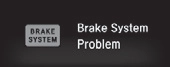
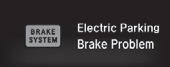
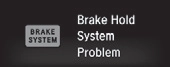
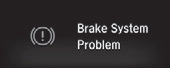
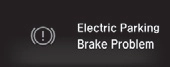
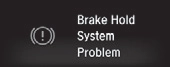
*1:Models with the smart entry system have an ENGINE START/STOP button instead of an ignition switch.
* Not available on all models
Continued 77
uuIndicatorsu
|
Indicator |
Name |
On/Blinking |
Explanation |
Message* |
|
U.S. Canada
|
Automatic Brake Hold System Indicator |
Comes on for a few seconds when you turn the ignition switch to ON (w*1, then goes off.
Comes on when the automatic brake hold system is on.
|
2 Automatic Brake Hold P. 487 |
|
|
Automatic Brake Hold Indicator |
Comes on for a few seconds when you turn the ignition switch to ON (w*1, then goes off.
Comes on when the automatic brake hold is activated.
|
2 Automatic Brake Hold P. 487 |
— |
|
|
Low Oil Pressure Indicator |
Comes on when you turn the ignition switch to ON (w*1, and goes off when the engine starts.
Comes on when the engine oil pressure is low.
|
Comes on while driving - Immediately stop in a safe place.
2 If the Low Oil Pressure Indicator Comes On P. 603 |


*1:Models with the smart entry system have an ENGINE START/STOP button instead of an ignition switch.
78 * Not available on all models
uuIndicatorsu
|
Indicator |
Name |
On/Blinking |
Explanation |
Message* |
|
Malfunction Indicator Lamp |
Comes on when you turn the ignition switch to ON (w*1, and goes off when the engine starts, or after several seconds if the engine did not start. If “readiness codes” have not been set, it blinks five times before it goes off.
Comes on if there is a problem with the emissions control system.
Blinks when a misfire in the engine’s cylinders is detected.
|
Readiness codes are part of the on board diagnostics for the emissions control systems.
2 Testing of Readiness Codes P. 625 Comes on while driving - Have your vehicle checked by a dealer.
Blinks while driving - Stop in a safe place where there are no flammable objects. Stop the engine for 10 minutes or more, and wait for it to cool down. Then, take your vehicle to a dealer.
2 If the Malfunction Indicator Lamp Comes On or Blinks P. 604 |
||
|
Charging System Indicator |
Comes on when you turn the ignition switch to ON (w*1, and goes off when the engine starts.
Comes on when the battery is not charging.
|
Comes on while driving - Turn off the heating system*/climate control system* and rear defogger in order to reduce electricity consumption.
2 If the Charging System Indicator Comes On P. 603 |
||
|
Shift Lever Position Indicator* |
Indicates the current shift lever position.
|
2 Shifting P. 436 |
— |
*1:Models with the smart entry system have an ENGINE START/STOP button instead of an ignition switch.
* Not available on all models
Continued 79
uuIndicatorsu
|
Indicator |
Name |
On/Blinking |
Explanation |
Message* |
|
Transmission System Indicator* |
Comes on for a few seconds when you turn the ignition switch to ON (w*1, then goes off.
Blinks if the transmission system has a problem.
|
Blinks while driving - Avoid sudden starts and acceleration and have your vehicle checked by a dealer immediately.
|
||
|
Seat Belt Reminder Indicator |
Comes on and the beeper sounds if you are not wearing a seat belt when you turn the ignition switch to ON (w*1.
If the front passenger is not wearing a seat belt, the indicator comes on a few seconds later.
Blinks while driving if either you or the front passenger has not fastened a seat belt. The beeper sounds and the indicator blinks at regular intervals.
|
The beeper stops and the indicator goes off when you and the front passenger fasten their seat belts.
Stays on after you or the front passenger has fastened the seat belt
- A detection error may have occurred in the sensor. Have your vehicle checked by a dealer. 2 Seat Belt Reminder P. 40 |
*1:Models with the smart entry system have an ENGINE START/STOP button instead of an ignition switch.
80 * Not available on all models
uuIndicatorsu
|
Indicator |
Name |
On/Blinking |
Explanation |
Message* |
|
Low Fuel Indicator |
Comes on when the fuel reserve is running low (approximately 1.8
U.S. gal/7.0 Liter left). Blinks if there is a problem with the fuel gauge.
|
Comes on - Refuel your vehicle as soon as possible.
Blinks - Have your vehicle checked by a dealer.
|
||
|
Anti-lock Brake System (ABS) Indicator |
Comes on for a few seconds when you turn the ignition switch to ON (w*1, then goes off.
If it comes on at any other time, there is a problem with the ABS.
|
Stays on constantly - Have your vehicle checked by a dealer. With this indicator on, your vehicle still has normal braking ability but no anti-lock function.
2 Anti-lock Brake System (ABS) P. 490 |
||
|
Supplemental Restraint System Indicator |
Comes on for a few seconds when you turn the ignition switch to ON (w*1, then goes off.
Comes on if a problem with any of the following is detected:
Supplemental restraint system
Side airbag system
Side curtain airbag system
Seat belt tensioner
|
Stays on constantly or does not come on at all - Have your vehicle checked by a dealer.
|
*1:Models with the smart entry system have an ENGINE START/STOP button instead of an ignition switch.
* Not available on all models
Continued 81
uuIndicatorsu
|
Indicator |
Name |
On/Blinking |
Explanation |
Message* |
|
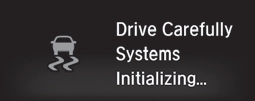
Vehicle Stability Assist (VSA®) System Indicator |
Comes on for a few seconds when you turn the ignition switch to ON (w*1, then goes off.
Blinks when VSA® is active.
Comes on if there is a problem with the VSA® system or hill start assist system.
|
Stays on constantly - Have your vehicle checked by a dealer.
2 Vehicle Stability Assist (VSA®), aka Electronic Stability Control (ESC), System P. 473 |
|
|
|
Comes on if the VSA® system is deactivated temporarily after the battery has been disconnected, then re-connected.
|
Drive a short distance at more than 12 mph (20 km/h). The indicator should go off. If it does not, have your vehicle checked by a dealer.
|
|
||
|
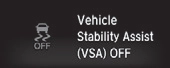
Vehicle Stability Assist (VSA®) OFF Indicator |
Comes on for a few seconds when you turn the ignition switch to ON (w*1, then goes off.
Comes on when you partially disable VSA®.
|
2 VSA® On and Off P. 474 |
|
|
|
Comes on if the VSA® system is deactivated temporarily after the battery has been disconnected, then re-connected.
|
Drive a short distance at more than 12 mph (20 km/h). The indicator should go off. If it does not, have your vehicle checked by a dealer.
|
|

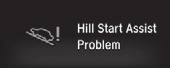
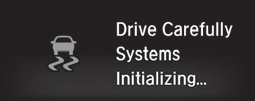
*1:Models with the smart entry system have an ENGINE START/STOP button instead of an ignition switch.
82 * Not available on all models
uuIndicatorsu
|
Indicator |
Name |
On/Blinking |
Explanation |
Message* |
|
Door and Trunk Open Indicator* |
Comes on for a few seconds if you turn the ignition switch to ON
(w*1, then goes off. Comes on if any door or the trunk is not completely closed.
The beeper sounds and the indicator comes on if any door or the trunk is opened while driving.
|
Goes off when all doors and the trunk are closed.
|
— |
|
|
Electric Power Steering (EPS) System Indicator |
Comes on when you turn the ignition switch to ON (w*1, and goes off when the engine starts.
Comes on if there is a problem with the EPS system.
|
Stays on constantly or does not come on at all - Have your vehicle checked by a dealer.
2 If the Electric Power Steering (EPS) System Indicator Comes On P. 607 |
||
|
SPORT Mode Indicator* |
Comes on when you press the
SPORT button. The shift up backlight remains lit up in red as long as SPORT mode is on.
|
2 SPORT Mode* P. 441 |
*1:Models with the smart entry system have an ENGINE START/STOP button instead of an ignition switch.
* Not available on all models
Continued 83
uuIndicatorsu
|
Indicator |
Name |
On/Blinking |
Explanation |
Message* |
|
U.S. models |
Low Tire Pressure/TPMS Indicator |
Comes on for a few seconds when you turn the ignition switch to ON (w*1.
May come on briefly if the ignition switch is turned to ON (w*1 and the vehicle is not moved within 45 seconds, to indicate the calibration process is not yet complete.
Comes on and stays on when:
One or more tires’ pressures are determined to be significantly low.
The system has not been calibrated.
|
Comes on while driving - Stop in a safe place, check tire pressures, and inflate the tire(s) if necessary.
Stays on after the tires are inflated to the recommended pressures - The system needs to be calibrated.
2 TPMS Calibration P. 479 |
|
|
Blinks for about one minute, and then stays on if there is a problem with the TPMS, or when a compact spare tire* is temporarily installed.
|
Blinks and remains on - Have your vehicle checked by a dealer. If the vehicle is fitted with a compact spare, get your regular tire repaired or replaced and put back on your vehicle as soon as you can.
|
|||
|
Comes on if the TPMS is deactivated temporarily after the battery has been disconnected, then re-connected.
|
Drive a short distance at more than 12 mph (20 km/h). The indicator should go off. If it does not, have your vehicle checked by a dealer.
|
*1:Models with the smart entry system have an ENGINE START/STOP button instead of an ignition switch.
84 * Not available on all models
uuIndicatorsu
|
Indicator |
Name |
On/Blinking |
Explanation |
Message* |
|
System Message Indicator* |
Comes on for a few seconds when you turn the ignition switch to ON (w*1, then goes off.
Comes on along with a beep when a problem is detected. A system message on the driver information interface appears at the same time.
|
While the indicator is on, press the (display/information) button to see the message again.
Refer to the Indicators information in this chapter when a system message appears on the driver information interface. Take the appropriate action for the message.
The driver information interface does not return to the normal screen unless the warning is canceled, or the button is pressed.
|
— |
|
|
Turn Signal and Hazard Warning Indicators |
Blink when you operate the turn signal lever.
Blink along with all turn signals when you press the hazard warning button.
|
Does not blink or blinks rapidly - A turn signal light bulb has blown. Change the bulb immediately.
2 Replacing Light Bulbs P. 542, 545 |
— |
|
|
|
High Beam Indicator |
Comes on when the high beam headlights are on.
|
— |
— |
|
|
Lights On Indicator |
Comes on whenever the light switch is on, or in AUTO* when the exterior lights are on.
|
If you remove the key from the ignition switch*1 while the exterior lights are on, a chime sounds when the driver’s door is opened.
|
— |
|
Fog Light Indicator* |
Comes on when the fog lights are on.
|
— |
— |
*1:Models with the smart entry system have an ENGINE START/STOP button instead of an ignition switch.
Continued 85
uuIndicatorsu
|
Indicator |
Name |
On/Blinking |
Explanation |
Message*1 |
|
|
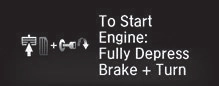
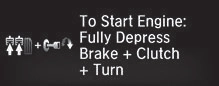
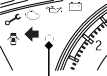
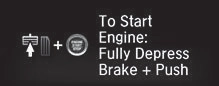
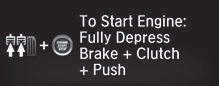
Blinks if the immobilizer system cannot recognize the key information.
|
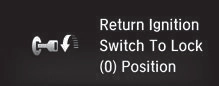
Blinks - You cannot start the engine. Turn the ignition switch to LOCK
 ( *2, pull the key out*3, and then insert the key and turn it to ON (w*2 again. ( *2, pull the key out*3, and then insert the key and turn it to ON (w*2 again. |
*4, *6 |
*4, *7 |
||
|
|
|||||
|
*4, *7 |
|||||
|
|
*4, *7 |
||||
|
*4 |
|||||
|
Indicator |
Immobilizer System Indicator |
*5, *6
*5, *7 |
|||
|
|
|||||
|
*5, *6 |
|||||
|
|
|||||
|
*5, *7 |
|||||
|
|


*1:On the left: Models with driver information interface, On the right: Models with information display
*2:Models with the smart entry system have an ENGINE START/STOP button instead of an ignition switch.
*3:Canadian models only: Apply and hold the brake pedal before turning the ignition on.
*4:Canadian models without smart entry system
*5:Canadian models with smart entry system
*6:Continuously variable transmission models
*7:Manual transmission models
uuIndicatorsu
|
Indicator |
Name |
On/Blinking |
Explanation |
Message* |
|
Indicator
Indicator |
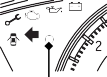
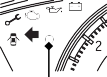
Immobilizer System Indicator |
Blinks if the immobilizer system cannot recognize the key information.
|
Repeatedly blinks - The system may be malfunctioning. Have your vehicle checked by a dealer.
Do not attempt to alter this system or add other devices to it. Electrical problems can occur.
|
— |
|
Security System Alarm Indicator |
Blinks when the security system alarm has been set.
|
2 Security System Alarm P. 156 |
— |
Continued 87
uuIndicatorsu
|
Indicator |
Name |
On/Blinking |
Explanation |
Message* |
|
ECON Mode Indicator* |
Comes on when you press the
ECON button. |
2 ECON Button* P. 442 |
||
|
CRUISE MAIN Indicator* |
Comes on when you press the
CRUISE button. |
2 Cruise Control* P. 443 |
— |
|
|
|
CRUISE CONTROL Indicator* |
Comes on if you have set a speed for cruise control.
|
2 Cruise Control* P. 443 |
— |
|
|
Washer Level Indicator* |
Comes on when the washer fluid gets low.
|
Refill the washer fluid.
2 Refilling Window Washer Fluid P. 537 |
— |
|
Maintenance Minder Indicator* |
Comes on for a few seconds when you turn the ignition switch to ON (w*1, then goes off.
Comes on when the scheduled maintenance is due soon.
|
2 Maintenance MinderTM P. 513 |
— |


*1:Models with the smart entry system have an ENGINE START/STOP button instead of an ignition switch.
88 * Not available on all models
uuIndicatorsu
|
Indicator |
Name |
On/Blinking |
Explanation |
Message* |
|
Comes on for a few seconds when you turn the ignition switch to ON
(w*1, then goes off. |
Blinks while driving - Press the electric parking brake switch with the brake pedal depressed.
2 Parking Brake P. 484 |
|||
|
Electric Parking Brake System |
||||
|
Continuously variable transmission models Manual transmission models
|
Brake Depressing Indicator* |
Blinks when the electric parking
brake switch is pressed without depressing the brake pedal while the electric parking brake is in operation. |
— |
|
|
Automatic Brake Hold System Blinks when the automatic brake hold button is pressed without depressing the brake pedal while the automatic brake hold is in operation.
Blinks if the automatic brake hold is automatically canceled while it is in operation. The beeper sounds.
|
Blinks while driving - Press the automatic brake hold button with the brake pedal depressed.
2 Automatic Brake Hold P. 487 Immediately depress the brake pedal.
|
— |


*1:Models with the smart entry system have an ENGINE START/STOP button instead of an ignition switch.
* Not available on all models
Continued 89
uuIndicatorsu
|
Indicator |
Name |
On/Blinking |
Explanation |
Message* |
|
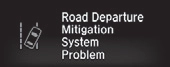
Road Departure Mitigation (RDM) Indicator* |
Comes on for a few seconds when you turn the ignition switch to ON (w*1, then goes off.
Comes on if there is a problem with the RDM system.
|
Stays on constantly - Have your vehicle checked by a dealer.
|
|
|
|
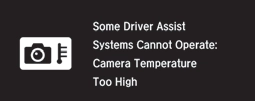
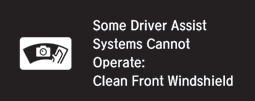
Comes on when the RDM system shuts itself off.
|
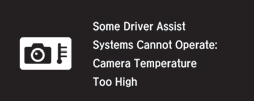
Stays on - The temperature inside the camera is too high.
Use the climate control system to cool down the camera. The system activates when the temperature inside the camera cools down. 2 Front Sensor Camera* P. 446 |
|
||
|
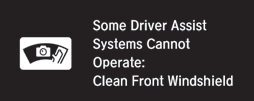
Stays on - The area around the camera is blocked by dirt, mud, etc. Stop your vehicle in a safe place, and wipe it off with a soft cloth.
Have your vehicle checked by a dealer if the indicator and message come back on after you cleaned the area around the camera.
2 Front Sensor Camera* P. 446 |
|
*1:Models with the smart entry system have an ENGINE START/STOP button instead of an ignition switch.
90 * Not available on all models
uuIndicatorsu
|
Indicator |
Name |
On/Blinking |
Explanation |
Message* |
|
Adaptive Cruise Control (ACC) with Low Speed Follow (LSF) Indicator (Amber)* |
Comes on for a few seconds when you turn the ignition switch to ON (w*1, then goes off.
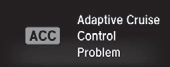
Comes on if there is a problem with ACC with LSF.
|
Comes on while driving - Have your vehicle checked by a dealer.
|
|
|
|
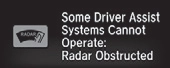
Comes on if anything covers the radar sensor cover and prevents the sensor from detecting a vehicle in front.
May come on when driving in bad weather (rain, snow, fog, etc.)
ACC with LSF has been automatically canceled.
|
When the radar sensor gets dirty, stop your vehicle in a safe place, and wipe off dirt using a soft cloth.
Have your vehicle checked by a dealer if the indicator does not go off even after you clean the sensor cover.
|
|
||
|
Adaptive Cruise Control (ACC) with Low Speed Follow (LSF) Indicator (Green)* |
Comes on when you press the
MAIN button. |
2 Adaptive Cruise Control (ACC) with Low Speed Follow (LSF) * P. 448 |
— |
|
|
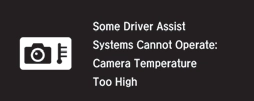
Comes on when ACC with LSF is in operation, but the temperature inside the front sensor camera is too high. ACC with LSF cancels automatically. The beeper sounds simultaneously.
|
Use the climate control system to cool down the camera.
Goes off - The camera has been cooled down. Pressing the MAIN button can resume the system.
2 Front Sensor Camera* P. 446 2 Adaptive Cruise Control (ACC) with Low Speed Follow (LSF) * P. 448 |
|
*1:Models with the smart entry system have an ENGINE START/STOP button instead of an ignition switch.
* Not available on all models
Continued 91
uuIndicatorsu
|
Indicator |
Name |
On/Blinking |
Explanation |
Message* |
|
Lane Keeping Assist System (LKAS) Indicator (Amber)* |
Comes on for a few seconds when you turn the ignition switch to ON (w*1, then goes off.
Comes on if there is a problem with the LKAS.
|
Stays on constantly - Have your vehicle checked by a dealer.
|
|
|
|
Lane Keeping Assist System (LKAS) Indicator (Green)* |
Comes on when you press the
MAIN button. |
2 Lane Keeping Assist System (LKAS)* P. 466 |
— |
|
|
Comes on when the LKAS is in operation, or the LKAS button is pressed, but the temperature inside the front sensor camera is too high. The LKAS cancels automatically. The beeper sounds simultaneously.
|
Use the climate control system to cool down the camera.
Goes off - The camera has cooled down and the system is working normally.
2 Front Sensor Camera* P. 446 |
|
||
|
Comes on when the area around the camera is blocked by dirt, mud, etc. Stop your vehicle in a safe place, and wipe it off with a soft cloth.
May come on when driving in bad weather (rain, snow, fog, etc.)
|
Have your vehicle checked by a dealer if the indicator and message come back on after you cleaned the area around the camera.
|
|

*1:Models with the smart entry system have an ENGINE START/STOP button instead of an ignition switch.
92 * Not available on all models
uuIndicatorsu
|
Indicator |
Name |
On/Blinking |
Explanation |
Message* |
|
Collision Mitigation Braking SystemTM (CMBSTM) Indicator* |
Comes on for a few seconds when you turn the ignition switch to ON (w*1, then goes off.
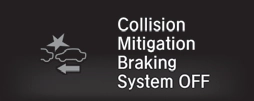
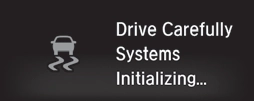
Comes on when you deactivate the CMBSTM. A driver information interface message appears for five seconds.
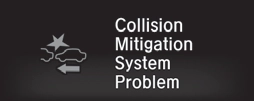
Comes on if there is a problem with the CMBSTM.
|
Stays on constantly without the CMBSTM off - Have your vehicle checked by a dealer.
2 Collision Mitigation Braking SystemTM (CMBSTM)* P. 492 |
|
|
|
Comes on if the CMBSTM is deactivated temporarily after the battery has been disconnected, then re-connected.
|
Drive a short distance at more than 12 mph (20 km/h). The indicator should go off. If it does not, have your vehicle checked by a dealer.
|
|
*1:Models with the smart entry system have an ENGINE START/STOP button instead of an ignition switch.
* Not available on all models
Continued 93
uuIndicatorsu
|
Indicator |
Name |
On/Blinking |
Explanation |
Message* |
|
Collision Mitigation Braking SystemTM (CMBSTM) Indicator* |
Comes on when the CMBSTM shuts itself off.
|
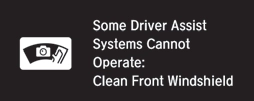
Stays on - The area around the camera is blocked by dirt, mud, etc. Stop your vehicle in a safe place, and wipe it off with a soft cloth.
2 Front Sensor Camera* P. 446 |
|
|
|
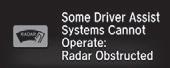
When the radar sensor gets dirty, stop your vehicle in a safe place, and wipe off dirt using a soft cloth.
Have your vehicle checked by a dealer if the indicator does not go off even after you clean the sensor cover.
2 Collision Mitigation Braking SystemTM (CMBSTM)* P. 492 |
|
|||
|
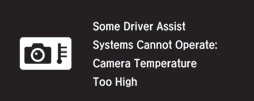
Stays on - The temperature inside the camera is too high. Use the climate control system to cool down the camera. The system activates when the temperature inside the camera cools down.
2 Front Sensor Camera* P. 446 |
|
94 * Not available on all models
uuIndicatorsuInformation Display Warning and Information Messages*
Information Display Warning and Information Messages*
The following messages appear only on the information display.
|
Message |
Condition |
Explanation |
|
Appears when there is a problem with the sensor on the battery.
|
Stays on constantly - Have your vehicle checked by a dealer.
|
* Not available on all models 95
uuIndicatorsuDriver Information Interface Warning and Information Messages *
The following messages appear only on the driver information interface. Press the (display/information) button to see the message again with the system message indicator on.
|
Message |
Condition |
Explanation |
|
Canadian models |
Appears if any door or the trunk is not completely closed.
Appears if any door or the trunk is opened while driving. The beeper sounds.
|
Goes off when all doors and the trunk are closed.
|
|
Appears when the washer fluid gets low.
|
Refill the washer fluid.
2 Refilling Window Washer Fluid P. 537 |
|
|
Appears when the scheduled maintenance is due soon.
Consequently, Maintenance Due Now and
Maintenance Past Due follow. |
2 Maintenance Minder Messages on the Driver Information Interface P. 519 |
|
|
Appears when there is a problem with the sensor on the battery.
|
Have your vehicle checked by a dealer.
2 Checking the Battery P. 560 |
|
|
Appears along with the battery charging system indicator when the battery is not charging.
|
Turn off the climate control system and rear defogger to reduce electricity consumption.
2 If the Charging System Indicator Comes On P. 603 |
96 * Not available on all models
uuIndicatorsuDriver Information Interface Warning and Information Messages*
|
Message |
Condition |
Explanation |
|
Appears when the engine coolant temperature gets abnormally high.
|
2 Overheating P. 601 |
|
|
Appears when you turn the ignition switch to ON
(w*1 without fastening the driver’s seat belt. |
Fasten the seat belt properly before you start to drive.
|
|
|
Continuously variable transmission models |
Appears if the automatic brake hold is automatically canceled while it is in operation.
|
Immediately depress the brake pedal.
|
|
Manual transmission models |
||
|
Appears when the automatic brake hold system is turned off.
|
2 Automatic Brake Hold P. 487 |
*1:Models with the smart entry system have an ENGINE START/STOP button instead of an ignition switch.
Continued 97
uuIndicatorsuDriver Information Interface Warning and Information Messages *
|
Message |
Condition |
Explanation |
|
Appears when the automatic brake hold button is pressed without wearing the driver’s seat belt.
|
Fasten the driver’s seat belt.
2 Automatic Brake Hold P. 487 |
|
|
Continuously variable transmission models |
Appears when the automatic brake hold button is pressed without depressing the brake pedal while the automatic brake hold is in operation.
|
Press the automatic brake hold button with the brake pedal depressed.
2 Automatic Brake Hold P. 487 |
|
Manual transmission models |
||
|
Appears when the parking brake is applied automatically while it is in operation.
|
2 Automatic Brake Hold P. 487 2 Parking Brake P. 484 |
uuIndicatorsuDriver Information Interface Warning and Information Messages*
|
Message |
Condition |
Explanation |
|
Continuously variable transmission models Manual transmission models |
Appears when the electric parking brake switch is pressed without depressing the brake pedal while the electric parking brake is in operation.
|
Press the electric parking brake switch with the brake pedal depressed.
2 Parking Brake P. 484 |
Models without smart entry system
|
Message |
Condition |
Explanation |
|
Appears when you open the driver’s door while the ignition key is in ACCESSORY (q.
|
Turn the ignition switch to LOCK
 ( , then remove the key. ( , then remove the key. |
|
|
Appears when the ignition key is turned to ACCESSORY (q from ON (w. (The driver’s door is closed.)
|
— |
|
|
Appears when you open the driver’s door while the ignition key is in LOCK
 ( . ( . |
Remove the key from the ignition switch.
|
Continued 99
uuIndicatorsuDriver Information Interface Warning and Information Messages *
Models with smart entry system
|
Message |
Condition |
Explanation |
|
Continuously variable transmission models |
Appears after you set the power mode to ACCESSORY or ON.
|
|
|
2 Starting the Engine P. 429 |
||
|
Manual transmission models |
||
|
Except U.S. models with continuously variable transmission |
Appears when the steering wheel is locked.
|
Move the steering wheel left and right while pressing the
ENGINE START/STOP button. |
uuIndicatorsuDriver Information Interface Warning and Information Messages*
Models with smart entry system
|
Message |
Condition |
Explanation |
|
Continuously variable transmission models |
Appears if you push the ENGINE START/STOP button to turn the engine off without the shift lever in ( .
|
U.S. models Move the shift lever to
 ( . The power mode changes to VEHICLE OFF. ( . The power mode changes to VEHICLE OFF.Canadian models Move the shift lever to
 ( , then press the ENGINE START/STOP button twice. ( , then press the ENGINE START/STOP button twice. |
|
Appears when the power mode is in ACCESSORY.
|
— |
|
|
Appears after the driver’s door is opened when the power mode is in ACCESSORY.
|
Press the ENGINE START/STOP button twice with your foot off the brake pedal (continuously variable transmission) or the clutch pedal (manual transmission) to change the power mode to VEHICLE OFF (LOCK).
|
|
|
Appears when you close the door with the power mode in ON without the smart entry remote inside the vehicle.
|
Disappears when you bring the smart entry remote back inside the vehicle and close the door.
2 Smart Entry Remote Reminder P. 166 |
|
|
Appears when the smart entry remote battery becomes weak.
|
Replace the battery as soon as possible.
2 Replacing the Button Battery P. 562 |
|
|
Appears if the smart entry remote battery is too weak to start the engine or the key is not within operating range to start the engine.
A beeper sounds six times. |
Bring the smart entry remote in front of the ENGINE START/STOP button to be touched with.
2 If the Smart Entry Remote Battery is Weak P. 595 |
Continued
101
uuIndicatorsuDriver Information Interface Warning and Information Messages *
Models with smart entry system
|
Message |
Condition |
Explanation |
|
U.S. Canada |
Appears when the starter system has a problem.
|
As a temporary measure, press and hold the ENGINE START/STOP button for up to 15 seconds while pressing the brake pedal and clutch pedal (manual transmission only), and manually start the engine. Have your vehicle checked by a dealer.
|
|
Appears as soon as a problem is detected in the smart entry system or push button starting system.
|
Appears constantly - Have your vehicle checked by a dealer.
|
Models with LED headlights
|
Message |
Condition |
Explanation |
|
Appears if there is a problem with the headlights.
|
Appears while driving - The headlights may not be on. When conditions allow you to drive safely, have your vehicle checked by a dealer as soon as possible.
|
uuIndicatorsuDriver Information Interface Warning and Information Messages*
Models with ACC with LSF
|
Message |
Condition |
Explanation |
|
Appears when ACC with LSF has been automatically canceled.
|
You can resume the set speed after the condition that caused ACC with LSF to cancel improves. Press the RES/
+ button. 2 Adaptive Cruise Control (ACC) with Low Speed Follow (LSF)* P. 448 |
|
|
Appears when the distance between your vehicle and the vehicle ahead of you is too close while ACC with LSF is in operation.
|
ACC with LSF has been automatically canceled.
2 Adaptive Cruise Control (ACC) with Low Speed Follow (LSF)* P. 448 |
|
|
Appears when pressing the –/SET button while the distance between your vehicle and the vehicle ahead of you is too close.
|
ACC with LSF cannot be set.
2 Adaptive Cruise Control (ACC) with Low Speed Follow (LSF)* P. 448 |
|
|
Appears when pressing the –/SET button while the driver’s seat belt is unfastened.
|
ACC with LSF cannot be set.
2 Adaptive Cruise Control (ACC) with Low Speed Follow (LSF)* P. 448 |
|
|
Appears if the VSA® or traction control function operates while ACC with LSF is in operation.
|
ACC with LSF has been automatically canceled.
2 Adaptive Cruise Control (ACC) with Low Speed Follow (LSF)* P. 448 |
* Not available on all models
Continued
103
uuIndicatorsuDriver Information Interface Warning and Information Messages *
Models with ACC with LSF
|
Message |
Condition |
Explanation |
|
Appears when the vehicle in front of you starts moving while your vehicle is stopped automatically by ACC with LSF.
|
Either press the RES/+ button or –/SET button, or depress the accelerator pedal.
2 Adaptive Cruise Control (ACC) with Low Speed Follow (LSF)* P. 448 |
|
|
Appears when pressing the –/SET button while the shift lever is in any position other than (D or (S.
|
ACC with LSF cannot be set.
2 Adaptive Cruise Control (ACC) with Low Speed Follow (LSF)* P. 448 |
|
|
Appears when the vehicle is stopped on a very steep slope while ACC with LSF is in operation.
|
ACC with LSF has been automatically canceled.
2 Adaptive Cruise Control (ACC) with Low Speed Follow (LSF)* P. 448 |
|
|
Appears when pressing the –/SET button while the vehicle is stopped on a very steep slope.
|
ACC with LSF cannot be set.
2 Adaptive Cruise Control (ACC) with Low Speed Follow (LSF)* P. 448 |
uuIndicatorsuDriver Information Interface Warning and Information Messages*
Models with ACC with LSF
|
Message |
Condition |
Explanation |
|
Appears when the parking brake is applied automatically while ACC with LSF is in operation.
|
ACC with LSF has been automatically canceled.
2 Adaptive Cruise Control (ACC) with Low Speed Follow (LSF)* P. 448 2 Parking Brake P. 484 |
|
|
Appears when pressing the –/SET button while the parking brake is applied.
|
ACC with LSF cannot be set.
2 Adaptive Cruise Control (ACC) with Low Speed Follow (LSF)* P. 448 2 Parking Brake P. 484 |
|
|
Appears when pressing the –/SET button while the vehicle is moving and the brake pedal is depressed.
|
ACC with LSF cannot be set.
2 Adaptive Cruise Control (ACC) with Low Speed Follow (LSF)* P. 448 |
|
|
Appears if ACC with LSF is canceled while your vehicle is automatically stopped by ACC with LSF.
|
Immediately depress the brake pedal.
|
|
|
Flashes when the system senses a likely collision with a vehicle in front of you.
|
Take the appropriate means to prevent a collision (apply the brakes, change lanes, etc.)
2 Collision Mitigation Braking SystemTM (CMBSTM)* P. 492 2 Adaptive Cruise Control (ACC) with Low Speed Follow (LSF)* P. 448 |
Continued
105
uuIndicatorsuDriver Information Interface Warning and Information Messages *
Models with LKAS
|
Message |
Condition |
Explanation |
|
Lane Keeping Assist System (LKAS) Appears when the vehicle is driving out of a detected line. The steering wheel vibrates rapidly.
|
Keep the vehicle within the lane you are driving.
2 Lane Keeping Assist System (LKAS)* P. 466 |
|
|
Road Departure Mitigation (RDM) System Appears when the vehicle is driving out of a detected lane.
When you selected Warning Only The steering wheel vibrates rapidly when the vehicle is drifting out of a detected lane.
When you selected Normal or Wide The steering wheel vibrates rapidly when the vehicle is drifting out of a detected line. The system also steers the vehicle to help you remain within your driving lane.
|
Keep the vehicle within the lane you are driving.
2 Road Departure Mitigation (RDM) System* P. 462 You can change the setting for the road departure mitigation system. Normal, Wide, and Warning Only can be selected.
2 Customized Features P. 124, 328 |
|
|
Blinks when you fail to steer the vehicle. The beeper sounds simultaneously.
|
Operate the steering wheel to resume the LKAS.
|
|
|
Appears when the LKAS is in operation, or the LKAS button is pressed, but there is a problem with a system related to the LKAS. The LKAS cancels automatically. The beeper sounds simultaneously if selected by customization.
|
If any other system indicators come on, such as the VSA®, ABS and brake system, take appropriate action.
2 Indicators P. 76 |
uuIndicatorsuDriver Information Interface Warning and Information Messages*
Models with remote engine starter
|
Message |
Condition |
Explanation |
|
Appears when you unlock and open the driver’s door while the engine is running by remote engine start.
|
2 Remote Engine Start with Vehicle Feedback* P. 431 |
Models with SPORT mode
|
Message |
Condition |
Explanation |
|
Appears if there is a problem with the adaptive damper system.
|
Have your vehicle checked by a dealer. With this message appeared, your vehicle has normal damping ability without the adaptive damper feature.
|
|
|
Appears if the drive mode cannot be changed due to certain situations, such as a system error or adverse driving conditions.
|
2 SPORT Mode* P. 441 |
Download Manual