Drive Mode Control
What Is Drive Mode Control
Your vehicle has various drive modes that you can select for different driving conditions. Depending on the drive mode that you select, the system adjusts various vehicle settings.
How Does Drive Mode Control Work
Selectable drive modes change various electronic and mechanical settings within your vehicle to tailor its performance and driving characteristics to on-road or off-road driving conditions. Steering feel and effort, traction control, stability control, chassis control, powertrain response, transmission shift points and four-wheel driveline settings alter to a pre-determined setting depending upon the drive mode that you select.
Note: Your vehicle has diagnostic checks that continuously monitor all systems for proper operation. If a drive mode is unavailable due to a system fault, your vehicle defaults to normal mode.
Selecting a Drive Mode
Note: Drive mode changes may not be available when the ignition is off or when the engine is not running.
Note: Button icons shown may vary from your vehicle.
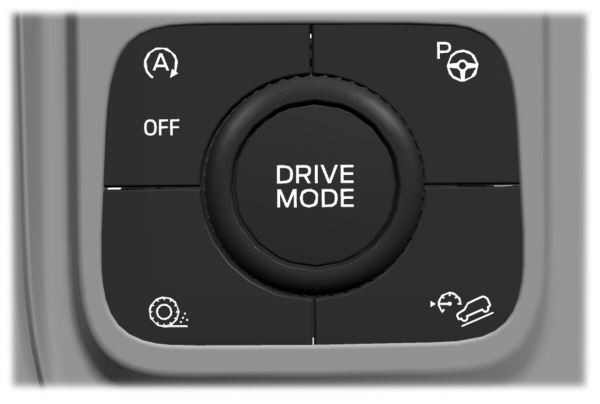
Rotate the drive mode dial on the center console to select or change a drive mode.
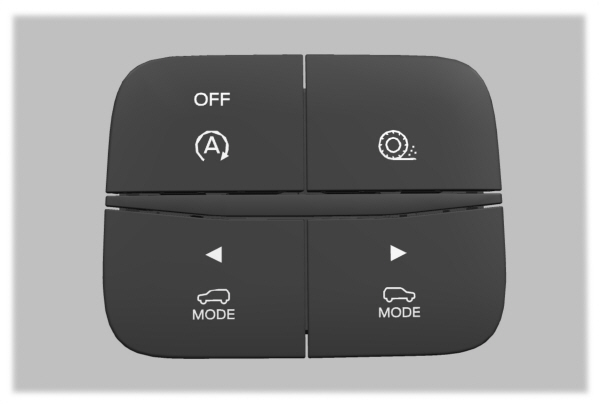
To select drive modes for RWD vehicles use the console mounted control.
Deep Snow/Sand

Note: Using deep snow/sand mode on dry, hard surfaces could produce some vibration, driveline bind up, and potential excessive tire wear.
Drive Modes
Eco
 For efficient driving. This mode helps deliver maximum fuel efficiency and helps to increase driving range. For efficient driving. This mode helps deliver maximum fuel efficiency and helps to increase driving range. |
Normal
 For everyday driving. This mode is a perfect balance of excitement, comfort and convenience. This is the default mode after each ignition cycle. For everyday driving. This mode is a perfect balance of excitement, comfort and convenience. This is the default mode after each ignition cycle. |
Slippery

Note: Using slippery mode on dry, hard surfaces could produce some vibration, driveline bind up, and potential excessive tire wear.
Sport

Note: Auto-start-stop is disabled when you select this mode.
Tow/Haul
 For improved transmission operation when towing a trailer or a heavy load. This mode moves upshifts to higher engine speeds to reduce the frequency of transmission shifting. This mode also provides engine braking in all forward gears, which slows your vehicle and assists you in controlling your vehicle when descending a slope. The amount of downshift braking provided varies based on the amount you press the brake pedal. For improved transmission operation when towing a trailer or a heavy load. This mode moves upshifts to higher engine speeds to reduce the frequency of transmission shifting. This mode also provides engine braking in all forward gears, which slows your vehicle and assists you in controlling your vehicle when descending a slope. The amount of downshift braking provided varies based on the amount you press the brake pedal. |
Trail
 For off-road driving on muddy, rutted, soft, or uneven terrain. This mode lowers throttle response to enhance low speed vehicle control when driving off road. Additionally, the mode optimizes traction and stability control settings, helping the vehicle to maintain forward momentum through loose deformable surfaces. For off-road driving on muddy, rutted, soft, or uneven terrain. This mode lowers throttle response to enhance low speed vehicle control when driving off road. Additionally, the mode optimizes traction and stability control settings, helping the vehicle to maintain forward momentum through loose deformable surfaces. |
Download Manual