Storage Compartments
Instrument Panel Storage
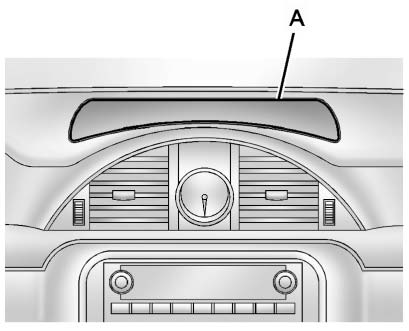
This vehicle has an instrument panel storage area (A). To open the cover, press the button.
The vehicle may have an auxiliary input jack located on the lower right side of the faceplate and for vehicles with a USB port, it is located in the instrument panel storage. See Auxiliary Devices for more information.
Glove Box
Lift the glove box handle to open it.
Use the key to lock and unlock the glove box.
Cupholders
There are two cupholders, with removable liners, located in front of the center console. There may be cupholders located in the second row seat armrest. To access, pull the armrest down. There are additional cupholders located on each side of the third row seat and in each door. There may be cupholders located at the rear of the center console. To access, pull the handle down.
Armrest Storage
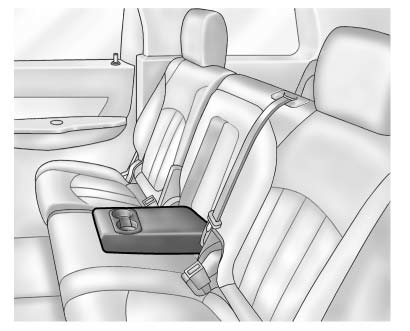
Vehicles with a rear seat armrest have two cupholders. Pull the armrest down to access the cupholders.
Center Console Storage
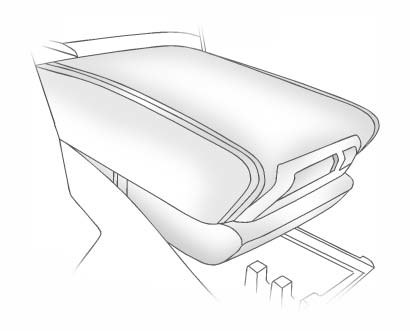
Pull up on the lever, located on the front of the center console armrest, to slide it forward and backward.
To open the armrest storage area, press the button located on the front of the armrest.
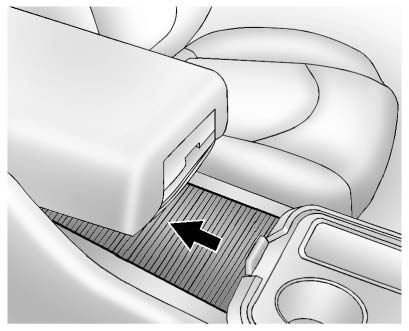
There is additional storage under the armrest. Move the armrest all the way to the rear position then slide the storage cover back to access.
Floor Console Storage
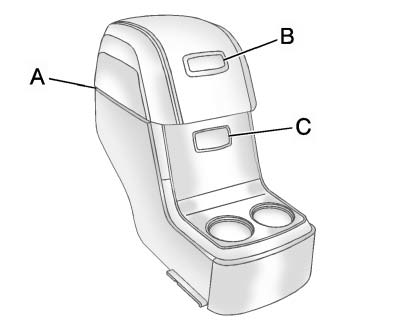
For vehicles with a second row center console, open each area to access the storage compartment inside.
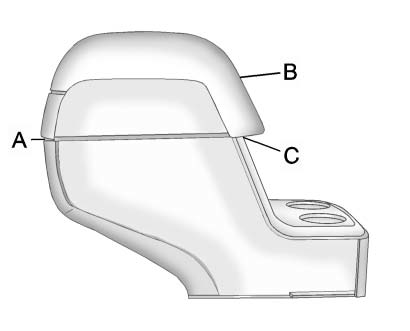
To access the upper storage area, press the upper button (B) and lift up. To access the lower storage area, press the lower button (C) and lift up. The top of the console can be folded forward for increased storage area. Lift up on the handle on the rear of the console (A) and pull forward.
Never open more than one of the three latches at a time to help avoid personal injury and damage to the console.
Notice: Slide the front console as far forward as it will go before folding the second row console forward to help prevent damage to the consoles.
Download Manual