Initial Drive Information
This section provides a brief overview about some of the important features that may or may not be on your specific vehicle.
For more detailed information, refer to each of the features which can be found later in this owner manual.
Remote Keyless Entry (RKE) System
The RKE transmitter is used to remotely lock and unlock the doors from up to 60 m (195 ft) away from the vehicle.
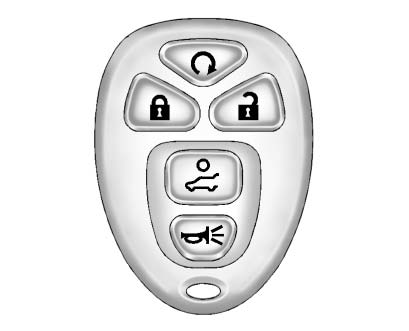
Press  to unlock the driver door.
Press  again within five seconds to unlock all remaining doors.
Press  to lock all doors.
Lock and unlock feedback can be personalized.
To open or close the liftgate, press and hold  until the liftgate begins to move.
Press  and release to locate the vehicle.
Press  and hold for more than two seconds to sound the panic alarm.
Press  again to cancel the panic alarm.
See Remote Keyless Entry (RKE) System Operation .
Remote Vehicle Start
Starting the Vehicle
With this feature the engine can be started from outside of the vehicle.
1. Aim the RKE transmitter at the vehicle.
2. Press and release 
3. Immediately after completing Step 2, press and hold  until the parking lamps flash.
When the vehicle starts, the parking lamps will turn on and remain on as long as the engine is running.
The doors will be locked and the climate control system may come on.
The engine will continue to run for 10 minutes. Repeat the steps for a 10-minute time extension. Remote start can be extended only once.
Canceling a Remote Start
To cancel a remote start:
► Aim the RKE transmitter at the vehicle and press and hold until the parking lamps turn off.
► Turn on the hazard warning flashers.
► Turn the ignition switch on and then off.
See Remote Vehicle Start .
Door Locks
To lock or unlock a door manually:
► From the inside, use the door lock knob on the window sill.
► From the outside, turn the key toward the front or rear of the vehicle, or press the or button on the Remote Keyless Entry (RKE) transmitter.
Power Door Locks
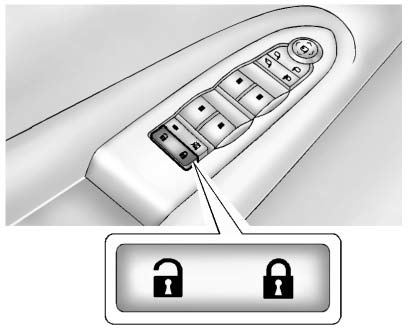
: Press to unlock the doors.
: Press to lock the doors.
See Power Door Locks .
Liftgate
To open the liftgate the vehicle must be in P (Park). Press the touch pad under the liftgate handle. To close the liftgate, use the pull cup or pull strap as an aid.
Power Liftgate
On vehicles with a power liftgate, the vehicle must be in P (Park) to operate it.
► Press and hold  on the Remote Keyless Entry (RKE) transmitter.
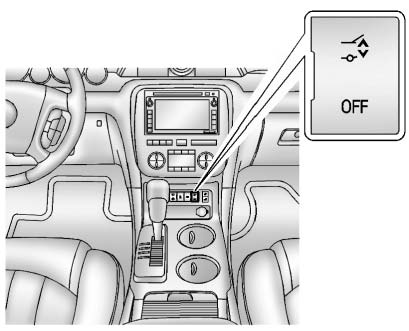
► Press the liftgate button on the center console.
► Press the touch pad switch on the outside liftgate handle.
For more information see Liftgate .
Windows
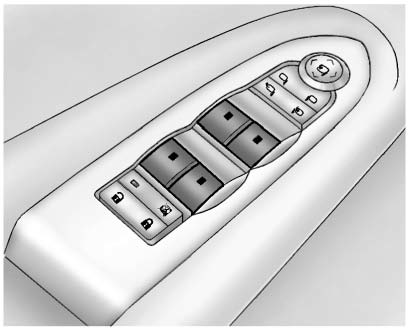
Press the switch to lower the window. Pull the switch up to raise it.
For more information, see Power Windows .
Seat Adjustment
Power Seat
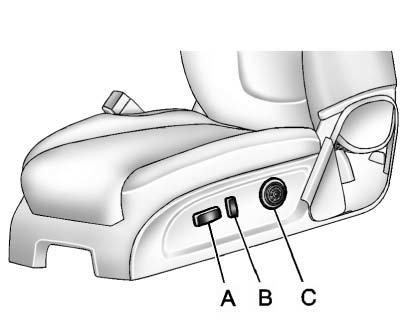
A. Seat Adjustment Control B. Reclining Seatback Control C. Lumbar Adjustment Control . Move the seat forward or rearward by moving the control (A) forward or rearward.
► Raise or lower the front or rear part of the seat cushion by moving the front or rear of the control (A) up or down.
► Raise or lower the entire seat by moving the control (A) up or down.
See Power Seat Adjustment .
To raise or recline the seatback, tilt the top of the control (B) forward or rearward. See Reclining Seatbacks .
Press the front or rear of the control (C) to increase or decrease lumbar support. See Lumbar Adjustment .
Memory Features
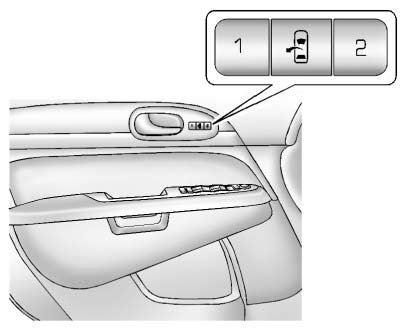
On vehicles with the memory feature, the controls on the driver door are used to program and recall memory settings for the driver seat, outside mirrors, and power steering column, if available.
Storing Memory Positions
To save into memory:
1. Adjust the driver seat and seatback recliner, both outside mirrors, and the power steering column, if available.
See Power Mirrors and Steering Wheel Adjustment for more information.
Not all vehicles will have the ability to save and recall the mirror positions.
2. Press and hold “1” until two beeps sound.
3. Repeat for a second driver position using “2.” To recall, press and release "1" or "2." The vehicle must be in P (Park).
► single beep will sound. The seat and outside mirrors will move to the position previously stored for the identified driver.
See Memory Seats and Vehicle Personalization for more information.
Easy Exit Posit
The easy exit feature can move the driver seat rearward and the power steering column, if available, up and forward to allow extra room to exit the vehicle.
► : Press to recall the easy exit positions. The vehicle must be in P (Park).
See Memory Seats and Vehicle Personalization for more information.
Second Row Seats
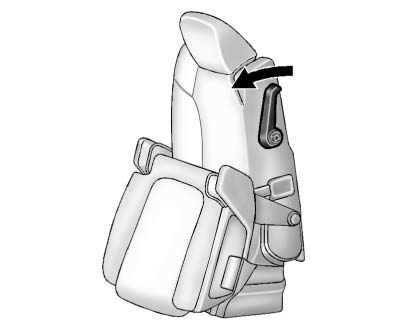
The second row seat can be folded to access the third row. Pull the sliding seat lever forward; the seat cushion folds, and the seat slides forward.
See Rear Seats .
Third Row Seats
The third row seatbacks can be folded forward, and the seats can be removed.
To fold the third row seatback:
1. Remove anything on or under the seat.
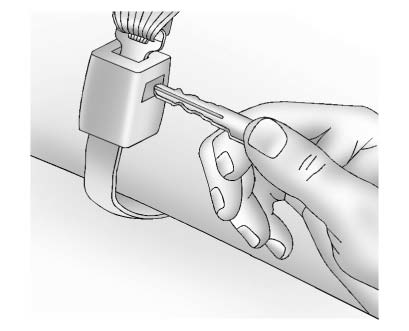
2. Disconnect the rear safety belt mini-latch using a key in the slot on the mini-buckle, and let the belt retract into the headliner.
Stow the mini-latch in the holder in the headliner.
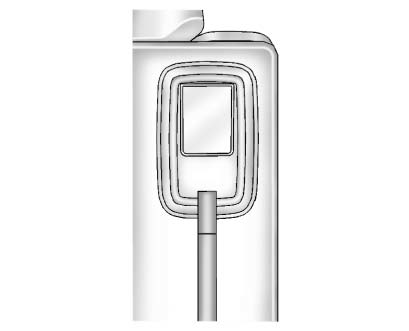
3. Pull up on the release lever on the back of the seat.
4. Push the seatback forward to lay flat.
See Third Row Seats for more information.
Heated and Ventilated Seats
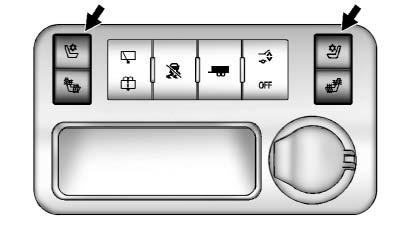
Heated and Cooled Seat Buttons Shown, Heated Seat Buttons Similar
If available, the buttons are on the center console. To operate, the engine must be running.
 : If available, press to heat the seatback only.
 : If available, press to cool the entire seat.
 : Press to heat the seat and seatback.
Press the button once for the highest setting. With each press of the button, the seat will change to the next lower setting, and then to the off setting. The lights indicate three for the highest setting and one for the lowest.
See Heated and Ventilated Front Seats for more information.
Head Restraint Adjustment
Do not drive until the head restraints for all occupants are installed and adjusted properly.
To achieve a comfortable seating position, change the seatback recline angle as little as necessary while keeping the seat and the head restraint height in the proper position.
For more information see Head Restraints and Power Seat Adjustment .
Safety Belts
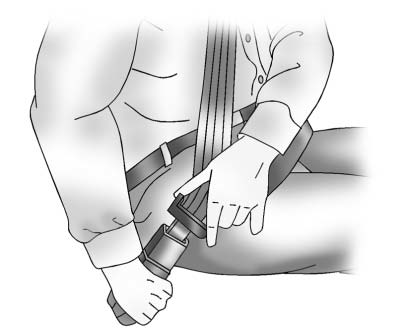
Refer to the following sections for important information on how to use safety belts properly:
► Safety Belts.
► How to Wear Safety Belts Properly.
► Lap-Shoulder Belt.
► Lower Anchors and Tethers for Children (LATCH System).
Passenger Sensing System
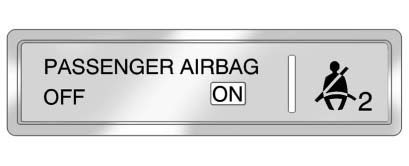
United States
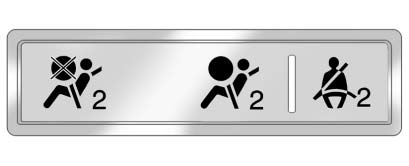
Canada and Mexico
The passenger sensing system will turn off the right front passenger frontal airbag under certain conditions. The driver airbag, seat-mounted side impact airbags, and roof-rail airbags are not affected by the passenger sensing system.
The passenger airbag status indicator will be visible on the instrument panel when the vehicle is started. See Passenger Sensing System for more information.
Mirror Adjustment
Exterior Mirrors
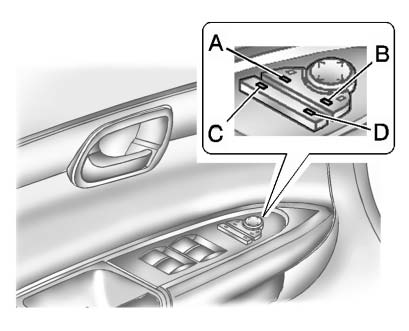
To adjust each mirror:
1. Press (A) or (B) to select the mirror.
2. Press the control pad to adjust the mirror.
3. Press (A) or (B) again to deselect the mirror.
Folding Mirrors
For vehicles with power folding mirrors:
1. Press (C) to fold the mirrors out to the driving position.
2. Press (D) to fold the mirrors in to the folded position.
For vehicles with manual folding mirrors, push the mirror toward the vehicle. Pull the mirror out to return to its original position.
Interior Mirror
The automatic dimming rearview mirror reduces the glare from other vehicle headlamps. Each time the vehicle is started, the dimming feature comes on.
See Automatic Dimming Rearview Mirror
Steering Wheel Adjustment
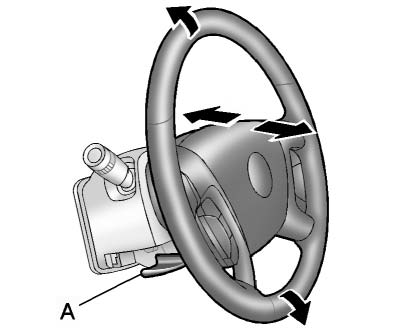
1. Pull the lever (A) down.
2. Move the steering wheel up or down.
3. Pull or push the steering wheel closer or away from you.
4. Push the lever (A) up to lock the steering wheel in place.
Power Tilt Wheel
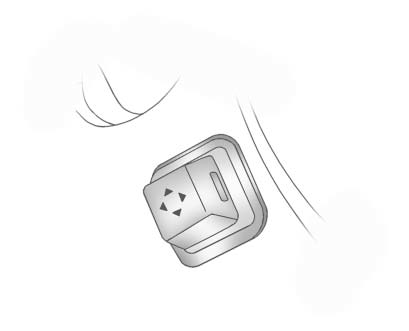
For vehicles with the power tilt and telescope wheel, the control is on the outboard side of the steering column.
Push the control up or down to tilt the steering wheel up or down.
Push the control forward or rearward to move the steering wheel toward the front or rear of the vehicle. To set the memory position, see Vehicle Personalization .
Do not adjust the steering wheel while driving.
Interior Lighting
Dome Lamps
The dome lamps are located in the overhead console and above the rear seat passengers.
The dome lamps come on when a door is opened, unless the dome lamp override button is pressed in.
To manually turn them on, turn the instrument panel brightness control clockwise to the farthest position.
Dome Lamp Override
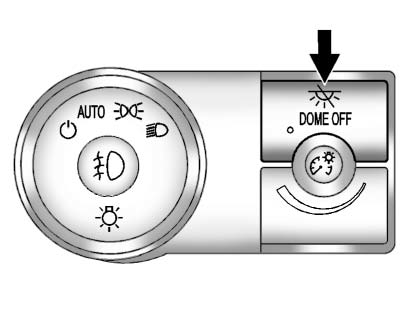
The dome lamp override button is next to the exterior lamps control.
 DOME OFF: Press the top of the button in and the dome lamps remain off when a door is opened.
An indicator light on the button comes on to show that the dome lamps are off. Press near the bottom of the button so the dome lamps come on when a door is opened.
Reading Lamps
Press the button near each lamp to turn them on or off.
For more information, see:
► Dome Lamps .
► Instrument Panel Illumination Control .
Exterior Lighting
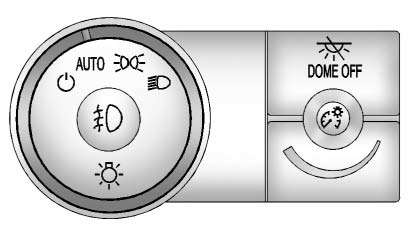
The exterior lamps control is located on the instrument panel, to the left of the steering wheel.
 : Turns the automatic light control on or off.
AUTO: Automatic operation of the headlamps at normal brightness and other exterior lamps.
 Manual operation of the parking lamps and other exterior lamps.
 Manual operation of the headlamps and other exterior lamps.
 Use to turn on or off the fog lamps (if equipped).
For more information, see:
► Exterior Lamp Controls.
► Daytime Running Lamps (DRL)/ Automatic Headlamp System.
► Fog Lamps.
Windshield Wiper/Washer
The windshield wiper/washer lever is located on the left side of the steering column.
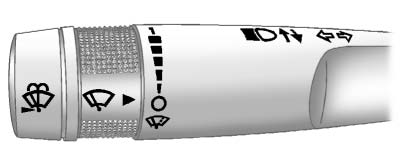
Turn the band with the wiper symbol to control the windshield wipers.
 : Use for a single wiping cycle.
 : Use to turn the wipers off.
 : Delays wiping cycle. Turn the band up for more frequent wipes or down for less frequent wipes.
► : Slow wipes.
2 : Fast wipes.
Windshield Washer
 Press the button at the end of the turn signal/lane change lever to spray washer fluid on the windshield.
Rear Window Wiper/Washer
The rear wiper and rear wash button is located on the instrument panel below the climate control system.
 Press to turn the rear wiper on and off. The wiper speed cannot be changed.
 Press to spray washer fluid on the rear window. The window wiper will also come on.
See Windshield Wiper/Washer and Rear Window Wiper/Washer .
Climate Controls
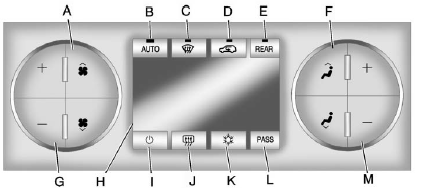
A. Fan Control
B. AUTO (Auto Operation)
C. Defrost
D. Air Recirculation
E. REAR (Rear Climate Control)
F. Air Delivery Mode Control
G. Driver Side Temperature Control
H. Display
I. Power (On/Off)
J. Rear Window Defogger
K. Air Conditioning
L. PASS (Passenger)
M. Passenger Side Temperature Control
See Dual Automatic Climate Control System . For more information about the rear climate control, see Rear Climate Control System (Rear Climate Control Only) or Rear Climate Control System (Rear Climate with Rear Seat Audio) .
Transmission
Electronic Range Select (ERS) Mode
ERS mode allows you to choose the top-gear limit of the transmission and the vehicle's speed while driving downhill or towing a trailer.
The vehicle has an electronic shift position indicator within the instrument panel cluster. When using the ERS mode a number will display next to the L, indicating the current gear that has been selected.
To use this feature:
1. Move the shift lever to L (Low).
2. Press the plus/minus button located on the shift lever, to increase or decrease the gear range available.
See Manual Mode .
Download Manual