When Driving
Models without smart entry system
Starting the Engine
u The parking brake and brake system indicator (red) comes on for 15 seconds when you pull up the electric parking brake switch.
 , then depress the brake pedal.
 u Although it is possible to start the vehicle in N, it is safer to start it in .
uuWhen DrivinguStarting the Engine
3. Turn the ignition switch to START e
without depressing the accelerator pedal.
when reversing.
u Make sure the parking brake indicator goes off.
2 Parking Brake P. 494
Continued 423
uuWhen DrivinguStarting the Engine
Hill start assist keeps the brake engaged briefly to help prevent the vehicle from rolling on inclines as you move your foot from the brake pedal to the accelerator. Put the transmission into D, S, or L when facing uphill, or R when facing downhill, then release the brake pedal.
424
uuWhen DrivinguStarting the Engine
Models with smart entry system
u The parking brake and brake system indicator (red) comes on for 15 seconds when you pull up the electric parking brake switch.
 , then depress the brake pedal.
 u Although it is possible to start the vehicle in N, it is safer to start it in .
Continued
425
uuWhen DrivinguStarting the Engine
You can turn the engine off when the vehicle is completely stopped.
 .
.uuWhen DrivinguStarting the Engine
You can remotely start the engine using the  button on the smart entry remote.
|
Press the |
button, then press and hold |
|
|
the button. Go within the range, Some exterior lights flash once. and try again. LED: Blinks when any button is pressed.
Some exterior lights flash six Exterior lights will not flash times if the engine started. if the engine does not start. |


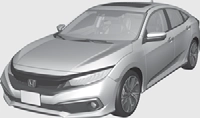
When started remotely, the engine automatically shuts off after 10 minutes of idling and/or the brake pedal and ENGINE START/STOP button have not been pressed simultaneously.
To extend the run time for another 10 minutes during the first run, press the button, then press and hold the  button.
u Some exterior lights flash six times if a 10-minute extension request was transmitted successfully.
* Not available on all models
Continued 427
uuWhen DrivinguStarting the Engine
Press and hold the
button for one second.
Go within the range, and try again.
The exterior lights flash once if the engine stops successfully.
* Not available on all models
uuWhen DrivinguStarting the Engine
When the engine was started in any case
R when reversing.
u Make sure the parking brake and brake system indicator (red) goes off.
2 Parking Brake P. 494
Hill start assist keeps the brake engaged briefly to help prevent the vehicle from rolling on inclines as you move your foot from the brake pedal to the accelerator. Put the transmission into D, S, or L* when facing uphill, or R when facing downhill, then release the brake pedal.
429
uuWhen DrivinguPrecautions While Driving
■ In Rain Avoid driving in deep water and on flooded roads. This can damage the engine or driveline, or cause electrical component failure.
If there is a strong impact with something under the vehicle, stop in a safe location. Check the underside of the vehicle for damage or any fluid leaks.
*1: Models with the smart entry system have an ENGINE START/STOP button instead of an ignition switch.
uuWhen DrivinguContinuously Variable Transmission
When the engine runs at higher idle speeds, the creeping force increases. Keep the brake pedal firmly depressed when stopped.
Quickly depressing the accelerator pedal while driving uphill may cause the transmission to drop to a lower ratio, unexpectedly increasing vehicle speed. Depress the accelerator pedal carefully, especially on slippery roads and curves.
uuWhen DrivinguShifting
Models without paddle shifters
Change the shift position in accordance with your driving needs.
*1: Models with the smart entry system have an ENGINE START/STOP button instead of an ignition switch.
432
uuWhen DrivinguShifting
■ Shift Lever Operation
uuWhen DrivinguShifting
Models with paddle shifters
Change the shift position in accordance with your driving needs.
434
uuWhen DrivinguShifting
■ Shift Lever Operation
Continued 435
uuWhen DrivinguShifting
■ 7-Speed Manual Shift Mode Use the paddle shifters to change between 1st and 7th speeds without releasing your hands from the steering wheel. The transmission switches to the 7-speed
manual shift mode when you pull a paddle shifter while driving. This mode is useful
when engine braking is needed.
The shift mode goes into the 7-speed manual shift mode temporarily, and the number is displayed in the shift indicator.
The 7-speed manual shift mode is canceled automatically if you drive at constant speed or accelerate, and the number in the shift indicator goes off.
You can cancel this mode by pulling the + paddle shifter for a few seconds.
The 7-speed manual shift mode is especially useful when reducing the vehicle speed temporarily before making a turn.
The shift mode goes into the 7-speed manual shift mode. The M indicator and the speed number are displayed in the shift indicator. As the vehicle speed slows down, the transmission automatically shifts down accordingly. When the vehicle comes to a stop, it automatically shifts down into 1st.
If the vehicle speed increases and the engine speed reaches near the tachometer’s red zone, the transmission automatically shifts up.
You can only pull away in 1st speed.
When canceling the 7-speed manual shift mode, move the shift lever from S to D. When the 7-speed manual shift mode is canceled, the M indicator and shift indicator will turn off.
436
uuWhen DrivinguShifting
uuWhen DrivinguECON Mode
The ECON button turns the ECON mode on and off.
The ECON mode helps you improve your fuel economy by adjusting the performance of the engine, transmission, climate control system.
uuWhen DrivinguVehicle Stability AssistTM (VSA®), aka Electronic Stability Control (ESC), System
VSA® helps to stabilize the vehicle during cornering if the vehicle turns more or less than what was intended. It also assists in maintaining traction on slippery surfaces. It does so by regulating engine output and selectively applying the brakes.
When VSA® activates, you may notice that the engine does not respond to the accelerator. You may also notice some noise from the hydraulic brake system. You will also see the indicator blink.
Continued
439
uuWhen DrivinguVehicle Stability AssistTM (VSA®), aka Electronic Stability Control (ESC), System
This button is on the driver side control panel. To partially disable VSA® functionality/ features, press and hold it until you hear a beep.
Your vehicle will have normal braking and cornering ability, but traction control function will be less effective.
To restore VSA® functionality/features, press the  (VSA® OFF) button until you hear a beep.
VSA® is turned on every time you start the engine, even if you turned it off the last time you drove the vehicle.
uuWhen DrivinguAgile Handling Assist
Lightly brakes selective wheels, as needed, when you turn the steering wheel, and helps support the vehicle’s stability and performance during cornering.
uuWhen DrivinguTire Pressure Monitoring System (TPMS)
U.S. models
Instead of directly measuring the pressure in each tire, the TPMS on this vehicle monitors and compares the rolling radius and rotational characteristics of each wheel and tire while you are driving to determine if one or more tires are significantly under-inflated.
This will cause the low tire pressure/TPMS indicator to come on and a message to appear on the driver information interface.
uuWhen DrivinguTire Pressure Monitoring System (TPMS)
■ TPMS Calibration
You must start TPMS calibration every time you:
Before calibrating the TPMS:
2 Checking Tires P. 548
Make sure:
 .
.*1: Models with the smart entry system have an ENGINE START/STOP button instead of an ignition switch.
Continued 443
uuWhen DrivinguTire Pressure Monitoring System (TPMS)
Models with color audio system
You can calibrate the system from the customized features on the driver information interface.
ENTER button.
u TPMS Calibration appears on the display.
u The display switches to the customization setup screen, where you can select Cancel or Calibrate.
then the display returns to the customization menu screen.
uuWhen DrivinguTire Pressure Monitoring System (TPMS)
Models with Display Audio
You can calibrate the system from the customized feature on the audio/information screen.
 (Home) button.
u When the calibration is complete, the display returns to the customization menu screen.
message appears, repeat step 5.
uuWhen DrivinguTire Pressure Monitoring System (TPMS) - Required Federal Explanation
U.S. models
(If your vehicle has tires of a different size than the size indicated on the vehicle placard or tire inflation pressure label, you should determine the proper tire inflation pressure for those tires.)
As an added safety feature, your vehicle has been equipped with a tire pressure monitoring system (TPMS) that illuminates a low tire pressure telltale
when one or more of your tires is significantly under-inflated.
Accordingly, when the low tire pressure telltale illuminates, you should stop and check your tires as soon as possible, and inflate them to the proper pressure.
Driving on a significantly under-inflated tire causes the tire to overheat and can lead to tire failure. Under-inflation also reduces fuel efficiency and tire tread life, and may affect the vehicle's handling and stopping ability.
uuWhen DrivinguTire Pressure Monitoring System (TPMS) - Required Federal Explanation
Your vehicle has also been equipped with a TPMS malfunction indicator to indicate when the system is not operating properly. The TPMS malfunction indicator is combined with the low tire pressure telltale. When the system detects a malfunction, the telltale will flash for approximately one minute and then remain continuously illuminated. This sequence will continue upon subsequent vehicle start-ups as long as the malfunction exists.
When the malfunction indicator is illuminated, the system may not be able to detect or signal low tire pressure as intended.
TPMS malfunctions may occur for a variety of reasons, including the installation of replacement or alternate tires or wheels on the vehicle that prevent the TPMS from functioning properly.
Always check the TPMS malfunction telltale after replacing one or more tires or wheels on your vehicle to ensure that the replacement or alternate tires and wheels allow the TPMS to continue to function properly.
uuWhen DrivinguLaneWatchTM*
LaneWatchTM*
LaneWatch is an assistance system that allows you to check the passenger side rear areas displayed on the audio/information screen when the turn signal is activated to the passenger’s side. A camera in the passenger side door mirror monitors these areas and allows you to check for vehicles, in addition to your visual check and use of the passenger door mirror. You can also keep the system on for your convenience while driving.
* Not available on all models
uuWhen DrivinguLaneWatchTM*
You can customize the following items using the audio/information screen.
2 Customized Features P. 325
Three lines that appear on the screen can give an idea of how far the vehicles or objects on the screen are from your vehicle, respectively. If an object is near line 1 (in red), it indicates that it is close to your vehicle whereas an object near line 3 is farther away.
449
Download Manual