Using the interior lights
Personal/interior lights
(P. 358)
Engine switch light (if equipped)
Foot well lighting (if equipped) Cargo lamp (P. 359)
The personal/interior lights can be individually turned on or off.
The personal/interior lights come on when a door is opened. They turn off when the doors are closed.
The personal/interior lights cannot be individually turned off.
358 5-2. Using the interior lights
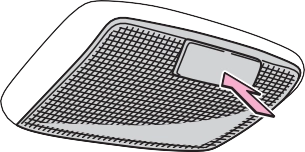 Type A On/off
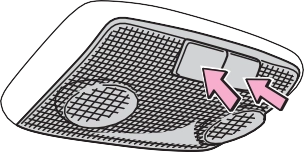 Type B On/off
The cargo lamp can be individually turned on or off.
The cargo lamp comes on when a door is opened. They turn off when the doors are closed.
The cargo lamp cannot be individually turned off.
Vehicles without a smart key system
The lights automatically turn on/off according to the engine switch position, whether the doors are locked/unlocked, and whether the doors are opened/ closed.
Vehicles with a smart key system
The lights automatically turn on/off according to engine switch mode, the presence of the electronic key, whether the doors are locked/unlocked, and whether the doors are opened/closed.
If the following lights remain on when the door is not fully closed and the main switch is in the “DOOR” position, the lights will go off automatically after 20 minutes:
Settings (e.g. the time elapsed before lights turn off) can be changed. (Customizable features: P. 560)
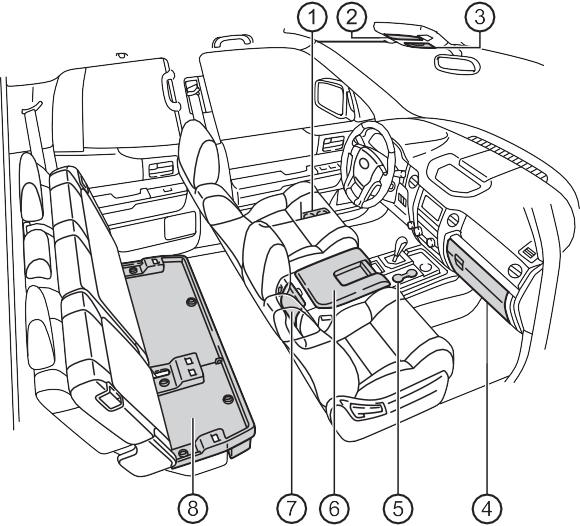 Bottle holders (P. 372)
Card holder (P. 364) Overhead console (P. 369) Glove box (P. 362) Front cup holders (P. 370)
Console box (P. 363)
(P. 371)
Storage box (if equipped)
(P. 375)
Front bench type seat
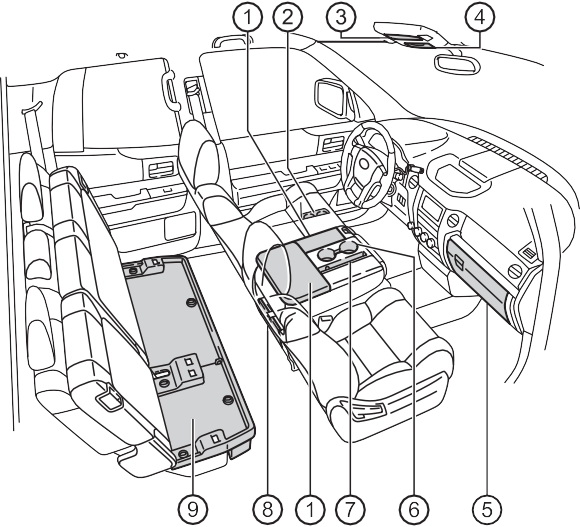 Auxiliary boxes (P. 373)
Card holder (P. 364) Overhead console (P. 369)
Glove box (P. 362) Front cup holders (P. 370) Pen holder (P. 367) Rear cup holders (if equipped)
(P. 371)
Storage box (if equipped)
(P. 375)
1 Open (pull the lever up) Lock
Unlock
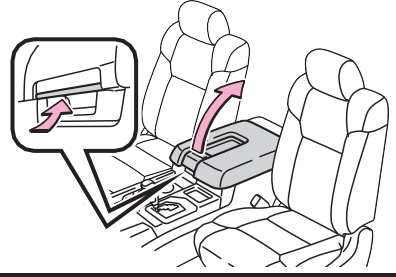 Pull the knob up and lift the lid
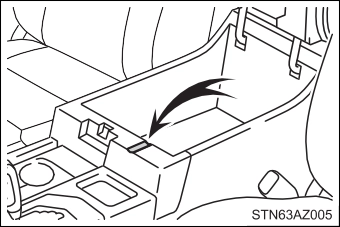 Passing a cable from the console box
Pull the knob up and lift the lid
Pull the lever up and fold down the seatback
Push the knob and lift the lid
1 Pull the lever up and fold down the seatback
Push the knob and lift the lid
Front separated type seats Pull the knob up and lift the lid
Front bench type seat
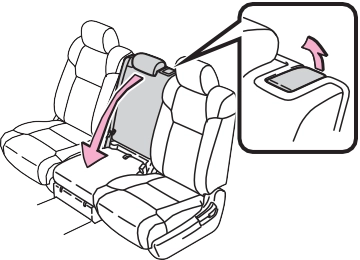 Pull the lever up and fold down the seatback
Front separated type seats Pull the knob up and lift the lid
Front bench type seat
Pull the lever up and fold down the seatback
Push the knob and lift the lid
The overhead console is useful for temporarily storing sunglasses and similar small items.
Push the knob forward to open the console
Separated type seats
Bench type seat
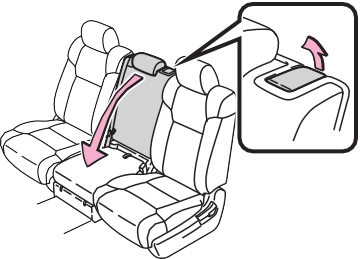 Pull the lever up and fold down the seatback
Double Cab models with front separated type seats Pull the lid down
Double Cab models with front bench type seat Pull the lid down
CrewMax models
Pull the armrest down
Front door
Rear door (CrewMax models)
Type A
Type B
Push the knob and lift the lid
Type C
Push the knob and lift the lid
Pull the lever up and raise the rear seat cushion
Open the lid
Turn the knob in the “OPEN” direction
Lift the lid
Pull the lever up and raise the rear seat cushion
Open the lid
Turn the knob in the “OPEN” direction
Lift the lid
Remove the storage box Remove the lids
Turn the knobs counterclock- wise
Remove the storage box
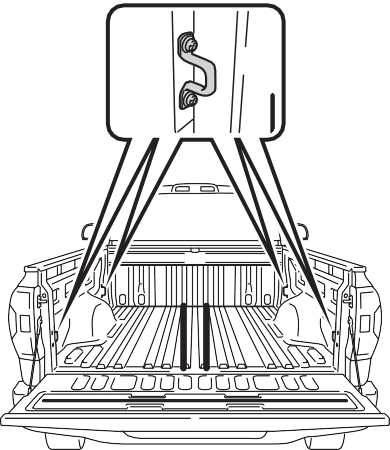 Luggage compartment features
Deck hooks are provided for securing loose items.
Download Manual