Fog lights
Overview
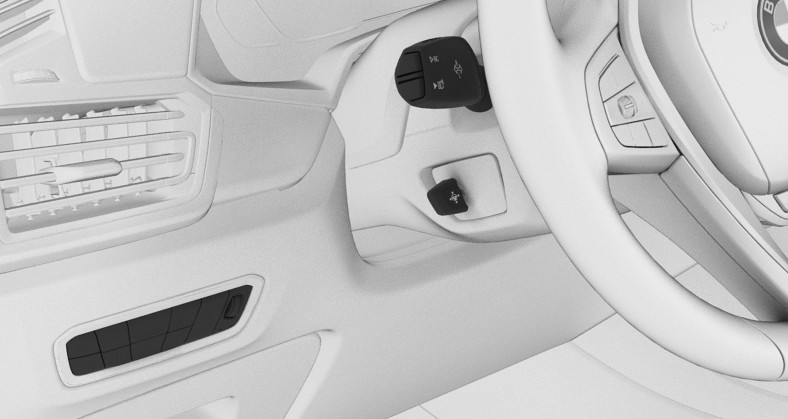
- Light switch element
Front fog lights
Concept
The front fog lights work alongside the low beams to illuminate a wider area of the roadway.
Functional requirement
The low beams must be switched on before switching on the front fog lights.
Switching on/off

Press the button.

The green indicator light in the instrument cluster lights up if the front fog lights are switched on.
If the automatic headlight control is activated, the low beams will come on automatically when you switch on the front fog lights.
When the high beams or headlight flasher are activated, the front fog lights are not switched on.
Instrument lighting
Overview
- Light switch element
Functional requirement
The parking lights or low beams must be switched on to adjust the brightness.
Adjusting
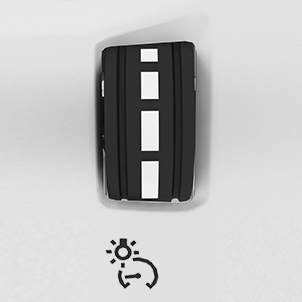
Adjust the brightness with the thumbwheel.
Interior lights
General information
Depending on the equipment version, interior lights, footwell lights, entry lights, ambient lighting, and speaker lighting are automatically controlled.
Overview
Buttons in the vehicle
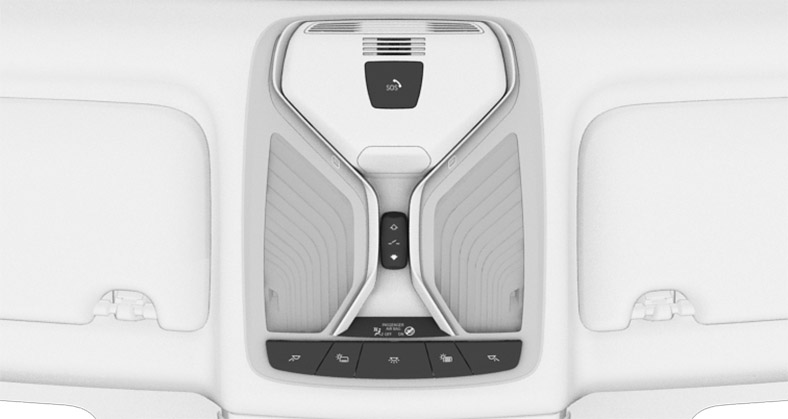
- Reading light
- Interior lights
- Reading light
Switching the interior lights on/off

Press the button.
To switch off permanently: press the button and hold for approx. 3 seconds.
The interior lights in the rear of the vehicle can be switched on and off independently. The button is located in the rear roofliner.
Switching the reading lights on/off

Press the button.
Depending on the vehicle equipment, the reading lights are located next to the interior lights in the front and rear.
Download Manual