Exterior lighting
Active bending lights
Active bending lights are designed to provide additional illumination in bends and junctions. Cars with LED headlamps can have active bending lights, depending on the car's equipment level.
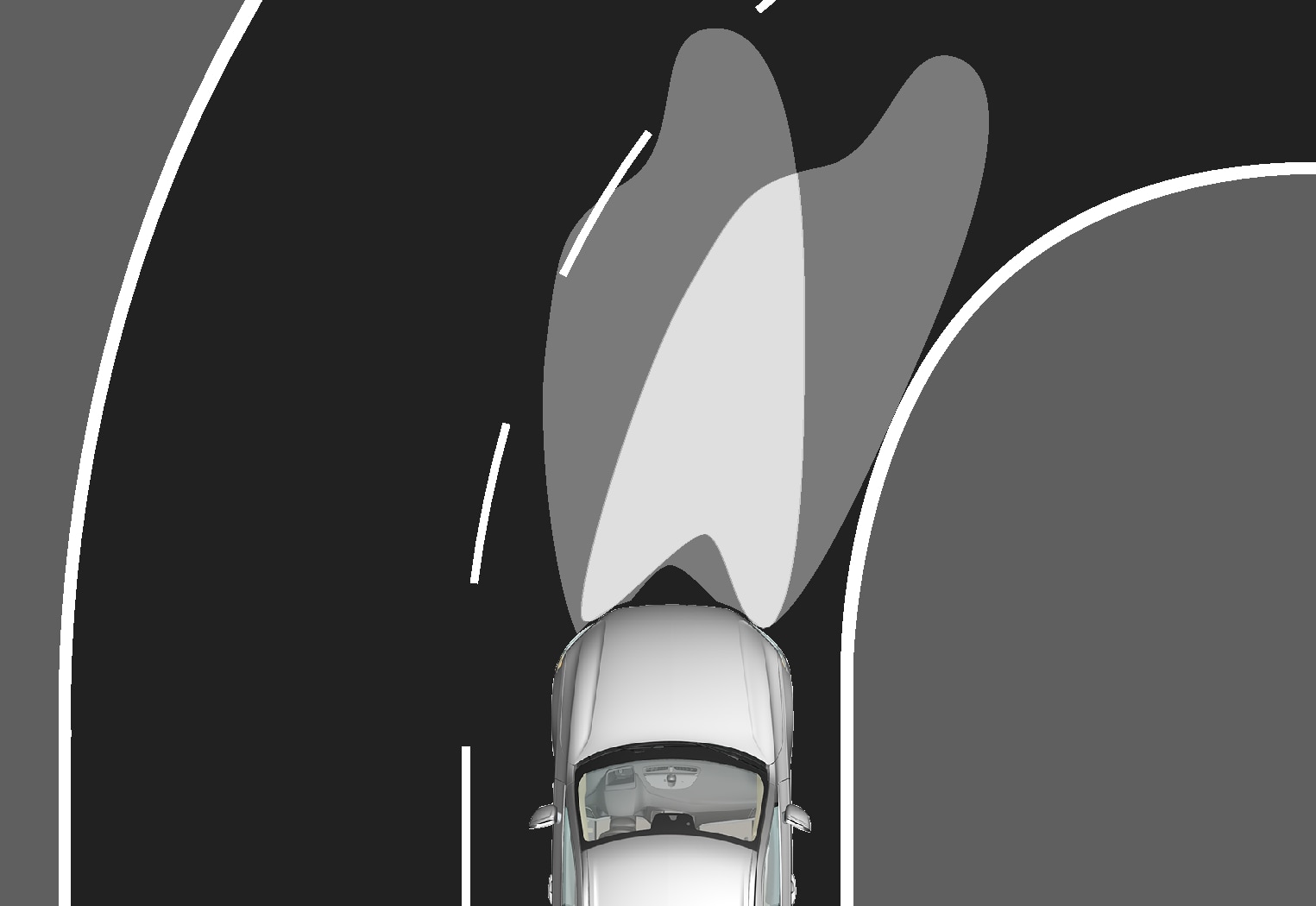
Headlamp pattern with function deactivated (left) and activated (right) respectively.
Active bending lights follow steering wheel movements to provide additional illumination in bends and junctions and can thereby provide the driver with improved visibility.
The function is activated automatically when the car is started. In the event of a fault in the function, the  symbol illuminates in the driver display at the same time as the driver display shows an explanatory text.
The function is only active in weak daylight or darkness and only when the car is moving and dipped beam is switched on.
Deactivating/activating the function
The function is activated when the car is supplied from the factory and can be deactivated/activated via the centre display's function view.
Press the Active Bending Lights button.
Active main beam
Active main beam is a function which uses a camera sensor at the top edge of the windscreen to detect the headlamp beams from oncoming traffic or the rear lights of vehicles in front, and then switches from main beam to dipped beam.
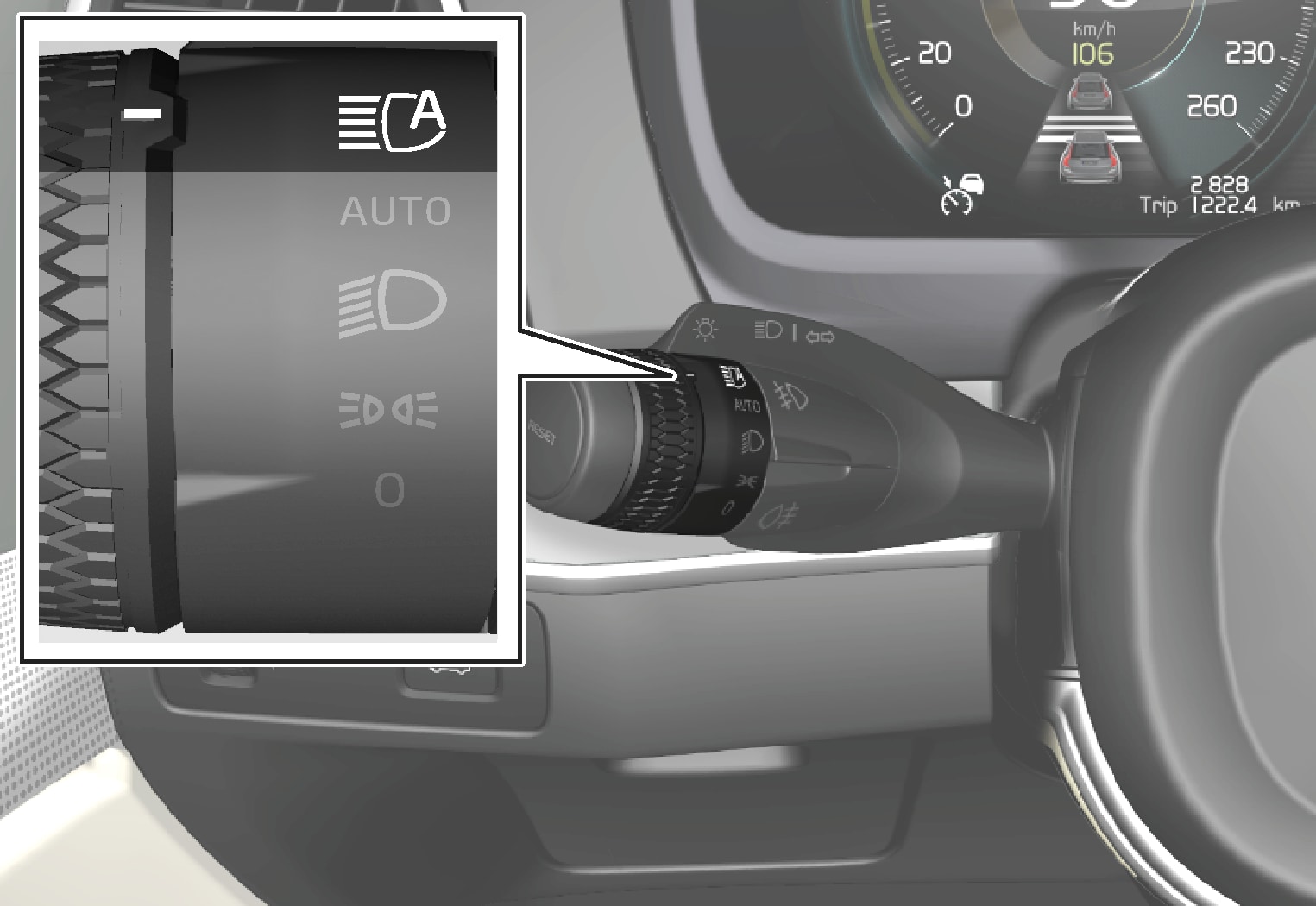
The symbol  represents active main beam.
The function can start while driving in the dark when the car's speed is approx. 20 km/h (approx. 12 mph) or higher. The function can also take streetlights into account. When the camera sensor no longer detects any oncoming car or car in front, main beam is switched on again after about a second.
Activate active main beam
Active main beam is activated and deactivated by turning the left-hand stalk switch to position . The rotating ring then returns to position  . When active main beam is activated, the symbol illuminates with a white glow in the driver display. When main beam is activated, the symbol shines blue.
If active main beam is deactivated while main beam is on, the lighting is immediately reset to dipped beam.
Limitations for active main beam
The camera sensor on which the function is based has limitations.

If this symbol is shown in the driver display, together with the message Active High Beam Temporarily unavailable, then switching between main and dipped beam must be performed manually. The symbol extinguishes when these message are shown.

The same applies if this symbol is shown together with the message Windscreen sensor Sensor blocked, see Owner's manual.
Active main beam may be temporarily unavailable e.g. in situations with dense fog or heavy rain. When active main beam becomes available again, or the windscreen sensors are no longer blocked, the message goes out and the symbol illuminates.
Warning
Active main beam is an aid for using the optimum beam pattern when conditions are favourable.
The driver always bears responsibility for manually switching between main and dipped beam when traffic situations or weather conditions so require.
Using direction indicators
The car's direction indicators are operated with the left-hand stalk switch. The direction indicator lamps flash three times or continuously, depending on how far up or down the stalk switch is moved.
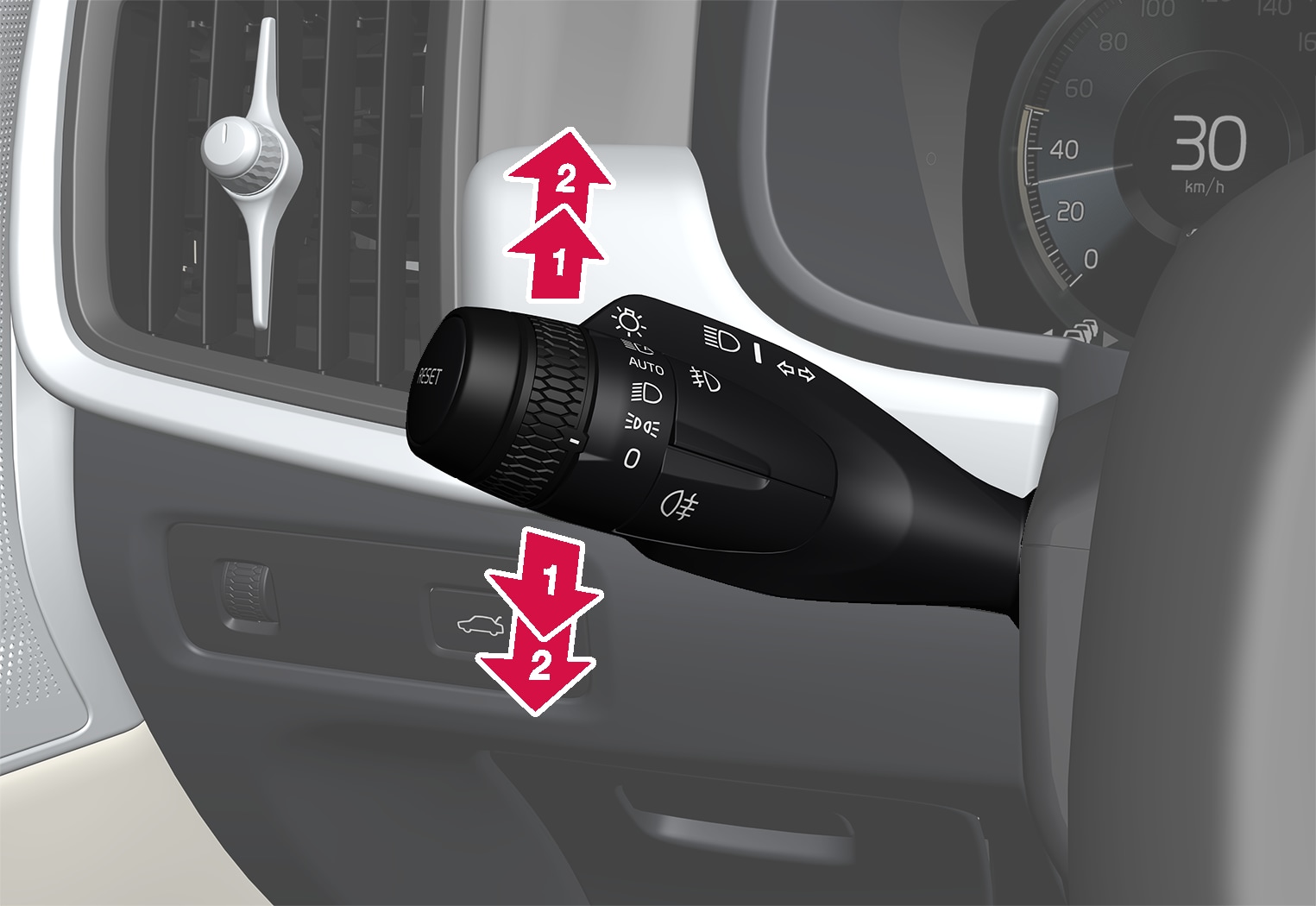
Direction indicators.
Short flash sequence
 |
Move the stalk switch up or down to the first position and release. The direction indicator lamps flash three times. If the function is deactivated via the centre display, the lamps will flash once. |
Note
- This automatic flashing sequence can be stopped by moving the stalk switch immediately in the opposite direction.
- If the symbol for direction indicators in the driver display flashes more quickly than normal - see the message in the driver display.
Continuous flash sequence
 |
Move the stalk switch up or down to its end position. |
The stalk switch remains in its position and is moved back manually, or automatically by the steering wheel movement.
Brake lights
The brake light automatically comes on during braking.
The brake light is illuminated when the brake pedal is depressed and when the car is braked automatically by one of the driver support systems.
Rear fog lamp
The rear fog lamp is considerably stronger than the normal rear lights and should only be used in reduced visibility due to fog, snow, smoke or dust so that other road users have an early warning of a vehicle ahead.
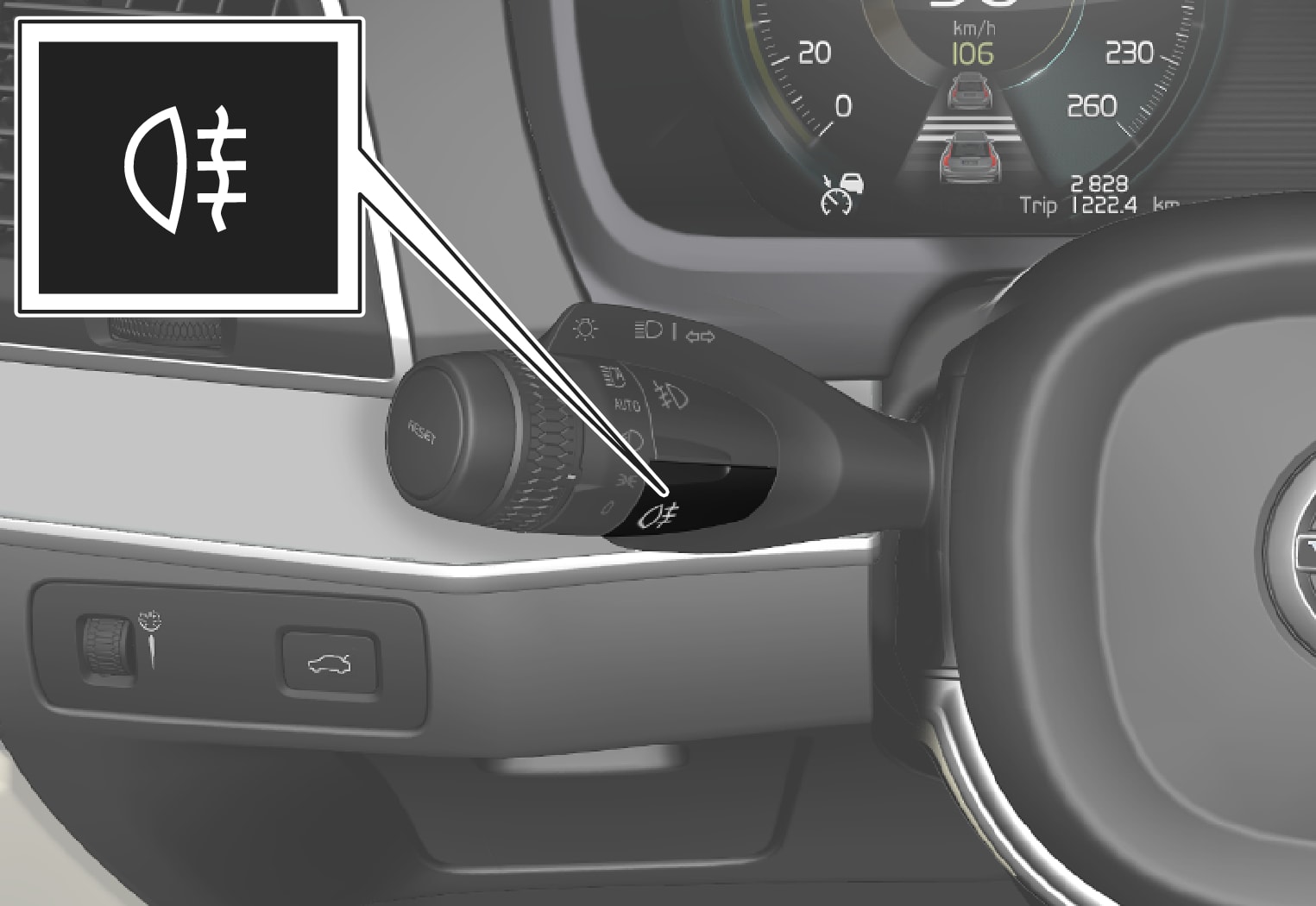
Button for rear fog lamp.
The rear fog lamp is a lamp at the rear of the car, on the driver's side.
The rear fog lamp can only be switched on when:
- ignition position II is active and the rotating ring on the stalk switch is in position or

- the stalk switch's rotating ring is in position
 and the front fog lamps are switched on.
Press the button to switch the lights on/off. The  symbol in the driver display illuminates when the rear fog lamp is switched on.
The rear fog lamp is switched off automatically when:
- the car is switched off or when the rotating ring on the stalk switch is set to the
 position
 - the stalk switch's rotating ring is in position and the front fog lamps are switched off.
Note
Regulations on the use of rear fog lamps vary from country to country.
Front fog lamps/cornering lights
The fog lights are activated manually when driving in fog and automatically when reversing in order to complement the reversing light.
If the car is fitted with cornering lights, the fog lights come on automatically in dull daylight or darkness in order to light up the area diagonally in front of the car.
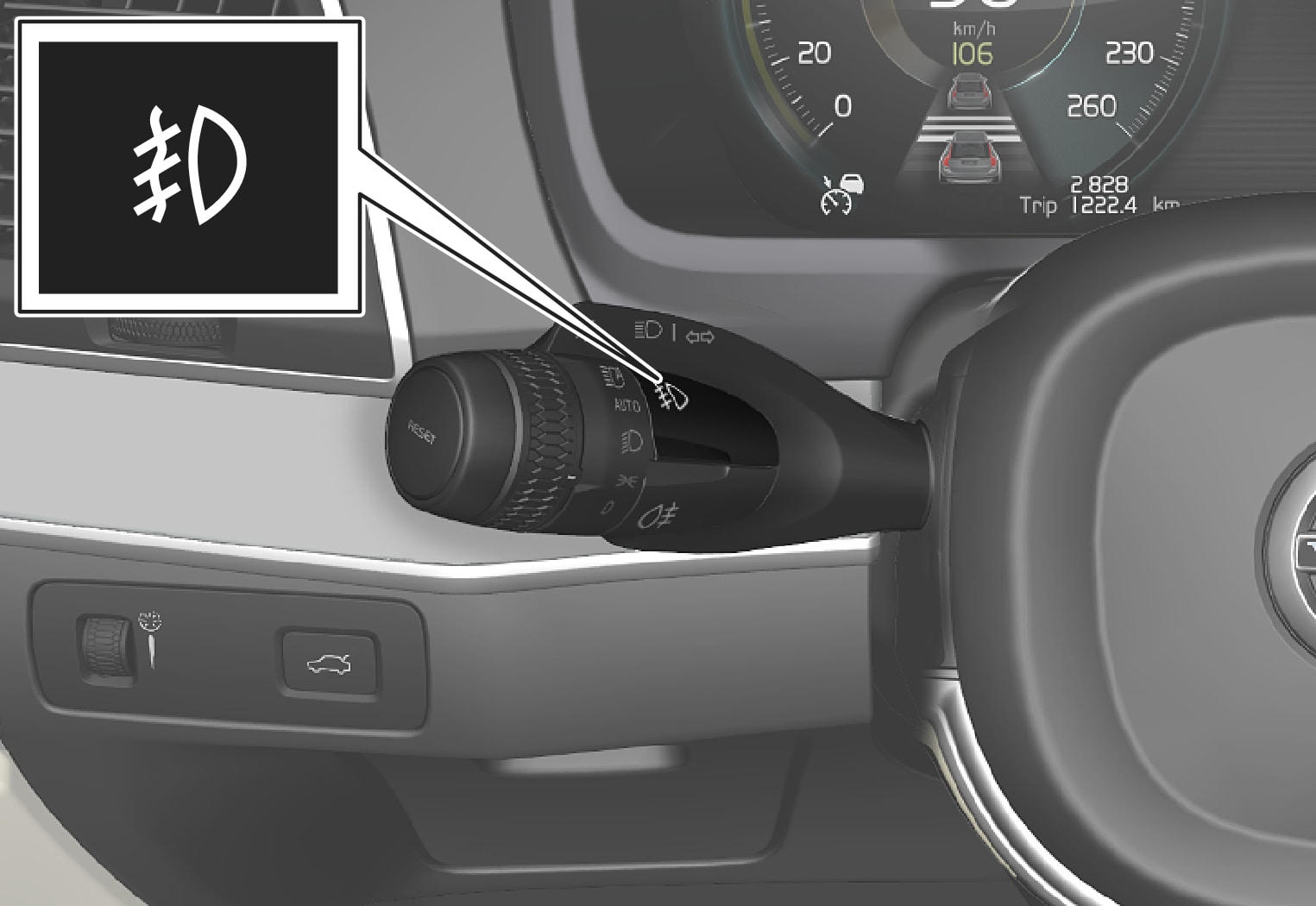
Button for front fog lamps.
The rear fog lamps can only be switched on when the car's electrical system is in ignition position II and the rotating ring on the stalk switch is in position , or .
Press the button to activate and deactivate. The  symbol illuminates in the driver display when the front fog lamps are switched on.
The front fog lamps switch off automatically when the car is switched off or when the rotating ring on the stalk switch is set to the position.
Note
Regulations on the use of fog lamps vary from country to country.
Cornering lights
The front fog lamps can include the cornering lights function, which temporarily illuminates the area diagonally in front of the car in the direction the steering wheel is turned on a sharp bend, or in the direction shown by the direction indicators.
The function is activated in weak daylight or darkness when the stalk switch's rotating ring is in the or position and the speed of the car is lower than approx. 30 km/h (approx. 20 mph).
In addition, both cornering lights are switched on as a supplement to the reversing lamp during reversing.
The function is activated when the car is supplied from the factory and can be activated and deactivated via the centre display.
Dipped beam
When driving with the stalk switch's rotating ring in the position, dipped beam is activated automatically in weak daylight or darkness or when the car's electrical system is in ignition position II.
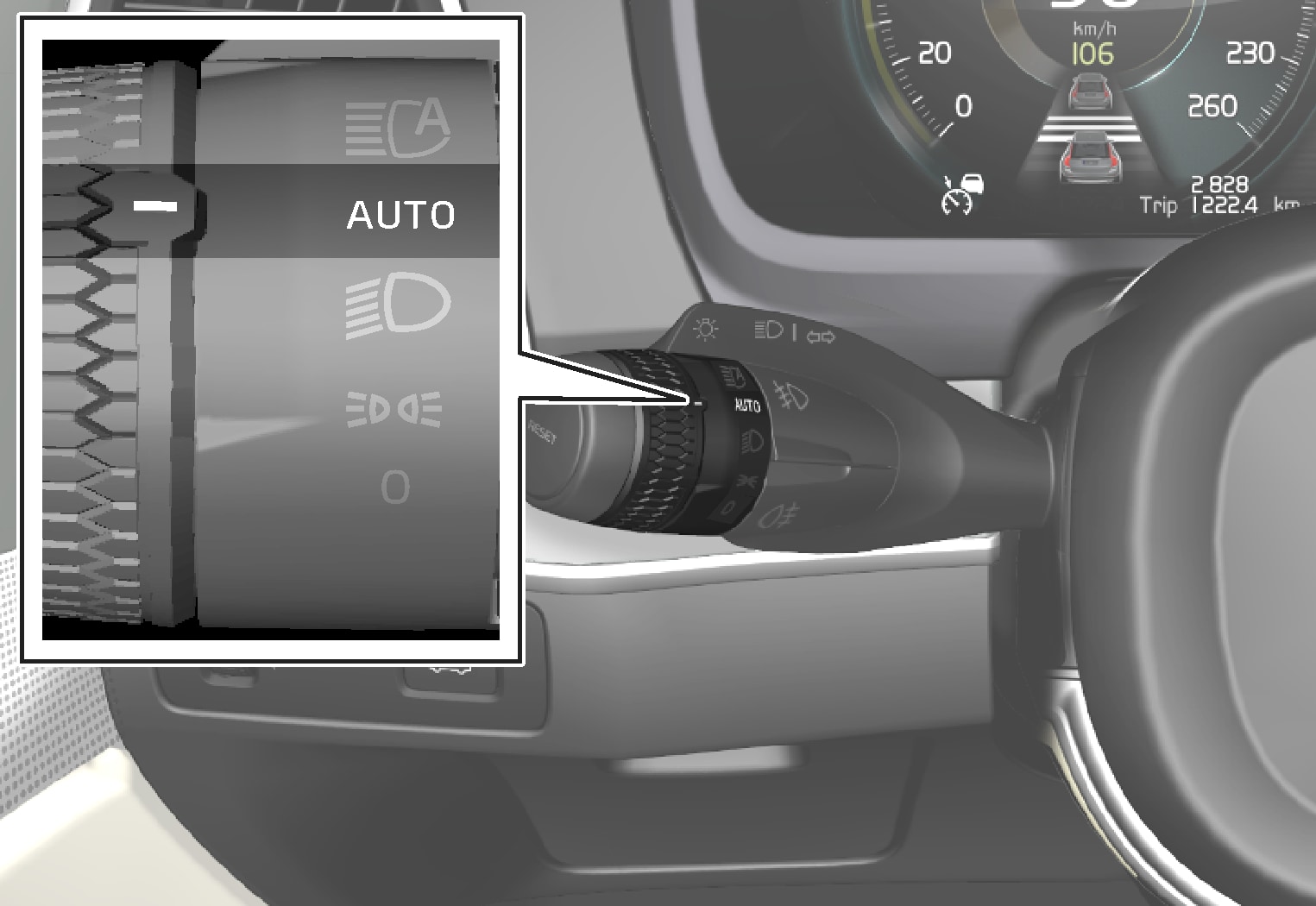
Stalk switch rotating ring in AUTO position.
With the stalk switch's rotating ring in position, dipped beam is also activated automatically if:
- the front fog lamps are activated
- the rear fog lamp is activated
- the front and rear fog lamps are activated
With the stalk switch's rotating ring in the position, dipped beam is always activated when the car's electrical system is in ignition position II.
Tunnel detection
The car detects when it is driven into a tunnel and switches from daytime running lights to dipped beam.
Note that the rotating ring in the left-hand stalk switch must be in mode for tunnel detection to work.
Using main beam
Main beam is operated with the left-hand stalk switch. Main beam is the car's strongest lighting and should be used when driving in the dark for better visibility, as long as it does not dazzle other road users.
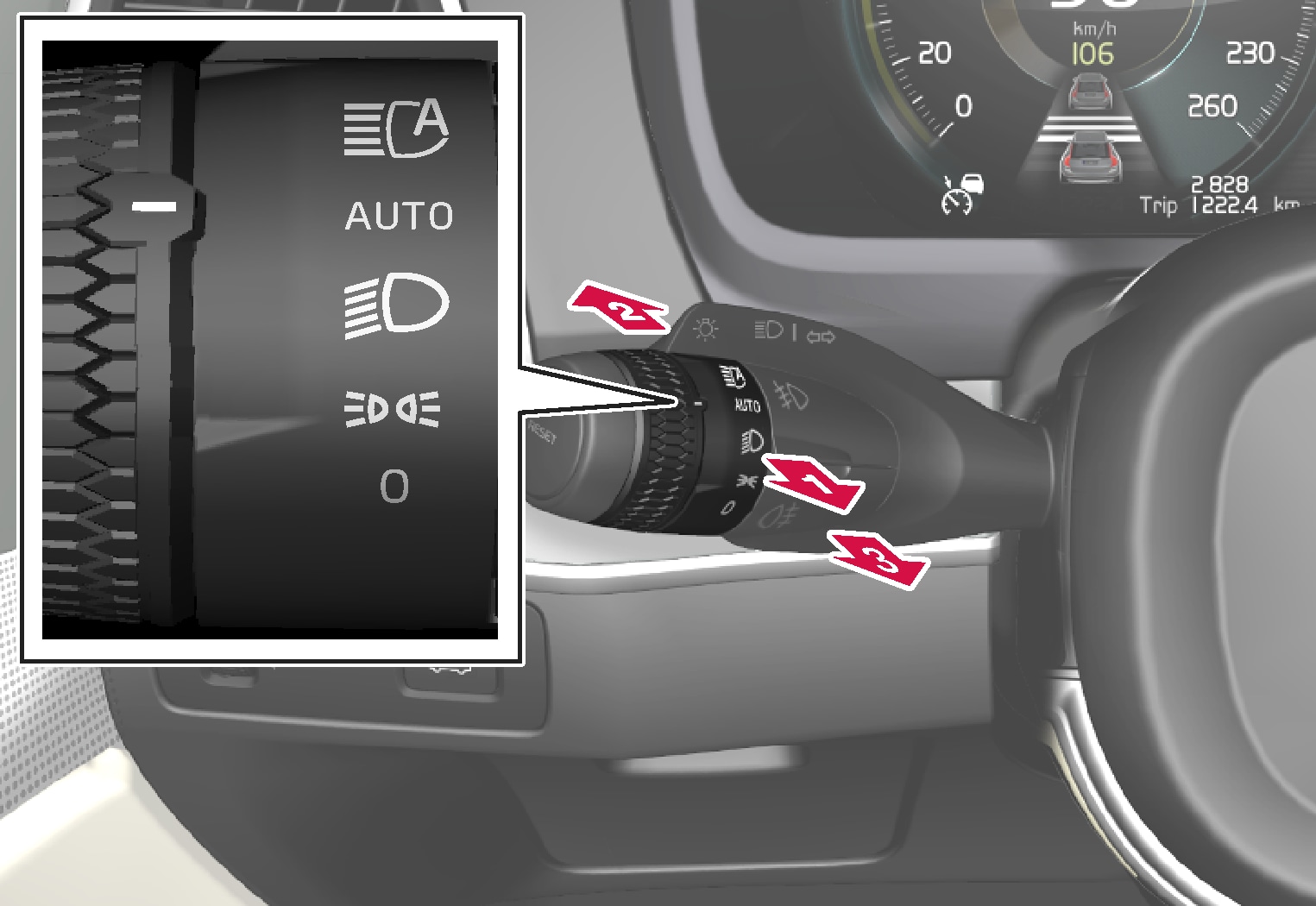
Steering wheel stalk switch with rotating ring.
Main beam flash
|
Move the stalk switch backwards slightly to main beam flash position. Main beam comes on until the stalk switch is released. |
Main beam
|
Main beam can be activated when the steering wheel stalk switch's rotating ring is in position or . Activate main beam by moving the stalk switch forwards. |
 |
Deactivate by moving the stalk switch backwards. |
When main beam has been activated the  symbol illuminates in the driver display.
Using home safe lighting
Some of the exterior lighting can be kept switched on to work as home safe lighting after the car has been locked.
To activate the function:
Switch off the car.
Move the left-hand stalk switch forward toward the instrument panel and release.
Get out of the car and lock the door.
A symbol in the driver display is illuminated to indicate that the function is activated and outer lighting is switched on: Position lamps, headlamp beams, number plate lighting and lighting in outer handles.
The length of time that home safe lighting remains on can be set via the centre display.
Emergency brake lights
Emergency brake lights are activated to alert vehicles behind about heavy braking.
The function means that the brake light flashes instead of - as in normal braking - shining with a constant glow.
The emergency brake lights are activated during heavy braking or if the ABS system is activated at high speeds.
After the driver brakes to a low speed and then releases the brake, the brake light returns to normal glow.
The car's hazard warning flashers are activated at the same time. These flash until the driver accelerates the car to a higher speed again or switches off the car's hazard warning flashers.
Position lamps
Position lamps can be used so that other road users can see the car if it stops or is parked. The position lamp is switched on with the rotating ring on the stalk switch.
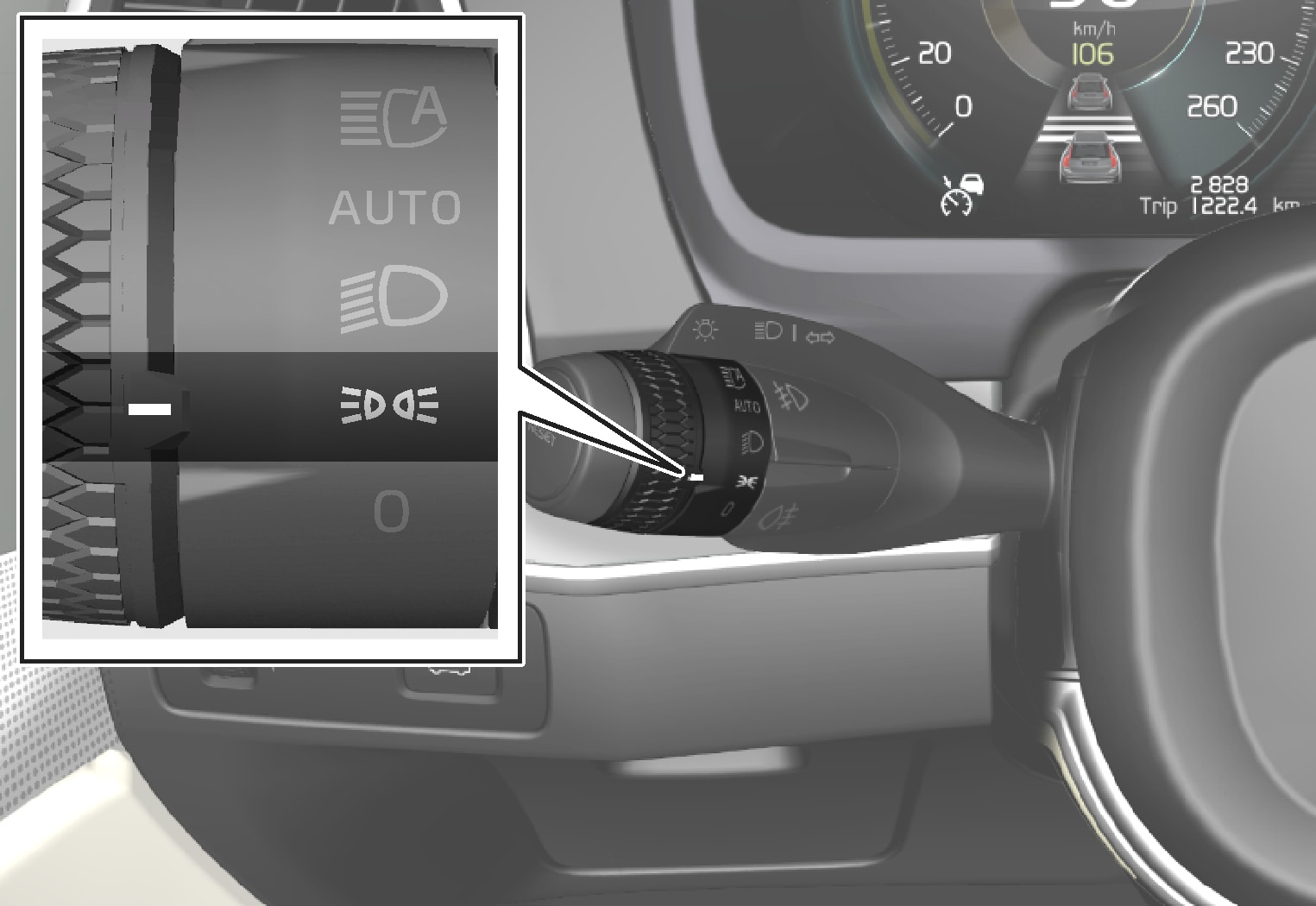
Stalk switch rotating ring in position lamps position.
Turn the rotating ring to the position - the position lamps are switched on (number plate lighting is switched on at the same time).
If the car's electrical system is in ignition position II then the daytime running lights are switched on instead of the front position lamps. When the rotating ring is in this position, the position lamps are switched on regardless of the ignition position of the car's electrical system.
If the car is stationary but running, the rotating ring can be moved to the position lamp position from another position to switch on only the position lamps instead of other lighting.
When driving for more than 30 seconds at max. 10 km/h (approx. 6 mph), or if the speed exceeds 10 km/h (approx. 6 mph), the daytime running lights are switched on. The driver should turn to a position other than .
If the tailgate is opened when it is dark outside, the rear position lamps come on (if not already switched on) to warn road users approaching from behind. This takes place irrespective of the position of the rotating ring or the ignition position of the car's electrical system.
Guidance light
The guidance light is switched on when the car is unlocked and is used to switch on the car's lighting at a distance.
The function is activated when the remote control key is used for unlocking. In daylight, position lamps, interior roof lamps, floor lights and cargo area lighting are activated. In weak daylight or darkness, number plate lighting and lighting in the outer handles are also activated with their light source aimed towards the ground.
The lighting stays on for approx. 2 minutes if no doors are opened. If a door is opened within the activation time, the time for the interior lighting and lighting in the outer handles will be extended.
The function can be activated and deactivated via the centre display.
Hazard warning flashers
Hazard warning flashers warn other road users by means of all of the car's direction indicators being activated simultaneously. The function can be used to give a warning in the event of traffic hazards.
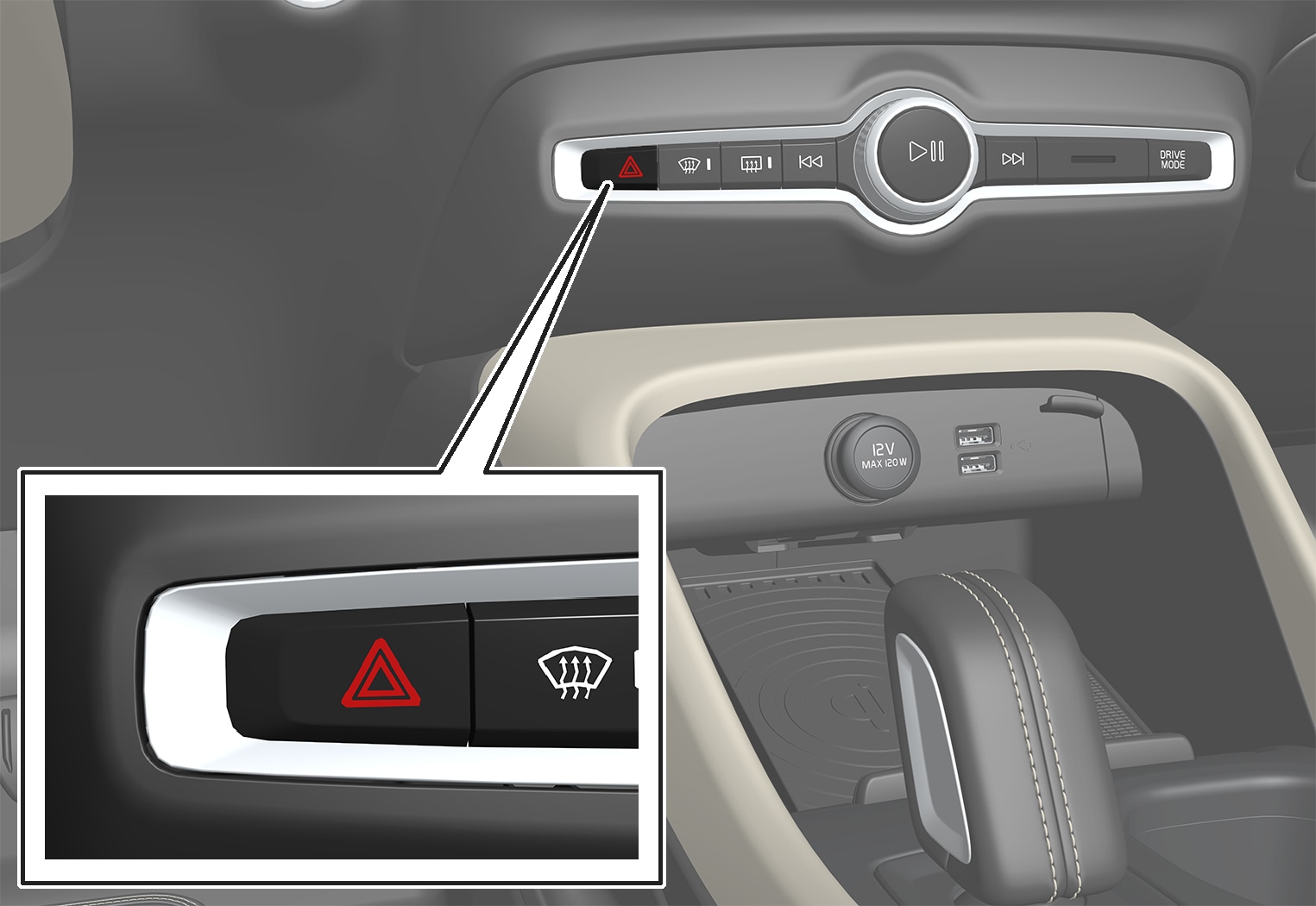
Button for hazard warning flashers.
Press the button to activate the hazard warning flashers.
The hazard warning flashers are automatically activated when the car brakes so powerfully that the emergency brake lights are activated and the speed is low. The hazard warning flashers start to flash after the emergency brake lights have stopped flashing and are then deactivated automatically when the car drives away again or are deactivated if the button is depressed.
Note
Regulations for the use of hazard warning flashers may vary between countries.
Daytime running lights
The car has sensors that detect the light conditions in the surroundings. The daytime running lights are switched on when the rotating ring on the stalk switch is in position , or as well as when the car's electrical system is in ignition position II. In position , the headlamps change automatically to dipped beam in weak daylight or darkness.
Stalk switch rotating ring in AUTO position.
If the stalk switch rotating ring is in the position, the daytime running lights (DRL) are switched on when the car is driven in daylight. The car automatically changes lighting from daytime running light to dipped beam in weak daylight or darkness. Changing to dipped beam also takes place if the front fog lamp and/or rear fog lamp are activated.
Warning
This system help to save energy - it cannot determine in all situations when daylight is too weak or sufficiently strong, e.g. in mist and rain.
The driver is always responsible for ensuring that the car is driven with the correct beam pattern for the traffic situation and in accordance with applicable traffic regulations.
Exterior lamp positions
The exterior lighting of the car uses a number of different lamps. An LED type lamp must be replaced by a workshop. An authorised Volvo workshop is recommended.
Lamps, front

 Daytime running lights/position lamps/direction indicators (LED)
 Main beam (LED)
 Dipped beam (LED)
 Front fog lamps/cornering lights (LED)
Lamps, rear
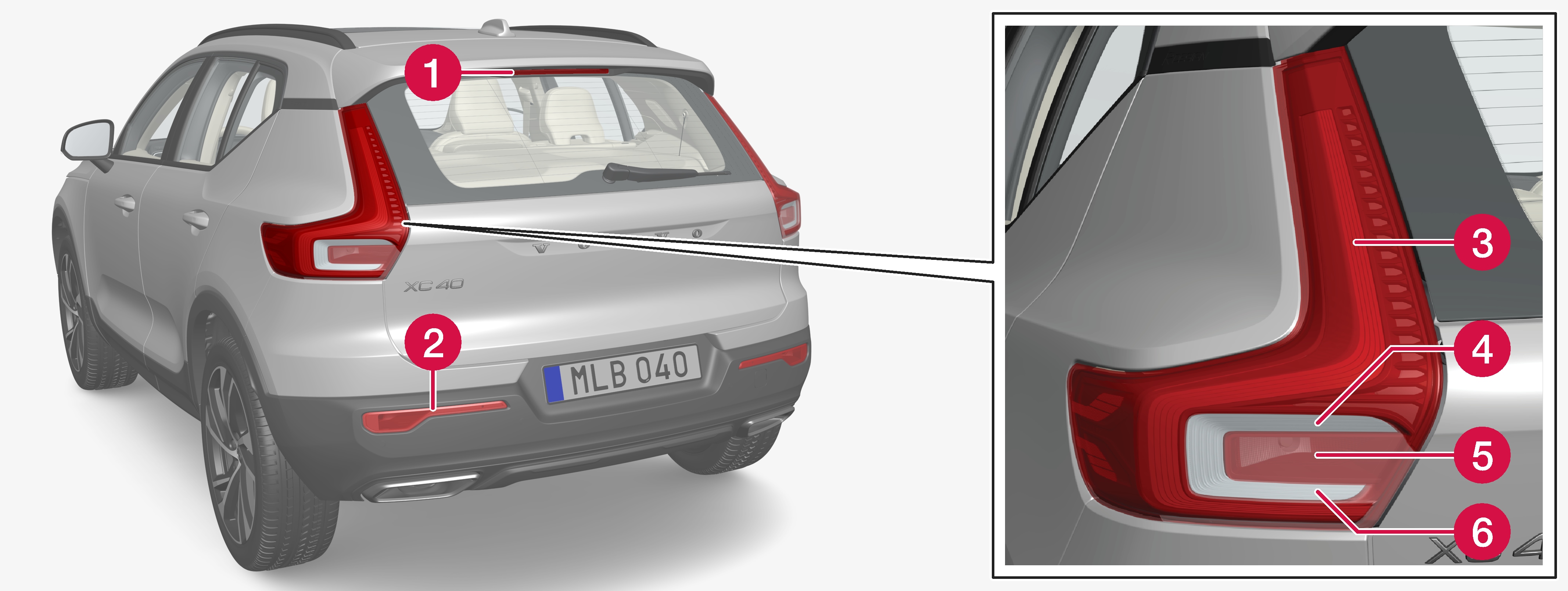
Brake light - central, high-level (LED)
Fog lamp
Position lamps (LED)
Direction indicators
 Brake lights
 Reversing lamps (LED)
Bulb specifications
Specifications for replaceable bulbs.
Contact a workshop if faults occur in lamps other than bulbs. If a fault occurs in LED lamps, the entire lamp unit usually must be replaced.
|
Function |
W |
Type |
|---|---|---|
|
Rear direction indicators |
24 |
PY24W |
|
Brake lights |
21 |
H21W LL |
|
Rear fog lamp |
21 |
H21W LL
|
Checking trailer lamps
When connecting a trailer - check that all the trailer lamps work before departure.
Direction indicators and brake lights on the trailer
If one or more of the trailer's direction indicators or brake light bulbs is broken, the driver display shows a symbol and a message. Other lights on the trailer must be checked manually by the driver before setting off.
|
Symbol |
Message |
|---|---|
|
|
|
|
|
|
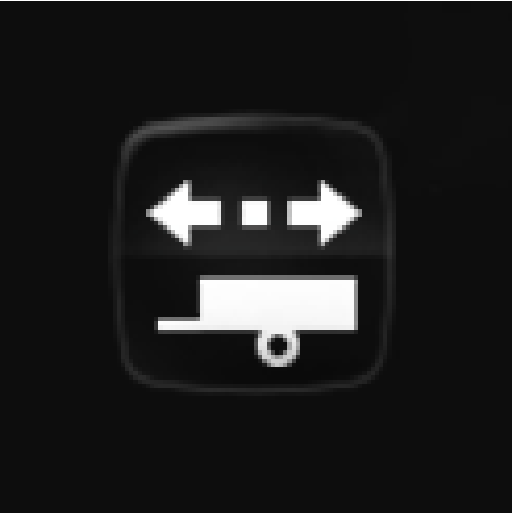

If any lamp for the trailer's direction indicators is broken, the driver display symbol for direction indicators will also flash more quickly than normal.
Rear fog lamp on trailer
When connecting the trailer, the rear fog lamp may not light up on the car. In such cases, the rear fog lamp function switches to the trailer. Upon activation of the rear fog lamp, check therefore that the trailer is equipped with a rear fog lamp to travel safely.
Checking trailer lamps
Automatic checking
After a trailer is connected electrically, it is possible to check that the trailer lamps are working via an automatic lamp activation. The function helps the driver check that the trailer lamps are working before starting off.
The car must be switched off to perform the check.
When a trailer is connected to the towbar, the Automatic Trailer Lamp Check message is shown in the driver display.
Confirm the message by pressing the right-hand steering wheel keypad's O button.
The lamp check starts.
Exit the car to check lamp functionality.
All trailer lamps start to flash - then the lamps are switched on one at a time.
Visually check that all lamps available on the trailer are operational.
After a moment, all lamps on the trailer flash again.
The check is complete.
Switching off automatic checking
The automatic checking function can be switched off in the centre display.
Press Settings in the top view.
Press My CarLights and Lighting.
Deselect Automatic Trailer Lamp Check.
Manual checking
If the automatic checking is switched off then it is possible to start the check manually.
Press Settings in the top view.
Press My CarLights and Lighting.
Select Manual Trailer Lamp Check.
The lamp check starts. Exit the car to check lamp functionality.
Download Manual