Direction indicators
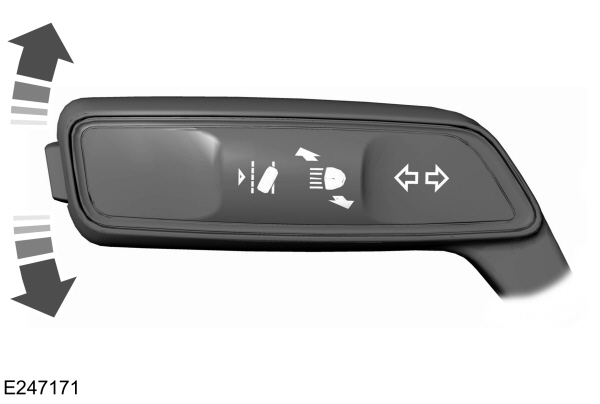
- To operate the left-hand direction indicator, push the lever down until it stops.
- To operate the right-hand direction indicator, push the lever up until it stops.
- To manually cancel direction indicator operation, push the lever again in either direction.
LANE CHANGE
To indicate a lane change:
- Push the lever up or down to the first stop position and release. The direction indicator flashes three times and stops.
- Push the lever up or down to the first stop position and hold. The direction indicator flashes for as long as you hold the lever in this position.
WELCOME LIGHTING
The Lincoln welcome mat projection lights are on the bottom of the exterior mirror housings. They project an image onto the ground a short distance from your vehicle when welcome lighting or lighted entry turns on.
For auto-fold mirrors, the Lincoln welcome mat turns on when welcome lighting or lighted entry turns on and the mirrors fold in upon locking or using the switch on the door.
You can switch this feature on or off in the information display.
Note: Moisture, frost and ice build-up or other types of contamination on the surface of the light lens can cause non-permanent distortion or reduced brightness of the image. Do not use abrasive materials to clean the lens.
Note: If you enable auto-fold and then you fold the mirrors in to the door window glass, the welcome mats do not turn on.
Download Manual