Lighting
GENERAL INFORMATION
Condensation in the Exterior Front Lamps and Rear Lamps
Exterior front lamps and rear lamps have vents to accommodate normal changes in air pressure.
Condensation can be a natural by-product of this design. When moist air enters the lamp assembly through the vents, there is a possibility that condensation can occur when the temperature is cold. When normal condensation occurs, a fine mist can form on the interior of the lens. The fine mist eventually clears and exits through the vents during normal operation.
Clearing time may take as long as 48 hours under dry weather conditions.
Examples of acceptable condensation are:
- The presence of a fine mist (no streaks, drip marks or large droplets).
- A fine mist covers less than 50% of the lens.
Examples of unacceptable condensation are:
- A water puddle inside the lamp.
- Streaks, drip marks or large droplets present on the interior of the lens.
If you see any unacceptable condensation, have your vehicle checked by an authorized dealer.
LIGHTING CONTROL
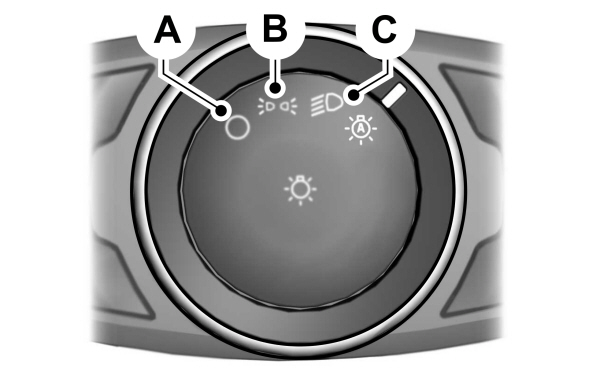
A Off. Off.B Parking lamps, instrument panel lamps, license plate lamps and tail lamps.C Headlamps. |
Parking Lamps
Note: Prolonged use of the parking lamps will cause the battery to run out of charge.
Note: Parking lamps may turn off automatically.This prevents the vehicle battery from running out of charge.
Switch the ignition off.
Select position B on the lighting control to switch the parking lamps on.
High Beams
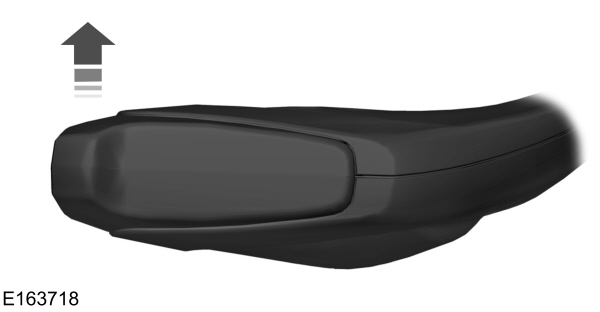

Push the lever forward again or pull the lever toward you to switch the high beams off.
Headlamp Flasher
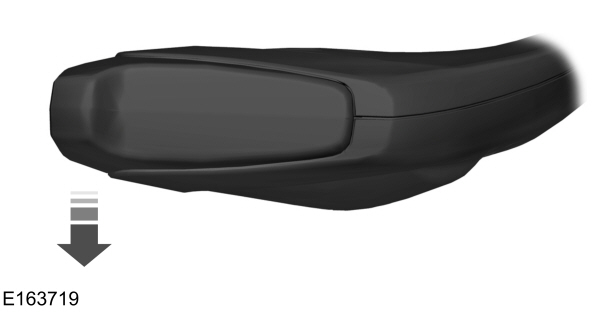
Slightly pull the lever toward you and release it to flash the headlamps.
AUTOLAMPS
 WARNING: The system does not relieve you of your responsibility to drive with due care and attention. You may need to override the system if it does not turn the headlamps on in low visibility conditions, for example daytime fog. WARNING: The system does not relieve you of your responsibility to drive with due care and attention. You may need to override the system if it does not turn the headlamps on in low visibility conditions, for example daytime fog. |
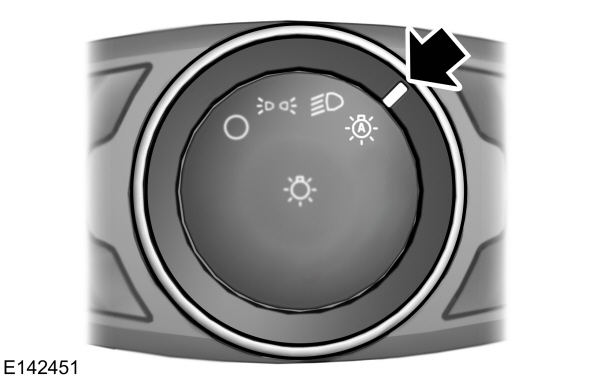
When the lighting control is in the autolamps position, the headlamps turn on in low light situations, or when the wipers turn on.
The headlamps remain on for a period of time after you switch the ignition off. Use the information display controls to adjust the period of time that the headlamps remain on.
Note: If you switch the autolamps on, you cannot switch the high beams on until the system turns the low beams on.
Windshield Wiper Activated Headlamps
When you switch the autolamps on, the headlamps turn on within 10 seconds of switching the wipers on. They turn off approximately 60 seconds after you switch the windshield wipers off.
The headlamps do not turn on with the wipers:
- During a single wipe.
- When using the windshield washers.
- If the wipers are in intermittent mode.
Note: If you switch the autolamps and the autowipers on, the headlamps turn on when the windshield wipers continuously operate.
INSTRUMENT LIGHTING DIMMER
The instrument lighting dimmer buttons are on the lighting control.
  Repeatedly press one of the buttons to adjust the brightness. Repeatedly press one of the buttons to adjust the brightness. |
HEADLAMP EXIT DELAY
After you switch the ignition off, you can switch the headlamps on by pulling the direction indicator lever toward you. You will hear a short tone. The headlamps will switch off automatically after three minutes with any door open or 30 seconds after the last door has been closed. You can cancel this feature by pulling the direction indicator lever toward you again or switching the ignition on.
DAYTIME RUNNING LAMPS
| WARNING: The daytime running lamps system does not activate the rear lamps and may not provide adequate lighting during low visibility driving conditions. Also, the autolamps switch position may not activate the headlamps in all low visibility conditions, such as daytime fog. Make sure the headlamps are switched to auto or on, as appropriate, during all low visibility conditions. Failure to do so may result in a crash. |
Type 1 - Conventional (Non-Configurable)
The daytime running lamps turn on when:
- The ignition is switched to the on position.
- The lighting control is in the off, parking lamp or autolamps positions.
- The headlamps are off.
Type 2 - Configurable
Switch the daytime running lamps on or off using the information display controls.
The daytime running lamps turn on when:
- They are switched on in the information display.
- The ignition is switched to the on position.
- The lighting control is in the autolamps position.
- The headlamps are off.
The other lighting control switch positions do not activate the daytime running lamps, and you can use them to temporarily override autolamp control.
When switched off in the information display, the daytime running lamps are off in all lighting control switch positions.
AUTOMATIC HIGH BEAM CONTROL
| WARNING: The system does not relieve you of your responsibility to drive with due care and attention. You may need to override the system if it does not turn the high beams on or off. WARNING: You may need to override the system when approaching other road users. WARNING: You may need to override the system during inclement weather. WARNING: Do not use the system in poor visibility, for example fog, heavy rain, spray or snow. WARNING: The system may not switch the high beams off if the lights of oncoming vehicles are hidden by obstacles, for example guard rails. WARNING: Inspect and replace the windshield wiper blades regularly to make sure the camera sensor has a clear view. The windshield wiper blades must be the correct length. |
The system is designed to turn the high beams on if all of the following occur:
- You switched the system on in the information display.
- You set the lighting control to the autolamps position.
- The ambient light level is low enough that high beams are required.
- There is no traffic in front of your vehicle.
- Your vehicle speed is greater than approximately 32 mph (51 km/h).
The system is designed to turn the high beams off if any of the following occur:
- You switch the system off in the information display.
- You set the lighting control to any position except autolamps.
- The ambient light level is high enough that high beams are not required.
- The system detects an approaching vehicle's headlamps or rear lamps.
- The system detects severe rain, snow or fog.
- The system detects street lighting.
- The camera has reduced visibility.
- Your vehicle speed falls below approximately 27 mph (44 km/h).
Note: High beam reactivation may be delayed in certain curvy road situations.
Note: Using much larger tires or equipping vehicle accessories such as snowplows can modify your vehicle's ride height and degrade automatic high beam control performance.
Switching Automatic High Beam Control On or Off
To switch the system on or off, use the information display controls on the steering wheel to select the following.
| Menu Item | Action |
|---|---|
|
Settings |
Press the menu button. |
|
Vehicle Settings |
Press the OK button. |
|
Lighting |
Press the OK button. |
|
Auto Highbeam |
Press the OK button. |
Automatic High Beam Indicator
 It illuminates to confirm when the system is ready to assist. It illuminates to confirm when the system is ready to assist. |
Overriding Automatic High Beam Control
Push the lever away from you to switch between high beam and low beam.
Automatic High Beam Control Information Messages
| Message | Description |
|---|---|
|
Front Camera Low Visibility Clean Screen |
The camera has reduced visibility.Clean the windshield.If the message continues to appear, have your vehicle checked as soon as possible. |
|
Front Camera Temporarily Not Available |
The camera has malfunctioned.Wait a short period of time for the camera to cool down.If the message continues to appear, have your vehicle checked as soon as possible. |
FRONT FOG LAMPS
Switching the Front Fog Lamps On or Off
Only switch the front fog lamps on during reduced visibility.
You can switch the front fog lamps on if any of the following occur:
- You set the lighting control to the parking lamps position.
- You set the lighting control to the headlamps position.
- You set the lighting control to the autolamps position and the headlamps are on.
The front fog lamp button is on the lighting control.

Note: The brightness of the daytime running lamps may decrease when the front fog lamps are switched on.
Front Fog Lamp Indicator
| It illuminates when you switch the front fog lamps on. |
CORNERING LAMPS
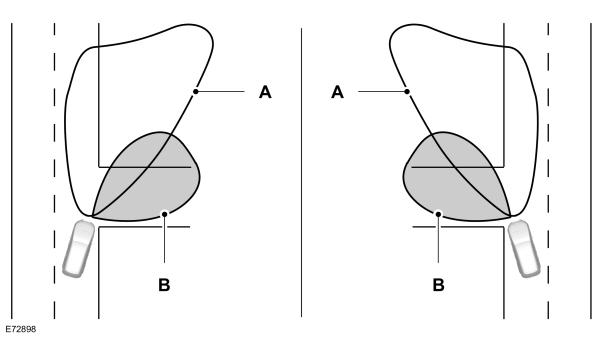
| AHeadlamp beam. B Cornering lamp beam. |
The cornering lamps illuminate the inside of a corner when you are turning the steering wheel.
DIRECTION INDICATORS
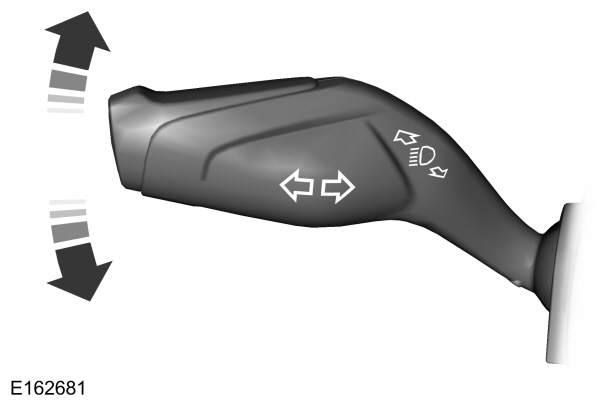
Push the lever up or down to use the direction indicators.
Note: Tap the lever up or down to make the direction indicators flash three times to indicate a lane change.
INTERIOR LAMPS
Courtesy Lamp
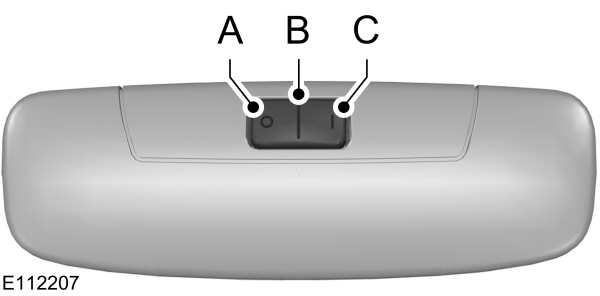
| AOff B Door contactC On |
If you set the switch to position B, the courtesy lamp will switch on when you unlock your vehicle, open a door or the liftgate. If you leave a door open with the ignition switched off, the courtesy lamp will switch off automatically after a short period of time to prevent your vehicle battery from losing charge. To switch it back on, switch the ignition on for a short period of time.
The courtesy lamp will also switch on when you switch the ignition off. It will switch off automatically after a short period of time or when you start the engine.
If you set the switch to position C with the ignition switched off, the courtesy lamp will switch on. It will switch off automatically after a short period of time to prevent your vehicle battery from losing charge. To switch it back on, switch the ignition on for a short period of time.
Reading Lamps
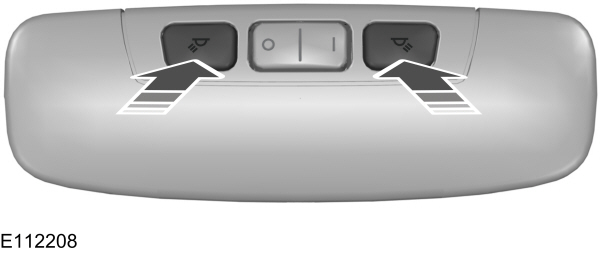
If you switch the ignition off, the reading lamps will switch off automatically after a short period of time to prevent your vehicle battery from losing charge. To switch them back on, switch the ignition on for a short period of time.