Exterior Lights
The multifunction lever is located on the left side of the steering column.
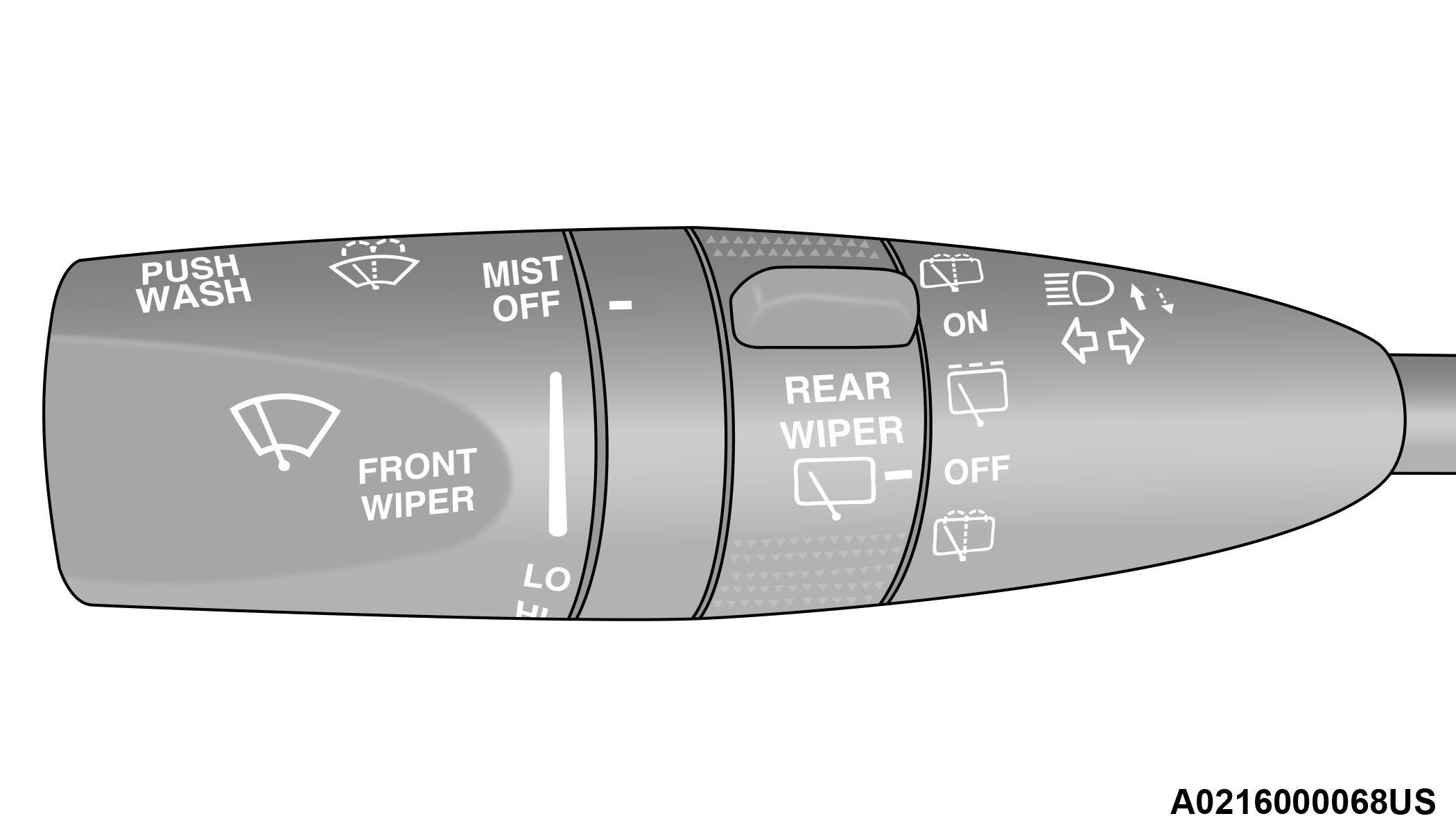
Multifunction Lever
HEADLIGHT SWITCH
The headlight switch is located on the left side of the instrument panel, next to the steering wheel. The headlight switch controls the operation of the headlights, parking lights, instrument panel lights, cargo lights and fog lights (if equipped).
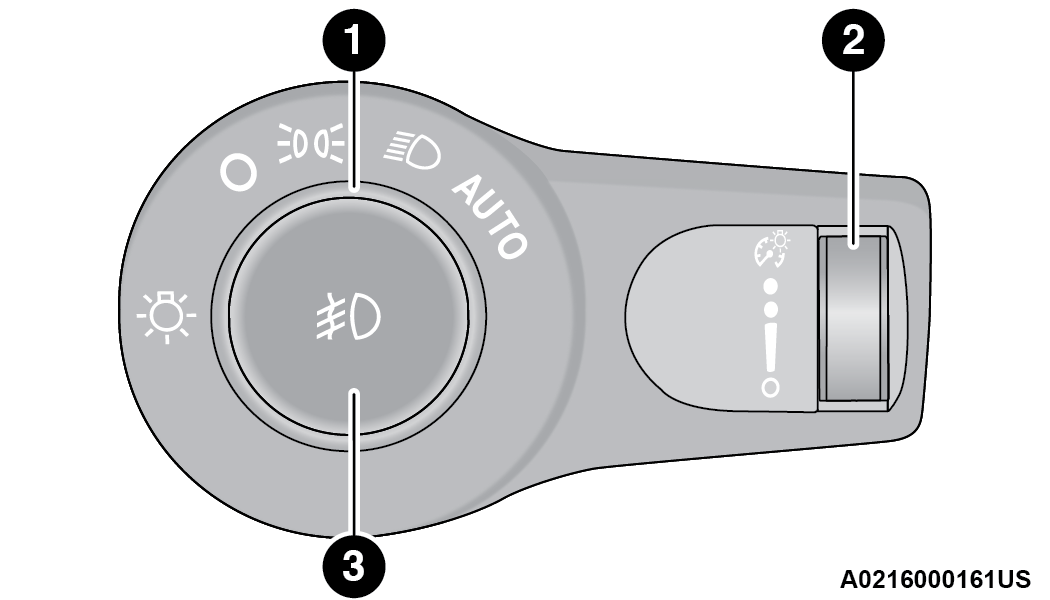
Headlight Switch
|
1 — Rotate Headlight Switch |
|
2 — Dimmer Control |
|
3 — Fog Light Switch |
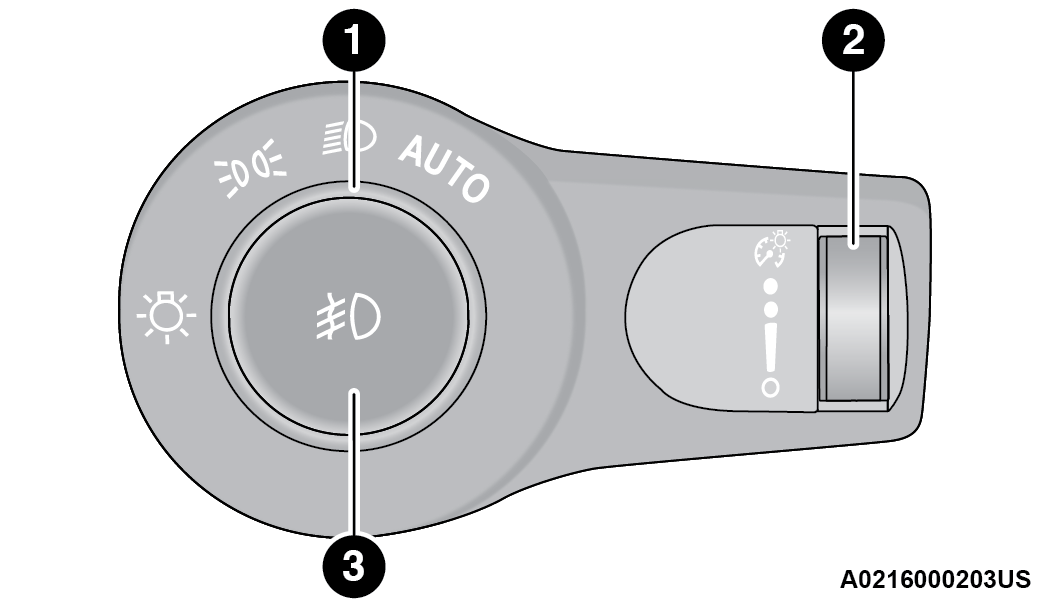
Headlight Switch (Vehicles Sold In Canada)
|
1 — Rotate Headlight Switch |
|
2 — Dimmer Control |
|
3 — Fog Light Switch |
Note:
Vehicles sold in Canada are equipped with a headlight switch without the OFF position. In order to turn the exterior lights off, the headlight switch must be rotated to AUTO position.
To turn on the headlights, rotate the headlight switch clockwise. When the headlight switch is on, the parking lights, taillights, license plate light and instrument panel lights are also turned on. To turn off the headlights, rotate the headlight switch back to the O (off) position.
Note:
For vehicles sold in Canada, rotate the headlight switch clockwise from the parking lights and instrument panel lights position to the first detent to turn on headlights, parking lights, and instrument panel lights. Rotate the headlight switch to the second detent for the AUTO position.
Note:
-
Your vehicle is equipped with plastic headlight and fog light (if equipped) lenses that are lighter and less susceptible to stone breakage than glass lights. Plastic is not as scratch resistant as glass and therefore different lens cleaning procedures must be followed.
-
To minimize the possibility of scratching the lenses and reducing light output, avoid wiping with a dry cloth. To remove road dirt, wash with a mild soap solution followed by rinsing.
CAUTION:
Do not use abrasive cleaning components, solvents, steel wool or other abrasive materials to clean the lenses.
DAYTIME RUNNING LIGHTS (DRLS)
The Daytime Running Lights (DRLs) come on whenever the engine is running. The lights will remain on until the ignition is placed in the OFF position, or the parking brake is engaged. The headlight switch must be used during normal nighttime driving.
Note:
-
For vehicles sold in Canada, the Daytime Running Lights will automatically deactivate when the front fog lights are turned on.
-
If allowed by law in the country in which the vehicle was purchased, the Daytime Running Lights can be turned on and off using the Uconnect system "⇨UCONNECT SETTINGS".
-
On some vehicles, the Daytime Running Lights may deactivate or reduce intensity on one side of the vehicle (when a turn signal is activated on that side), or on both sides of the vehicle (when the hazard warning lights are activated).
HIGH/LOW BEAM SWITCH
Push the multifunction lever toward the instrument panel to switch the headlights to high beams. Pulling the multifunction lever back will turn the low beams on.
AUTOMATIC HIGH BEAM — IF EQUIPPED
The Automatic High Beam Headlamp Control system provides increased forward lighting at night by automatically controlling the high beams through the use of a camera mounted on the inside rearview mirror. This camera detects vehicle specific light and automatically switches from high beams to low beams until the approaching vehicle is out of view.
Note:
-
The Automatic High Beam Headlamp Control can be turned on or off by selecting or deselecting “Auto Dim High Beams” within your Uconnect Settings "⇨UCONNECT SETTINGS", as well as turning the headlight switch to the AUTO position.
-
Broken, muddy, or obstructed headlights and taillights of vehicles in the field of view will cause headlights to remain on longer (closer to the vehicle). Also, dirt, film, and other obstructions on the windshield or camera lens will cause the system to function improperly.
-
If the windshield or Automatic High Beam Headlamp Control mirror is replaced, the mirror must be re-aimed to ensure proper performance. See a local authorized dealer.
FLASH-TO-PASS
You can signal another vehicle with your headlights by lightly pulling the multifunction lever toward you. This will cause the high beam headlights to turn on, and remain on, until the lever is released.
AUTOMATIC HEADLIGHTS
This system automatically turns the headlights on or off according to ambient light levels. To turn the system on, rotate the headlight switch counterclockwise to the AUTO position. When the system is on, the headlight time delay feature is also on. This means the headlights will stay on for up to 90 seconds after you place the ignition into the OFF position. The headlight time delay can be programmed 0/30/60/90 seconds within Uconnect Settings "⇨UCONNECT SETTINGS".
To turn the automatic system off, move the headlight switch out of the AUTO position.
Note:
The engine must be running before the headlights will come on in the automatic mode.
PARKING LIGHTS AND PANEL LIGHTS
To turn on the parking lights and instrument panel lights, rotate the headlight switch clockwise. To turn off the parking lights, rotate the headlight switch back to the O (off) position.
AUTOMATIC HEADLIGHTS WITH WIPERS
If your vehicle is equipped with Automatic Headlights, it also has this customer-programmable feature. When your headlights are in the automatic mode and the engine is running, they will automatically turn on when the wiper system is on. This feature is programmable through the Uconnect system "⇨UCONNECT SETTINGS".
Note:
When your headlights come on during the daytime, the vehicle will monitor outside brightness and decide if the instrument panel needs to be dimmed or not.
HEADLIGHT DELAY
To assist when exiting the vehicle, the headlight delay feature will leave the headlights on for up to 90 seconds. This delay is initiated when the ignition is placed in the OFF position while the headlight switch is on, and then the headlight switch is cycled off. Headlight delay can be canceled by either turning the headlight switch on then off, or by placing the ignition in the ON position.
Note:
The headlight delay time is programmable through the Uconnect system "⇨UCONNECT SETTINGS".
LIGHTS-ON REMINDER
If the headlights, parking lights, or cargo lights are left on after the ignition is placed in the OFF position, the vehicle will chime when the driver’s door is opened.
FOG LIGHTS — IF EQUIPPED
The fog lights are turned on by pushing fog light button on the headlight switch.
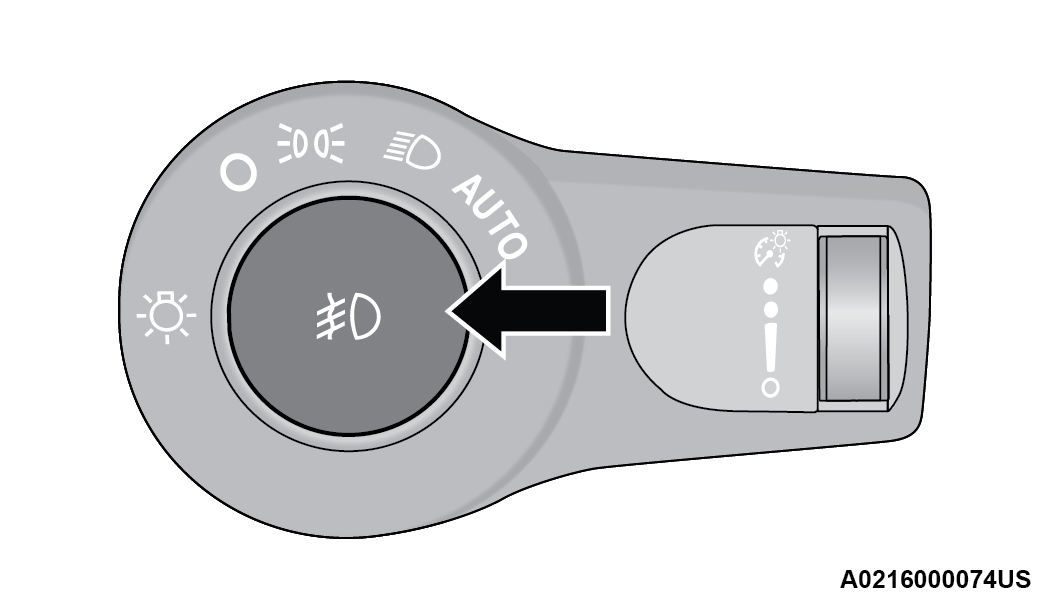
Fog Light Operation
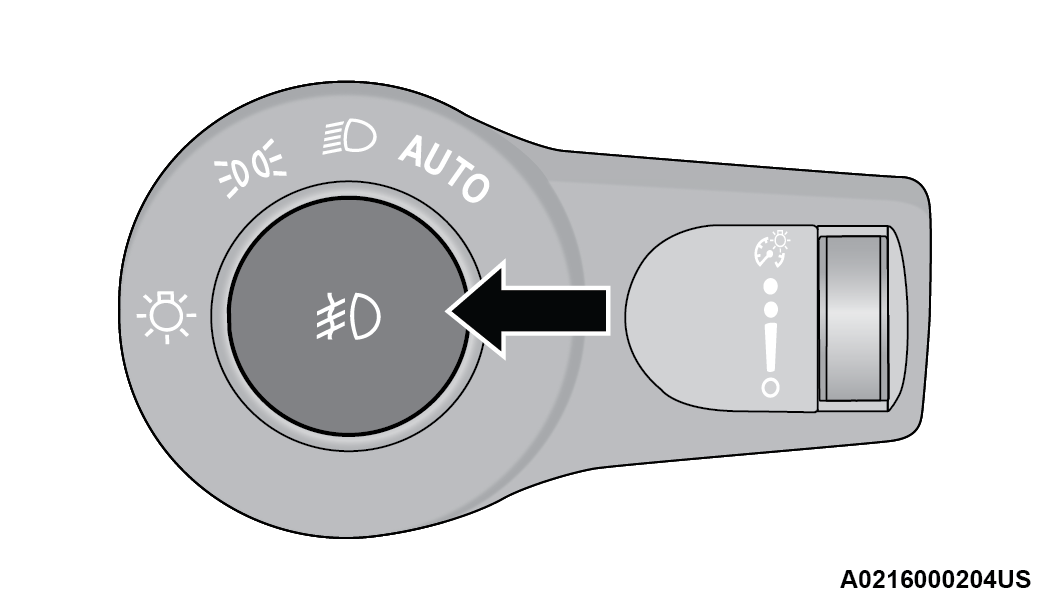
Fog Light Operation (Vehicles Sold In Canada)
The fog lights will operate only when the parking lights are on or when the vehicle headlights are on low beam. An indicator light located in the instrument cluster display will illuminate when the fog lights are on. The fog lights will turn off when the switch is pushed a second time, when the headlight switch is rotated to the off position, or the high beam is selected.
TURN SIGNALS
Move the multifunction lever up or down to activate the turn signals. The arrows on each side of the instrument cluster flash to show proper operation.
Note:
If either light remains on and does not flash, or there is a very fast flash rate, check for a defective outside light bulb.
LANE CHANGE ASSIST — IF EQUIPPED
Lightly push the multifunction lever up or down, without moving beyond the detent, and the turn signal will flash three times then automatically turn off.
AUTOMATIC HEADLIGHT LEVELING — IF EQUIPPED
This feature prevents the headlights from interfering with the vision of oncoming drivers. Headlight leveling automatically adjusts the height of the headlight beam in reaction to changes in vehicle pitch.
BATTERY SAVER
Timers are set to both the interior and exterior lights to protect the life of your vehicle’s battery.
After 10 minutes, if the ignition is OFF and any door is left open or the dimmer control is rotated all the way up to the dome light on position, the interior lights will automatically turn off.
Note:
Battery saver mode is canceled if the ignition is ON.
If the headlights remain on while the ignition is placed in the OFF position, the exterior lights will automatically turn off after eight minutes. If the headlights are turned on and left on for eight minutes while the ignition is OFF, the exterior lights will automatically turn off.
Download Manual