Disclaimer: Not affiliated with or endorsed by GMC Motor Company. For informational purposes only. Full Disclaimer
GMC Infotainment Screen Blank
Updated:
The comfort and technology offered by their vehicles are appreciated by those who own a GMC Acadia , along with many other vehicle enthusiasts.
However, issues with a blank screen on the infotainment system are not uncommon. The issue of missing infotainment screens is a concern for the GMC Acadia , as well as the different vehicle types made by General Motors.
We will take a closer look at the reasons for the GMC infotainment screen not working, explore possible options, and give insight as to when it should be repaired or replaced straight away.
Why does the GMC infotainment screen go blank?

Well, it is obvious that no one loves the idea of visiting a car repair shop, waiting in long lines for a couple of hours, and paying hundreds of dollars for repairs.
That's why when faced with a blank infotainment screen, it is critical to explore some do-it-yourself troubleshooting before heading to the shop. In this way, we are going to see some of the typical scenarios and solutions.
Screen brightness issue
Sometimes, because the screen is too dim, it appears to be blank. So, it can cause your instrument panel and infotainment screen to be dim while you are parked in a darkened area when the headlights automatically turn on during engine start. In that case, a false impression would be created of the infotainment screen being completely disabled.
The first quick fix is to reset the dash light brightness controller to its maximum setting. You may feel a sigh of relief if this action enhances the display and increases its visibility so that your screen is actually working just fine. You can save yourself a trip to the repair shop by making this minor adjustment.
A completely dead radio and display

There may be a more serious issue with the entire system if both the display and radio are totally out of service. There may have been an overheated fuse or a software malfunction in the system.
The reset of the radio disconnection and reintroduction of the car's battery has proven successful for a number of GMC owners. You may want to explore some of these reconfiguring options if you like automotive DIY.
However, it is important to consult professionals if you have no idea of the technical details, so as not to create unintended complications.
Shop From Amazon


Audio and radio controls versus display screen
The root cause of the problem is likely to be within the display screen itself when your infotainment system is not operational but other functions, such as audio and radio controls, are still functioning.
This problem is caused by a combination of the following: A loose wire harness that plugs into the back of the display, and the performance of the screen is affected by extreme heat.
Check the wire harness for any signs of looseness to solve this problem. If it's not loose, make sure the connection is correct and secure. However, it may be necessary to carry out additional investigations if the problem persists.
Radio acting strangely
Apart from that, specific problems with the radio display have been reported by owners of GM vehicles from 2006 to 2009. The following are some of the problems: The display going blank or shutting off intermittently when the driver shifts gears or switches video sources.
The display freezing or displaying "MAP DVD Read Error" messages intermittently. The display rendering some features inaccessible when the vehicle is in motion, such as navigation entries or scrolling lists.
The display, even after a driver has started the car, continues to show the vehicle's logo. As a result, these problems were so widespread that in 2008, General Motors produced an information bulletin on technical service issues, blaming software anomalies for them.
If you think these software issues are causing problems with your navigation system, contact the GM Dealership at your location for instructions on updating navigation system software.GMC infotainment screen
Options for handling a blank

Besides, if it has been established that the problem with your infotainment device is actually there, you will have two primary options.
Replace the display screen of your radio. It may be best to replace the display screen if it is no longer able to be repaired due to physical damage or internal malfunction.
Replacement screens can be obtained from authorized dealers or third-party providers, depending on your vehicle's make and model. In order to guarantee compatibility and correct installation, it is vital to consult with experts.
Shop From Amazon


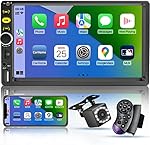
Have your radio display screen repaired. You may choose to have the problem corrected instead of a complete replacement if it is caused by small faults or connectivity issues.
There are a lot of electronics repair shops that specialize in fixing infotainment screens. If you choose this option, as opposed to purchasing a brand-new screen, it can be more cost-effective, but the choice of a reliable and experienced repair service is important. So, we guess that now is an appropriate time to make some conclusions.
Final thoughts

Of course, it is sometimes difficult to deal with a blank screen in the GMC Acadia infotainment system, but it isn't insurmountable. You can often solve this problem without a costly trip to the repair shop by understanding its possible causes and exploring some troubleshooting steps we've discussed.
There are different ways to restore functionality to your infotainment system, whether it is adjusting the brightness of the screen, checking the connection of the wire harness, or looking for a software update.
Shop From Amazon


However, in case your screen is damaged beyond repair, you may best restore the complete functionality of your GMC infotainment system by searching for a replacement option or consulting with an expert technician.
In particular, take note that the nature and extent of the problem determines whether to replace it or repair it. In any case, fixing this problem without delay will make it possible for you to continue enjoying the modern conveniences of your GMC.

Nick Marchenko, PhD
Industrial Engineer & Automotive Content Specialist
Nick writes in-depth guides on car clubs, engine specs, vehicle ownership, and modifications, combining engineering knowledge with automotive passion.
Full profile → LinkedIn →You May Also Like
What Size Camper Can a GMC Acadia Pull
2 years agoThe GMC Acadia is a midsize SUV geared towards enhancing the leisure pursuits of Columbus, Grove City, and Dublin OH drivers. Thanks to its impressive towing capacity, with the appropriate equipmen...
What Does P0161 GMC Acadia Mean
2 years agoAh, the challenges of vehicle maintenance! For those adventuring with the GMC Acadia, encountering the p0161 code may pose a bewildering scenario. But worry not, gearheads! Together, let’s navig...
Here Are The 5 GMC Acadia Years to Avoid
3 years agoAre you in the market for a GMC Acadia? Before you make a purchase, it's important to know about the years to avoid. The Acadia has been plagued with a range of problems, from issues with the powe...
How to keep your GMC Acadia in a good condition?
2 years agoMaintaining the health and longevity of your GMC Acadia is not only a matter of pride but also a smart investment in your vehicle's performance and resale value. Adopting a holistic approach to...
What to do When Your GMC Acadia Won't Start But Just Turns Over
2 years agoIf you find yourself in a situation where your GMC Acadia won't start but just turns over, it can lead to some problems with your car. Fortunately, there are several potential reasons for this...
GMC Arcadia Brake Lights Fail - Causes And DIY Solutions
2 years agoFixing a GMC Acadia's brake light failure can be a straightforward task if approached methodically. Whether you're facing issues with the brake lights, turn signals, or hazard lights, the...