Disclaimer: Not affiliated with or endorsed by Chevrolet Motor Company. For informational purposes only. Full Disclaimer
How to Charge a Chevy Silverado 1500 Dead Battery?
Updated:
It might be quite annoying to deal with a dead battery in your Chevy Silverado 1500, but don't worry—jump-starting your car is a simple procedure.
Charging it correctly might save you time and money, whether you left your lights on overnight or the battery has just run out of life.
Preparing for Jump-Starting

First, assemble the required tools and supplies. A functioning car with a fully charged battery is necessary, as well as a set of jumper cables. Make sure the two cars are parked close together so there won't be any tension on the jumper cables.
Examine the positive (+) and negative (-) connections on each battery by popping the hoods of both cars. To prevent any problems, the jumper cables must be connected appropriately.
Step-by-Step Jump-Starting Process
After completing the required setup, connect the positive terminal of the dead battery to one end of the red jumper cable. Next, attach the red cable's opposite end to the charged battery's positive terminal.
Attach one end of the black jumper cable to the charged battery's negative terminal and the other end to an exposed metal surface on the car that has the dead battery. By providing a grounding point, sparks near the battery can be avoided.
Shop From Amazon


The time has finally arrived to start the car's engine using the fully charged battery and let it run for a few minutes. This mechanism allows the dead battery to absorb some charge.
Try starting your Chevy Silverado after a little wait. If it starts and runs well, give it some time so the alternator can fully charge the battery. Wait a few more minutes and try again if it doesn't start the first time.
Using a Portable Jump Starter

Let's say you are in a position where you do not have access to a second vehicle with a charged battery. Then, having a portable jump starter can be a useful tool.
Shop From Amazon


These small devices, which often include built-in batteries, can supply the energy required to jump-start your Silverado. Make sure the portable jump starter is completely charged before attempting to jump-start your car by following the manufacturer's recommendations.
Post-Jump-Starting Battery Assessment

Once your Chevy Silverado 1500 has been properly jump-started, you should examine the battery more closely. It might be time for a replacement battery if it is fairly old.
Shop From Amazon


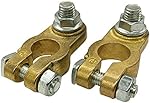
Examine the area surrounding the battery terminals for leaks, corrosion, or obvious damage. It's best to speak with an expert if you see any problems to determine if a new battery is necessary.
Conclusion and Battery Maintenance Tips

In conclusion, every driver should be able to jump-start a dead battery in a Chevy Silverado 1500. When you take the proper approach, it's a quick and easy process that will have you back on the road in no time.
Always remember to put safety first by taking the right steps and being mindful of the jumper cables' polarity. Furthermore, monitor the general condition of your battery; a dead battery can indicate that it's time for a replacement.
To ensure the reliability of your Chevy Silverado, it's wise to seek professional assistance if you experience recurring problems or are uncertain about the state of your battery.

Nick Marchenko, PhD
Industrial Engineer & Automotive Content Specialist
Nick writes in-depth guides on car clubs, engine specs, vehicle ownership, and modifications, combining engineering knowledge with automotive passion.
Full profile → LinkedIn →You May Also Like
How To Tint Windows of the Chevrolet Silverado 1500?
2 years agoWindow tinting for the Chevy Silverado 1500 is more than just a style statement; it's a smart choice with many benefits. Firstly, it helps keep your Silverado 1500 cooler on hot days by reducing t...
How To Prepare Chevrolet Silverado 1500 For Towing
2 years agoYour Chevy Silverado 1500 is designed for versatility and strength. It’s not just a mode of transportation or a means to get groceries home. Your Silverado can handle significant loads, ready to...
How To Choose the Best Light Bulbs For Chevrolet Silverado 1500? Complete Guide
2 years agoAutomotive light bulbs inside the Chevy Silverado 1500’s headlights are crucial for visibility during all driving conditions, ensuring safety on the road. But as we know, nothing lasts foreve...
Tire Pressure Sensor Fault Chevy Silverado
2 years agoThe tire pressure sensor plays a crucial role in ensuring the smooth and safe operation of today's vehicles through their complex landscape. However, these sensors are no more impervious to mal...
2003 Chevy Silverado Right Front Solenoid Circuit Fault Code C0580
2 years agoWelcome, fellow Chevy Silverado owners! We'll be diving into the subterranean world of circuits and fault codes today. In particular, let's talk about the dreaded C0580 fault code concerning t...
Chevrolet Silverado 1500 Brake Light Bulb Fault: How To Diagnose And Fix
2 years agoHey Chevrolet Silverado 1500 enthusiasts! Ever found yourself in a pickle with brake lights that just won't cooperate? Well, buckle up, because I'm about to guide you through a DIY fix that co...