Exterior Lights
The headlight switch is located on the left side of the instrument panel. This switch controls the operation of the headlights, parking lights, automatic headlights (if equipped), instrument panel lights, instrument panel light dimming, interior lights, and fog lights (if equipped).
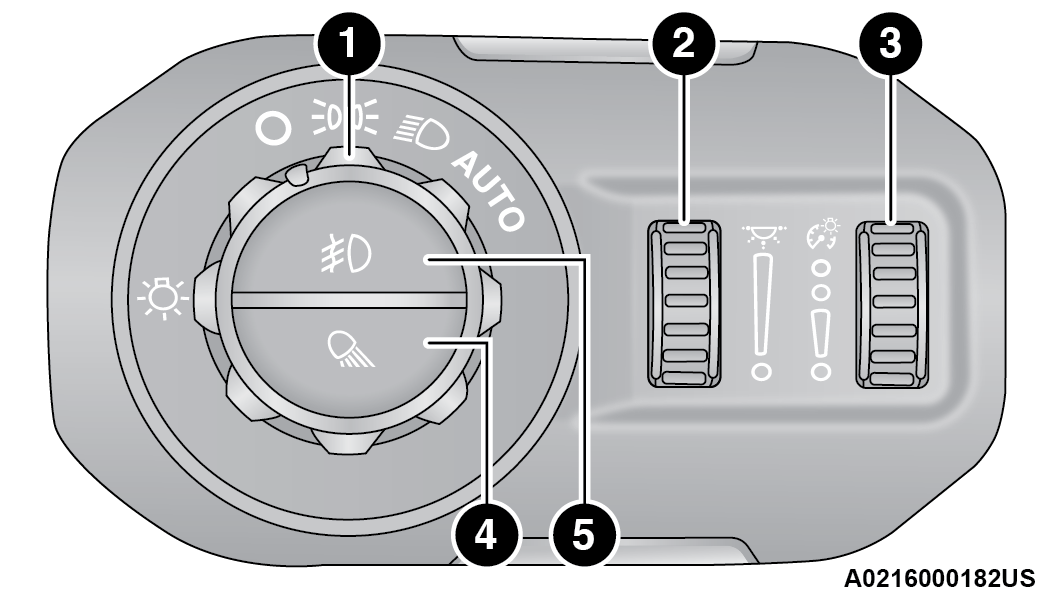
Headlight Switch
|
1 — Rotate Headlight Switch |
|
2 — Ambient Light Dimmer Control |
|
3 — Instrument Panel Dimmer Control |
|
4 — Push Cargo Light |
|
5 — Push Front Fog Light |
Rotate the headlight switch clockwise to the first detent for parking light and instrument panel light operation. Rotate the headlight switch to the second detent for headlight, parking light, and instrument panel light operation.
DAYTIME RUNNING LIGHTS (DRLS) — IF EQUIPPED
The Daytime Running Lights (DRLs) are in a dedicated position below the headlight assembly. DRLs are active when the low beams are not on while the vehicle’s transmission is in any position (Automatic Transmission), or when the vehicle begins to move (Manual Transmission).
Note:
On some vehicles, the Daytime Running Lights may deactivate, or reduce intensity, on one side of the vehicle (when a turn signal is activated on that side), or on both sides of the vehicle (when the hazard warning lights are activated).
HIGH/LOW BEAM SWITCH
The High/Low Beam Switch is located within the Multifunction Lever on the left side of the steering wheel. High beam headlights can be used for improved visibility in low lit areas when there is no oncoming traffic. Otherwise, it is recommended to use the low beam headlights to reduce glare to other vehicles.
With the headlight switch activated, push the Multifunction Lever toward the instrument panel to switch the headlights to high beams. The lever will return to the centered position. To return the headlights to low beam, pull the lever toward the steering wheel, or push the lever toward the instrument panel.
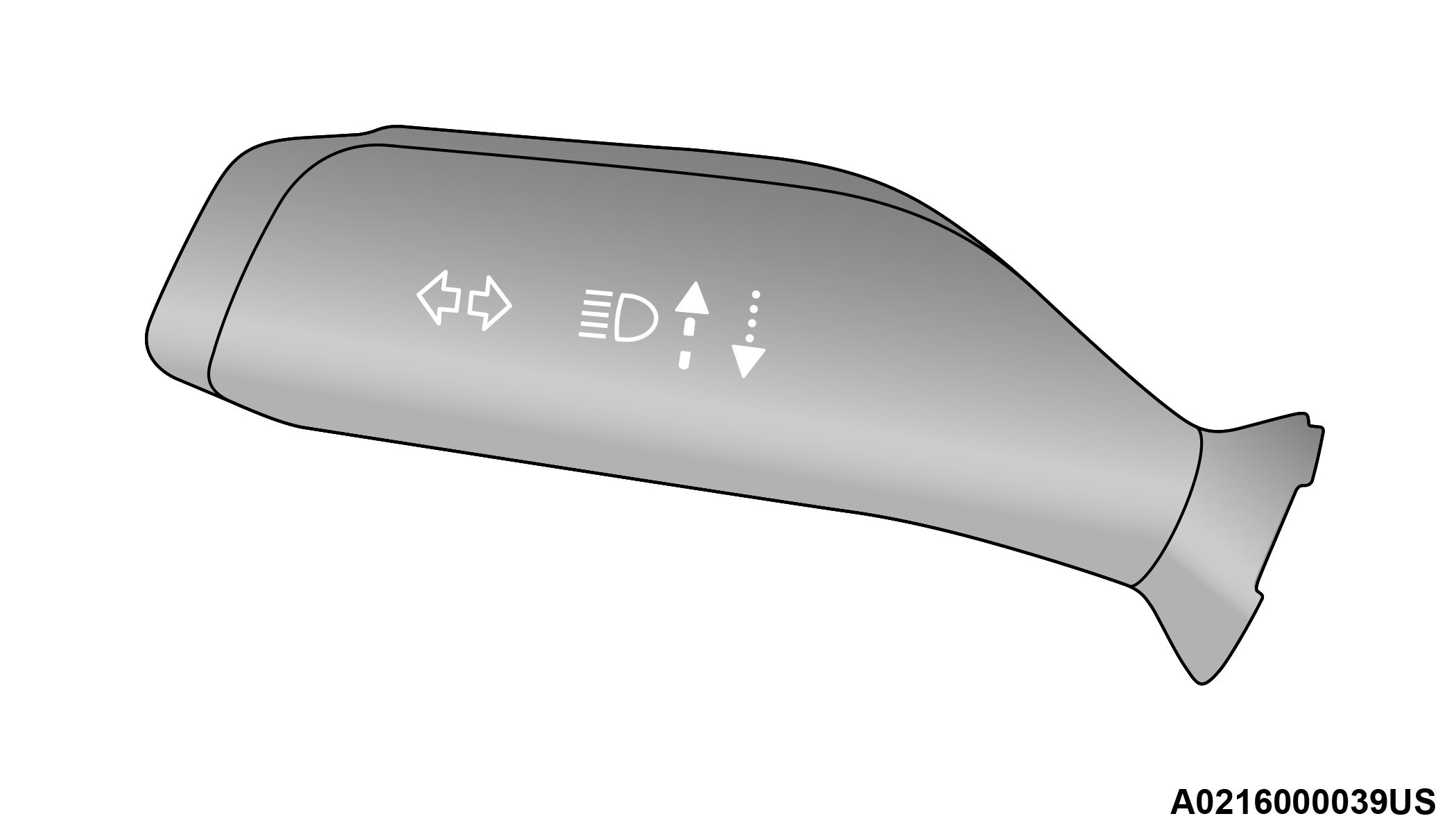
Multifunction Lever
FLASH-TO-PASS
The Flash-To-Pass feature will illuminate the high beam headlights temporarily to signal another vehicle of a passing occurrence. Pull and hold the Multifunction Lever to activate the Flash-To-Pass feature. When the lever is released, the Flash-To-Pass feature will deactivate.
AUTOMATIC HEADLIGHTS — IF EQUIPPED
The Automatic Headlight System will turn the headlights on or off according to ambient light levels. To turn the system on, rotate the headlight switch clockwise to the last detent for automatic headlight operation. When the system is on, the headlight time delay feature is also on. This means the headlights will stay on for up to 90 seconds (programmable through the Uconnect settings) after you place the ignition into the OFF position. To turn the automatic system off, move the headlight switch out of the AUTO position.
Refer to “Uconnect Settings” in “Multimedia” for further information on the headlight delay timing.
Note:
The engine must be running before the headlights will come on in the automatic mode.
FRONT FOG LIGHTS — IF EQUIPPED
The Front Fog Lights are located on the front of the vehicle below the headlights. When activated, these lights add illumination directed at the driving surface to aid in poor visibility conditions.
To activate the Front Fog Lights, turn on the parking lights or low beam headlights and push the fog light switch. Pushing the fog light switch a second time will turn the front fog lights off.
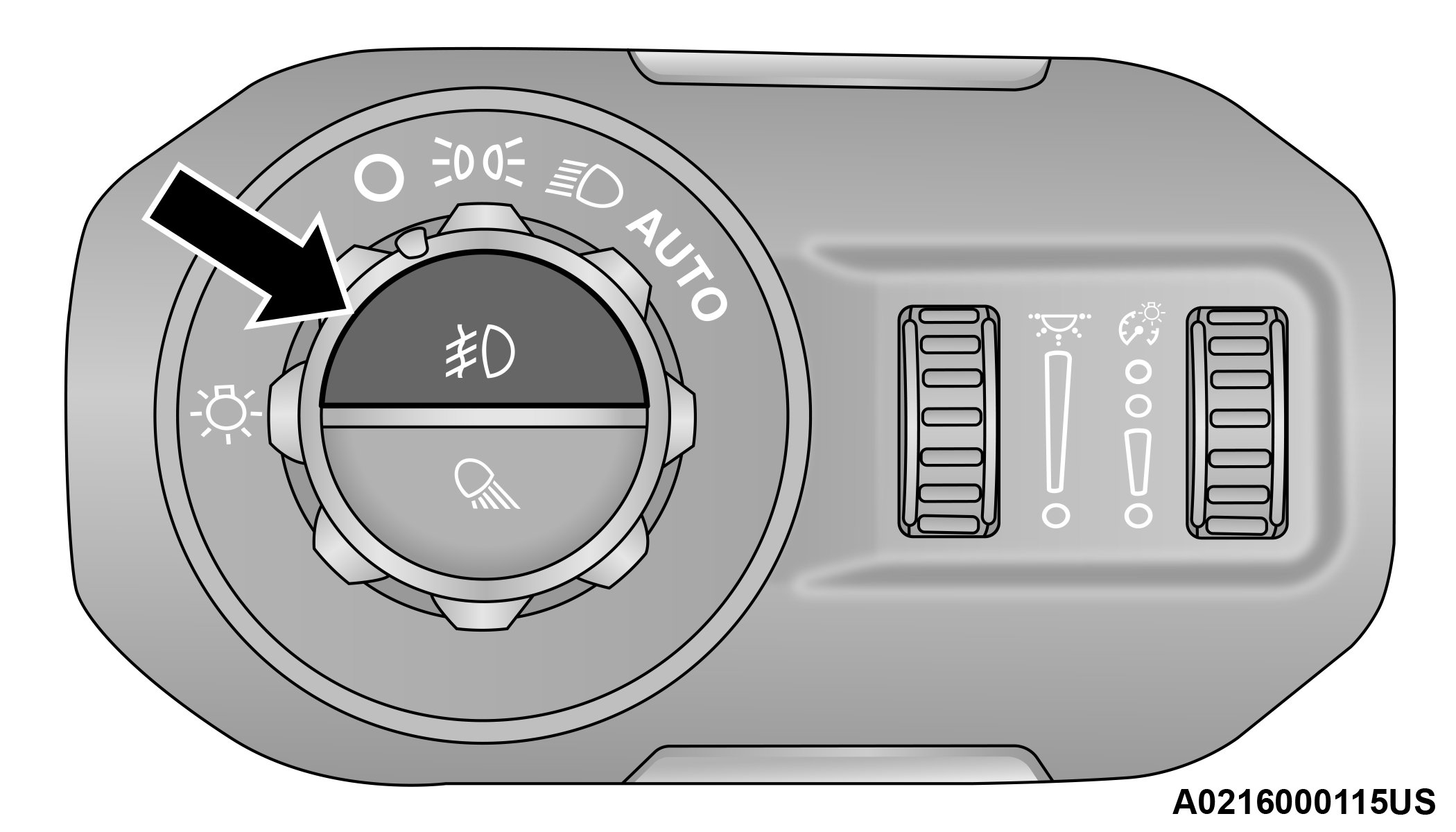
Front Fog Light Switch
TURN SIGNALS
Move the multifunction lever up or down and the arrows on each side of the instrument cluster flash to show proper operation of the front and rear turn signal lights.
Note:
If either light remains on and does not flash, or there is a very fast flash rate, check for a defective outside light bulb. If an indicator fails to light when the lever is moved, it would suggest that the indicator bulb is defective.
LANE CHANGE ASSIST — IF EQUIPPED
The Lane Change Assist feature will flash the turn signal (left or right) three times to indicate to other drivers that you are changing lanes. Tap the multifunction lever up or down once, without moving beyond the detent, and the turn signal (right or left) will flash three times then automatically turn off.
LIGHTS-ON REMINDER
The Lights-On Reminder feature will identify if the headlights or parking lights are left on after the ignition is placed in the OFF position. A chime will sound when the driver’s door is opened reminding the operator to turn the headlight switch off.
BED LIGHTS — IF EQUIPPED
The bed lights will illuminate the bed and cargo area. Bed lights are turned on by pushing the bed light switch located on the lower half of the headlight switch.
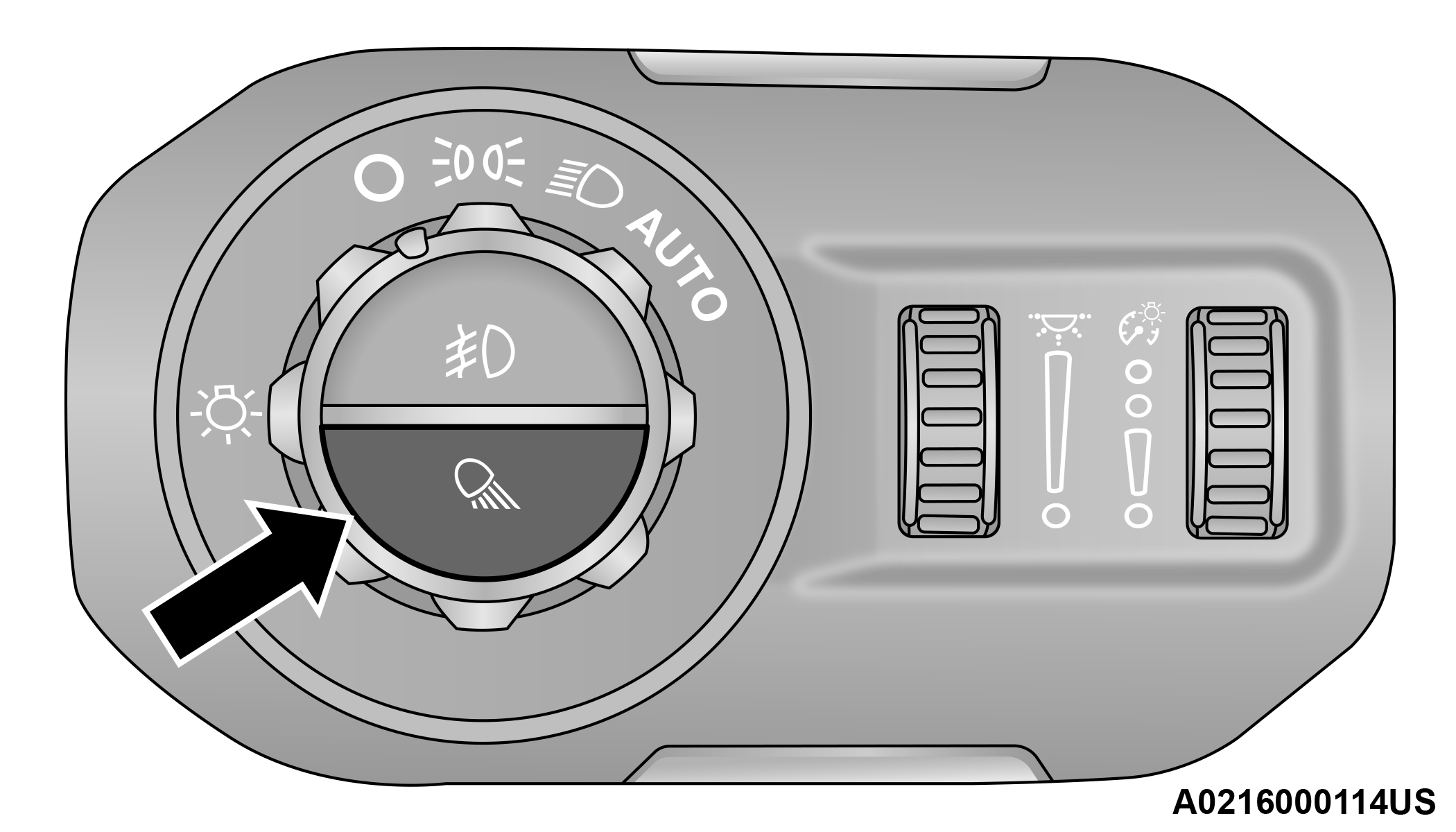
Bed Light Switch
A telltale will illuminate in the instrument cluster display when these lights are on. Pushing the switch a second time will turn the lights off.
The bed lights will turn on for approximately 60 seconds when a key fob unlock button is pushed, as part of the Illuminated Entry feature.
Download Manual