Automatic High Beam Control (If Equipped)
HOW DOES AUTOMATIC HIGH BEAM CONTROL WORK
Auto High Beams
Automatic high beam control turns the high beams on if it is dark enough and no other traffic is present. If it detects an approaching vehicle’s headlamps or tail lamps, or street lighting ahead, the system turns the high beams off.
A camera sensor, centrally mounted behind the windshield of your vehicle, continuously monitors conditions to turn the high beams on and off.
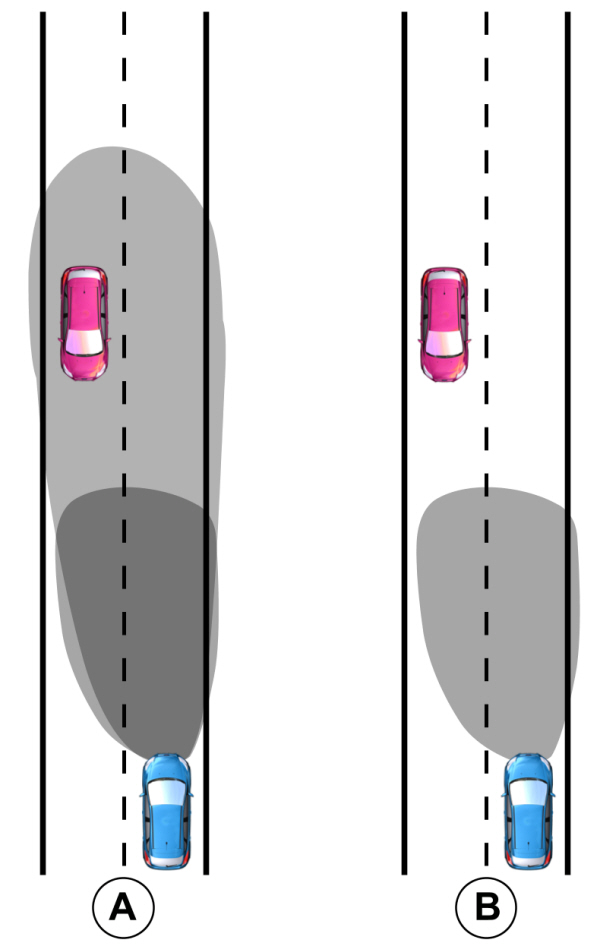
A Without automatic high beam control. Without automatic high beam control.B With automatic high beam control. |
AUTOMATIC HIGH BEAM CONTROL PRECAUTIONS
 WARNING: The system does not relieve you of your responsibility to drive with due care and attention. You may need to override the system if it does not turn the high beams on or off. WARNING: The system may not switch the high beams off if the lights of oncoming vehicles are hidden by obstacles, for example guard rails. WARNING: Do not use the system in poor visibility, for example fog, heavy rain, spray or snow. WARNING: You may need to override the system when approaching other road users. WARNING: You may need to override the system during inclement weather. WARNING: The system does not relieve you of your responsibility to drive with due care and attention. You may need to override the system if it does not turn the high beams on or off. WARNING: The system may not switch the high beams off if the lights of oncoming vehicles are hidden by obstacles, for example guard rails. WARNING: Do not use the system in poor visibility, for example fog, heavy rain, spray or snow. WARNING: You may need to override the system when approaching other road users. WARNING: You may need to override the system during inclement weather. |
AUTOMATIC HIGH BEAM CONTROL REQUIREMENTS
The system turns the high beams on if all of the following occur:
- You switch the system on.
- You set the lighting control to the autolamps position.
- The ambient light level is low enough that you require high beams.
- There is no traffic in front of your vehicle.
- The vehicle speed is greater than approximately 32 mph (52 km/h).
SWITCHING AUTOMATIC HIGH BEAM CONTROL ON AND OFF
- Using the instrument cluster controls on the steering wheel, select Settings.
- Select Vehicle.
- Select Lighting.
- Switch Auto High Beam on or off.
AUTOMATIC HIGH BEAM CONTROL INDICATORS
 Illuminates to confirm when the system is ready to assist. Illuminates to confirm when the system is ready to assist. |
OVERRIDING AUTOMATIC HIGH BEAM CONTROL
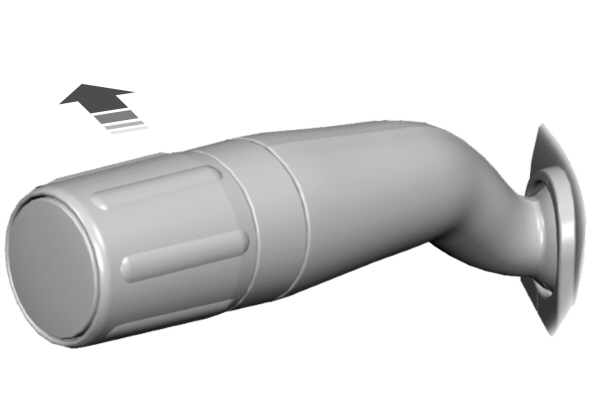
Push the lever away from you to switch the high beams on.
Push the lever away from you again to switch the high beams off.
Push the lever away from you for a third time to switch automatic high beam control back on.
AUTOMATIC HIGH BEAM CONTROL – INFORMATION MESSAGES
| Message | Description |
|---|---|
|
Front Camera Low Visibility Clean Screen |
The camera has reduced visibility.Clean the windshield.If the message continues to appear, have your vehicle checked as soon as possible. |
|
Front Camera Temporarily Not Available |
The camera has malfunctioned.Wait a short period of time for the camera to cool down.If the message continues to appear, have your vehicle checked as soon as possible. |
|
Front Camera Malfunction Service Required |
The camera has malfunctioned.Have your vehicle checked as soon as possible. |
Download Manual