Appendices
Do not place objects or mount equipment on or near the airbag cover, on the side of the seatbacks
(of the front seats), or in front seat areas that may come into contact with a deploying airbag. Failure to follow these instructions may increase the risk of personal injury in the event of a crash.
 Do not fasten antenna cables to original vehicle wiring, fuel pipes and brake pipes.
 Keep antenna and power cables at least 4 in (10 cm) from any electronic modules and airbags.
Note: We test and certify your vehicle to meet electromagnetic compatibility legislation (UNECE Regulation 10 or other applicable local requirements). It is your responsibility to make sure that any equipment an authorized dealer installs on your vehicle complies with applicable local legislation and other requirements.
Note: Any radio frequency transmitter equipment in your vehicle (such as cellular telephones and amateur radio transmitters) must keep to the parameters in the following table. We do not provide special provisions or conditions for installations or use.
E239120
609
E239122
E239121
610
|
Frequency Band MHz |
Maximum output power Watt (Peak RMS) |
Antenna Positions |
|
1-30 |
50 |
1 |
|
50-54 |
50 |
2, 3 |
|
68-88 |
50 |
2, 3 |
|
142-176 |
50 |
2, 3 |
|
380-512 |
50 |
2, 3 |
|
806-870 |
10 |
2, 3 |
Note: After the installation of radio frequency transmitters, check for disturbances from and to all electrical equipment in your vehicle, both in the standby and transmit modes.
Check all electrical equipment:
Check that electromagnetic fields generated inside your vehicle cabin by the transmitter installed do not exceed applicable human exposure requirements.
611
GRANT OF SOFTWARE LICENSE: This
EULA grants you the following license:
COMPANY nor its suppliers shall be liable for any damages arising out of errors in the speech recognition process. It is your responsibility to monitor any speech recognition functions included in the system.
612
Internet-based services. You acknowledge and agree that FORD MOTOR COMPANY, third party software and service suppliers, its affiliates and/or its designated agent may automatically check the version of the SOFTWARE and/or its components that you are utilizing and may provide upgrades or supplements to the SOFTWARE that may be automatically downloaded to your DEVICES.
charges from your wireless service provider. If FORD MOTOR COMPANY or third party software and services suppliers provide or make available to you Supplemental Components and no other EULA terms are provided along with the Supplemental Components, then the terms of this EULA shall apply. FORD MOTOR COMPANY, its affiliates and/or its designated agent reserve the right to discontinue without liability any Internet-based services provided to you or made available to you through the use of the SOFTWARE.
613
If the SOFTWARE is provided by FORD MOTOR COMPANY separate from the DEVICES on media such as a ROM chip, CD ROM disk(s) or via web download or other means, and is labeled "For Upgrade Purposes Only" or "For Recovery Purposes Only" you may install one (1) copy of such SOFTWARE onto the DEVICES as a replacement copy for the existing SOFTWARE, and use it in accordance with this EULA, including any additional EULA terms accompanying the upgrade SOFTWARE.
All title and intellectual property rights in and to the SOFTWARE (including but not limited to any images, photographs, animations, video, audio, music, text and "applets" incorporated into the SOFTWARE), the accompanying printed materials, and any copies of the SOFTWARE, are owned by FORD MOTOR COMPANY, or its affiliates or suppliers. The SOFTWARE is licensed, not sold. You may not copy the printed materials accompanying the SOFTWARE. All title and intellectual property rights in and to the content which may be accessed through use of the SOFTWARE is the property of the respective content owner and may be protected by applicable copyright or other intellectual property laws and treaties. This EULA grants you no rights to use such content outside its intended use. All rights not specifically granted under this EULA are reserved by FORD MOTOR COMPANY, its affiliates, and third party software and service providers and suppliers. Use of any on-line services which may be accessed through the SOFTWARE may be governed by the respective terms of use relating to such services. If this SOFTWARE contains documentation that is provided only in electronic form, you may print one copy of such electronic documentation.
acknowledge that the SOFTWARE is subject to U.S. and European Union export jurisdiction. You agree to comply with all applicable international and national laws that apply to the SOFTWARE, including the U.S. Export Administration Regulations, as well as end-user, end-use and destination restrictions issued by U.S. and other governments.
TRADEMARKS: This EULA does not grant you any rights in connection with any trademarks or service marks of FORD MOTOR COMPANY, its affiliates, and third party software and service providers.
PRODUCT SUPPORT: Please refer to FORD MOTOR COMPANY instructions provided in the documentation for the DEVICES product support, such as the vehicle owner guide.
Should you have any questions concerning this EULA, or if you desire to contact FORD MOTOR COMPANY for any other reason, please refer to the address provided in the documentation for the DEVICES.
No Liability for Certain Damages: EXCEPT AS PROHIBITED BY LAW, FORD MOTOR COMPANY, ANY THIRD PARTY SOFTWARE OR SERVICES SUPPLIERS, AND THEIR AFFILIATES SHALL HAVE NO LIABILITY FOR ANY INDIRECT, SPECIAL, CONSEQUENTIAL OR INCIDENTAL DAMAGES ARISING FROM OR IN CONNECTION WITH THE USE OR PERFORMANCE OF THE SOFTWARE. THIS LIMITATION SHALL APPLY EVEN IF ANY REMEDY FAILS OF ITS ESSENTIAL PURPOSE. THERE ARE NO WARRANTIES OTHER THAN THOSE THAT MAY BE EXPRESSLY PROVIDED FOR YOUR NEW VEHICLE.
614
General Operation
(non-verbal) setup. Attempting to perform such set-up or insert data while driving can distract your attention and could cause an accident or other serious injury. Stop the vehicle in a safe and legal manner before attempting these operations.
615
Your Responsibilities and Assumptions of Risk
(v) may contain inaccurate, false or
misleading traffic, weather, financial or safety information or other content; and (e) Use of the SOFTWARE may cause you to incur additional charges from your wireless service provider (WSP) and any data or minute calculators that may be included in the software program are for reference only, are not warranted in any way and should not be relied upon in anyway.
YOU EXPRESSLY ACKNOWLEDGE AND AGREE THAT USE OF THE DEVICES AND SOFTWARE IS AT YOUR SOLE RISK AND THAT THE ENTIRE RISK AS TO SATISFACTORY QUALITY, PERFORMANCE, COMPATIBILITY, ACCURACY AND EFFORT IS WITH YOU. TO THE MAXIMUM EXTENT PERMITTED BY APPLICABLE LAW, THE SOFTWARE AND ANY THIRD PARTY SOFTWARE OR THIRD-PARTY SERVICES ARE PROVIDED "AS IS" AND“AS AVAILABLE”, WITH ALL FAULTS AND WITHOUT WARRANTY OF ANY KIND, AND FORD MOTOR COMPANY HEREBY DISCLAIMS ALL WARRANTIES AND CONDITIONS WITH RESPECT TO THE SOFTWARE, THIRD PARTY SOFTWARE, AND THIRD-PARTY SERVICES, EITHER EXPRESS, IMPLIED OR STATUTORY, INCLUDING, BUT NOT LIMITED TO, THE IMPLIED WARRANTIES AND/OR CONDITIONS OF MERCHANTABILITY, OF SATISFACTORY QUALITY, OF FITNESS FOR AN ARTICULAR PURPOSE, OF ACCURACY, OF QUIET ENJOYMENT, AND
NON-INFRINGEMENT OF THIRD-PARTY
RIGHTS. FORD MOTOR COMPANY DOES NOT WARRANT (a) AGAINST INTERFERENCE WITH YOUR ENJOYMENT OF THE SOFTWARE, THIRD PARTY SOFTWARE, OR THIRD-PARTY SERVICES,
THIRD-PARTY SERVICES WILL BE CORRECTED. NO ORAL OR WRITTEN INFORMATION OR ADVICE GIVEN BY FORD MOTOR COMPANY OR ITS AUTHORIZED REPRESENTATIVE SHALL
616
CREATE A WARRANTY. SHOULD THE SOFTWARE, THIRD PARTY SOFTWARE, OR THIRD-PARTY SERVICES PROVE DEFECTIVE, YOU ASSUME THE ENTIRE COST OF ALL NECESSARY SERVICING, REPAIR OR CORRECTION. SOME JURISDICTIONS DO NOT ALLOW THE DISCLAIMER OF IMPLIED WARRANTIES OR LIMITATIONS ON APPLICABLE STATUTORY RIGHTS OF A CONSUMER, SO THE ABOVE DISCLAIMER MAY NOT FULLY APPLY TO YOU. THE SOLE WARRANTY PROVIDED BY FORD MOTOR COMPANY SHALL BE FOUND IN THE WARRANTY INFORMATION INCLUDING WITH YOUR OWNER GUIDE. TO THE EXTENT THAT THERE IS ANY CONFLICT BETWEEN THE TERMS OF THIS SECTION AND THE WARRANTY BOOKLET, THE WARRANTY BOOKLET SHALL CONTROL.
617
the right to litigate (or participate in as a party or class member) all disputes in court before a judge or jury. Instead, all disputes will be resolved before a neutral arbitrator, whose decision will be final except for a limited right of appeal under the Federal Arbitration Act. Any court with jurisdiction over the parties may enforce the arbitrator’s award.
Consumer-Related Disputes will also apply. To commence arbitration, submit a Commercial Arbitration Rules Demand for Arbitration form to the AAA. You may request a telephonic or in-person hearing by following the AAA rules. In a dispute involving $10,000 or less, any hearing will be telephonic unless the arbitrator finds good cause to hold an in-person hearing instead. For more information, see adr.org or call 1-800-778-7879. You agree to commence arbitration only in your county of residence or FORD MOTOR COMPANY’S principal place of business. The arbitrator
may award the same damages to You individually as a court could. The arbitrator may award declaratory or injunctive relief only to You individually, and only to the extent required to satisfy Your individual claim.
expert witness fees and costs) that your attorney reasonably accrues for investigating, preparing, and pursuing your claim in arbitration. The arbitrator will determine the amounts.
$75,000. The AAA rules will govern payment of filing fees and the AAA’s and arbitrator’s fees and expenses.
618
filing, AAA, and arbitrator’s fees and expenses. It will not seek its attorney’s fees or expenses from you in any arbitration. Fees and expenses are not counted in determining how much a dispute involves.
Please read these terms and conditions carefully before you use the TeleNav Software. Your use of the TeleNav Software indicates that you accept these terms and conditions. If you do not accept these terms and conditions, do not break the seal of the package, launch, or otherwise use the TeleNav Software.
TeleNav may revise this Agreement and the privacy policy at any time, with or without notice to you. You agree to visit http://www.telenav.com from time to time to review the then current version of this Agreement and of the privacy policy.
You acknowledge that devoting attention to the TeleNav Software may pose a risk of injury or death to you and others in situations that otherwise require your undivided attention, and you therefore agree to comply with the following when using the TeleNav Software:
You agree to indemnify and hold TeleNav harmless against all claims resulting from any dangerous or otherwise inappropriate use of the TeleNav Software in any moving vehicle, including as a result of your failure to comply with the directions above.
619
You agree: (a) when registering the TeleNav Software, to provide TeleNav with true, accurate, current, and complete information about yourself, and (b) to inform TeleNav promptly of any changes to such information, and to keep it true, accurate, current and complete.
non-exclusive, non-transferable license (except as expressly permitted below in connection with your permanent transfer of the TeleNav Software license), without the right to sublicense, to use the TeleNav Software (in object code form only) in order to access and use the TeleNav Software. This license shall terminate upon any termination or expiration of this Agreement. You agree that you will use the TeleNav Software only for your personal business or leisure purposes, and not to provide commercial navigation services to other parties.
(c) remove from the TeleNav Software, or alter, any of TeleNav's or its suppliers' trademarks, trade names, logos, patent or copyright notices, or other notices or markings; (d)
distribute, sublicense or otherwise transfer the TeleNav Software to others, except as part of your permanent transfer of the TeleNav Software; or (e) use the TeleNav Software in any manner that
I. infringes the intellectual property or proprietary rights, rights of publicity or privacy or other rights of any party,
well-being or survival of you or others
620
is dependent on the accuracy of navigation, as the maps or functionality of the TeleNav Software are not intended to support such high risk applications, especially in more remote geographical areas.
REASON WHATSOEVER (INCLUDING, WITHOUT LIMITATION, ALL DAMAGES REFERENCED HEREIN AND ALL DIRECT OR GENERAL DAMAGES IN CONTRACT, TORT (INCLUDING NEGLIGENCE) OR OTHERWISE), THE ENTIRE LIABILITY OF TELENAV AND OF ALL OF TELENAV'S SUPPLIERS SHALL BE LIMITED TO THE AMOUNT ACTUALLY PAID BY YOU FOR THE TELENAV SOFTWARE. SOME STATES AND/OR JURISDICTIONS DO NOT ALLOW THE EXCLUSION OR LIMITATION OF INCIDENTAL OR CONSEQUENTIAL DAMAGES, SO THE ABOVE LIMITATIONS OR EXCLUSIONS MAY NOT APPLY TO YOU.
621
to the exclusive jurisdiction of the courts of the County of Santa Clara, California. The United Nations Convention on Contracts for the International Sale of Goods shall not apply.
This Agreement constitutes the entire agreement between TeleNav and you with respect to the subject matter hereof.
Except for the limited licenses expressly granted in this Agreement, TeleNav retains all right, title and interest in and to the TeleNav Software, including without limitation all related intellectual property rights. No licenses or other rights which are not expressly granted in this Agreement are intended to, or shall be, granted or
conferred by implication, statute, inducement, estoppel or otherwise, and TeleNav and its suppliers and licensors hereby reserve all of their respective rights other than the licenses explicitly granted in this Agreement.
By using the TeleNav Software, you consent to receive from TeleNav all communications, including notices, agreements, legally required disclosures or other information in connection with the TeleNav Software (collectively, "Notices") electronically. TeleNav may provide such Notices by posting them on TeleNav's Website or by downloading such Notices to your wireless device. If you desire to withdraw your consent to receive Notices electronically, you must discontinue your use of the TeleNav Software.
TeleNav's or your failure to require performance of any provision shall not affect that party's right to require performance at any time thereafter, nor shall a waiver of any breach or default of this Agreement constitute a waiver of any subsequent breach or default or a waiver of the provision itself.
If any provision herein is held unenforceable, then such provision will be modified to reflect the intention of the parties, and the remaining provisions of this Agreement will remain in full force and effect.
622
The headings in this Agreement are for convenience of reference only, will not be deemed to be a part of this Agreement, and will not be referred to in connection with the construction or interpretation of this Agreement. As used in this Agreement, the words "include" and "including" and variations thereof, will not be deemed to be terms of limitation, but rather will be deemed to be followed by the words "without limitation".
The data (“Data”) is provided for your personal, internal use only and not for resale. It is protected by copyright, and is subject to the following terms and conditions which are agreed to by you, on the one hand, and Telenav (“Telenav”) and its licensors (including their licensors and suppliers) on the other hand.
© 2013 HERE. All rights reserved.
The Data for areas of Canada includes information taken with permission from Canadian authorities, including: © Her Majesty the Queen in Right of Canada, © Queen's Printer for Ontario, © Canada Post Corporation, GeoBase®, © Department of Natural Resources Canada.
HERE holds a non-exclusive license from the United States Postal Service® to publish and sell ZIP+4® information.
©United States Postal Service® 2014. Prices are not established, controlled or approved by the United States Postal Service®. The following trademarks and registrations are owned by the USPS: United States Postal Service, USPS, and ZIP+4
The Data for Mexico includes certain data from Instituto Nacional de Estadística y Geografía.
The data (“Data”) is provided for your personal, internal use only and not for resale. It is protected by copyright, and is subject to the following terms and conditions which are agreed to by you, on the one hand, and NAV2 (Shanghai) Co., Ltd (“NAV2”) and its licensors (including their licensors and suppliers) on the other hand. 20xx. All rights reserved
Permitted Use. You agree to use this Data together with the Telenav Software solely for the internal business and personal purposes for which you were licensed, and not for service bureau, time-sharing or other similar purposes. Accordingly, but subject to the restrictions set forth in the following paragraphs, you agree not to otherwise reproduce, copy, modify, decompile, disassemble, create any derivative works of, or reverse engineer any portion of this Data, and may not transfer or distribute it in any form, for any purpose, except to the extent permitted by mandatory laws.
623
Restrictions. Except where you have been specifically licensed to do so by Telenav, and without limiting the preceding paragraph, you may not use this Data (a) with any products, systems, or applications installed or otherwise connected to or in communication with vehicles, capable of vehicle navigation, positioning, dispatch, real time route guidance, fleet management or similar applications; or (b) with or in communication with any positioning devices or any mobile or wireless-connected electronic or computer devices, including without limitation cellular phones, palmtop and handheld computers, pagers, and personal digital assistants or PDAs.
Warning. The Data may contain inaccurate or incomplete information due to the passage of time, changing circumstances, sources used and the nature of collecting comprehensive geographic data, any of which may lead to incorrect results.
No Warranty. This Data is provided to you“as is,” and you agree to use it at your own risk. Telenav and its licensors (and their licensors and suppliers) make no guarantees, representations or warranties of any kind, express or implied, arising by law or otherwise, including but not limited to, content, quality, accuracy, completeness, effectiveness, reliability, fitness for a particular purpose, usefulness, use or results to be obtained from this Data, or that the Data or server will be uninterrupted or error-free.
Disclaimer of Warranty: TELENAV AND ITS LICENSORS (INCLUDING THEIR LICENSORS AND SUPPLIERS) DISCLAIM ANY WARRANTIES, EXPRESS OR IMPLIED, OF QUALITY, PERFORMANCE, MERCHANTABILITY, FITNESS FOR A
PARTICULAR PURPOSE OR
NON-INFRINGEMENT. Some States,
Territories and Countries do not allow certain warranty exclusions, so to that extent the above exclusion may not apply to you.
Disclaimer of Liability: TELENAV AND ITS LICENSORS (INCLUDING THEIR LICENSORS AND SUPPLIERS) SHALL NOT BE LIABLE TO YOU: IN RESPECT OF ANY CLAIM, DEMAND OR ACTION, IRRESPECTIVE OF THE NATURE OF THE CAUSE OF THE CLAIM, DEMAND OR ACTION ALLEGING ANY LOSS, INJURY OR DAMAGES, DIRECT OR INDIRECT, WHICH MAY RESULT FROM THE USE OR POSSESSION OF THE INFORMATION; OR FOR ANY LOSS OF PROFIT, REVENUE, CONTRACTS OR SAVINGS, OR ANY OTHER DIRECT, INDIRECT, INCIDENTAL, SPECIAL OR CONSEQUENTIAL DAMAGES ARISING OUT OF YOUR USE OF OR INABILITY TO USE THIS INFORMATION, ANY DEFECT IN THE INFORMATION, OR THE BREACH OF THESE TERMS OR CONDITIONS, WHETHER IN AN ACTION IN CONTRACT OR TORT OR BASED ON A WARRANTY, EVEN IF TELENAV OR ITS LICENSORS HAVE BEEN ADVISED OF THE POSSIBILITY OF SUCH DAMAGES. Some
States, Territories and Countries do not
allow certain liability exclusions or damages limitations, so to that extent the above may not apply to you.
Export Control. You shall not export from anywhere any part of the Data or any direct product thereof except in compliance with, and with all licenses and approvals required under, applicable export laws, rules and regulations, including but not limited to the laws, rules and regulations administered by the Office of Foreign Assets Control of the U.S. Department of Commerce and the Bureau of Industry and Security of the U.S. Department of Commerce. To the extent that any such
624
export laws, rules or regulations prohibit HERE from complying with any of its obligations hereunder to deliver or distribute Data, such failure shall be excused and shall not constitute a breach of this Agreement.
Entire Agreement. These terms and conditions constitute the entire agreement between Telenav (and its licensors, including their licensors and suppliers) and you pertaining to the subject matter hereof, and supersedes in their entirety any and all written or oral agreements previously existing between us with respect to such subject matter.
Governing Law. The above terms and conditions shall be governed by the laws of the State of Illinois [insert“Netherlands” where European HERE Data is used], without giving effect to (i) its conflict of laws provisions, or (ii) the United Nations Convention for Contracts for the International Sale of Goods, which is explicitly excluded. You agree to submit to the jurisdiction of the State of Illinois [insert“The Netherlands” where European HERE Data is used] for any and all disputes, claims and actions arising from or in connection with the Data provided to you hereunder.
Government End Users. If the Data is being acquired by or on behalf of the United States government or any other entity seeking or applying rights similar to those customarily claimed by the United States government, this Data is a“commercial item” as that term is defined at 48 C.F.R. (“FAR”) 2.101, is licensed in accordance with these End-User Terms, and each copy of Data delivered or otherwise furnished shall be marked and embedded as appropriate with the following“Notice of Use,” and shall be treated in accordance with such Notice:
|
NOTICE OF USE |
|
CONTRACTOR (MANUFACTURER/ SUPPLIER) NAME: HERE CONTRACTOR (MANUFACTURER/ SUPPLIER) ADDRESS: c/o Nokia, 425 West Randolph Street, Chicago, Illinois 60606 This Data is a commercial item as defined in FAR 2.101 and is subject to these End-User Terms under which this Data was provided. © 1987 – 2014 HERE – All rights reserved. |
If the Contracting Officer, federal government agency, or any federal official refuses to use the legend provided herein, the Contracting Officer, federal government agency, or any federal official must notify HERE prior to seeking additional or alternative rights in the Data.
I. US/Canada Territory
A. United States Data. The End-User Terms for any Application containing Data for the United States shall contain the following notices:
“HERE holds a non-exclusive license from the United States Postal Service® to publish and sell ZIP+4® information.”
“©United States Postal Service® 20XX. Prices are not established, controlled or approved by the United States Postal Service®. The following trademarks and registrations are owned by the USPS: United States Postal Service, USPS, and ZIP+4.”
625
B. Canada Data. The following provi- sions apply to the Data for Canada, which may include or reflect data from third party licensors (“Third Party Data”), including Her Majesty the Queen in Right of Canada (“Her Majesty”), Canada Post Corporation (“Canada Post”) and the Department of Natural Resources of Canada (“NRCan”):
The Data may include or reflect data of licensors, including Her Majesty the Queen in the Right of Canada (“Her Majesty”), Canada Post Corporation (“Canada Post”) and the Department of Natural Resources Canada (“NRCan”). Such data is licensed on an“as is” basis. The licensors, including Her Majesty, Canada Post and NRCan, make no guarantees, representations or warranties respecting such data,
626
either express or implied, arising by law or otherwise, including but not limited to, effectiveness, complete- ness, accuracy or fitness for a particular purpose. The licensors, including Her Majesty, Canada Post and NRCan, shall not be liable in respect of any claim, demand or action, irrespective of the nature of the cause of the claim, demand or action alleging any loss, injury or damages, direct or indirect, which may result from the use or posses- sion of the data or the Data. The licensors, including Her Majesty, Canada Post and NRCan, shall not be liable in any way for loss of revenues or contracts, or any other consequential loss of any kind resulting from any defect in the data or the Data.
A. Any and all copies of the Data and/or packaging containing Data for Mexico shall contain the following notice:“Fuente: INEGI (Instituto Nacional de Estadística y Geografía)”
A. Third Party Notices. Any and all copies of the Data and/or packaging relating thereto shall include the respective Third Party Notices set forth below and used as described below corresponding to the Territory (or portion thereof) included in such copy:
End User shall indemnify and save harmless the licensors, including Her Majesty, Canada Post and NRCan, and their officers, employees and agents from and against any claim, demand or action, irrespective of the nature of the cause of the claim, demand or action, alleging loss, costs, expenses, damages or injuries (including injuries resulting in death) arising out of the use or possession of the data or the Data.
Territory Ecuador
Guade- loupe, French Guiana and Marti- nique Mexico
Notice
“INSTITUTO GEOGRAFICO MILITAR DEL ECUADOR AUTORIZACION N° IGM- 2011-01- PCO-01 DEL 25 DE
ENERO DE 2011”
“source: © IGN 2009 - BD TOPO ®”
“Fuente: INEGI (Instituto Nacional de Estadística y Geografía)”
with, or conflict with, any other provi- sions of the Agreement, the provisions of this Section shall prevail.
627
A. Third Party Notices. Any and all copies of the Data and/or packaging relating thereto shall include the respective Third Party Notices set forth below and used as described below corresponding to the Territory (or portion thereof) included in such copy:
Country Jordan
Notice
“© Royal Jordanian Geographic Centre”. The foregoing notice requirement for Jordan Data is a material term of the Agreement. If Client or any of its permitted sublicensees (if any) fail to meet such requirement, HERE shall have the right to terminate Client’s license with respect to the Jordan Data.
the Europe Territory, Client will need to obtain rights directly from third party RDS-TMC code providers to receive and use the Traffic Codes in the Data and to deliver to End-Users Transactions in any way derived from or based on such Traffic Codes. For such countries, HERE shall deliver the Data incorporating Traffic Codes to Client only after receiving certification from Client of its having obtained such rights.
(i) a non-Jordanian entity using the Jordan Data solely in Jordan or (ii) a Jordan-based customer. For purposes of the foregoing,“Enterprise Applica- tions” shall mean Geomarketing applic- ations, GIS applications, mobile business asset management applications, call center applications, telematics applica- tions, public organization Internet applications or for providing geocoding services.
each Transaction that uses Traffic Codes for Belgium, provide the following notice to the End-User:“Traffic Codes for Belgium are provided by the Ministerie van de Vlaamse Gemeenschap and the Ministí¨rie de l’Equipement et des Transports.”
628
is conditioned on Client’s obtaining prior written consent from Kartografie a.s.;
Austria
Croatia Cyprus, Estonia, Latvia, Lithuania, Moldova, Poland, Slovenia and/or Ukraine
France Germany
Great Britain
Greece Hungary Italy
Norway
Portugal
“© Bundesamt fí¼r Eich- und Vermessungswesen”
“© EuroGeographics”
“source: © IGN 2009 – BD TOPO ®”
“Die Grundlagendaten wurden mit Genehmigung der zustí¤ndigen Behí¶rden entnommen”
“Contains Ordnance Survey data © Crown copyright and database right 2010 Contains Royal Mail data © Royal Mail copyright and database right 2010”
“Copyright Geomatics Ltd.”
“Copyright © 2003; Top- Map Ltd.”
“La Banca Dati Italiana í¨ stata prodotta usando quale riferimento anche cartografia numerica ed al tratto prodotta e fornita dalla Regione Toscana.”
“Copyright © 2000; Norwegian Mapping Authority”
“Source: IgeoE – Portugal”
Country(ies) Notice
629
Spain Sweden
Switzerland
“Informacií³n geogrí¡fica propiedad del CNIG”
“Based upon electronic data © National Land Survey Sweden.”
“Topografische Grundlage: © Bundesamt fí¼r Landestopographie.
Product incorporates data which is © 20XX Telstra Corporation Limited, GM Holden Limited, Intelematics Australia Pty Ltd and Continental Pty Ltd.
B. Third Party Notices for Australia. In addition to the foregoing, the End-User Terms for any Application containing RDS-TMC Traffic Codes for Australia shall contain the following notice:
E. Respective Country Distribution. Client acknowledges that HERE has not received approvals to distribute map data for the following countries in such respective countries: Albania, Belarus, Kyrgyzstan, Moldova and Uzbekistan. HERE may update such list from time to time. The license rights granted to Client under this TL with respect to the Data for such countries are contingent upon Client’s compliance with all applicable laws and regulations, including, without limitation, any required licenses or approvals to distribute the Application incorporating such Data in such respective countries.
A. Third Party Notices. Any and all copies of the Data and/or packaging relating thereto shall include the respective Third Party Notices set forth below and used as described below corresponding to the Territory (or portion thereof) included in such copy:
Copyright. Based on data provided under license from PSMA Australia Limited (www.psma.com.au).
“Product incorporates traffic location codes which is © 20XX Telstra Corpora- tion Limited and its licensors.”
END USER FOR PURPOSES OF THIS SECTION MEANS YOU AND YOUR HEIRS, EXECUTORS, LEGAL PERSONAL REPRESENTATITVES AND PERMITED ASSIGNS. FOR PURPOSES OF THIS SECTION“UNDERLYING WIRELESS SERVICE CARRIER” INCLUDES ITS AFFILIATES AND CONTRACTORS AND THEIR RESPECTIVE OFFICERS, DIRECTORS, EMPLOYEES, SUCCESSORS AND ASSIGNS. END USER HAS NO CONTRACTUAL RELATIONSHIP WITH THE UNDERLYING WIRELESS SERVICE CARRIER AND END USER IS NOT A THIRD PARTY BENEFICIARY OF ANY AGREEMENT BETWEEN FORD AND UNDERLYING CARRIER. END USER UNDERSTANDS AND AGREES THAT THE UNDERLYING CARRIER HAS NO LEGAL, EQUITABLE, OR OTHER LIABILITY OF ANY KIND TO END USER. IN ANY EVENT, REGARDLESS OF THE FORM OF THE ACTION, WHETHER FOR BREACH OF CONTRACT, WARRANTY, NEGLIGENCE, STRICT LIABILITY IN TORT OR OTHERWISE, END USER'S EXCLUSIVE REMEDY FOR CLAIMS ARISING IN ANY WAY IN CONNECTION WITH THIS AGREEMENT, FOR ANY CAUSE WHATSOEVER, INCLUDING BUT NOT LIMITED TO ANY FAILURE OR
630
DISRUPTION OF SERVICE PROVIDED HEREUNDER, IS LIMITED TO PAYMENT OF DAMAGES IN AN AMOUNT NOT TO EXCEED THE AMOUNT PAID BY END USER FOR THE SERVICES DURING THE
TWO-MONTH PERIOD PRECEDING THE DATE THE CLAIM AROSE.
THE SERVICE IS FOR [END USER’S] USE ONLY AND END USER MAY NOT RESELL THE SERVICE TO ANY OTHER PARTY END USER UNDERSTANDS THAT THE UNDERLYING CARRIER DOES NOT GUARANTEE ANY END USER UNINTERRUPTED SERVICE OR COVERAGE. THE UNDERLYING CARRIER DOES NOT WARRANT THAT END USERS CAN OR WILL BE LOCATED USING THE SERVICE. THE UNDERLYING CARRIER
MAKES NO WARRANTY, EXPRESS OR IMPLIED, OF MERCHANTABILITY OR FITNESS FOR A PARTICULAR PURPOSE, SUITABILITY, OR PERFORMANCE REGARDING ANY SERVICES OR GOODS, AND IN NO EVENT SHALL AT&T BE LIABLE, WHETHER OR NOT DUE TO ITS OWN NEGLIGENCE, FOR ANY: (A) ACT OR OMISSION OF A THIRD PARTY; (B) MISTAKES, OMISSIONS, INTERRUPTIONS, ERRORS, FAILURES TO TRANSMIT, DELAYS, OR DEFECTS IN THE SERVICE PROVIDED BY OR THROUGH THE UNDERLYING CARRIER; (C) DAMAGE OR INJURY CAUSED BY SUSPENSION OR TERMINATION BY THE UNDERLYING CARRIER; OR (D) DAMAGE OR INJURY CAUSED BY A FAILURE OR DELAY IN CONNECTING A CALL TO ANY ENTITY, INCLUDING 911 OR ANY OTHER EMERGENCY SERVICE. TO THE FULL EXTENT ALLOWED BY LAW, THE END USER RELEASES, INDEMNIFIES AND HOLDS THE UNDERLYING CARRIER HARMLESS FROM AND AGAINST ANY AND ALL CLAIMS OF ANY PERSON OR ENTITY FOR DAMAGES OF ANY NATURE ARISING IN ANY WAY FROM OR RELATING TO, DIRECTLY OR INDIRECTLY, SERVICES PROVIDED BY THE UNDERLYING CARRIER OR ANY PERSON’S USE THEREOF, INCLUDING CLAIMS ARISING IN WHOLE OR IN PART FROM THE ALLEGED NEGLIGENCE OF THE UNDERLYING CARRIER.
You agree to use this Data together with [insert name of Client Application] for the solely personal, non-commercial purposes for which you were licensed, and not for service bureau, time-sharing or other similar purposes. Accordingly, but subject to the restrictions set forth in the following paragraphs, you may copy this Data only as necessary for your personal use to (i)
631
view it, and (ii) save it, provided that you do not remove any copyright notices that appear and do not modify the Data in any way. You agree not to otherwise reproduce, copy, modify, decompile, disassemble or reverse engineer any portion of this Data, and may not transfer or distribute it in any form, for any purpose, except to the extent permitted by mandatory laws.
Except where you have been specifically licensed to do so by NAV2 , and without limiting the preceding paragraph, you may not (a) use this Data with any products, systems, or applications installed or otherwise connected to or in communication with vehicles, capable of vehicle navigation, positioning, dispatch, real time route guidance, fleet management or similar applications; or (b) with or in communication with any positioning devices or any mobile or wireless-connected electronic or computer devices, including without limitation cellular phones, palmtop and handheld computers, pagers, and personal digital assistants or PDAs. You agree to cease using this Data if you fail to comply with these terms and conditions.
NAV2 warrants that (a) the Data will perform substantially in accordance with the accompanying written materials for a period of ninety (90) days from the date of receipt, and (b) any support services provided by NAV2 shall be substantially as described in applicable written materials provided to you by NAV2, and NAV2’s support engineers will make commercially reasonable efforts to solve any problem issues.
NAV2 and its suppliers’ entire liability and your exclusive remedy shall be, at NAV2’s sole discretion, either (a) return of the price paid, if any, or (b) repair or replacement of the Data that do not meet NAV2’s Limited Warranty and that are returned to NAV2 with a copy of your receipt. This Limited Warranty is void if failure of the Data has resulted from accident, abuse, or misapplication. Any replacement Data will be warranted for the remainder of the original warranty period or thirty (30) days, whichever is longer. Neither these remedies nor any product support services offered by NAV2 are available without proof of purchase from an authorized international source.
EXCEPT FOR THE LMITED WARRANTY SET FORTH ABOVE AND TO THE EXTENT PERMITTED BY APPLICABLE LAW, NAV2 AND ITS LICENSORS (INCLUDING THEIR LICENSORS AND SUPPLIERS) DISCLAIM ANY WARRANTIES, EXPRESS OR IMPLIED, OF QUALITY, PERFORMANCE, MERCHANTABILITY, FITNESS FOR A PARTICULAR PURPOSE, OWNERSHIP OR
NON-INFRINGEMENT. Certain warranty exclusions may not be permitted under applicable law, so to that extent the above exclusion may not apply to you.
TO THE EXTENT PERMITTED BY APPLICABLE LAW, NAV2 AND ITS LICENSORS (INCLUDING THEIR LICENSORS AND SUPPLIERS) SHALL NOT BE LIABLE TO YOU: IN RESPECT OF ANY CLAIM, DEMAND OR ACTION, IRRESPECTIVE OF THE NATURE OF THE CAUSE OF THE CLAIM, DEMAND OR ACTION ALLEGING ANY LOSS, INJURY OR DAMAGES, DIRECT OR INDIRECT, WHICH MAY RESULT FROM THE USE OR POSSESSION OF THE INFORMATION; OR
632
FOR ANY LOSS OF PROFIT, REVENUE, CONTRACTS OR SAVINGS, OR ANY OTHER DIRECT, INDIRECT, INCIDENTAL, SPECIAL OR CONSEQUENTIAL DAMAGES ARISING OUT OF YOUR USE OF OR INABILITY TO USE THIS INFORMATION, ANY DEFECT IN THE INFROMATION, OR THE BREACH OF THESE TERMS OR CONDITIONS, WHETHER IN AN ACTION IN CONTRACT OR TORT OR BASED ON A WARRANTY, EVEN IF NAV2 OR ITS LICENSORS HAVE BEEN ADVISED OF THE POSSIBILITY OF SUCH DAMAGES. UNDER NO CIRCUMSTANCES SHALL NAV2’s OR ITS SUPPLIERS’ LIABILITY HEREUNDER
EXCEED THE PRICE PAID. Certain liability exclusions may not be permitted under applicable law, so to that extent the above exclusion may not apply to you.
You agree not to export to anywhere any part of the Data provided to you or any direct product thereof except in compliance with, and with all licenses and approvals required under, applicable export laws, rules and regulations.
The Data are owned by NAV2 or its suppliers and are protected by applicable copyright and other intellectual property law and treaties. The Data are provided solely on the basis of a license to use, not sale.
These terms and conditions constitute the entire agreement between NAV2(and its licensors, including their licensors and suppliers) and you pertaining to the subject matter hereof, and supersedes in their entirety any and all written or oral agreements previously existing between us with respect to such subject matter.
The above terms and conditions shall be governed by the laws of the People’s Republic of China, without giving effect to
(i) its conflict of laws provisions, or (ii) the United Nations Convention for Contracts for the International Sale of Goods, which is explicitly excluded. Any dispute arising from or in connection with the Data provided to you hereunder shall be submitted to the Shanghai International Economic and Trade Arbitration Commission for arbitration.
CD and music-related data from Gracenote, Inc., copyright©
2000-2007 Gracenote. Gracenote Software, copyright © 2000-2007 Gracenote. This product and service may practice one or more of the following U.S. Patents 5,987,525; 6,061,680; 6,154,773;
6,161,132; 6,230,192; 6,230,207; 6.240,459;
6,330,593 and other patents issued or pending. Some services supplied under license from Open Globe, Inc. for U.S. Patent 6,304,523.
Gracenote and CDDB are registered trademarks of Gracenote. The Gracenote logo and logotype, and the "Powered by Gracenote™" logo are trademarks of Gracenote.
This device contains software from Gracenote, Inc. of 2000 Powell Street Emeryville, California 94608 ("Gracenote").
The software from Gracenote (the "Gracenote Software") enables this device to do disc and music file identification and obtain music-related information, including name, artist, track, and title information ("Gracenote Data") from online servers
633
("Gracenote Servers"), and to perform other functions. You may use Gracenote Data only by means of the intended End User functions of this device. This device may contain content belonging to Gracenote's providers. If so, all of the restrictions set forth herein with respect to Gracenote Data shall also apply to such content and such content providers shall be entitled to all of the benefits and protections set forth herein that are available to Gracenote. You agree that you will use the content from Gracenote ("Gracenote Content") , Gracenote Data, the Gracenote Software, and Gracenote Servers for your own personal,
non-commercial use only. You agree not
to assign, copy, transfer or transmit the Gracenote Content, Gracenote Software or any Gracenote Data (except in a Tag associated with a music file) to any third party. YOU AGREE NOT TO USE OR EXPLOIT GRACENOTE CONTENT, GRACENOTE DATA, THE GRACENOTE SOFTWARE, OR GRACENOTE SERVERS, EXCEPT AS EXPRESSLY PERMITTED HEREIN.
You agree that your non-exclusive licenses to use the Gracenote Content, Gracenote Data, the Gracenote Software, and Gracenote Servers will terminate if you violate these restrictions. If your licenses terminate, you agree to cease any and all use of the Gracenote Content, Gracenote Data, the Gracenote Software, and Gracenote Servers.
Gracenote, respectively, reserve all rights in Gracenote Data, the Gracenote Software, and the Gracenote Servers and Gracenote Content, including all ownership rights. Under no circumstances will either Gracenote become liable for any payment to you for any information that you provide,
including any copyrighted material or music file information. You agree that Gracenote may enforce its respective rights, collectively or separately, under this agreement against you, directly in each company's own name.
Gracenote uses a unique identifier to track queries for statistical purposes. The purpose of a randomly assigned numeric identifier is to allow Gracenote to count queries without knowing anything about who you are. For more information, see the web page at www.gracenote.com for the Gracenote Privacy Policy.
THE GRACENOTE SOFTWARE, EACH ITEM OF GRACENOTE DATA AND THE GRACENOTE CONTENT ARE LICENSED TO YOU "AS IS". NEITHER GRACENOTE MAKES ANY REPRESENTATIONS OR WARRANTIES, EXPRESS OR IMPLIED, REGARDING THE ACCURACY OF ANY GRACENOTE DATA FROM THE GRACENOTE SERVERS OR GRACENOTE CONTENT. GRACENOTE COLLECTIVELY AND SEPARATELY RESERVE THE RIGHT TO DELETE DATA AND/OR CONTENT FROM THE COMPANIES' RESPECTIVE SERVERS OR, IN THE CASE OF GRACENOTE, CHANGE DATA CATEGORIES FOR ANY CAUSE THAT GRACENOTE DEEMS SUFFICIENT. NO WARRANTY IS MADE THAT EITHER GRACENOTE CONTENT OR THE GRACENOTE SOFTWARE OR GRACENOTE SERVERS ARE ERROR-FREE OR THAT THE FUNCTIONING OF THE GRACENOTE SOFTWARE OR GRACENOTE SERVERS WILL BE UNINTERRUPTED. GRACENOTE IS NOT OBLIGATED TO PROVIDE YOU WITH ANY ENHANCED OR ADDITIONAL DATA TYPES THAT GRACENOTE MAY CHOOSE TO PROVIDE IN THE FUTURE AND IS FREE TO DISCONTINUE ITS ONLINE SERVICES AT ANY TIME. GRACENOTE DISCLAIM ALL WARRANTIES EXPRESS OR IMPLIED, INCLUDING, BUT NOT LIMITED TO,
634
IMPLIED WARRANTIES OF MERCHANTABILITY, FITNESS FOR A PARTICULAR PURPOSE, TITLE, AND NON-INFRINGEMENT. NEITHER GRACENOTE WARRANTS THE RESULTS THAT WILL BE OBTAINED BY YOUR USE OF THE GRACENOTE SOFTWARE OR ANY GRACENOTE SERVER. IN NO CASE WILL GRACENOTE BE LIABLE FOR ANY CONSEQUENTIAL OR INCIDENTAL DAMAGES OR FOR ANY LOST PROFITS OR LOST REVENUES FOR ANY REASON
WHATSOEVER. © Gracenote 2007.
FCC ID: ACJ-SYNCG3-L IC: 216B-SYNCG3-L
This device complies with Part 15 of the FCC Rules and with RSS-210 of Industry Canada. Operation is subject to the following two conditions:
 Changes or modifications not expressively approved by the party responsible for compliance could
void the user's authority to operate the equipment. The term "IC:" before the radio certification number only signifies that Industry Canada technical specifications were met.
Note: In accordance with the management approach of low-power radio wave radiation motors:
Article 12: For approved and certified low-power radiation motor models, companies, firms or users must not alter the frequency, increase the power or
change the characteristics and functions of the original design without authorization.
Article 14: The usage of low-power radio-frequency motors must not affect aviation safety and interfere with legal
telecommunications. Should interference be detected, immediately stop using the device and only resume usage after ensuring that there is no longer any interference. For the legal telecommunication and wireless telecommunication of the telco, the
low-power radio frequency motor must be able to tolerate legal limits of interference from telecommunication, industrial, scientific and radio wave equipment.
By activating, using and/or accessing the SUNA Traffic Channel, SUNA Predictive or other content or material provided by Intelematics (together, SUNA Products and/or Services), you must accept certain terms and conditions. The following is a brief summary of the terms and conditions that apply to you. To view the full terms and conditions relevant to your use of the SUNA Products and/or Services,
please consult:
The antenna used for this transmitter must not be co-located or operating in conjunction with any other antenna or transmitter.
635
By using SUNA Products and/or Services, you will be deemed to have accepted and agreed to be bound by the terms and conditions fully detailed at:
|
Website |
|
www.sunatraffic.com.au/termsandcon- ditions/ |
SUNA Products and/or Services are for your personal use. You may not record, or retransmit the content, nor use the content in association with any other traffic information or route guidance service or device not approved by Intelematics. You obtain no right of ownership in any Intellectual Property Rights (including copyright) in the data that is used to provide SUNA Products and/or Services.
SUNA Products and/or Services are intended as an aid to personal motoring and travel planning, and do not provide comprehensive or accurate information on all occasions. On occasions, you may experience additional delay as a result of using SUNA Products and/or Services. You acknowledge that it is not intended, or suitable, for use in applications where time of arrival or driving directions may impact the safety of the public or yourself.
You, and other authorised drivers of the vehicle in which SUNA Products and/or Services are available or installed and active, remain at all times responsible for observing all relevant laws and codes of safe driving. In particular, you agree to only actively operate SUNA Products and/or Services when the Vehicle is at a complete stop and it is safe to do so.
We will use reasonable endeavours to provide the SUNA Traffic Channel 24 hours a day, 365 days a year. The SUNA Traffic Channel may occasionally be unavailable for technical reasons or for planned maintenance. We will try to perform maintenance at times when congestion is light. We reserve the right to withdraw SUNA Products and/or Services at any time.
Also, we cannot assure the uninterrupted reception of the SUNA Traffic Channel RDS-TMC signal at any particular location.
Neither Intelematics (nor its suppliers or the manufacturer of your device (the“Suppliers”)) shall be liable to you or to any third party for any damages either direct, indirect, incidental, consequential or otherwise arising out of the use of or inability to use SUNA Products and/or Services even if Intelematics or a Supplier has been advised of the possibility of such damages. You also acknowledge that the neither Intelematics nor any Supplier guarantees nor make any warranties that relate to the availability, accuracy or completeness of SUNA Products and/or Services, and to the extent which it is lawful to do so, both Intelematics and each Supplier excludes any warranties which might otherwise be implied by any State or Federal legislation in relation to SUNA Products and/or Services.
Great care has been taken in preparing this manual. Constant product development may mean that some information is not entirely up-to-date. The information in this document is subject to change without notice.
636
 Driving while distracted can result in loss of vehicle control, crash and injury. We strongly recommend that
you use extreme caution when using any device that may take your focus off the road. Your primary responsibility is the safe operation of your vehicle. We recommend against the use of any hand-held device while driving and encourage the use of voice-operated systems when possible. Make sure you are aware of all applicable local laws that may affect the use of electronic devices while driving.
E207816
Argentina
E197509
Brazil
E207818
European Union EU

E253824
Ghana
E253823
Jordan
E253822 
Malaysia

E253812
E253813
637
Mexico

E197811
Moldova
E207821
Morocco
E253817 
Oman

E253816
Russia
E197844
Serbia
E253820 
 Singapore
E198002
South Africa
Philippines
E253819
South Korea
638
E203679
Taiwan

E253818
Ukraine
E207817
United Arab Emirates
E269659
Argentina
E269662
Ghana
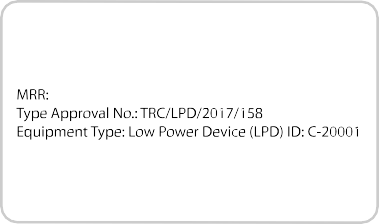
E269660
Jordan
639
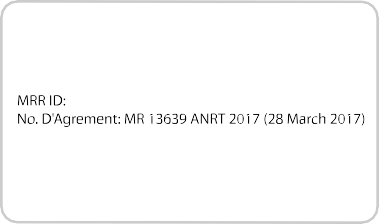
E269661
Morocco
E269664
South Africa
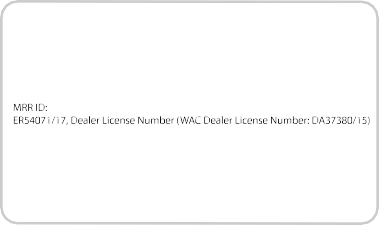
E269663
United Arab Emirates
E269675
Brazil
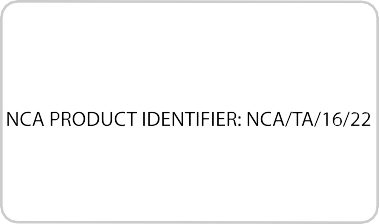
E269674
Ghana
E269666
Jordan
640
E269673
Malaysia
E269670
Morocco
E269669
Pakistan
E269672
Serbia
E269676
Singapore
E269667
South Africa
641
E269671
Ukraine
E269668
United Arab Emirates
E269677
Vietnam
 E269683
Morocco
E269684
Pakistan
E269681
Serbia
642
E269685
South Africa
E269682
Ukraine
E269695
Ghana
E269697
Malaysia
E269696
South Africa
E269694
United Arab Emirates
643
E269693
United Arab Emirates
644
360 Degree Camera 239
Advanced Camera Views 239
Auxiliary Camera 242
Camera Views 239
Center High-Mount Stop Lamp Camera 241
Front Camera 240
Keep Out Zone 240
Side Camera 241
4WD
See: Four-Wheel Drive 214
A/C
See: Climate Control 146
About This Manual 7
ABS
See: Brakes 225
ABS driving hints
See: Hints on Driving With Anti-Lock
Brakes 227
Accessories 574
Exterior style 574
Interior style 574
Lifestyle 574
Peace of mind 574
Accessories
See: Replacement Parts
Recommendation 12
ACC
See: Using Adaptive Cruise Control 244
Adjusting the Headlamps 355
Horizontal Aim Adjustment 357
Vertical Aim Adjustment 355
Adjusting the Pedals 86
Adjusting the Steering Wheel - Vehicles With: Manual Adjustable Steering Column 82
Adjusting the Steering Wheel - Vehicles With: Power Adjustable Steering Column 82
End of Travel Position 83
Airbag Disposal 55
Air Conditioning
See: Climate Control 146
Air Filter
See: Changing the Engine Air Filter - 6.2L/ 6.8L 362
See: Changing the Engine Air Filter - 6.7L
Diesel 363
Alarm
See: Anti-Theft Alarm 78
Ambient Lighting 97
Anti-Theft Alarm 78
Arming the Alarm 79
Disarming the Alarm 79
Using the System 79
Appendices 609
Apps 543
..................................................................................543
SiriusXM Traffic and Travel Link 545
At a Glance 17
Audible Warnings and Indicators 112
Headlamps On Warning Chime 112
Key in Ignition Warning Chime 112
Parking Brake On Warning Chime 112
Audio Control 83
Media 84
Seek, Next or Previous 84
Audio System 445
General Information 445
Audio Unit - Vehicles With: AM/FM/CD/ SYNC 448
Menu Structure 450
Audio Unit - Vehicles With: AM/FM/CD/ Touchscreen Display 453
Audio Unit - Vehicles With: AM/ FM 446
Autolamps 90
Windshield Wiper Activated
Headlamps 90
Automatic Climate Control 147
Automatic High Beam Control 92
Automatic High Beam Indicator 93
Switching the System On and Off 92
Automatic Transmission 208
Brake-Shift Interlock 211
If Your Vehicle Gets Stuck In Mud or Snow 212
645
Understanding the Shift Positions of Your Automatic Transmission 208
Understanding your SelectShift
Automatic™ transmission 210
Automatic Transmission Fluid Check 346
Checking Automatic Transmission
Fluid 346
Autowipers 87
Auxiliary Power Points 170
110 Volt - 400 Watt Capacity AC Power Outlet 170
12 Volt DC Power Point 170
Locations 170
Auxiliary Switches 575
Upfitter Interface Module 578
Battery
See: Changing the 12V Battery 353
Bed Extender 74
Grocery mode 75
Tailgate mode 74
Bed Ramps 268
Installing the Ramp Holder 270
Stowing the Bed Ramp 270
Using the Bed Ramp 269
Blind Spot Information System 252
Blind Spot Information System with Trailer Tow 254
Switching the System Off and On 256
System Errors 256
Using the System 253
BLIS
See: Blind Spot Information System 252
Bonnet Lock
See: Opening and Closing the Hood 328
Booster Seats 32
Types of Booster Seats 32
Brake Fluid Check 349
Brakes 225
General Information 225
Breaking-In 298
Bulb Specification Chart 360
C
Cabin Air Filter 152
California Proposition 65 12
Capacities and Specifications - 6.2L 427
Alternative Engine Oil for Extremely Cold Climates 431
Specifications 428
Capacities and Specifications - 6.7L Diesel 432
Engine Oil Specifications 438
Specifications 434
Capacities and Specifications - 6.8L 439
Alternative Engine Oil for Extremely Cold Climates 443
Specifications 440
Capacities and Specifications 420
Cargo Lamps 97
Car Wash
See: Cleaning the Exterior 370
Catalytic Converter 196
On-Board Diagnostics (OBD-II) 197
Readiness for Inspection and Maintenance (I/M) Testing 197
Center Console 172
Changing a Bulb 357
Cargo Lamp and Central High Mounted Brake Lamp Bulbs 359
Fog Lamp Bulbs 358
Front Park and Direction Indicator Lamp Bulbs 357
Headlamp Bulbs 357
License Plate Lamp Bulb 360
Rear Lamps, Brake Lamps, Rear Direction Indicator and Reversing Lamp Bulbs 358
Changing a Fuse 326
Fuses 326
Changing a Road Wheel 408
Dissimilar Spare Wheel and Tire Assembly Information 408
Location of the Spare Tire and Tools 409
Removing the Spare Tire (With Spare Tire Carrier Only) 409
Tire Change Procedure 410
646
Changing the 12V Battery 353
Battery Management System 354
Changing the Crankcase Vent Filter Element 336
Changing the Engine Air Filter - 6.2L/ 6.8L 362
Changing the Engine Air Filter - 6.7L Diesel 363
Air Filter Restriction Gauge 364
Changing the Engine-Mounted and Diesel Fuel Conditioner Module Fuel Filters - 6.7L Diesel 365
Diesel Fuel Conditioner Module Filter 365
Engine-mounted Fuel Filter 368
Changing the Engine Oil and Oil Filter 335
Engine lubrication for severe service
operation. 336
Changing the Wiper Blades 355
Checking MyKey System Status 65
MyKey Distance 65
Number of Admin Keys 65
Number of MyKeys 65
Checking the Wiper Blades 355
Child Restraint and Seatbelt Maintenance 44
Child Restraint Positioning 34
Child Safety 19
General Information 19
Child Safety Locks 35
Left-Hand Side 36
Right-Hand Side 36
Cleaning Leather Seats 375
With King Ranch Edition 376
Without King Ranch Edition 375
Cleaning Products 370
Materials 370
Cleaning the Engine 372
Cleaning the Exhaust - 6.7L Diesel 372
Cleaning the Exterior 370
Cleaning the Headlamps 371
Exterior Chrome Parts 371
Exterior Plastic Parts 371
Stripes or Graphics 371
Underbody 371
Under Hood 371
Cleaning the Instrument Panel and Instrument Cluster Lens 375
Cleaning the Interior 373
Cleaning the Wheels 377
Cleaning the Windows and Wiper Blades 373
Clearing All MyKeys 65
Climate 527
Climate Control 146
Climate Controlled Seats 163
Cooled Seats 164
Heated Seats 163
Collision Warning System 261
Principle Of Operation 261
Coolant Check
See: Engine Coolant Check - 6.2L/6.8L 338
See: Engine Coolant Check - 6.7L Diesel 342
Crash Sensors and Airbag Indicator 54
Creating a MyKey 64
Programming or Changing Configurable
Settings 64
Cross Traffic Alert 257
False Alerts 259
Switching the System Off and On 259
System Errors 259
System Lights, Messages and Audible Alerts 258
System Limitations 259
Using the System 257
Cruise Control 84
Principle of Operation 243
Cruise control
See: Using Cruise Control 243
Customer Assistance 310
Data Recording 10
Event Data Recording 10
Service Data Recording 10
Daytime Running Lamps 91
Type One - Conventional
(Non-Configurable) 91
Type Two - Configurable 91
Diesel Particulate Filter 202
Oxidation Catalytic Converter and Diesel Particulate Filter System 203
647
Regeneration 202
Digital Radio 454
HD Radio Reception and Station
Troubleshooting 455
Direction Indicators 93
Doors and Locks 67
Draining the Fuel Filter Water Trap - 6.7L Diesel 351
Draining the Diesel Fuel Conditioner Module 351
Filter Location 351
Driver and Passenger Airbags 47
Children and Airbags 52
Passenger Airbag On and Off Switch 47
Proper Driver and Front Passenger Seating Adjustment 51
Driving Aids 250
Driving Hints 298
Driving Through Water 299
DRL
See: Daytime Running Lamps 91
Economical Driving 298
Electromagnetic Compatibility 609
Electronic Locking Differential 223
Activating the Electronic Locking
Differential 223
Emission Law 195
Noise Emissions Warranty, Prohibited Tampering Acts and Maintenance 196
Tampering With a Noise Control
System 195
End User License Agreement 611
VEHICLE SOFTWARE END USER LICENSE
AGREEMENT (EULA) 611
Engine Block Heater 183
Using the Engine Block Heater 184
Engine Coolant Check - 6.2L/6.8L 338
Adding Coolant 338
Engine Coolant Temperature Management 341
Fail-Safe Cooling 340
Recycled Coolant 339
Severe Climates 340
Engine Coolant Check - 6.7L Diesel 342
Adding Coolant 342
Checking Coolant Corrosion Inhibitor Additive Strength 345
Coolant Change 346
Engine and Secondary Cooling System
Refill Procedure 344
Engine-driven Cooling Fan (Fan Clutch) 346
Recycled Coolant 344
Severe Climates 344
Engine Emission Control 195
Engine Idle Shutdown 183
Engine Immobilizer
See: Passive Anti-Theft System 76
Engine Oil Check - 6.2L/6.8L 333
Adding Engine Oil. 333
Engine Oil Check - 6.7L Diesel 334
Adding Engine Oil 335
Engine lubrication for severe service operation 335
Engine Oil Dipstick - 6.2L/6.8L 333
Engine Oil Dipstick - 6.7L Diesel 333
Engine Specifications - 6.2L 420
Drivebelt Routing 420
Engine Specifications - 6.7L Diesel 420
..................................................................................420
Drivebelt Routing 421
Engine Specifications - 6.8L 421
Drivebelt Routing 422
Entertainment 517
AM/FM Radio 518
Apps 526
Bluetooth Stereo or USB 525
CD (If equipped) 524
HD Radio™ Information (If Available) 521
SiriusXM® Satellite Radio (If Activated) 519
Sources 518
Supported Media Players, Formats and Metadata Information 526
USB Ports 526
Environment 16
Essential Towing Checks 286
Before Towing a Trailer 293
648
Dynamic Hitching Using the Rear View Camera System 287
Hitches 288
Integrated Trailer Brake Controller 290
Launching or Retrieving a Boat or Personal Watercraft (PWC) 294
Safety Chains 290
Trailer Brakes 290
Trailer Lamps 293
Trailer Towing Connector 286
When Towing a Trailer 294
Event Data Recording
See: Data Recording 10
Export Unique Options 15
Exterior Mirrors 99
Blind Spot Information System 101
Clearance Lamps 101
Direction Indicator Mirrors 101
Fold-Away Exterior Mirrors 99
Heated Exterior Mirrors 101
Memory Mirrors 101
Power Exterior Mirrors 99
PowerScope™ Power Telescoping Mirrors 100
Puddle Lamps 101
Spot Lamps 101
Telescoping Mirrors 100
Trailer Towing Camera System 101
Fastening the Seatbelts 38
Fastening the Cinch Tongue 39
Rear Inflatable Seatbelt 41
Seatbelt Locking Modes 40
Using Seatbelts During Pregnancy 39
Using the Seatbelt with Cinch Tongue (Front Center Seat on Super Cab and
Crew Cab) 38
Flat Tire
See: Changing a Road Wheel 408
Floor Mats 299
Fog Lamps - Front
See: Front Fog Lamps 93
Foot Pedals
See: Adjusting the Pedals 86
Ford Credit 12
US Only 12
Ford Protect 579
Ford Protect Extended Service Plan (CANADA ONLY) 580
Ford Protect Extended Service Plans (U.S.
Only) 579
Four-Wheel Drive 214
Front Fog Lamps 93
Front Seat Armrest 164
...................................................................................164
Fuel and Refueling 185
Fuel Consumption 193
Fuel Economy 194
Fuel Filter - 6.2L/6.8L 352
Fuel Quality - Diesel 187
Biodiesel 188
Diesel Fuel Additives 189
Fuel Requirements - Choosing The Right Fuel: Vehicles Operated Where Ultra Low Sulfur Diesel Fuel Is Not Required 187
Fuel Requirements - Choosing The Right Fuel: Vehicles Operated Where Ultra Low Sulfur Diesel Fuel Is Required (United States/Canada/Puerto Rico/U.S. Virgin
Islands And Other Locales) 187
Fuel Quality - E85 186
Choosing the Right Fuel - Flex Fuel Vehicles 186
Switching Between E85 and
Gasoline 187
Fuel Quality - Gasoline 189
Choosing the Right Fuel 189
Fuel Shutoff 304
Fuses 317
Fuse Specification Chart 317
Passenger Compartment Fuse Panel 323
Power Distribution Box 317
Garage Door Opener
See: Universal Garage Door Opener 166
Gauges 105
DEF Gauge 108
Engine Coolant Temperature Gauge 107
Engine Oil Pressure Gauge 106
Fuel Gauge 107
Transmission Fluid Temperature Gauge 108
649
Turbo Boost Gauge 108
Type 1 and 2 105
Type 3 106
Gearbox
See: Transmission 208
General Information on Radio Frequencies 56
Intelligent Access 56
General Maintenance Information 581
Multi-Point Inspection 583
Owner Checks and Services 582
Protecting Your Investment 581
Why Maintain Your Vehicle? 581
Why Maintain Your Vehicle at Your Dealership? 581
Getting Assistance Outside the U.S. and Canada 313
Getting the Services You Need 310
Away From Home 310
Global Opening 99
Opening the Windows 99
Handbrake
See: Parking Brake 227
Hazard Flashers 304
HDC
See: Using Hill Descent Control 233
Headlamp Adjusting
See: Adjusting the Headlamps 355
Headrest
See: Head Restraints 154
Head Restraints 154
Adjusting the Head Restraint 155
Heated Exterior Mirrors 152
Heated Rear Window 152
Heated Seats 162
Rear Heated Seats 163
Heated Steering Wheel 85
Heating
See: Climate Control 146
Hill Start Assist 227
Switching the System On and Off 228
Using Hill Start Assist 228
Hints on Controlling the Interior Climate 149
Defogging the Side Windows in Cold Weather 151
General Hints 149
Quickly Cooling the Interior 151
Quickly Heating the Interior 150
Recommended Settings for Cooling 151
Recommended Settings for Heating 150
Hints on Driving With Anti-Lock Brakes 227
Home Screen 509
Hood Lock
See: Opening and Closing the Hood 328
Ignition Switch 175
In California (U.S. Only) 311
Information Display Control 85
Information Displays 113
General Information 113
Information Messages 129
4WD 145
Active Park 129
Adaptive Cruise Control 130
Adaptive Steering 130
AdvanceTrac and Traction Control 131
Airbag 131
Alarm and Security 131
Automatic Engine Shutdown 132
Battery and Charging System 132
Blind Spot Information and Cross Traffic Alert System 133
Collision Warning System 134
Diesel Messages 134
Doors and Locks 136
Driver Alert 137
Drivetrain 137
Engine 137
Fuel 138
Keys and Intelligent Access 138
Lane Keeping System 139
Maintenance 139
MyKey 140
Off Road 140
Park Aid 141
Park Brake 141
650
Power Steering 142
Remote Start 142
Seats 142
Starting System 143
Tire Pressure Monitoring System 143
Trailer 143
Installing Child Restraints 20
Child Seats 20
Combining Seatbelt and LATCH Lower Anchors for Attaching Child Safety Seats 29
Front Seat Tether Strap Attachment (Regular Cab) 30
Rear Seat Tether Strap Attachment (Crew Cab and Super Cab) 31
Use of Inboard Lower Anchors from the Outboard Seating Positions (Center Seating Use) 28
Using Inflatable Seatbelts (Rear Seat Outboard Positions) 25
Using Lap and Shoulder Belts (Except Front Center Position of Super Cab and Crew Cab) 21
Using Lap and Shoulder Belts (Front Center Position of Super Cab and Crew Cab) 23
Using Lower Anchors and Tethers for CHildren (LATCH) 27
Using Tether Straps 29
Instrument Cluster 105
Instrument Lighting Dimmer 90
Vehicles With Front Fog Lamps 91
Vehicles Without Front Fog Lamps 91
Instrument Panel Overview 17
Interior Lamps 94
Front Interior Lamps 94
Rear Interior Lamps 96
Interior Mirror 101
Automatic Dimming Mirror 102
Manual Dimming Mirror 101
Introduction 7
Jump Starting the Vehicle 305
Connecting the Jumper Cables 305
Jump Starting 306
Preparing Your Vehicle 305
Removing the Jumper Cables 306
Keyless Entry 70
SECURICODE™ KEYLESS ENTRY
KEYPAD 70
Keyless Starting 176
Ignition Modes 176
Keys and Remote Controls 56
Lane Keeping System 250
Switching the System On and Off 250
System Display 251
System Settings 250
Troubleshooting 251
Lighting Control 89
Headlamp Flasher 90
Headlamp High Beam 89
Lighting 89
General Information 89
Limited Slip Differential 223
Load Carrying 264
Load Limit 264
Special Loading Instructions for Owners of Pick-up Trucks and Utility-type Vehicles 268
Vehicle Loading - with and without a
Trailer 264
Locking and Unlocking 67
Activating Intelligent Access 67
Autolock 69
Battery Saver 70
Illuminated Entry 69
Power Door Locks 67
Remote Control 67
Smart Unlock 68
Smart Unlocks for Intelligent Access Keys 68
Lug Nuts
See: Changing a Road Wheel 408
Maintenance 328
General Information 328
651
Manual Climate Control 146
Manual Seats 156
Manual Lumbar 157
Moving the Seat Backward and Forward 157
Recline Adjustment 157
Memory Function 159
Easy Entry and Exit Feature 160
Linking a PreSet Position to your Remote Control or Intelligent Access Key Fob
..............................................................................160
Recalling a Preset Position 160
Saving a Preset Position 160
Message Center
See: Information Displays 113
Mirrors
See: Windows and Mirrors 98
Mobile Communications Equipment 14
Moonroof 103
Bounce-Back 104
Opening and Closing the Moonroof 103
Motorcraft Parts - 6.2L 422
Motorcraft Parts - 6.7L Diesel 423
Motorcraft Parts - 6.8L 424
MyKey Troubleshooting 65
MyKey™ 63
Principle of Operation 63
Navigation 535
cityseeker 542
Destination Mode 537
Map Mode 536
Navigation Map Updates 543
Navigation Menu 540
SiriusXM Traffic and Travel Link 543
SYNC AppLink 542
Waypoints 541
Normal Scheduled Maintenance 584
Diesel Engine 586
Gasoline Engine 585
Oil Change Indicator Reset 337
Oil Check
See: Engine Oil Check - 6.2L/6.8L 333
See: Engine Oil Check - 6.7L Diesel 334
Opening and Closing the Hood 328
Ordering Additional Owner's Literature 314
Obtaining a French Owner’s Manual 315
Overhead Console 172
Parking Aids 235
Principle of Operation 235
Parking Brake 227
Passive Anti-Theft System 76
SecuriLock® 76
PATS
See: Passive Anti-Theft System 76
Pedals 86
Perchlorate 12
Phone 529
During a Phone Call 533
Making Calls. 532
Pairing Your Cell Phone for the First Time 529
Phone Menu 530
Receiving Calls 533
Smartphone Connectivity 534
Text Messaging 534
Post-Crash Alert System 307
Power Door Locks
See: Locking and Unlocking 67
Power Running Boards 80
Power Seats 157
Multi-Contour Front Seats With Active Motion 158
Power Lumbar 158
Power Steering Fluid Check 350
Power Take-Off 213
Power Windows 98
Accessory Delay 99
Bounce-Back 98
One-Touch Up or Down 98
Window Lock 99
Protecting the Environment 16
Puncture
See: Changing a Road Wheel 408
652
Rear Axle 223
Rear Parking Aid 235
Obstacle Distance Indicator 236
Rear Seat Armrest 165
Rear Seats 161
Folding Up the Rear Seat Cushion 161
Rear Under Seat Storage 161
Returning the Seat to the Seating Position 161
Rear View Camera 236
Camera Guidelines 237
Obstacle Distance Indicator 238
Rear Camera Delay 238
Using the Rear View Camera System 237
Rear View Camera
See: Rear View Camera 236
Recommended Towing Weights 282
Calculating the Maximum Loaded Trailer
Weight for Your Vehicle 285
Refueling - Diesel 191
Dual Fuel Tanks 193
Fueling Tips 192
Refueling 192
Refueling - Gasoline 190
Fuel Filler Cap 191
Remote Control 56
Car Finder 61
Integrated Keyhead Transmitter 56
Intelligent Access Key 57
Memory Feature 60
Remote Start 61
Replacing the Battery 58
Sounding the Panic Alarm 61
Remote Start 152
Automatic Settings 152
Removing the Tailgate 72
Repairing Minor Paint Damage 377
Replacement Parts Recommendation 12
Collision Repairs 13
Scheduled Maintenance and Mechanical Repairs 13
Warranty on Replacement Parts 13
Replacing a Lost Key or Remote Control 62
Reporting Safety Defects (Canada Only) 315
Reporting Safety Defects (U.S. Only) 315
Roadside Assistance 303
Vehicles Sold in Canada: Getting Roadside Assistance 304
Vehicles Sold in Canada: Roadside Assistance Program Coverage 304
Vehicles Sold in Canada: Using Roadside Assistance 304
Vehicles Sold in the United States: Getting Roadside Assistance 303
Vehicles Sold in the United States: Using
Roadside Assistance 303
Roadside Emergencies 303
Running-In
See: Breaking-In 298
Running Out of Fuel 190
Safety Canopy™ 53
Safety Precautions 185
Satellite Radio 456
Satellite Radio Electronic Serial Number (ESN) 457
Satellite Radio Reception Factors 457
SiriusXM Satellite Radio Service 457
Troubleshooting 458
Scheduled Maintenance Record 598
Scheduled Maintenance 581
Seatbelt Extension 45
Seatbelt Height Adjustment 42
Seatbelt Reminder 43
Belt-Minder™ 43
Seatbelts 37
Principle of Operation 37
Seatbelt Warning Lamp and Indicator Chime 42
Conditions of operation 43
Seats 154
Security 76
Selective Catalytic Reductant System - Diesel 198
Contaminated Diesel Exhaust Fluid or Inoperative Selective Catalytic Reduction System 202
653
Diesel Exhaust Fluid Guidelines and Information 201
Diesel Exhaust Fluid Level 198
Diesel Exhaust Fluid Warning Messages
and Vehicle Operations 200
Filling the Diesel Exhaust Fluid Tank 198
Settings 546
911 Assist 551
Ambient Lighting 558
Bluetooth 548
Clock 548
Display 559
General 556
Media Player 547
Mobile Apps 554
Navigation 552
Phone 548
Radio 551
Sound 546
Valet Mode 560
Vehicle 558
Voice Control 559
Wi-Fi & Hotspot 556
Side Airbags 52
Sitting in the Correct Position 154
Sliding Windows 102
Power Sliding Back Window 102
Snow Chains
See: Using Snow Chains 400
Snowplowing 300
Engine temperature while plowing 301
Installing the Snowplow 300
Operating the Vehicle with the Snowplow Attached 301
Snowplowing with your Airbag Equipped Vehicle 301
Transmission operation while
plowing 302
Spare Wheel
See: Changing a Road Wheel 408
Special Notices 13
New Vehicle Limited Warranty 13
On Board Diagnostics Data Link Connector 13
Special Instructions 13
Using a Slide-In Camper 14
Using your Vehicle as an Ambulance 14
Using your Vehicle as a Stationary Power Source 14
Using your Vehicle With a Snowplow 14
Special Operating Conditions Scheduled Maintenance 589
Diesel Engine 592
Exceptions 597
Gasoline Engine 589
Speed Control
See: Cruise Control 243
Spot Lamps 93
Cargo and Trailer Hookup Lamps 94
Stability Control 230
Principle of Operation 230
Starter Switch
See: Ignition Switch 175
Starting a Diesel Engine - 6.7L Diesel 178
...................................................................................178
Automatic Engine Shutdown 180
Cold Weather Operation 180
Cold Weather Starting 180
Diesel Engine Fast Start Glow Plug System 179
Vehicles with an Ignition Key 179
Vehicles with Keyless Start 179
Starting a Gasoline Engine - 6.2L/ 6.8L 176
Automatic Engine Shutdown 177
Cold Weather Starting (Flexible Fuel Vehicles Only) 178
Failure to Start 177
Guarding Against Exhaust Fumes 178
Important Ventilating Information 178
Stopping the Engine When Your Vehicle is Moving 177
Stopping the Engine When Your Vehicle is Stationary 177
Vehicles with an Ignition Key 176
Vehicles with Keyless Start 177
Starting and Stopping the Engine 175
General Information 175
Steering 259
Adaptive Steering 260
Power Steering 259
Steering Wheel 82
Storage Compartments 172
654
Sunroof
See: Moonroof 103
Sun Visors 102
Illuminated Vanity Mirror 103
Supplementary Restraints System 46
Principle of Operation 46
Switching Off the Engine - 6.7L Diesel 183
Symbols Glossary 8
SYNC™ 3 498
General Information 498
SYNC™ 3 Troubleshooting 560
SYNC™ Applications and Services 476
911 Assist 476
SYNC Mobile Apps 478
SYNC™ 460
General Information 460
SYNC™ Troubleshooting 490
Tailgate Lock 72
Tailgate Step 73
Closing the Step 74
Opening the Step 73
Tailgate 72
Technical Specifications
See: Capacities and Specifications 420
Terrain Control 233
Principle of Operation 233
The Better Business Bureau (BBB) Auto Line Program (U.S. Only) 312
Tire Care 382
Glossary of Tire Terminology 384
Information About Uniform Tire Quality Grading 382
Information Contained on the Tire Sidewall 385
Temperature A B C 383
Traction AA A B C 383
Treadwear 383
Tire Pressure Monitoring System 400
Trailer Tire Pressure Monitoring System 407
Vehicle Tire Pressure Monitoring System 400
Tires
See: Wheels and Tires 380
Towing a Trailer 272
Load Placement 273
Towing Points 308
Towing the Vehicle on Four Wheels 295
Emergency Towing 295
Recreational Towing 295
Towing 272
Traction Control 229
Principle of Operation 229
Trailer Reversing Aids 274
Principle of Operation 274
Setting Up Trailer Reverse Guidance 274
Trailer Reverse Guidance 274
Troubleshooting 278
Using Trailer Reverse Guidance 277
Trailer Sway Control 281
Transfer Case Fluid Check 349
Transmission Code Designation 426
Transmission 208
Transporting the Vehicle 307
Type Approvals 637
RF Certification Logos for Blind Spot Information System 643
RF Certification Logos for Mid Range Radar 639
RF Certification Logos for Passive
Anti-Theft System 640
RF Certification Logos for Radio Transceiver Module 642
RF Certification Logos for Tire Pressure Monitoring Sensor(s) 637
Under Hood Overview - 6.2L 329
Under Hood Overview - 6.7L Diesel 330
F-Super Duty 330
Scheduled Maintenance 331
Under Hood Overview - 6.8L 331
Under Seat Storage 172
Rear Under Seat Storage 172
Universal Garage Door Opener 166
HomeLink Wireless Control System 166
USB Port 459
655
Using Adaptive Cruise Control 244
Automatic Cancellation 247
Blocked Sensor 248
Canceling the Set Speed 247
Changing the Set Speed 247
Detection Issues 247
Following a Vehicle 245
Hilly Condition and Trailer Tow Usage 247
Overriding the Set Speed 246
Resuming the Set Speed 247
Setting the Adaptive Cruise Speed 245
Setting the Gap Distance 246
Switching Adaptive Cruise Control Off 247
Switching Adaptive Cruise Control On 244
Switching to Normal Cruise Control 249
System Not Available 248
Using Cruise Control 243
Switching Cruise Control Off 243
Switching Cruise Control On 243
Using Four-Wheel Drive 214
4WD Indicator Lights 215
Driving Off-Road With Truck and Utility Vehicles 218
Electronic Shift-On-the-Fly (ESOF) 4WD system 214
How Your Vehicle Differs From Other Vehicles 218
Manual Shift On Stop (MSOS) 4WD system 214
Using a Manual Shift On Stop (MSOS)
4WD system 215
Using the Electronic Shift on the Fly 4WD system 217
Using Hill Descent Control 233
Hill descent modes 233
Using MyKey With Remote Start Systems 65
Using Power Running Boards 80
Automatic Power Deploy 80
Automatic Power Stow 80
Bounce-back 81
Enabling and Disabling 81
Manual Power Deploy 80
Using Snow Chains 400
Using Stability Control 231
AdvanceTrac® with Roll Stability Control™
(RSC®) 231
Using SYNC™ With Your Media Player 481
Accessing Your USB Song Library 485
Bluetooth Devices and System Settings 487
Connecting Your Digital Media Player to the USB Port 481
Media Menu Features 484
Media Voice Commands 482
USB 2 487
Voice Commands for Audio Sources. 488
Using SYNC™ With Your Phone 464
Accessing Features through the Phone Menu 469
Accessing Your Phone Settings 472
Bluetooth Devices 473
Making Calls 468
Pairing a Phone for the First Time 465
Pairing Subsequent Phones 466
Phone Options during an Active Call 468
Phone Voice Commands 466
Receiving Calls 468
System Settings 474
Text Messaging 470
Using Traction Control 229
Switching the System Off 229
System Indicator Lights and Messages 229
Using Voice Recognition 462
Audio Voice Commands 511
Climate Voice Commands 512
Initiating a Voice Session 462
Mobile App Voice Commands 515
Navigation Voice Commands 514
Phone Voice Commands 512
SiriusXM Traffic and Travel Link Voice Commands 515
System Interaction and Feedback 463
Voice Settings Commands 516
Utilizing the Mediation/Arbitration Program (Canada Only) 313
656
Vehicle Care 370
General Information 370
Vehicle Certification Label 426
Vehicle Identification Number 425
Vehicle Storage 377
Battery 378
Body 377
Brakes 378
Cooling system 378
Engine 378
Fuel system 378
General 377
Miscellaneous 378
Removing Vehicle From Storage 378
Tires 378
Ventilation
See: Climate Control 146
VIN
See: Vehicle Identification Number 425
Voice Control 84
Warning Lamps and Indicators 108
4X2 111
4X4 HIGH 112
4X4 LOW 111
Adaptive Cruise Control 108
Adaptive Steering 108
Anti-Lock Braking System 109
Automatic High Beam 109
Battery 109
Blind Spot Monitor 109
Brake System 109
Check Fuel Cap 109
Cruise Control 110
Diesel Engine Brake 112
Diesel Exhaust Fluid 112
Direction Indicator 110
Door Ajar 110
Electronic Locking Differential 110
Engine Coolant Temperature 110
Engine Oil 110
Fasten Seatbelt 110
Front Airbag 110
Front Fog Lamps 110
High Beam 110
Hill Descent 110
Low Fuel Level 110
Low Tire Pressure Warning 110
Powertrain Malfunction/Reduced Power/Electronic Throttle Control 111
Service Engine Soon 111
Stability Control 111
Stability Control Off 111
Transmission Tow/Haul 111
Wait To Start 112
Water In Fuel 112
Washer Fluid Check 350
Washers
See: Cleaning the Exterior 370
See: Wipers and Washers 87
Waxing 371
Wheel Nuts
See: Changing a Road Wheel 408
Wheels and Tires 380
General Information 380
Technical Specifications 418
Windows and Mirrors 98
Windshield Washers 88
Windshield Wipers 87
Speed Dependent Wipers 87
Wiper Blades
See: Checking the Wiper Blades 355
Wipers and Washers 87
657
Download Manual