Tilt/telescopic steering wheel
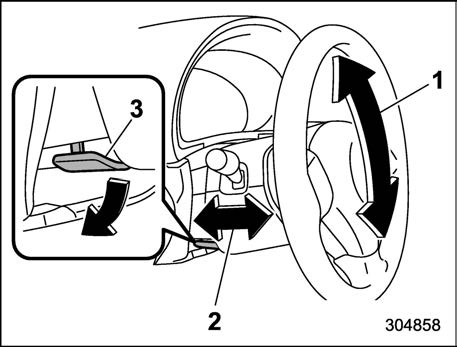
Tilt adjustment
Telescopic adjustment
Tilt/telescopic lock lever
Adjust the seat position. Refer to “Seats” P32.
Pull the tilt/telescopic lock lever down.
Move the steering wheel to the desired level.
Pull the lever up to lock the steering wheel in place.
Make sure that the steering wheel is securely locked by moving it up and down, and forward and backward.
260 Tilt/telescopic steering wheel
Heated Steering Wheel sys- tem (if equipped)
The Heated Steering Wheel system warms the steering wheel at a constant temperature.
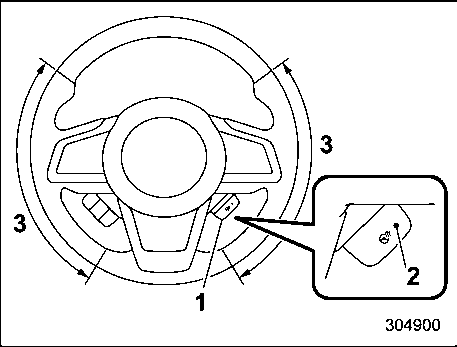
Heated Steering Wheel switch
Indicator light
Heated area
To turn on the Heated Steering Wheel system, pull the Heated Steering Wheel switch when the ignition switch is in the “ON” or “ACC” position. Then the steering wheel will be warmed and the indicator light on the switch will illuminate. To turn off the Heated Steering Wheel system, pull the switch again. Then the indicator light will turn off.
If the surface temperature of the steering wheel is approximately above 1048F (408C) when the switch is turned on, the system will not heat the steering wheel. Then, the indicator light will continue to illuminate.
The Heated Steering Wheel system will automatically turn off approxi- mately 30 minutes after the system has been turned on.
Download Manual