Continuously variable transmission
& Continuously variable trans- mission features
The continuously variable transmission is electronically controlled and provides an infinite number of forward speeds and 1 reverse speed. It also has a manual mode or an “L” position.
long, steep hill, the engine speed or the vehicle speed may automatically be reduced. This is not a malfunction. This results from the engine control func- tion maintaining the cooling perfor- mance of the vehicle. The engine and vehicle speed will return to a normal speed when the engine is able to maintain the optimum cooling perfor- mance after the heavy load decreases. Driving under a heavy load must be performed with extreme care. Do not try to pass a vehicle in front when driving on an uphill slope while towing.
. The continuously variable transmis- sion is a chain type system that pro- vides superior transmission efficiency for maximum fuel economy. At times, depending on varying driving condi- tions, a chain operating sound may be heard that is characteristic of this type of system.
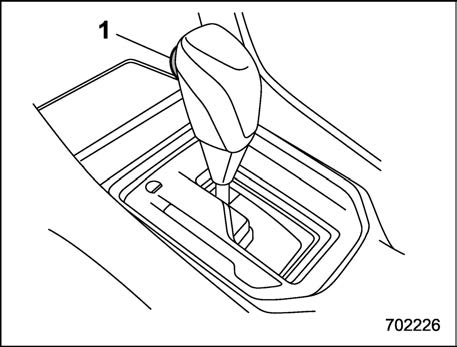
Type A
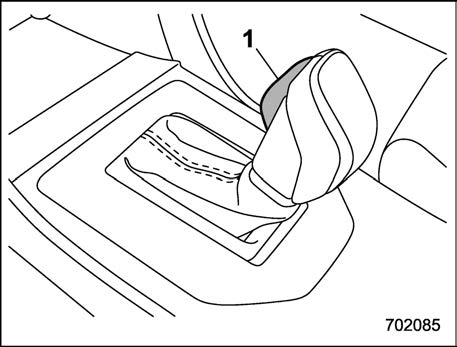
Type B
1) Select lever button
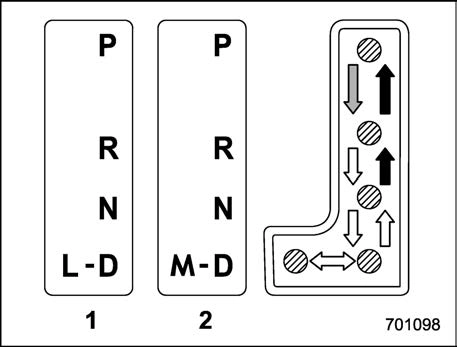
 : With the brake pedal depressed, shift while pressing the select lever button in.
 : Shift while pressing the select lever button in.
 : Shift without pressing the select lever button.
The select lever has four positions, “P”, “R”, “N”, “D” and it also has an “L” or “M” gate.
depressed hard.
! P (Park)
This position is for parking the vehicle and starting the engine. In this position, the transmission is mechanically locked to prevent the vehicle from rolling freely.
When you park the vehicle, first apply the parking brake firmly, then shift into the “P” position. Do not hold the vehicle with only the mechanical friction of the transmission.
To shift the select lever from the “P” position to any other position, you should depress the brake pedal fully then move the select lever. This prevents the vehicle from lurching when it is started.
This position is for backing the vehicle. To shift from the “N” to “R” position, stop the vehicle completely then move the lever to the “R” position while pressing the select lever button in.
When the ignition switch has been turned to the “ACC” position, the movement of the select lever from the “N” to “R” position is only possible by depressing the brake pedal. For details, refer to “Shift lock function” P326.
! N (Neutral)
This position is for restarting a stalled engine. In this position, the transmission is neutral, meaning that the wheels and transmission are not locked. Therefore, the vehicle will roll freely, even on the slightest incline unless the parking brake or foot brake is applied.
Avoid coasting with the transmission in neutral. Engine braking has no effect in this condition.
This position is for normal driving. The transmission shifts automatically and con- tinuously into a suitable gear according to the vehicle speed and the acceleration you require. Also, while driving up and down a hill, the transmission assists and controls the driving performance and engine brak- ing while corresponding to the road grade.
When more acceleration is required in the “D” position, depress the accelerator pedal fully to the floor and hold that position. The transmission will automatically downshift. In this case, the transmission will operate like a conventional automatic transmis- sion. When you release the pedal, the transmission will return to the original gear position.
For models with manual mode, if one of the shift paddles behind the steering wheel is operated while driving in the “D” position, the transmission will temporarily switch to the manual mode. In this mode, you can shift into any gear position using the shift paddles. For details about the manual mode, refer to “Selection of manual mode”
P324. Once the vehicle speed stabi- lizes, the transmission will switch from the manual mode back to the “D” position for normal driving.
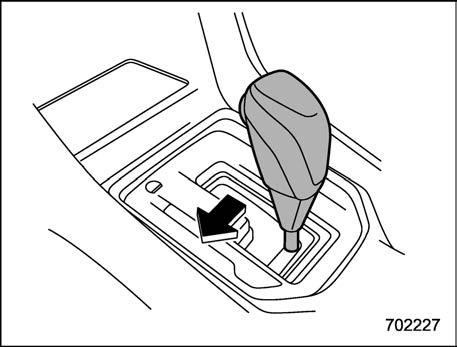
Type A
Type B
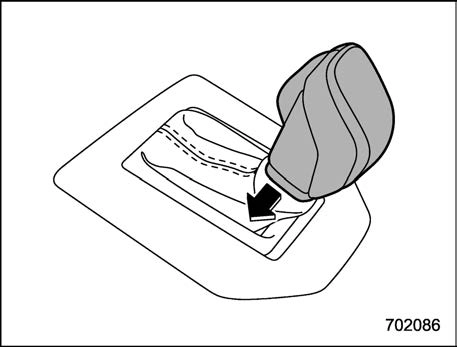
With the vehicle either moving or station- ary, move the select lever from the “D”
position to the “M” position to select the manual mode.
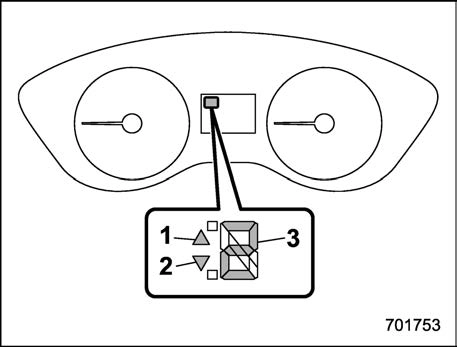
Select lever/gear position indicator (type A)
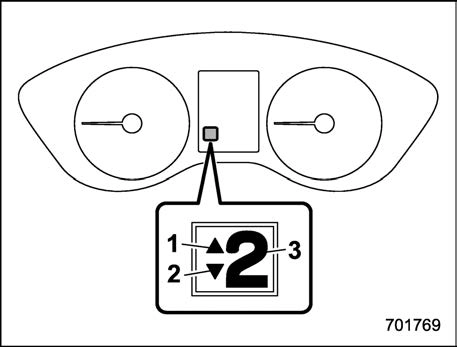
Select lever/gear position indicator (type B)
When the manual mode is selected, the gear position indicator and upshift indica- tor and/or downshift indicator on the combination meter illuminate.
The gear position indicator shows the currently selected gear in the following range.
The upshift and downshift indicators show when a gear shift is possible. When the upshift indicator “  ” illuminates, upshift- ing is possible. When the downshift in- dicator “
  ” illuminates, downshifting is
possible. When both indicators illuminate, upshifting and downshifting are both pos- sible. When the vehicle stops (for exam- ple, at traffic signals), the downshift in- dicator turns off.
Gearshifts can be performed using the shift paddle behind the steering wheel.
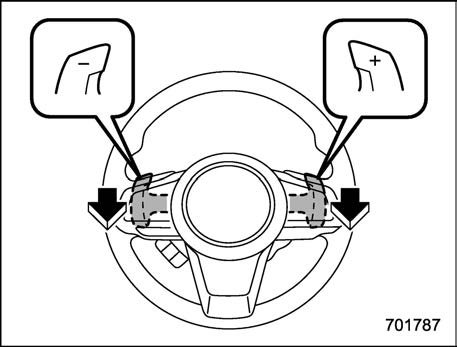
To upshift to the next higher gear position, pull the shift paddle that has “+” indicated on it. To downshift to the next lower gear position, pull the shift paddle that has “–” indicated on it.
To deselect the manual mode, return the select lever to the “D” position from the “M” position.
and let the engine idle until the warning light turns off.
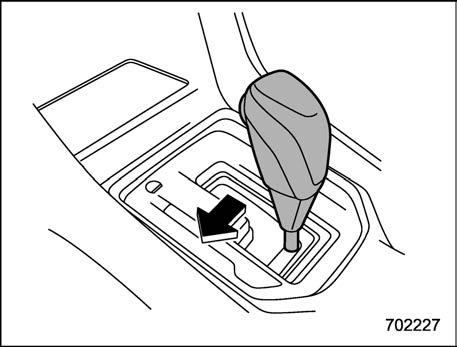
Type A
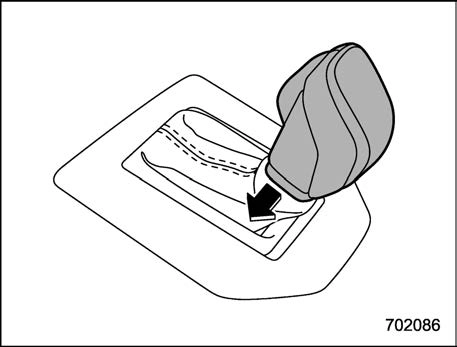
Type B
“L” is for using engine braking when going down a hill, etc. To select this mode, move the select lever from the “D” position to the “L” position.
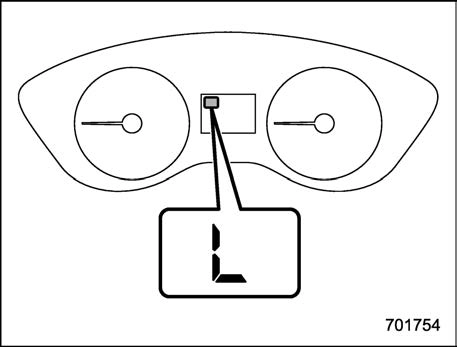
Type A
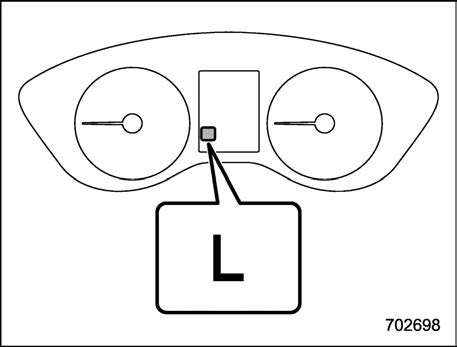
Type B
When selected, the indicator “L” will illuminate on the combination meter.
To deselect “L”, move the select lever to the “D” position.
The shift lock function helps prevent the improper operation of the select lever.
If the select lever cannot be operated, turn the ignition switch back to the “ON” position then move the select lever to the “P” position with the select lever button pressed and the brake pedal depressed.
If the select lever does not move after performing the above procedure, check and confirm the following and release the shift lock accordingly.
Refer to “Shift lock release using the shift lock release button” P327.
Place the ignition switch in the “ACC” position, then move the select lever to the “P” position with the brake pedal de- pressed.
If the select lever still does not move, refer to “Shift lock release using the shift lock release button” P327.
If the shift lock cannot be released without using the shift lock release button in the above cases, there may be a malfunction in the shift lock system or the vehicle control system.
Contact a SUBARU dealer for an inspec- tion as soon as possible.
Perform the following procedure to release the shift lock.
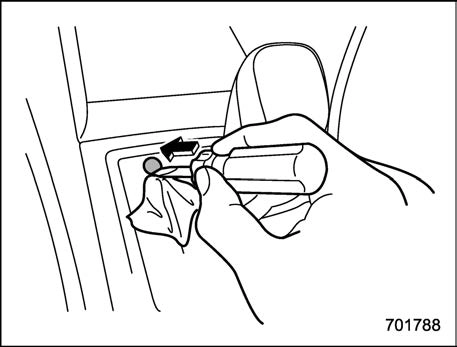
with vinyl tape or a cloth and use it to remove the shift lock cover. The shift lock release button is located under the shift lock cover.
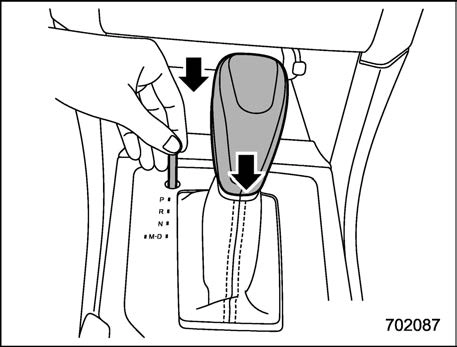
If the select lever does not move after performing the above procedure, the shift lock system may be malfunctioning. Con- tact a SUBARU dealer for an inspection as soon as possible.
Download Manual