Clock
For models with a SUBARU genuine navigation and/or audio system, the clock can be adjusted using either auto mode or manual mode.
Auto mode: automatic clock adjustment
Manual mode: manual clock adjust- ment
Setting the clock manually
Turn the ignition switch to “ON”.
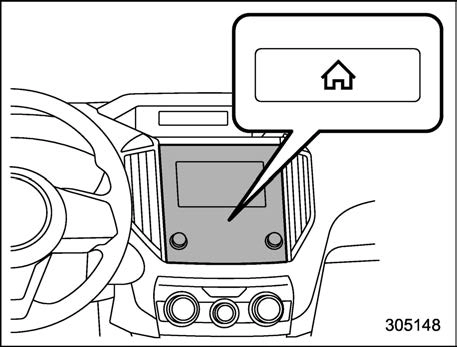
Press the  button.
button.Select “Settings”.
Select “Vehicle”.
Select “Time/Date” and then select “Manual”.
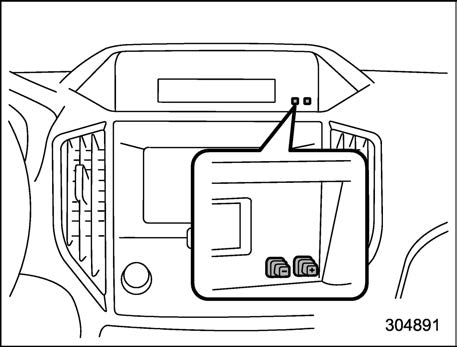
Press the “+” button or the “−” button beside the clock.
The clock can be set to 12-hour or 24-hour display. Perform the following procedure to switch the display format.
Turn the ignition switch in the “LOCK”/ “OFF” position.
Press and hold the “−” button located near the clock display for approximately 5 seconds. The clock display will then start to flash.
While the clock display is flashing, press and hold the “+” button for approxi- mately 2 seconds. The clock format will then change.
Clock 233
The clock display will continue to flash for approximately 3 seconds to indicate that the clock display has been changed.
Turn the ignition switch to “ON”.
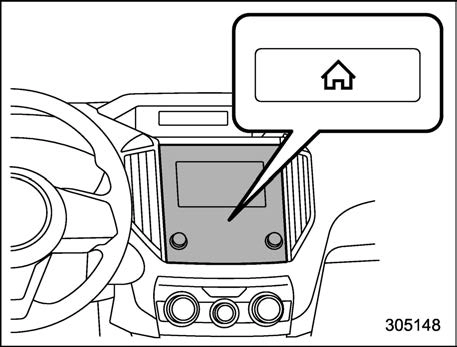
Press the  button.
button.Select “Settings”.
Select “Vehicle”.
Select “Time/Date” and then select “Manual”.
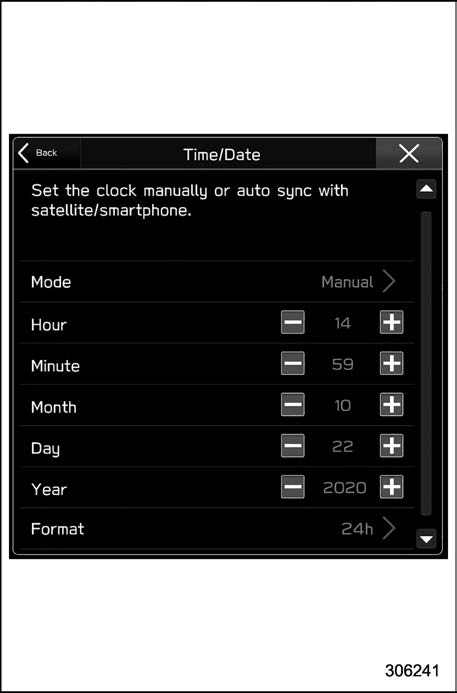
Set the each items plus and minus.
Select  to complete the clock setting.
to complete the clock setting.Select “Back” to return to the previous screen without saving settings.
Adjust the time, then select 12h display or 24h display from the format.
The Birthday/Anniversary and main- tenance reminder system function are based on the time and date on the multi- function display (color LCD).
Setting the clock automati- cally
Turn the ignition switch to “ON”.
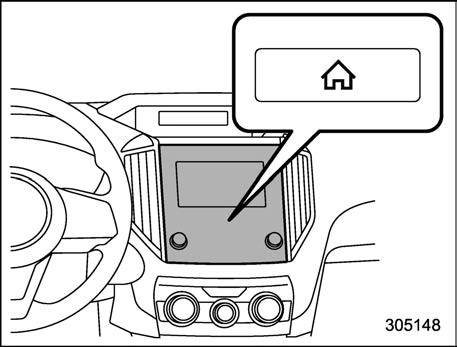
Press the  button.
button.Select “Settings”.
Select “Vehicle”.
Select “Time/Date” and then select “Auto”.
 Press the button again to complete
the setting.
The clock will be set automatically where a GPS signal is available.
The clock will be set and adjusted auto- matically when a smartphone is connected via Bluetooth® for transferring phonebook data.
Register the smartphone to the audio system. For details, refer to “Bluetooth SETTINGS” in the supplemental Owner’s Manual for the audio/navigation system.
Transfer phonebook data to the sys- tem. For details, refer to “Bluetooth SET- TINGS” in the supplemental Owner’s Manual for the audio/navigation system. The clock will be adjusted automatically.
For details, check the instructions on connecting smartphones.
Regulatory information

The Bluetooth® word mark and logos are registered trademarks owned by Bluetooth SIG, Inc.
Download Manual