Alarm system
The alarm system helps to protect your vehicle and valuables from theft. The horn sounds and the hazard warning flashers flash if someone attempts to break into your vehicle.
The system can be armed or disarmed with the keyless access function or access key fob.
The system will not be activated when the push-button ignition switch is in the “ACC” or “ON” position.
The system can be armed or disarmed with the remote transmitter.
The system will not be activated when the key is inserted into the ignition switch.
Your vehicle’s alarm system has been set for activation at the time of shipment from the factory. You can set the system for deactivation yourself or have it done by your SUBARU dealer.
Alarm system 139
When the alarm system is armed, it is triggered by the opening any of the doors, the rear gate or engine hood.
The alarm system will activate the follow- ing alarms when triggered.
If any of the doors, the rear gate or engine hood remains open after the 30-second period, the horn will continue to sound for a maximum of 3 minutes. If the door, rear gate or engine hood is closed while the horn is sounding, the horn will stop sounding with a delay of up to 30 seconds.
The notifications regarding the map lights, dome light and cargo area light are deactivated as the factory setting. A SUBARU dealer can activate the sys- tem. Contact your SUBARU dealer for details.
The alarm system becomes armed when the following operation is performed.
P131.
P119.
P136.
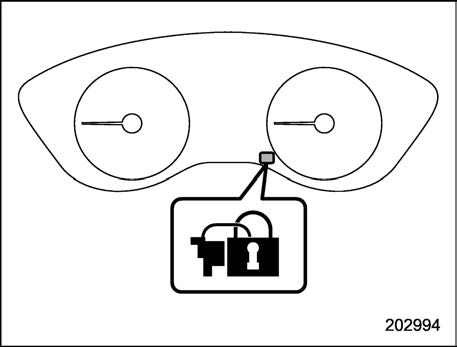
Security indicator light
sounds five times and the hazard warning flashers flash five times to alert you that the doors (or the rear gate) are not properly closed. When you close the door, doors will automa- tically lock and the system will auto- matically arm in 30 seconds.
When the system is in surveillance state, the security indicator light will then flash slowly (twice approximately every 2 sec- onds), indicating that the system has been armed for surveillance.
are unlocked using the keyless access function (models with “key- less access with push-button start system”).
Perform either of the following procedures.
The flashing of the security indicator light will then change slowly (once approxi- mately every 3 seconds from twice ap- proximately every 2 seconds), indicating
that the alarm system has been disarmed.
If you cannot disarm the system using the access key fob/transmitter (i.e., the trans- mitter is lost, broken or the transmitter battery is too weak), you can disarm the system without using the access key fob/ remote transmitter.
The system can be disarmed if you turn the ignition switch from the “LOCK”/“OFF” position to the “ON” position with a registered key/access key fob.
To change the setting of your vehicle’s alarm system for activation or deactiva- tion, do the following.
Child safety locks 141
 ” of the driver’s power door locking switch, open the driver’s door within the following 1 second, and wait 10 seconds without releasing the switch. The setting will then be changed as follows.
|
Setting status |
Combination meter display |
Horn |
|
Activate |
AL on |
Once |
|
Deactivate |
AL off |
Twice |
|
Setting status |
Combination meter display |
Horn |
|
Activate |
AL ON |
Once |
|
Deactivate |
AL OFF |
Twice |
& If you have accidentally trig- gered the alarm system
! To stop the alarm
Do any of the following operations:
When you choose the valet mode, the alarm system does not operate. In valet mode, the remote transmitter is used only for locking and unlocking the doors and rear gate and panic activation.
To enter the valet mode, change the setting of your vehicle’s alarm system to deactivation mode. Refer to “Alarm system setting” P140. The security indicator light will continue to flash once every 3 seconds, indicating that the system is in the valet mode.
To exit valet mode, change the setting of your vehicle’s alarm system to activation mode. Refer to “Alarm system setting”
P140.
Download Manual