Disclaimer: Not affiliated with or endorsed by Honda Motor Company. For informational purposes only. Full Disclaimer
How To Upgrade Sound System of Honda CR-V
Updated:
For any Honda CR-V enthusiast, there's nothing quite like the harmony of its engine paired with the serenity of the open road. Still, sometimes you might want to enhance the driving experience with your favorite playlist, especially during those long journeys.
On extended trips spanning hundreds or even thousands of kilometers, having a good set of tunes, or perhaps an audiobook, can be a godsend. Families with kids know how valuable it is to have an entertainment option, like playing cartoons on the CR-V's multimedia system.
Yet, many find that the default audio system in the CR-V doesn't quite meet all their expectations. Whether it's not loud enough, gets drowned out by road noise, or simply lacks that clarity, settling for less is not an option. If you're looking to upgrade your CR-V's sound system, this guide is for you.
Consider the Risks - Maybe Leave It to the Experts?
Enhancing the audio system in your Honda CR-V isn't just about plugging in new speakers; it requires a good understanding of the vehicle's electrical systems. Knowing how to correctly wire everything is essential.
Incorrect wiring might not only impair the audio experience but could lead to electrical faults in the car. So, if you're unsure about DIY-ing this project, it might be best to leave it to professionals. Save time and ensure quality work that'll make your CR-V's audio truly shine.
Always Disconnect the Negative Battery Terminal

Before diving into any electrical modifications on your CR-V, always disconnect the negative terminal of the battery. It's a safety measure to prevent any electrical mishaps for both you and your vehicle.
Tools Required to Upgrade Your Honda CR-V's Stereo
Depending on the specifics of your upgrade, certain tools will be necessary. Here's a list of essentials you'll likely need.
Shop From Amazon


Essential tools include:
- A set of wrenches;
- Insulating tape;
- Screwdrivers (cross and flathead);
- Pliers;
- Soldering iron;
- Set of wires specific to your desired system;
- Wiring diagram or Honda CR-V Owner's Manual for reference;
- Multimeter.
Optimal Speaker Selection
Speakers play a pivotal role in audio quality. Unfortunately, budget-friendly options might not always offer the best sound. It's worth investing in reputable brands with positive reviews. While you can find decent speakers for around $100-$200, shelling out a bit more can elevate the audio quality to another level.
Finding the Perfect Speakers for Your Honda CR-V

When shopping for premium speakers, ensure they're compatible with your Honda CR-V's model year. Each model might have varying specifications, and the right fit is crucial for optimal performance and installation ease.
For specifics on speaker dimensions and compatibility for your CR-V, you can check here.
How to Install Speakers in Your Honda CR-V?
When upgrading your Honda CR-V's sound system, speaker placement is crucial. If you've selected the right speakers, the installation process should be straightforward. Here's a guide on how to do it:
1. Identify the location of your speakers. Each vehicle, including the Honda CR-V, has its unique speaker layout.
2. Remove any paneling or interior elements blocking access to the speakers.
3. Once you've reached the speakers, unfasten them from their mountings (they might be secured with screws or bolts).
4. Carefully disconnect the speaker wires, making sure to label the positive and negative cables for a hassle-free reconnection.
5. Place the new speaker into the vacant space. If everything was chosen correctly, it should fit perfectly. Minor adjustments might be needed if the fit isn't exact.
6. Reconnect the speaker wires, ensuring the right cables match their corresponding connectors.
7. Secure the speakers, making sure they're stable and not moving or vibrating out of place.
8. Replace the interior paneling or any elements you removed earlier.
9. Continue this process for any other speakers you wish to upgrade.

Remember, while the CR-V offers standard placements for speakers, you have the flexibility to position them in various locations like the doors, under the rear window, or even the glove compartment. But, this might require additional modifications and new wiring. When you do this, aim for consistency in brand across all speakers to ensure uniform sound quality.
Bear in mind, adding multiple speakers can lead to increased vibrations, especially with bass-heavy music. This can sometimes cause interior panels to vibrate or come loose over time.
Subwoofer Setup for Honda CR-V
A subwoofer's role in the Honda CR-V's audio system is to enhance those rich, low-frequency sounds, especially the profound bass notes.
Subwoofers specialize in handling the low end of the audio spectrum, generally between 20 Hz and 200 Hz. These frequencies can be challenging for standard car speakers to reproduce accurately because of their physical constraints.
By incorporating a subwoofer into your CR-V’s audio setup, you’re not just amplifying the sound - you're elevating the entire auditory experience. These units deliver powerful bass tones that you can genuinely feel, adding a whole new dimension to your favorite tracks.
They significantly enhance the intensity and realism of movie soundtracks and other audio that thrives on low-frequency effects. Typically, a quality subwoofer can be procured in the price range of $250-$300.
Choosing the Right Subwoofer for Honda CR-V

When it comes to subwoofers, the selection process is a tad intricate. You'll want to decide between an active or passive subwoofer.
Benefits of Active Subwoofers
Integrated Amplifier: Active subwoofers come equipped with their amplifier, eliminating the need for a separate purchase. This not only simplifies the installation process but also conserves space in your Honda CR-V.
Compactness: These subwoofers are typically designed to be space-efficient, ideal for the interior dynamics of a CR-V.
Simplified Installation: Since the amplifier is part and parcel of the subwoofer, once you've sorted out power and audio connections, your CR-V's sound system is ready to be amplified.
Optimal Control & Adjustability: Active subwoofers allow a broader range of setting modifications, like gain, frequency, and phase. This flexibility lets you calibrate the bass output to complement the unique acoustics of your Honda CR-V and ensure harmony with other speakers.
Active Subwoofer Drawbacks
Premium Price Tag. Due to the integrated amplifier, active car subwoofers tend to have a higher price point compared to their passive counterparts.
Placement Constraints. Being close to a power source (like the vehicle's battery) is essential for active subwoofers, which may limit positioning options in the Honda CR-V.
Passive Subwoofer – this type doesn’t come with an amplifier. You'll need to invest in an external amplifier for its operation.
Advantages of a Passive Subwoofer
Amplification Choice. With passive subwoofers for the Honda CR-V, you have the freedom to pick an external amplifier that matches your desired quality and budget, potentially enhancing the overall sound experience.
Budget-Friendly. The absence of a built-in amplifier makes passive subwoofers generally more cost-effective than active models.
Positioning Versatility. Passive subwoofers provide a broader range of placement options. With the amplifier separate, you can better utilize and optimize the space within your Honda CR-V.
Drawbacks of a Passive Subwoofer
Additional Gear Required. The need for an external amplifier for your Honda CR-V's passive subwoofer can mean more wiring and equipment, potentially complicating and increasing the cost of installation.
Limited Adjustability. Passive subwoofers generally offer fewer control options than active ones. Adjustments to the external amplifier might be necessary to fine-tune the bass output.
Increased Space Needs. The addition of an external amplifier might demand more room in your Honda CR-V compared to more compact active systems.
When scouting for a subwoofer, power shouldn't be overlooked. Take into account the following power metrics:
- Nominal (RMS - Rated Maximum Sinusoidal) power – this sheds light on the speaker's capacity to consistently deliver sound without distortions;
- Peak power – this pertains to the subwoofer's short-term performance (up to 2 seconds) without major sound distortions or physical harm.
Sensitivity. This metric reveals the subwoofer's output, separate from its power consumption. It relates to the cone's surface area and its movement characteristics.
Increasing sensitivity by 3 decibels effectively doubles the volume. Also, remember to factor in the cone's surface area.
Impedance (Resistance) – expressed in ohms, this trait gives insight into the amplifier's operational power. A lower value means a higher output from the amplifier but may lead to more sound distortions. A resistance of 4 ohms is quite standard for Honda CR-V subwoofers and is generally seen as the sweet spot.
Lastly, mull over the subwoofer's dimensions. Bigger models usually pack more punch and can deliver superior audio, but remember you'll need to allocate space for it. Before making a selection, identify a potential installation spot in your Honda CR-V, take measurements, and then proceed with your choice.
Installing a Subwoofer in Your Honda CR-V

Upgrading your Honda CR-V's audio system? Here's how to get that subwoofer installed just right.
This installation guide is broadly applicable to most Honda CR-V models. Remember, the occasional model-specific challenge may arise. And if you get stuck? Reach out for guidance. We're here to help!
First, decide on an optimal spot for the amplifier—common placements are the trunk or beneath the seat. This spot should be within the battery's reach but distant from potential heat or moisture sources.
Once you've affixed the amplifier with fasteners, run the power wire from the battery's positive terminal to the amplifier. Always use a nearby fuse for protection.
If you opted for an active subwoofer, directly connect it to the speakers, sidestepping this amplifier step. Otherwise, ground the amplifier by attaching a wire to a clean, bare metal spot on your CR-V's chassis. Keep this ground wire short!
Now, lay down the RCA cables, starting from the stereo head unit and ending at the amplifier. This is your audio signal's path. To dodge interference, lay these opposite the power wire.
Connect the speaker wire's ends: one to the amplifier, the other to the subwoofer. Ensure polarity matches at both terminals.
Seat the subwoofer inside a tailored enclosure or box. This choice will impact the subwoofer's sound output, so choose judiciously!
Upon settling the subwoofer, secure its box inside your CR-V. The trunk is often a favored spot, but individual preferences and specific Honda models could suggest alternatives.
Reconnect the battery, then activate the car stereo. Balance your new subwoofer with the Honda CR-V's speaker system by fine-tuning the amplifier's gain and crossover. You might also wish to tweak the stereo system's equalizer settings.
After finalizing setups, inspect all connections, ensuring they're snug. Loose or subpar connections can harm sound quality or even damage equipment.
Choosing the Right Amplifier for Your Honda CR-V
Ensuring the best audio experience in your CR-V means selecting the ideal amplifier. Here's what to look out for:
Match the amplifier to your speaker's specifics. If they mismatch, you risk damaging the amplifier and degrading sound quality. Remember: the speaker's input impedance should never undercut what the amplifier can handle.

Various amplifier classes exist—A, B, C, D, AB—with AB and D being the most prevalent. Each class has its strengths and trade-offs, so consider what best aligns with your audio aspirations.
Monoblocks, two-channel, three-channel, four-channel, or five-channel amplifiers, each has its niche depending on your audio setup. Your choice should reflect your speaker-subwoofer configuration and desired audio output.
Other vital parameters include power, minimum and maximum reproducible frequencies, and the device's distortion factor and signal-to-noise ratio. Your pursuit of impeccable audio should take all these into consideration.
Setting up an Amplifier in a Honda CR-V
Finding the right spot in your Honda CR-V to install the amplifier is essential. Ensure it's well-ventilated, secure, and away from any moisture or heat sources.
Use screws or brackets to firmly affix the amplifier.
Route the power wire from the battery to the amplifier, ensuring it safely passes through the CR-V's firewall for a neat, hazard-free installation. Near the battery, affix the appropriate fuse using the fuse holder.
Identify a solid metal ground point close to the amplifier. Strip the ground wire's insulation end, ensuring a sturdy metal-to-metal connection for optimal grounding.
Find the remote start wire, commonly located behind the stereo or within the fuse box. Connect it to the amplifier's remote control wire to activate the amplifier whenever the CR-V's stereo is turned on.
If your CR-V's stereo has RCA outputs, attach one end of the RCA cables to the stereo's outputs and the other to the amplifier's matching inputs. For stereos without RCA outputs, utilize a line-out converter to connect the vehicle's speaker wires to the amplifier's RCA inputs. Always follow the line output converter's instructions.
Run wires from the amplifier's speaker outputs to each speaker or subwoofer, ensuring the positive (+) and negative (-) terminals align correctly.
Recheck all connections for strength and security. Use electrical tape or heat shrink tubing to insulate any exposed wires, preventing short circuits.
The Stereo System
The modern Honda CR-V models come with a standard audio system, often taking the form of a built-in radio or a central console receiver. It offers the basics like radio tuning, volume adjustments, and track selection.
If you're considering upgrading, there's a myriad of head units tailored to your desires and the specific requirements of the CR-V.
Choosing the Right Head Unit for Your Honda CR-V
When considering a new head unit, evaluate these aspects:
Identify your CR-V's current radio size: single din, 1.5 din, or double din. This measurement (din) dictates the radio's size. If a hassle-free installation is your priority, opt for a head unit matching your current size. For a varied size, be prepared for some adjustments to the central console and wire relocation.
Upgrading the Head Unit in Your Honda CR-V
If your chosen radio aligns with your previous model's size, the installation should be straightforward.
However, if you're thinking of installing a different-sized unit, ensure there's sufficient space for it in your CR-V.
Always consult the owner’s manual to understand the wiring. Remember, proper and safe handling of electrical components is crucial. First, safely detach the original head unit and ensure all wires are properly marked to avoid confusion later.
Connect your CR-V's wiring to the radio wires, ensuring each connection is correct. Sometimes, an adapter may be needed to pair specific radios with the default system.
Once the new head unit is snugly in place, give the system a test run to ensure everything's operational and sounding just right.
Powering Your CR-V's Systems
The electrical system of the Honda CR-V is precisely engineered to cater to the vehicle's essential components, from the engine, fueling, and lights to the comfort features like the HVAC system.
While the battery is responsible for supplying power to these systems, there is a finite capacity within the CR-V's electrical system.
Overburdening the electrical system with additional gadgets, especially a high-performance audio system, can strain the system. Overextending with loud music can lead to a potential voltage drop, possibly affecting the Honda CR-V's overall performance.
It's crucial to ensure any modifications to the CR-V's electrical system don't exceed its intended capacity.
Indications that your Honda CR-V's electrical components are underpowered include:
- Complete power loss;
- Engine inconsistencies;
- Dimming headlights;
- Dashboard lights flickering;
- Intermittent audio output;
- Other systems malfunctioning.
Should you install a new audio setup and encounter these issues, consider the following steps:
- Start the CR-V's engine;
- Activate power consumers: headlights, HVAC, defroster, and wipers. Don't forget the tunes;
- Identify the battery's location, typically under the hood;
- Using a multimeter, check the battery voltage, ensuring proper connectivity;
- A reading between 14.2–15 volts is ideal. If lower, your CR-V's electrical system may be overwhelmed, especially if readings dip below 13.5 volts.
If power seems lacking, consider these solutions:
Upgrade Your Alternator: Your standard Honda CR-V alternator may be insufficient for additional power needs. An upgrade ensuring compatibility with your CR-V may be needed.
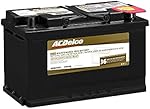
Add a Secondary Battery: If you prefer not to alter the alternator, a backup battery can provide supplementary power. Remember, connect batteries in parallel for desired results.
Shop From Amazon


Augmenting Your CR-V
Enhancing audio is just one facet; consider introducing a multimedia touchscreen or a navigational system to your Honda CR-V.
Multimedia Touchscreen
Enhancing the audio? Elevate the experience with rear passenger screens. Perfect for movies, multimedia access, or ensuring the kids are entertained during long drives.
Navigation System
Frequent traveler? A navigation system ensures you stay on track and reach destinations without the guesswork.
Shop From Amazon


Final Thoughts
Enhancements to your Honda CR-V's audio can significantly elevate driving pleasure. Whether it's your favorite playlist, podcast, or an audiobook, quality sound is transformative.
As you explore upgrades, balance quality aspirations with your budget. If installation complexities arise, rely on professionals for a seamless experience.

Nick Marchenko, PhD
Industrial Engineer & Automotive Content Specialist
Nick writes in-depth guides on car clubs, engine specs, vehicle ownership, and modifications, combining engineering knowledge with automotive passion.
Full profile → LinkedIn →You May Also Like
How To Find A Coolant Leak In Honda CR-V - You Don't Need A Pressure Tester
2 years agoCoolant plays an integral role in ensuring the smooth operation of your Honda CR-V’s engine. It travels through the cooling system, acting as a temperature regulator, preventing the engine from...
How To Choose Tires For Honda CR-V
2 years agoTires are akin to comfortable footwear, but for vehicles. Just like compromising on the quality of shoes can cause discomfort and wear out quickly, the same goes for car tires. This principle stand...
What Size Camper Can a Honda CRV Pull
2 years agoA flexible SUV capable of performing a variety of duties is the Honda CRV. We previously had a first-generation CRV, which was a fantastic vehicle that suited my family well. We can attest firsthan...
How To Install Roof Racks on Honda CR-V?
2 years agoWhen preparing for a road trip or a weekend getaway, especially with family, you often need additional space for gear. Whether your Honda CR-V is known for its spaciousness, there might be times when...
How To Change the Coolant in Honda CR-V?
2 years agoFor those who steer a Honda CR-V, routine maintenance tasks like refueling and changing the oil or brake fluid are part and parcel of the ownership experience. But the question of how often the coolan...
How To Sell Your Junk Honda CR-V?
2 years agoProper maintenance can extend the life of your Honda CR-V significantly. However, it's important to recognize that even the most well-cared-for vehicles have a lifespan. As time goes on, "...