Lighting
Lighting Control
GENERAL INFORMATION
Condensation in the Exterior Front Lamps and Rear Lamps
Exterior front lamps and rear lamps have vents to accommodate normal changes in air pressure.
Condensation can be a natural by-product of this design. When moist air enters the lamp assembly through the vents, there is a possibility that condensation can occur when the temperature is cold. When normal condensation occurs, a fine mist can form on the interior of the lens. The fine mist eventually clears and exits through the vents during normal operation.
Clearing time may take as long as 48 hours under dry weather conditions.
Examples of acceptable condensation are:
- The presence of a fine mist (no streaks, drip marks or large droplets).
- A fine mist covers less than 50% of the lens.
Examples of unacceptable condensation are:
- A water puddle inside the lamp.
- Streaks, drip marks or large droplets present on the interior of the lens.
If you see any unacceptable condensation, have your vehicle checked by an authorized dealer.
Lighting Control Selections
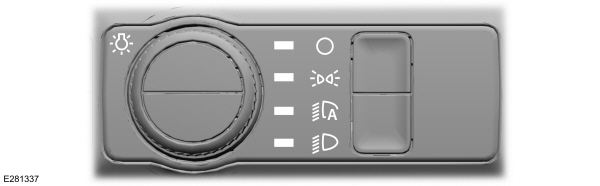
Turn the dial to make a selection.
Note: The indicator illuminates next to the active selection.
 Lamps off. Lamps off. |
 Parking lamps, instrument panel lamps, license plate lamps and rear lamps. Parking lamps, instrument panel lamps, license plate lamps and rear lamps. |
 Autolamps. Autolamps. |
 Headlamps on. Headlamps on. |
Note: The lighting control defaults to autolamps every time you switch your vehicle on.
Switching High Beam Headlamps On and Off
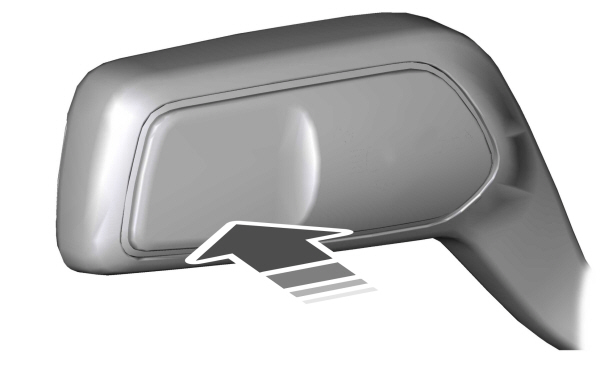

Push the lever forward again or pull the lever toward you to switch the high beams off.
Flashing High Beam Headlamps
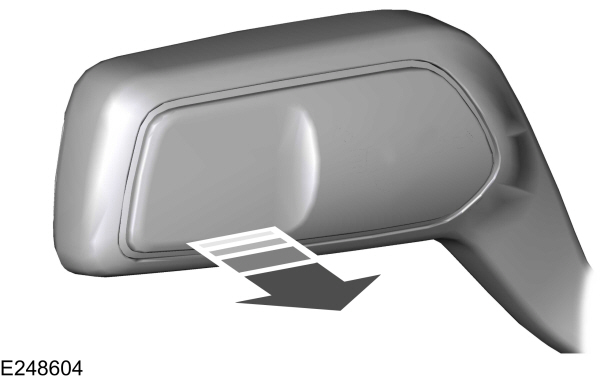
Pull the lever toward you and release it to flash the high beam headlamps.
Autolamps (If Equipped)
 WARNING: The system does not relieve you of your responsibility to drive with due care and attention. You may need to override the system if it does not turn the headlamps on in low visibility conditions, for example daytime fog. WARNING: The system does not relieve you of your responsibility to drive with due care and attention. You may need to override the system if it does not turn the headlamps on in low visibility conditions, for example daytime fog. |
Autolamps turn the headlamps on in low light situations or when the wipers operate.
Note: The lighting control defaults to autolamps each time you switch your vehicle on.
The headlamps remain on for a period of time after you switch the ignition off. Use the touchscreen to adjust the period of time that the headlamps remain on.
Note: If you switch the autolamps on, you cannot switch the high beams on until the system turns the low beams on.
Windshield Wiper Activated Headlamps
When you switch the autolamps on, the headlamps turn on within 10 seconds of switching the wipers on. They turn off approximately 60 seconds after you switch the windshield wipers off.
The headlamps do not turn on with the wipers:
- During a single wipe.
- When using the windshield washers.
- If the wipers are in intermittent mode.
Note: If you switch the autolamps and the autowipers on, the headlamps turn on when the windshield wipers continuously operate.
Instrument Lighting Dimmer
The instrument lighting dimmer buttons are on the lighting control.
  Repeatedly press one of the buttons to adjust the brightness. Repeatedly press one of the buttons to adjust the brightness. |
HEADLAMP EXIT DELAY
After you switch the ignition off, you can switch the headlamps on by pulling the direction indicator lever toward you. You will hear a short tone. The headlamps will switch off automatically after three minutes with any door open or 30 seconds after the last door has been closed. You can cancel this feature by pulling the direction indicator lever toward you again or switching the ignition on.
Daytime Running Lamps - Vehicles With: Configurable Daytime Running Lamps
| WARNING: The daytime running lamps system does not activate the rear lamps and may not provide adequate lighting during low visibility driving conditions. Make sure you switch the headlamps on, as appropriate, during all low visibility conditions. Failure to do so may result in a crash. |
Switch the daytime running lamps on or off using the touchscreen:
- Select Settings. See Settings.
- Select Vehicle.
- Select Lighting.
The daytime running lamps turn on when:
- The lamps are on in the information display.
- You switch the ignition on.
- The transmission is not in park (P) for vehicles with automatic transmissions or you release the parking brake for vehicles with manual transmissions.
- The lighting control is in the autolamps position.
- The headlamps are off.
The other lighting control switch positions do not turn on the daytime running lamps.
If the daytime running lamps are off in the information display, the lamps stay off in all switch positions.
Daytime Running Lamps - Vehicles With: Daytime Running Lamps (DRL)
| WARNING: The daytime running lamps system does not activate the rear lamps and may not provide adequate lighting during low visibility driving conditions. Make sure you switch the headlamps on, as appropriate, during all low visibility conditions. Failure to do so may result in a crash. |
The system turns the lamps on in daylight conditions.
Daytime running lamps are always on unless the headlamps are on or your vehicle is in park (P).
Front Fog Lamps (If Equipped)
Using the Front Fog Lamps
To switch the lamps on or off:
- Set the lighting control to the parking lamps, headlamps or autolamps position.
Note: When the lighting control is in the autolamps position, you cannot switch the fog lamps on unless the low beam headlamps are on.
Press the button on the lighting control to switch the front fog lamps on or off.
Note: Only switch the front fog lamps on during reduced visibility.
Note: The brightness of the daytime running lamps may decrease when the front fog lamps are on.
Note: The lights on the front fog lamps turn off when you switch the high beams on.
Front Fog Lamp Indicator
|
|
Adaptive Headlamps
The headlamp beams move in the same direction as the steering wheel. This provides more visibility when driving around curves.
- Without adaptive headlamps.
- With adaptive headlamps.
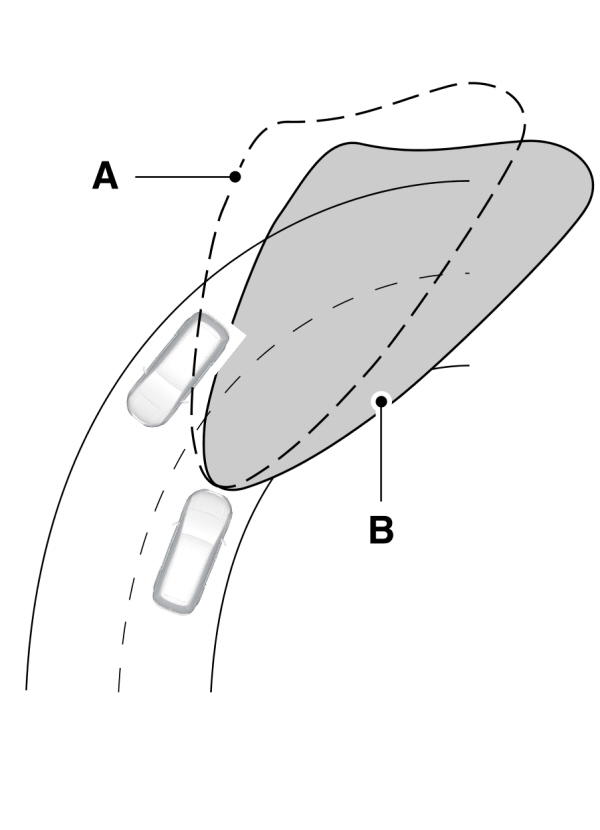
The system only works with the lighting control in the autolamp position.
You can switch the system on or off in the touchscreen.
Note: There is a delay of two to five seconds before the system operates when you drive your vehicle.
Note: The system is only active at speeds above 3 mph (5 km/h).
System Check (If Equipped)
The system has a power-up movement check feature. When you start your vehicle, the lamps track left to right, then back to center to alert the driver that the system is working properly.
Direction Indicators
Switching the Direction Indicators On and Off
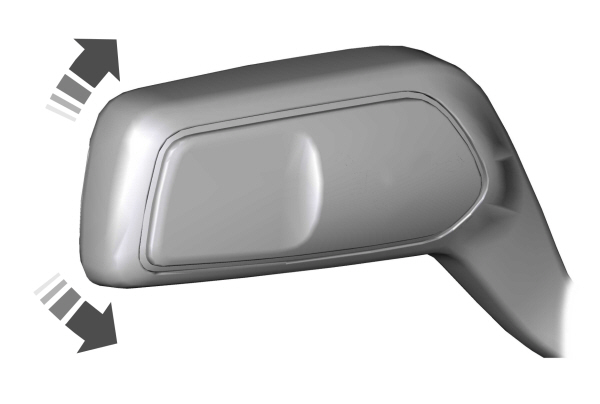
Push the lever up or down to switch the direction indicators on.
Note: Tap the lever up or down to make the direction indicators flash three times.
Set the lever to the middle position to switch the direction indicators off.
Direction Indicator

Note: An increase in the rate of flashing warns of a failed indicator bulb.
Interior Lamps
The lamps turn on under the following conditions:
- You open any door.
- You press a button on the remote control.
- You press the all lamps on button on the overhead console.
Front Interior Lamp
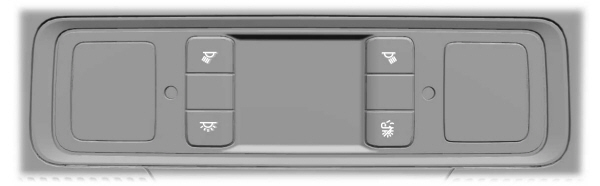
The front interior lamp switches are on the overhead console.
Note: The position of each button on the overhead console depends on your vehicle.
All Lamps On or Off
 Press to switch all interior lamps on or off. Press to switch all interior lamps on or off. |
Individual Map Lamps
 Press to switch the left-hand individual dome lamp on and off. Press to switch the left-hand individual dome lamp on and off. |
 Press to switch the right-hand individual dome lamp on and off. Press to switch the right-hand individual dome lamp on and off. |
Interior Lamp Function

When the interior lamp function is off and you open a door, the courtesy and door lamps stay off.
When the interior lamp function is on and you open a door, the courtesy and door lamps turn on.
Note: The indicator lamp lights amber when the door function is off.
Rear Interior Lamps
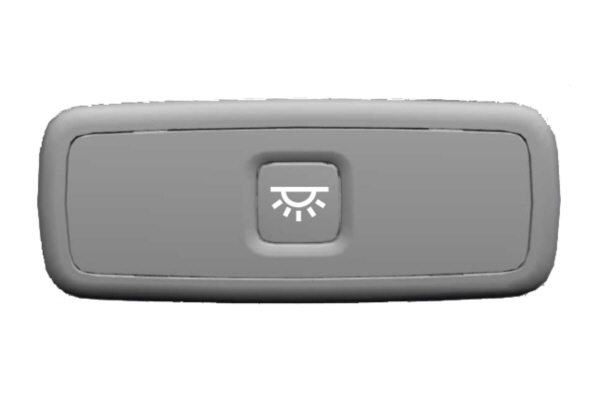
The rear interior lamps may be above the rear seat or above the rear windows.
Note: If you switch the rear lamps on through the overhead console, you cannot switch them off with the rear lamp switch.
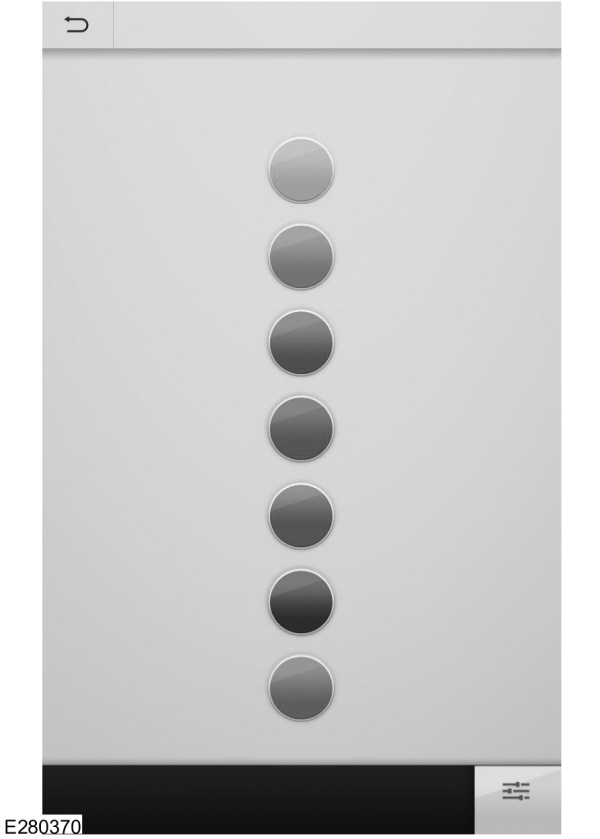
Ambient Lighting - Vehicles With: 8 Inch Center Display Screen
Use the touchscreen to select the following:
 Select the settings option on the feature bar. Select the settings option on the feature bar. |
 Select ambient lighting. Select ambient lighting. |
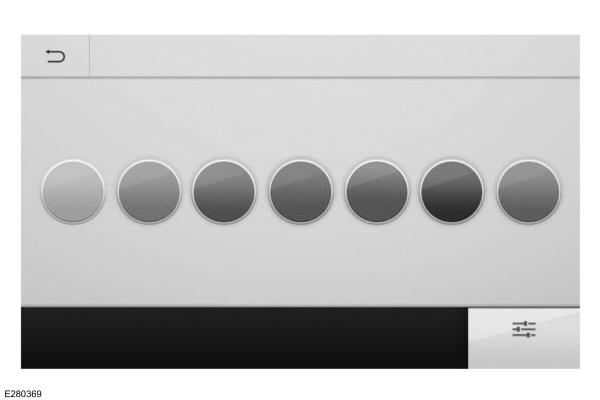
Switching Ambient Lighting On
Touch a color once.
Changing the Color
Touch any color once.
Adjusting the Brightness
Drag the selected color up or down.
Switching Ambient Lighting Off
Touch the selected color once or drag the selected color down to zero brightness.
Ambient Lighting - Vehicles With: 10.1 Inch Center Display Screen
Use the touchscreen to select the following:
| Select the settings option on the feature bar. |
Select ambient lighting. |
Switching Ambient Lighting On
Touch a color once.
Changing the Color
Touch any color once.
Adjusting the Brightness
Drag the selected color left or right.
Switching Ambient Lighting Off
Touch the selected color once or drag the selected color left to zero brightness.
Download Manual