Disclaimer: Not affiliated with or endorsed by Chevrolet Motor Company. For informational purposes only. Full Disclaimer
How to Reset Fault Codes in a 2004 Chevy Impala
Updated:
As you know, fault codes play a crucial role in diagnosing and identifying potential issues within the vehicle's systems. These fault codes, also known as diagnostic trouble codes, serve as valuable indicators that assist in pinpointing specific problems that may be affecting the car's performance.
Understanding how to reset these fault codes is essential for any car owner or DIY enthusiast. This article provides a comprehensive guide on resetting fault codes in a 2004 Chevy Impala, along with useful tips and precautions to ensure a successful reset and prevent recurring issues.
By following these instructions, you can effectively manage fault codes and maintain the optimal performance of your Chevy Impala.
What are Fault Codes?

Fault codes, also known as diagnostic trouble codes, are alphanumeric codes that your vehicle's onboard computer generates when it detects a problem or fault in one of the car's systems.
In simpler terms, think of them as your car's way of raising its virtual hand and saying, "Hey, something's not right about me!" Fault codes play a crucial role in helping mechanics and car owners diagnose and fix issues with their vehicles.
These codes provide valuable information about the specific problem, making troubleshooting much easier. They act as a starting point for identifying which part of the car's system needs attention, saving you time and money during repairs.
Shop From Amazon


How Fault Codes Help Identify Vehicle Issues
Fault codes act like little detectives, helping you unravel the mystery behind your car troubles. When a fault code is triggered, it pinpoints the exact area or component causing the problem.
So instead of playing a guessing game with your car, you can rely on these codes to guide you towards the root of the issue. Ignoring fault codes is like sticking your head in the sand and hoping the problem magically disappears.
Not only can unresolved issues lead to further damage, but they can also affect the performance and safety of your vehicle. By addressing fault codes promptly, you can nip potential problems in the bud and ensure your ride stays in top shape.
Preparing for Fault Code Reset in a 2004 Chevy Impala

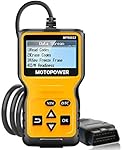
Before diving into resetting fault codes, it's essential to have the right tools at your disposal. This may include an OBD-II scanner or code reader, which can communicate with your car's onboard diagnostic system.
You can purchase these tools online or borrow them from a friend or local automotive store. Your vehicle's manual and code list are like your trusty co-pilots when it comes to navigating fault codes.
Take some time to read through the manual and familiarize yourself with the specific codes related to your 2004 Chevy Impala. This knowledge will help you better understand the issues your car is experiencing.
Guide to Resetting Fault Codes in a 2004 Chevy Impala

Accessing the Vehicle's Onboard Diagnostic System
To reset fault codes, you'll need to access the onboard diagnostic system of your 2004 Chevy Impala. Usually, the OBD-II port is located beneath the dashboard near the steering column. It may be covered by a removable panel or cap. Once you find it, plug in your OBD-II scanner or code reader.
Identifying and Documenting the Specific Fault Codes
After connecting your OBD-II scanner, it will communicate with your car's onboard computer and retrieve the fault codes. These codes will be displayed on the scanner's screen, helping you identify the issues your vehicle is facing. It's important to write down or take a picture of these codes for reference during troubleshooting.
Resetting the Fault Codes Using the Appropriate Method
Now comes the exciting part – resetting the fault codes! Depending on the type of OBD-II scanner or code reader you're using, there are different methods to reset the codes.
It could involve pressing a certain button or following a specific sequence of actions. Refer to your scanner's manual or online resources for detailed instructions on how to perform the reset.
Remember, resetting fault codes is not a magical solution that fixes the underlying issues. It simply clears the codes from the computer's memory.
If you've addressed the problems causing the codes, they should not reappear after the reset. However, if the issues persist, it's best to consult a professional mechanic for a thorough diagnosis and repair.
Common Challenges During Fault Code Reset

Resetting fault codes can be a straightforward process, but sometimes pesky error messages can throw a wrench in the works. You might encounter messages like "Reset Failed" or "Cannot Clear Codes." Don't worry - you're not alone in this struggle.
Troubleshooting Techniques to Resolve Reset Issues
When faced with these frustrating error messages, it's important to stay calm and tackle the problem head-on. One easy troubleshooting technique is to disconnect the car battery for about 30 minutes and then reconnect it.
This can sometimes help clear the error messages and allow for a successful reset. Another technique to try is using an OBD-II scanner or code reader.
These devices can provide more detailed information about the specific fault codes and may help you troubleshoot the underlying issue causing the reset problems.
Remember, troubleshooting can be a bit of trial and error, so don't be afraid to experiment and try different approaches until you find success.
Importance of Post-Reset Diagnostics and Rechecking Fault Codes
After successfully resetting the fault codes, it's crucial to perform a thorough system check to ensure everything is working as it should.
This involves taking your Chevy Impala for a spin and paying close attention to any unusual symptoms or warning lights that may reappear.
Just because you've cleared the fault codes doesn't mean they won't come back to haunt you. It's vital to recheck for any recurring or new fault codes after the reset. This helps identify any underlying issues that may need further attention or repair.
Remember, it's better to catch a fault code early on and address it promptly, rather than waiting for it to snowball into a bigger problem down the road. So, roll up your sleeves, reset those codes, and hit the road with confidence!

Nick Marchenko, PhD
Industrial Engineer & Automotive Content Specialist
Nick writes in-depth guides on car clubs, engine specs, vehicle ownership, and modifications, combining engineering knowledge with automotive passion.
Full profile → LinkedIn →You May Also Like
How to Choose and Install a Towing Hitch on Your Chevrolet Impala?
2 years agoBy enabling you to pull boats, trailers, or other recreational equipment, choosing and installing a towing hitch for your Chevrolet Impala can greatly increase the vehicle's usefulness. It'...
How to Choose and Install a Towing Hitch on Your Chevrolet Impala?
2 years agoYou may tow motorcycles, trailers, and other recreational items with your Chevrolet Impala by choosing and installing a towing hitch. This will open up a world of possibilities. Utilizing this towi...
What Does p3497 Chevrolet Impala mean?
2 years agoIn simple terms, the p3497 diagnostic trouble code essentially indicates an issue with the cylinder deactivation system in Bank 2. You might be wondering, "What's this all about?" This m...
2014 Chevy Impala Fault Code B0223
2 years agoPicture this: you are cruising down the road in your stylish 2014 Chevy Impala, enjoying the smooth ride and the power under the hood. Suddenly, a warning light flashes on your dashboard, accompani...
How To Fix Chevrolet Impala Brake Light Fail - DIY Guide
2 years agoDealing with a brake light issue in a Chevrolet Impala can be a perplexing task, but with some patience and technical know-how, most problems can be resolved. This guide outlines steps to troubleshoot...
How To Decode Chevrolet Impala VIN Code - With Examples
2 years agoEach Chevrolet Impala comes equipped with its own unique identifier known as a Vehicle Identification Number, or VIN for short. This alphanumeric sequence is brimming with vital details about the vehi...